Descript is absolutely worth it in 2026 if you create talking-head videos, podcasts, or screen-recorded tutorials and hate wrestling with complex timelines. It won’t replace high-end editors for cinematic work, but for most creators it can cut editing time by 40–75% once your workflow is dialed in.
🔹 Edit by Deleting Words: Too Good to Be True?
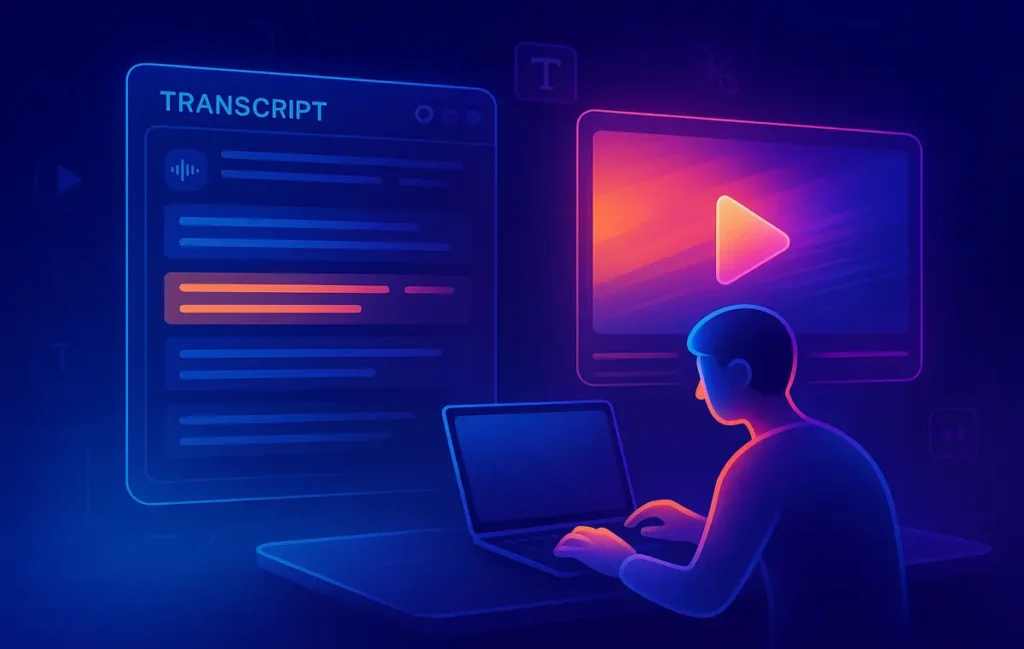
If you’ve ever stared at a messy timeline in Premiere or DaVinci and thought, “There has to be an easier way,” Descript is basically that thought turned into software. Instead of dragging clips around on a tiny timeline, you edit the transcript. Delete a sentence in text, and that sentence vanishes from your video or podcast. It feels more like editing a Google Doc than a traditional NLE.
That promise is why Descript has become a default recommendation in creator circles. YouTubers, podcasters, course creators, and marketers keep talking about how it lets them cut, clean, caption, and repurpose content without feeling like full-time editors. But hype is cheap. The real question—a question a lot of NerdChips readers ask—is simple: is Descript actually worth paying for in 2026, or is it just a shiny AI toy?
💬 Eric’s Note:
I gravitate to tools that remove friction, not add menus. If you also just want fewer steps between “record” and “publish,” this review is written with you in mind—not for editors who enjoy wrestling with a 200-layer timeline for fun.
In this in-depth Descript review, we’ll look at what the tool really does well, where it falls short, and how it fits into a modern creator stack alongside other AI video tools you might have met in guides like Best AI Video Editing Tools Reviewed or more creator-friendly roundups like Best AI Video Editors for Non-Technical Creators: Edit Like a Pro Without the Learning Curve.
🔹 What Is Descript, Really? More Than “Just Another Editor”
At a high level, Descript is an all-in-one AI editor for video and audio. The core idea: it automatically transcribes your recordings, then lets you edit the text to edit the media. Around that core, it wraps a surprisingly full toolbox:
-
Multitrack audio and video editing
-
Screen and webcam recording
-
AI co-editor (Underlord) that can tighten edits, remove silences, and generate content
-
Filler word removal, gap detection, and timing cleanup
-
Studio Sound for AI-powered audio enhancement
-
Overdub / voice cloning and AI speech tools
-
Captions, social clips, and simple templates for repurposing
In other words, it tries to be your podcast editor, video editor, and screen recorder in a single interface. You can see why this matters if you’ve bounced between separate tools for recording, editing, cleaning audio, and captioning.
Traditional NLEs like Premiere, Final Cut, or Resolve are unbeatable when you need frame-perfect edits, multiple video layers, VFX, heavy color grading, or detailed keyframing. Descript doesn’t aim to kill those. Instead, it tries to own everything that looks like:
-
Talking-head YouTube videos
-
Interviews and podcasts
-
Tutorials and course lessons
-
Webinars turned into highlight clips
For those use cases, editing by text isn’t a gimmick—it genuinely changes how your brain thinks about editing. You’re reading a conversation and trimming ideas, not dragging clips in the dark.
💡 Nerd Tip: If your content is 80% words and 20% visuals, a transcript-first editor like Descript will usually give you more leverage than a pure timeline-first tool.
🔹 Who Descript Is For (And Who Will Probably Hate It)
Descript is not “for everyone,” and that’s a good thing. It’s clearly opinionated software.
🔸 Ideal Use Cases & Creators
Descript shines when:
-
Your content is primarily spoken word: interviews, podcasts, talking-head videos, educational content.
-
You care more about speed and clarity than about subtle visual flourishes.
-
You want to edit yourself as a creator without learning a full NLE.
-
Your team needs to collaborate in one shared project instead of passing project files around.
Solo YouTubers, podcasters, course creators, and marketing teams creating social clips around webinars or live streams are perfect fits. If you’re building a content engine with repurposing in mind—long-form episodes cut down into Shorts, Reels, and LinkedIn clips—Descript’s mix of transcripts, captions, and AI cleanup sits right in the sweet spot. It pairs nicely with more strategic content guides such as AI in Video Production: How Automation is Changing Editing & Content Creation when you think about the bigger system.
🔸 Probably Not for You If…
There are creators who will find Descript frustrating:
-
You’re cutting cinematic content, trailers, music videos, or heavily stylized edits.
-
You rely on advanced color grading, VFX, intricate motion graphics, or multi-layer compositing.
-
You need frame-perfect control and live inside keyframes.
Those workflows still live more comfortably in tools like Premiere Pro, Final Cut Pro, or DaVinci Resolve. Some creators even use Descript as a rough-cut engine, then export to a traditional NLE for polish.
💡 Nerd Tip: If you often catch yourself thinking “I just need to get this podcast or tutorial out without it taking three evenings,” Descript is your tool. If you’re chasing film-festival aesthetics, it’s your pre-editor at best.
🔹 Key Features in Practice: What Using Descript Actually Feels Like
Instead of listing features like a brochure, let’s walk through what they feel like in real workflows. NerdChips is all about real-world usability, not checkbox bingo.
🔸 1. Transcript-Based Editing: Cut Video Like a Doc
The heart of Descript is still transcript-based editing. You import a video or audio file, Descript transcribes it, and suddenly your edit is a wall of text. Click on a word, the playhead jumps to that point. Delete a sentence, and both the transcript and media are trimmed.
In practice, this is incredibly powerful for long talking-head recordings. Imagine a 35-minute video where you rambled, restarted sentences, or told stories that you later decide are off-topic. Instead of scrubbing through the waveform, you read the transcript like a script and cut anything that doesn’t serve the story. For many creators, this alone can slice editing time down to a third of what it was in a classic NLE.
Descript’s transcript accuracy has improved dramatically. It’s not perfect—no system is—but for English content it’s surprisingly usable out of the box, and you can quickly correct names or branded terms. Once you get comfortable, you start thinking in paragraphs and beats rather than in clips and keyframes.
🔸 2. Studio Sound, Filler Removal, and Cleanup
Descript bundles a set of AI “audio cleanup” features that address the messiest parts of DIY recording: background noise, room echo, uneven levels, and endless “ums” and “uhs”.
Studio Sound uses AI to remove hiss and hum while boosting voice clarity. When used carefully, it can make a cheap USB mic in a slightly echoey room sound close to a treated setup. For podcast creators, that’s huge. Many users report that a single pass of Studio Sound plus light tweaking replaces the need for manual EQ and noise reduction chains.
Then there’s Remove Filler Words. Descript detects verbal tics—“uh”, “um”, “you know”, “like”—and lets you delete them in bulk or selectively. Used with restraint, this can make interviews or solo episodes sound more confident and polished without losing their natural rhythm. Overuse can make speech feel too “clipped,” so the real skill is in deciding which fillers were actually hurting clarity.
If you’ve been juggling multiple separate tools for audio repair, Descript’s integrated approach is refreshing. For more audio-focused stacks, it plays nicely with guides like Podcast Editing Tools That Save Hours and AI Tools for Podcast Creators: Editing, Transcripts, and Automation.
💡 Nerd Tip: Run Studio Sound and filler removal on a short test section first. If it still sounds like you—just sharper—you’re in the safe zone. If it starts to feel “robotic,” dial it back.
🔸 3. Screen & Webcam Recording in a Single Flow
Descript includes built-in screen and webcam recording, which sounds minor until you realize how much friction you remove by not juggling extra apps. You can record:
-
Your screen only
-
Screen + webcam bubble
-
Webcam only
Then immediately edit the result in the same project, with transcript and all cleanup tools ready to go. For course builders, SaaS product marketers, and tutorial creators, this “record → edit in one place” loop is a huge time saver. It’s easy to build full walkthrough videos and then cut out the fluff via transcript instead of manually trimming little pauses along the way.
🔸 4. Multitrack Timeline When You Need More Control
Under the transcript, Descript still has a traditional timeline, and that’s important. Once you’ve done the heavy lifting via text, you can:
-
Adjust cuts frame-by-frame.
-
Place B-roll on top of talking-head footage.
-
Add transitions or overlays.
-
Sync existing assets with your narration.
It’s not as fully featured as a professional NLE, but it’s more than enough to add visual interest and polish to typical YouTube or podcast-video workflows. Think of it as an “80% editor”: strong enough for the majority of creator content, not intended for complex VFX.
🔸 5. Overdub & AI Voice Tools: Fix Lines Without Re-Recording
Overdub lets you create a voice model of yourself (after consent and training samples). Once it’s set up, you can:
-
Fix mispronounced words.
-
Change a line that aged badly.
-
Insert a missing sentence after a feature update.
Instead of re-recording a whole section, you type what you wish you’d said and let Descript generate the missing audio, aligned with your existing delivery. Used on short phrases and small corrections, Overdub can be eerily natural. Used for long monologues, it can still feel a bit “AI-ish,” especially in emotional or highly expressive segments.
Ethically, the guardrails matter. Descript asks for clear consent and training data. As a creator, your job is to use that power transparently—fixing mistakes and tightening narratives, not pretending you said things you never did in contexts that matter.
💡 Nerd Tip: Treat Overdub as a “patch tool,” not a ghostwriter. If you’re rewriting half your script in AI voice, it’s usually faster (and more honest) to re-record.
🔸 6. Templates, Captions, and Social Clips
Descript’s templating and caption features aim at one specific pain point: turning long-form content into short, platform-native clips. You can:
-
Generate captions with one click and burn them into the video.
-
Apply visual templates that match your brand style.
-
Mark highlights in the transcript and spit out clips for Shorts, Reels, or TikTok.
When you combine that with smart B-roll workflows or tools covered in deeper gear posts like NerdChips’ B-roll tooling guides, you can turn a single 40-minute webinar into a week of short-form content pieces with much less manual labor.
🔹 Real-World Workflows: Where Descript Fits in a Creator Stack
Talking about features is useful; showing how they chain together is better. Let’s look at three practical workflows where Descript tends to shine.
🔸 Workflow 1: Solo YouTuber Doing Talking-Head Videos
You record a 25–30 minute talking-head video about a topic in your niche. Traditionally, cutting that down might mean a couple of evenings in a full NLE. In Descript, the flow looks more like:
-
Import the recording and auto-transcribe.
-
Read through the transcript, deleting tangents, repeated explanations, or dead ends.
-
Use filler removal selectively to tighten the flow.
-
Add a few B-roll clips or screenshots where needed in the timeline.
-
Apply captions and export.
Most creators who switch from manual timeline trimming to this transcript-based approach report huge time savings—often editing in a single focused session instead of spreading it over multiple days. If you’ve read guides like Best AI Video Editors for Non-Technical Creators: Edit Like a Pro Without the Learning Curve, Descript is usually the “graduation step” when you’re ready for something more robust but still not full-blown Premiere.
🔸 Workflow 2: Podcast + YouTube Video From One Recording
If you produce both an audio-only podcast and a video version for YouTube, Descript reduces duplication dramatically:
-
Record a multicam or simple webcam + mic setup.
-
Import into Descript, transcribe, and edit via text.
-
Use Studio Sound and light cleanup for audio quality.
-
Export audio-only for podcast hosting.
-
Export video for YouTube with caption file or burnt-in subtitles.
Instead of editing in an audio DAW and then separately in a video editor, you clean the content once and push it to both channels. That’s a big deal if you’re running your show solo or with a tiny team.
🔸 Workflow 3: Repurposing Webinars Into Short Clips
Webinars are content goldmines but notoriously underused. With Descript, a repurposing flow can look like this:
-
Import the full webinar recording.
-
Scan the transcript for quotable sections, Q&A moments, or concise explanations.
-
Highlight and cut those sections into separate compositions.
-
Apply captions and simple branding templates.
-
Export a batch of short clips for social platforms.
This is where Descript pairs nicely with broader AI video strategy posts like Best AI Video Editing Tools Reviewed, especially when you think in terms of building a repeatable content engine around your long-form events.
💡 Nerd Tip: Create a “clip checklist” you reuse for every webinar—intro hook, key insight, objection answer, and “one actionable tip.” Use transcript search to find each, then batch your edits.
🔹 Pricing & Plans: Is Descript Good Value in 2026?
Descript uses a freemium model: there’s a free tier with limited media minutes and AI credits, plus several paid plans that scale media hours, AI usage, export quality, and collaboration features.
Instead of memorizing exact prices (which can change), think in buckets:
-
Free / Hobbyist: Good for testing the transcript workflow, basic cleanup, and occasional projects. Limits will kick in quickly if you publish weekly.
-
Creator / Pro Individual: Designed for solo YouTubers, podcasters, and educators who produce content regularly. You get enough media minutes and AI tools to run a real channel.
-
Business / Team: Targets small teams or agencies who want collaboration, brand controls, and more AI bandwidth per month.
For a small creator, the question is whether the subscription cost is justified by time saved. If Descript helps you reclaim even 3–4 hours of editing per week, it’s usually a no-brainer. Many users report editing taking “one-quarter the time it used to” once they fully adopt the workflow, which is a serious leverage multiplier for solo operations.
💡 Nerd Tip: Start on the free tier for one full project. If you find yourself wishing you could “just keep using this” instead of going back to your old editor, that’s usually your green light to upgrade.
⚡ Ready to Turn Raw Recordings into Publish-Ready Videos Faster?
If you’re serious about YouTube, podcasts, or course content, building an AI-assisted editing stack is no longer optional. Descript can be the “hub,” with other tools plugged in around it.
🔹 Pros & Cons: Where Descript Nails It (And Where It Just… Doesn’t)
🔸 Major Pros
The biggest advantage is speed plus clarity. Editing by text changes the mental model completely. Instead of hunting through a timeline for awkward moments, you read your own words and trim ideas that don’t belong. For interviews, podcast episodes, and talking-head explainers, this is the closest thing to “cheating” that still feels honest.
The second big win is consolidation. Descript rolls transcription, editing, cleanup, captions, and screen recording into one app. That means fewer subscriptions and fewer context switches. If you’ve been bouncing between a separate transcription tool, a DAW, and a video editor, the drop in friction is noticeable.
Finally, the onboarding curve is much friendlier than people expect. If you can edit a Word doc, you can do a functional edit in Descript. That makes it perfect for teams where not everyone is a technical editor—marketers, founders, and subject-matter experts can all contribute.
🔸 Major Cons
Descript is still not a full replacement for high-end editing suites. If your work involves intricate transitions, heavy color grading, multi-track camera switching with lots of b-roll, or custom graphics, you will likely outgrow Descript as your only tool. It’s phenomenal for 80% of creator workflows, but the last 20% often requires exporting to another editor.
There’s also the AI trade-off. Studio Sound and filler removal are powerful, but they’re not magic. Hard-noisy recordings or extremely echoey rooms will still sound rough after processing, and aggressive filler deletion can make speech feel rushed. Overdub, while impressive, still requires careful, ethical use and tends to work best in small patches, not full monologues.
Lastly, cloud-centric workflows mean you’re depending on Descript’s infrastructure. For most creators that’s fine, but if you have strict offline needs or heavy security requirements, it’s something to consider.
🔹 Descript vs Other Options (Conceptual, Not a Full Showdown)
It’s tempting to ask “Is Descript better than X?” but that’s the wrong question. The right question is: where does Descript fit in the spectrum of editing tools you might use as a creator?
Think of three broad categories:
-
Classic NLEs (Premiere, Final Cut, DaVinci): unmatched for deep control and complex visuals, but slower to learn and often overkill for simple talking-head work.
-
Simple web-based editors (CapCut, Canva Video, etc.): easy and lightweight, great for quick social edits, but limited for long-form content and podcast-style workflows.
-
AI-first editors like Descript: optimized for transcript-based editing, audio cleanup, and repurposing. Perfect for creators who publish consistently and want leverage, not more knobs.
If your content stack is mostly written, audio, and simple video explainers—the kind of work NerdChips often helps readers systematize—Descript naturally gravitates toward the center of your workflow. For more visual-heavy brands or gaming channels, it becomes a companion tool for rough cuts and scripting rather than your only editor.
| Tool Type | Best For | Main Trade-Off |
|---|---|---|
| Descript | Talking-head videos, podcasts, tutorials, repurposed clips | Limited for complex VFX and advanced visual workflows |
| Classic NLE (Premiere / FCP / Resolve) | Cinematic edits, multi-layer visuals, advanced grading | Steep learning curve and slower for simple speech-heavy edits |
| Simple Web Editors | Quick social posts, basic clips | Shallow feature set for serious podcast or long-form video work |
💡 Nerd Tip: Use Descript as your “content brain” for everything speech-based, then decide case-by-case if a project needs the extra polish of a full NLE.
📬 Want More Smart AI Editing Tips Like This?
Join the free NerdChips newsletter and get weekly breakdowns of AI video tools, podcast workflows, and creator systems that actually save hours—not just promise it.
🔐 100% privacy. No noise. Just value-packed creator tooling insights from NerdChips.
🧠 Nerd Verdict
Descript isn’t trying to win a feature-count war with big NLEs. It’s doing something more interesting: redefining editing as editing ideas instead of editing tracks. For creators whose work is built on words—explainers, interviews, tutorials, podcasts—that shift is massive.
If you’re a solo creator or lean team, the question isn’t “Is Descript perfect?” It’s “Does this tool give me back enough time and clarity to justify one more subscription?” For most NerdChips-style creators—people building channels, courses, or podcasts around expertise—the answer in 2026 is a confident yes.
❓ FAQ: Nerds Ask, We Answer
💬 Would You Bite?
If you’ve tried Descript already:
What part felt genuinely magical, and where did it break down for you?
And if you haven’t:
Would you rather use Descript as your main editor, or as a rough-cut engine before a heavier NLE?
Crafted by NerdChips for creators and teams who want their best ideas to travel the world.