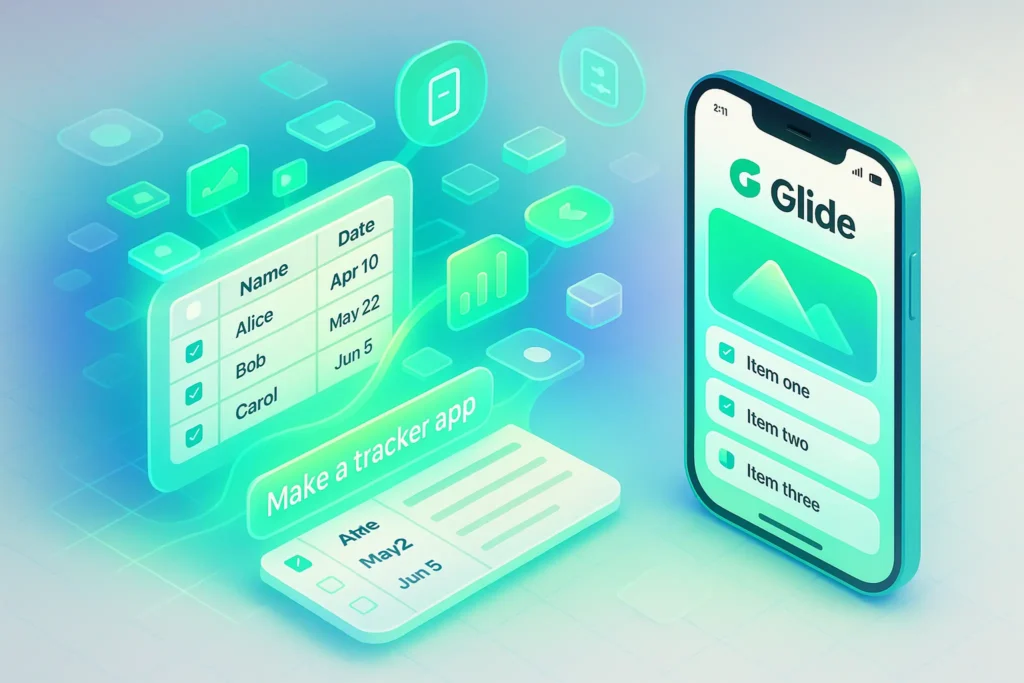
Glide is a no-code app builder that turns spreadsheets and business data into mobile-ready web apps without writing a single line of code. It’s fantastic for internal tools, client portals, and MVPs—especially if you live in Google Sheets. You’ll outgrow it only when you need pixel-perfect, native, or extremely complex apps.
🚀 Your App, No Developer: Why Glide Exists
Picture this: you’re a solopreneur or marketer with multiple Google Sheets tracking leads, campaigns, invoices, content, and clients. Everything “works,” but the moment you want a proper app—something clients can log into, or your team can use on mobile—you hit the same wall: you can’t code, and hiring a dev team is overkill.
Glide exists exactly for that gap. It promises to turn your existing data into a working app in hours instead of months. You keep your data where it already lives, you drag-and-drop the interface, and Glide handles the rest: permissions, layouts, and mobile responsiveness. In 2025 they’ve doubled down on AI-assisted workflows and smarter data handling, but the core pitch hasn’t changed: spreadsheet → app, no code.
For many readers of NerdChips, Glide sits in the same mental shelf as tools like Google Opal: Build Apps Without Coding Using Just Your Words and Figma Make Is Here: Build Real Apps with AI Prompts and Design References. The difference is that Glide is less about magic prompts and more about giving your business data a usable, opinionated interface.
🎯 Who This Review Is For (and Not For)
Glide is especially relevant if you:
-
Run a one-person or small team operation and your “backend” is basically Google Sheets or Airtable.
-
Want to build internal tools like CRMs, inventory dashboards, or content trackers without involving developers.
-
Need client-facing portals where customers can log in, check status, download files, or submit information.
-
Are a non-technical founder who wants to ship an MVP and validate it quickly, before investing in custom development.
Glide is not the right match if you:
-
Are trying to build a heavy B2C SaaS product with complex logic, multi-step transactions, or real-time interactions.
-
Want a glossy, motion-heavy, pixel-perfect UI like a top-tier consumer app or mobile game.
-
Need deep native capabilities (push notifications, hardware integrations, offline-first behavior) as a core part of the product.
“Glide feels like cheating when you just need a business tool that works on phones.” — a small agency owner on X
⚡ Quick Verdict Snapshot — Is Glide Worth Your Time?
In short: yes, if you’re building data-driven business tools or MVPs. Glide is one of the most balanced no-code builders for internal apps, client portals, and dashboards.
-
Perfect if you want to turn spreadsheets into apps with a clean interface and role-based access.
-
Best suited for internal tools and simple customer-facing apps where logic is important but not extreme.
-
Less ideal once your data sets get huge or your product needs very complex workflows or native distribution.
If that sounds like your world, keep reading—this review is written specifically for NerdChips readers who care about ROI, not just shiny features.
📊 What Is Glide and How It Works (Plain-English Overview)
🧩 Glide in One Sentence
Glide is a data-first, spreadsheet-based app builder that turns your existing data (Sheets, Airtable, Glide Tables, SQL) into responsive web apps and PWAs, with drag-and-drop screens and no traditional coding.
Instead of asking you to think like a programmer, Glide asks you to think like a spreadsheet power user.
🗂 Data-First Approach: Sheets, Tables, and Databases
At the core, Glide is a visual layer on top of structured data. You bring data from:
-
Google Sheets or Excel
-
Airtable bases
-
Native Glide Tables
-
Increasingly, database connections like Postgres for more serious setups
You define columns, types, and relationships, and Glide treats that as your single source of truth. Every screen, component, and action reads or writes to that data.
💡 Nerd Tip: Treat your data as a proper database, not “just a sheet.” Use unique IDs, clean column names, and clear types (dates, numbers, booleans) from day one. Glide rewards clean data with cleaner apps.
This mindset is why Glide works so well with guides like How to Develop a Mobile App Without Coding: you design your data model like you would for a proper app, then let Glide handle the UX.
🧱 Drag-and-Drop UI Builder: Components, Layouts, Themes
Once your data is connected, Glide gives you a visual builder where each screen is composed of components:
-
Lists, cards, tables for browsing records
-
Detail views for a single row
-
Forms for adding and editing records
-
Charts, maps, calendars, and progress indicators
-
Buttons, tabs, and navigation elements
You pick a layout—say, a card-based CRM or a kanban-style content tracker—then bind each component to data fields. Glide handles the responsive design, so your app looks and feels at home on both mobile and desktop.
The result is a UI that has a “Glide look”: clean, opinionated, and mobile-first. You don’t micro-tune every pixel, but you avoid design rabbit holes that swallow weeks of dev time.
🧠 Business Logic in Glide: Actions, Conditions, Computed Columns
Instead of writing code, you express logic through:
-
Computed columns (formulas inside Glide) that derive values from raw columns
-
Visibility rules to show or hide components based on user role or data state
-
Actions that trigger flows like “add row,” “send email,” “open link,” “navigate,” or “update a value”
With Workflows and AI features becoming more mature in 2025, Glide can now chain actions into more meaningful automations. It’s not a full replacement for hardcore automation platforms, but it’s powerful enough that many teams use it as the main front-end on top of stacks they already automate via tools like No-Code Automation for Solopreneurs: Scale Without Developers.
💼 Glide at a Glance – Features, Pricing, and Plans
🧾 Core Features Overview
At a high level, Glide gives you:
-
Data connections to Sheets, Airtable, Glide Tables, and databases
-
A rich component library for lists, forms, charts, and dashboards
-
Actions and workflows to automate common flows without code
-
User roles and permissions for internal tools and client portals
-
One-click publishing to a shareable web URL and PWA install
For most small teams and solopreneurs, that combination is enough to replace a surprising number of scattered spreadsheets and internal tools.
💳 Pricing & Plans (High-Level, Non-Technical)
Glide’s pricing typically follows a familiar pattern:
-
A free or starter tier for experimentation, learning, and very small apps
-
Creator / Pro tiers aimed at freelancers and small teams who need custom domains, higher row limits, and more private users
-
Team / Business tiers for organizations that care about security, advanced access control, and scaling multiple apps across departments
Rather than memorizing exact prices, think of it like this:
-
If you’re a solopreneur testing an MVP, you’ll probably live comfortably in the lower tiers while you iterate.
-
If you’re a small team replacing multiple internal tools, you’re almost certainly in Pro/Team territory where more users and rows are included.
-
If you’re a larger organization, you’ll treat Glide like any other SaaS line item and choose a Business-style plan with account management and security controls.
💡 Nerd Tip: Don’t optimize for the cheapest plan on day one. Optimize for “Does this replace at least one tool or messy process?” That’s where the ROI appears.
📏 Usage Limits You Actually Need to Care About
Every no-code builder has limits—Glide is no exception. The big levers to watch:
-
Row limits: how many records you can store (leads, tasks, orders, etc.)
-
Private users: how many people can log in with their own accounts
-
App limits: how many projects you can run in parallel under one subscription
These limits matter when you suddenly go from “ten internal testers” to “hundreds of clients logging into your portal.” Many founders discover their pricing tier is less about features and more about how many authenticated users they want.
🧩 Glide’s Template Library & Ecosystem
Glide’s template marketplace is underrated. You’ll find templates for:
-
CRMs and lead trackers
-
Client portals and project hubs
-
Inventory systems, event tools, and internal dashboards
Instead of starting from a blank canvas, you clone a template and adapt it to your data. For creators who’d rather ship than design, this alone can cut the first week of experimentation into a single afternoon.
If you’re thinking in terms of AI products, Glide also pairs nicely with stacks we cover in Best No-Code Tools for Building AI Startups, where Glide acts as the human-facing control panel on top of AI backends and automations.
🛠 Hands-On: Building Your First App in Glide (Step-by-Step)
1️⃣ Step 0 – Prepare Your Data
Before you even sign up, open your primary spreadsheet. Clean it ruthlessly:
-
Remove unused columns and duplicate rows.
-
Use consistent formats for dates, currencies, and status values.
-
Introduce a unique ID column if one doesn’t exist.
Think of this step as “schema design for non-developers.” The cleaner the data, the less friction you’ll have later when relationships and filters come into play.
2️⃣ Step 1 – Connect Your Data Source
Once in Glide:
-
Create a new project.
-
Choose your data source (Google Sheets, Airtable, Glide Tables, etc.).
-
Let Glide import your data and infer basic types.
From this moment on, you’re in a live sync environment: edits in your sheet can update the app, and actions in the app can push data back to your tables.
💡 Nerd Tip: Start with Glide Tables if your external sheets are chaotic. You can still sync or import later, but the native tables give you better performance and fewer “oops” moments when someone edits the wrong range.
3️⃣ Step 2 – Choose a Layout (List, Cards, Kanban, Dashboard)
Glide offers opinionated layouts:
-
A list view for basic record browsing
-
Card layouts for visually richer objects like clients or content pieces
-
Kanban boards for pipelines and content workflows
-
Dashboards for metrics and overviews
Pick a layout that matches the mental model of your process. A solopreneur tracking content across stages might use a kanban board, while a coach managing clients might choose cards with key info on the front and deep details on tap.
Pay attention to:
-
Sorting by priority or recency
-
Grouping by status (e.g., “New,” “In Progress,” “Won/Lost”)
-
Filters that hide noise when someone opens the app on a phone in a hurry
4️⃣ Step 3 – Add Components & Actions
From there, you enhance each screen with components:
-
Forms for adding new leads, clients, tasks, or bookings
-
Buttons for workflows like “Mark as Won,” “Send Invoice,” or “Book Session”
-
Related lists that show linked data like notes, messages, or sub-tasks
Actions chain these components into usable flows. For example, a “New Lead” button might:
-
Open a form pre-filled with certain values.
-
Add a row to your “Leads” table.
-
Trigger an email or Slack notification via integration tools behind the scenes.
This is where Glide stops feeling like a fancy spreadsheet and starts feeling like an app.
5️⃣ Step 4 – Define Visibility Rules & User Roles
Glide really shines when you define who sees what:
-
Clients only see their own projects, invoices, or bookings.
-
Team members see internal statuses and fields clients never should.
-
Admins get an overview across everything, plus configuration screens.
You set these rules at the component level: “Show this section only if User Role = Admin” or “Show this record only if user email matches the client_email field.”
For client portals, this moves you from messy email threads to a single, secure view. For internal tools, it reduces information overload and keeps people in their lane.
6️⃣ Step 5 – Test on Mobile & Desktop
Before you ship anything:
-
Open the app on your phone and see how it feels at thumb distance.
-
Check that key actions are easy to tap and that labels are self-explanatory.
-
Verify that slow connections or small screens don’t break your main flows.
Glide’s UI is responsive by default, but UX isn’t just layout—it’s clarity. If your team or clients are confused, you haven’t shipped yet.
When you’re satisfied:
-
Publish the app and get a secure URL.
-
Optionally generate a QR code for easy distribution.
-
Invite a small group of “friendly testers” to poke holes before a wider rollout.
Because Glide apps are PWAs, users can install them to their home screens without going through app stores. For internal tools and portals, this is often faster and more than enough.
📚 Real Use Cases for Glide (Tailored to NerdChips Readers)
👥 Client Portal for Freelancers & Agencies
Imagine sending clients to a portal instead of a shared folder plus endless email threads:
-
A clean dashboard where they see project status, milestones, and documents.
-
A simple form to submit briefs, revisions, or support requests.
-
A secure area where invoices, deliverables, and notes live in one place.
When a form is submitted, Glide updates the underlying data and your app reflects the change instantly. When combined with automation tools, it can trigger notifications or sync data into a broader no-code stack like the one you’d design using No-Code Automation for Solopreneurs: Scale Without Developers.
📌 Internal CRM for Solopreneurs
A one-person business doesn’t need Salesforce—it needs something usable every day. Glide can:
-
Store leads, pipeline stages, and key deal notes.
-
Surface the “next actions” for today when you open the app.
-
Combine email links, call links, and notes into a single view per lead.
This kind of lightweight CRM pairs nicely with the broader strategies we discuss in Best No-Code Tools for Building AI Startups, where Glide becomes the human-friendly control surface on top of automations and AI.
🎥 Content Production Tracker for Creators
Content-heavy workflows are where Glide quietly shines:
-
Track blog posts, videos, newsletters, and social pieces across stages.
-
Assign tasks to collaborators and reflect due dates in a calendar view.
-
Maintain a library of assets, ideas, and briefs linked to outputs.
Because you can encode your pipeline as statuses and relations, creators stay out of spreadsheets and focus on execution.
🏪 Internal Tools: Inventory, Requests, Bookings
Small businesses use Glide for:
-
Inventory trackers that staff can update on the go.
-
Internal request forms for IT, HR, or facilities.
-
Simple booking systems for rooms, resources, or equipment.
None of these need fully custom development, but they benefit massively from having a proper app instead of three different spreadsheets and a shared inbox.
🚀 Glide as MVP Builder for No-Code Startups
For non-technical founders, Glide is often the first “real” version of their app:
-
Define your data model and flows in Glide.
-
Launch a functioning product that customers can actually use and pay for.
-
Learn which features matter before you invest in custom engineering.
When you eventually outgrow Glide, the lessons from your data model and flows translate well into a more robust stack—your MVP isn’t wasted.
⚖️ Glide vs Alternatives (Where It Shines, Where It Struggles)
🧱 Glide vs Traditional App Development
Compared to hiring developers or building from scratch:
-
Time: you can ship v1 in days instead of months.
-
Cost: you pay a SaaS fee instead of a full dev team.
-
Risk: you experiment in a low-code environment instead of locking into an expensive codebase too early.
The trade-off is flexibility. Some things are simply “not how Glide works,” and forcing them usually means fighting the platform. At that point, custom development makes more sense.
🆚 Glide vs Other No-Code App Builders
Glide isn’t the only player. On the spectrum:
-
Tools like Softr and Google Opal are brilliant for very fast landing pages and simple apps. Google Opal: Build Apps Without Coding Using Just Your Words is a perfect example of “text to toy app” flows.
-
Heavier tools like Bubble give you deep control, full database design, and more complex workflows—but at the cost of a steeper learning curve.
-
Visual dev ecosystems like Figma Make Is Here: Build Real Apps with AI Prompts and Design References aim to bridge design files and functional apps.
Glide’s sweet spot is data-driven business tools where your data already lives in tabular form. If your brain thinks in rows and columns, Glide feels natural.
🌐 Glide vs Website Builders
Glide isn’t a replacement for your marketing site. You’ll still want traditional website builders for:
-
SEO-focused landing pages
-
Brand-heavy marketing experiences
-
Content-rich blogs like NerdChips itself
Glide is what people log into after your site convinces them. It’s for the portal, the internal tool, the dashboard—not the homepage.
✅ Pros, ❌ Cons, and Hidden Gotchas
✅ What Glide Does Exceptionally Well
Glide excels at:
-
Speed of execution: taking an idea from “sheet” to “real app” in days.
-
Data handling: clean mapping from tables to UI, with computed columns on top.
-
Mobile-first design: apps feel natural on phones, which is where internal tools often fail.
-
Onboarding curve: spreadsheet-native users grasp Glide much faster than fully custom builders.
A lot of teams report reclaiming several hours of manual spreadsheet work per week just by centralizing processes into Glide apps. The saving isn’t magical—it’s simply fewer copy-paste rituals.
❌ Limitations You Should Know Before Committing
Glide’s main limitations:
-
Complex logic ceilings: once your workflows start to resemble actual software engineering logic with dozens of conditions, Glide becomes harder to reason about.
-
Performance on huge datasets: thousands of rows are fine; hundreds of thousands start to feel heavy. That’s when you should look at database-backed architectures plus a different front-end.
-
No native app store presence out of the box: if your entire growth strategy depends on the App Store or Google Play, a PWA won’t be enough.
-
Vendor lock-in: your data is yours, but your app architecture is Glide-specific. Migrating to custom code later is possible, but it’s not a one-click export.
“Great for v1 and internal tools. For v3 of a fast-growing SaaS, I’d treat Glide as an experiment layer, not the final home.” — a product-minded founder on X
🔮 Future-Proofing: When You’ll Outgrow Glide
You’ll know it’s time to move beyond Glide when:
-
You’re hitting pricing ceilings due to private users, not features.
-
You’re faking complex workflows with awkward chains of actions.
-
Your design ambitions go far beyond what Glide’s components can express.
At that stage, Glide will still be useful as a prototyping and internal tool platform, even if your main product moves to custom code.
⚡ Ready to See Glide in Action?
Pick one workflow—like a simple lead tracker or client portal—and rebuild it in Glide this week. Start small, ship v1 fast, and decide based on real usage, not landing page promises.
🧠 Advanced Tips & Best Practices (For Power Users)
🧬 Designing Your Data Model for Glide First
The biggest difference between “fun toy” apps and serious tools in Glide is the data model. Treat your Glide project like a real application:
-
Use relations to connect tables instead of duplicating data.
-
Create computed columns for derived values instead of manual formulas everywhere.
-
Keep IDs immutable so that relationships don’t break when data changes.
If you’ve read more general no-code architecture advice in posts like How to Develop a Mobile App Without Coding, you’ll already know that a solid schema turns every visual builder into a more predictable tool.
💡 Nerd Tip: Sketch your tables and relationships on paper or a whiteboard before you build the app. Ten minutes of “data thinking” saves hours of UI hacking.
🔗 Automations & Integrations
Glide isn’t meant to replace heavy automation tools—it’s meant to cooperate with them. You can:
-
Trigger emails, Slack messages, or webhooks when rows are added or updated.
-
Sync Glide with third-party automations that orchestrate AI calls or multi-step workflows.
-
Use Glide as the frontend for stacks you design in tools featured in No-Code Automation for Solopreneurs: Scale Without Developers.
This hybrid model—Glide for UI, other tools for deeper automations—is where non-technical founders get outsized leverage.
🚀 Performance Tips
To keep your app fast as it grows:
-
Avoid unnecessary computed columns on big tables; centralize heavy logic where it really matters.
-
Prefer Glide Tables for high-frequency updates instead of a heavily shared Google Sheet.
-
Use filters and pagination in your UI so users only load what they need.
Performance problems rarely appear on day one. They sneak up after success, so design like you expect growth.
🔐 Security & Access Control Basics
Glide handles authentication and permissions better than a DIY stack put together on a weekend:
-
Use email-based sign-in and clearly separate public and private screens.
-
Limit sensitive views to specific roles or email domains.
-
Avoid exposing raw data tables unnecessarily; show curated screens instead.
If you’re handling client or payment data, take this part seriously. Glide gives you the tools—but you’re still responsible for good practices.
🟩 Eric’s Note:
I tend to recommend tools like Glide not because they’re perfect, but because they remove enough friction that people finally ship. If your app idea has been “stuck in a spreadsheet” for more than six months, that’s usually a workflow problem, not a talent problem.
Want More No-Code & Glide-Style Playbooks?
Join our free NerdChips newsletter and get weekly breakdowns of no-code stacks, AI-powered workflows, and practical app-building systems you can actually use in your business.
100% privacy. No noise. Just field-tested tactics for creators, founders, and small teams.
🧠 Nerd Verdict: Is Glide Still Worth It in 2025?
Glide remains one of the most practical no-code tools you can pick if your world runs on structured data and you want:
-
A real app instead of another monstrous spreadsheet.
-
A way to give clients and teammates a clean, mobile-first interface.
-
A platform that plays nicely with automation and AI tools in your wider stack.
It’s not a silver bullet. You will hit limits in complex logic, ultra-large datasets, or heavy consumer products. But for internal tools, portals, and MVPs, Glide is that rare tool that turns intent into working software without requiring you to think like a developer.
Paired with the kind of strategies we explore in Best No-Code Tools for Building AI Startups and No-Code Automation for Solopreneurs: Scale Without Developers, Glide slots into a broader ecosystem where each tool does what it’s best at.
If you’ve been waiting for “the perfect moment” to turn your spreadsheet into an app, 2025 is that moment. The tech is ready. The question is whether you are.
❓ FAQ: Nerds Ask, We Answer
💬 Would You Bite?
You’ve seen what Glide can (and can’t) do.
If code wasn’t a barrier, what’s the first app you’d build for your own workflow—client portal, CRM, or something totally different? Tell me in the comments; your answer might become the blueprint for your next product.
Crafted by NerdChips for creators and teams who want their best ideas to travel the world.
Updated Nov 2025