👋 Intro: When Silence Is Too Loud
Silence isn’t neutral. In modern workspaces—home offices with neighbors, open plans with chatter, cafés with clattering cups—silence leaves too much room for interruptions to punch through. Counterintuitively, a controlled sound layer can protect your attention better than trying to keep the world perfectly quiet. The right noise app acts like acoustic SPF: it masks variability, smooths your environment, and helps your brain settle into predictable rhythm so you can think longer without tripping on the next stray sound.
This guide focuses on noise, not music. If you want science-backed playlists later, you can add them from our explainer on Focus Music Apps: Science-Backed Playlists for Work. Here we’ll stay on white/brown/pink noise, nature ambiences, and adaptive soundscapes—the tools that block distractions rather than compete for your attention. You’ll get mini-reviews of the best apps in 2025, practical setup recipes you can apply today, and a simple way to pair noise with Time Blocking vs. Pomodoro so your deep work actually happens.
💡 Nerd Tip: Treat noise like lighting. Set it once per task type and stop fiddling. Consistency beats novelty for focus.
🧠 Why Noise Works for Focus (The Short Version That Matters)
Your brain is exquisitely sensitive to unexpected change. A door slam, a dog bark, a colleague whispering your name—anything with sudden onset can yank your attention out of flow. Broadband noise (white/pink/brown) creates a low-complexity, steady bed of sound that masks those spikes so they don’t cross your alertness threshold. It’s not magic; it’s statistics: less variance in the input means fewer involuntary orienting responses from your nervous system.
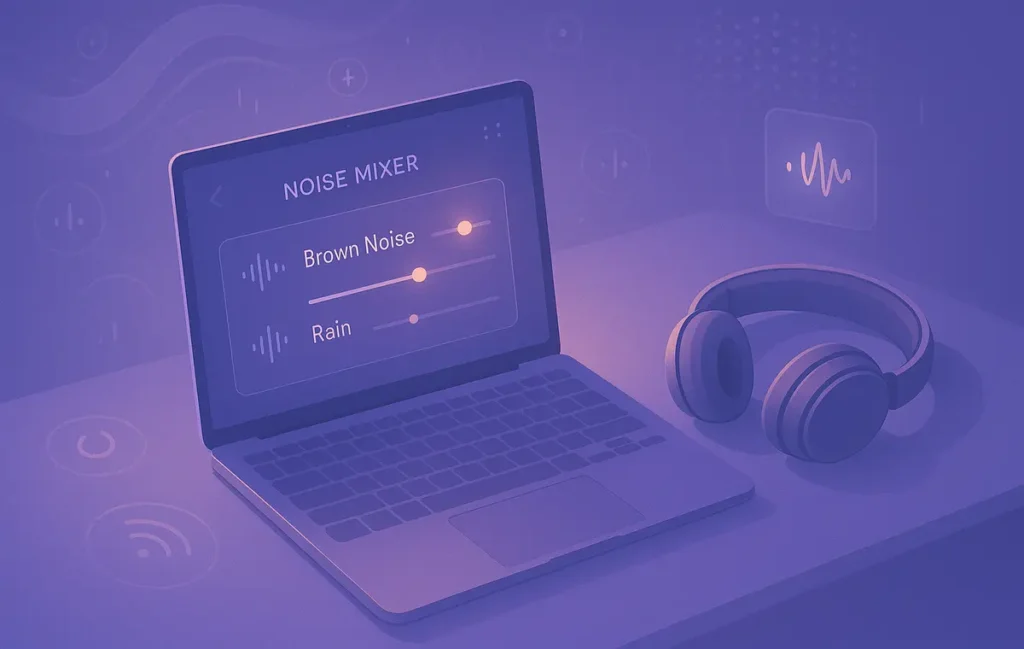
Different colors, different feels. White noise spreads energy evenly across frequencies; some find it sharp. Pink noise tilts power toward lower frequencies, sounding softer and more natural. Brown noise goes deeper still; many describe it as “ocean-like” and calming for long work blocks. Nature ambiences—rain, wind, distant café murmur—add ecological realism that makes masking feel less artificial, which is why creators and remote workers often stick with rainstorms or soft wind for hours.
Noise isn’t a productivity hack in isolation; it’s a context tool. The real win is pairing a reliable soundscape with a repeatable routine. For remote workers who struggle to maintain deep work schedules, noise becomes a cue: when the brown noise starts, Slack closes and the writing begins. If you haven’t locked in your rhythm yet, our playbook on Deep Work Techniques for Remote Workers gives you a ritual you can drop on top of any app below.
“White noise felt too bright. Brown noise + rain gave me two extra Pomodoros without reaching for the phone,” one indie dev wrote on X.
🎛️ How to Choose Your Noise (Before You Pick an App)
Start by defining use case and hardware. If you work on an Apple stack, a native macOS/iOS app with deep Shortcuts support (e.g., Dark Noise) can save real time. If you’re cross-platform, web and Android availability matter (Noisli, Endel, myNoise). Decide whether you want static profiles (set and forget) or adaptive soundscapes that respond to time of day, movement, or heart rate (Endel).
Then consider spectral comfort. If white noise fatigues you, try pink or brown. If broadband feels sterile, layer nature textures like rain or rustling leaves. For video calls and hybrid work, you might want two layers: a cancellation tool for the microphone and a background layer for your ears. That’s where a utility like Krisp.ai pairs nicely with any of the listening apps below.
💡 Nerd Tip: Your first “best” sound is the one you can keep for 90 minutes without noticing it. If you notice it, change the mix—not the task.
🧰 Best Noise Apps for Focus & Deep Work (Mini-Reviews That Don’t Waste Your Time)
🌧️ Noisli — Customizable Rain, Wind, and Café Murmur That Just Works
Why people stick with it: Noisli nails the mixing experience. You toggle and blend multiple sound sources—rain + wind + café, ocean + crackling fire—until the texture fades into the background. The interface is delightfully simple, so you won’t lose focus tuning sliders for ten minutes when you meant to start writing. Timers and favorites let you save work presets (e.g., “Deep Writing,” “Admin Hour”), and because it’s available on Web, iOS, and Android, you can keep the same sound at home and on the go.
Best for: General productivity across devices, especially if you want nature-forward masking you can tweak without thinking. Pair it with a 50/10 Pomodoro or a 90-minute time block for longer flow. If you want to add habit scaffolding, layer the session with the routine ideas from Focus Tools That Beat Procrastination so your brain learns “rain = write.”
🧠 Brain.fm — AI-Generated Focus Noise + Minimal-Lyrics Music (The Hybrid)
Why it’s different: Brain.fm’s selling point is neuroscience-designed audio patterns. Even in “noise” modes, the engine subtly modulates energy to reduce mind-wandering and get you into a stable rhythm. While it includes music, the Focus category offers low-salience textures that behave like noise but feel more organic over long sessions. The outcome is a sound bed that doesn’t tug on your attention but still feels alive enough to avoid fatigue.
Best for: People who want an almost-noise experience with slight movement. If pure broadband tires you, Brain.fm’s Focus tracks can be the sweet spot. It’s also strong for transition moments—launch a 15-minute “Start Focus” session to cross the motivation gap, then switch to your favorite brown noise. If you’re experimenting with time blocking vs. Pomodoro, Brain.fm’s session durations map neatly to both.
🌗 Endel — Adaptive Soundscapes (White/Brown/Pink + Context Awareness)
Why it matters in 2025: Endel builds adaptive environments: it can respond to time of day, weather, or even heart-rate on supported devices, nudging energy levels without harsh transitions. You can set Focus, Study, or Relax modes that lean toward different spectral profiles (e.g., a deeper, steadier contour for late-evening focus). The sound is smooth, minimalist, and non-lyrical—it behaves like noise even when it isn’t strictly broadband.
Best for: Professionals who want one living backdrop all day with gentle variability. If you’re the type who burns out on static noise after 45 minutes, Endel’s micro-changes keep the masking effect while avoiding listener fatigue. Tie mode changes to your calendar blocks for hands-off flow: when your Deep Work block starts, Focus mode fades in automatically.
🎛️ myNoise — Precision Sliders for People Who Want Total Control
Why engineers and writers love it: myNoise gives you multi-band sliders for the entire spectrum. That means you can craft custom pink/brown curves, dial out abrasive highs, and add distant thunder or soft wind exactly where your ears like it. Its binaural and specialized generators go beyond typical rain-and-waves: you can assemble hyper-specific textures that blend with your room and headphones.
Best for: People sensitive to certain frequencies or those working in noisy apartments where masking needs to be precise. Once you build a preset, myNoise becomes “set it and forget it” at a higher fidelity than most apps. Save a “Writing Brown” for 90-minute sessions and a “Light Pink + Rain” for admin time.
🌙 Dark Noise (iOS/macOS) — Apple-Native Polish With Automations
Why it shines on Apple: Dark Noise is gorgeously simple with a large catalog of ambient sounds and custom mixes. The strongest part is Shortcuts integration: you can trigger specific sounds by Focus Mode, time, app launch, or location. That means zero clicks between you and deep work—when you switch your iPhone or Mac to Writing Focus, your brown noise + distant rain starts automatically.
Best for: Apple-ecosystem users who care about automation and low friction. If you already use Focus Filters and keyboard launchers, Dark Noise fits like a glove. It’s a productivity multiplier, not another app you have to babysit.
🌿 Atmosphere (Android) — Nature-Heavy Library With Thoughtful Presets
Why Android users rate it: Atmosphere organizes nature ambiences into categories—beach, forest, city, home—and lets you layer multiple sources with simple controls. It’s light on marketing and heavy on “it just works.” For many, that’s exactly what a noise app should do: synthesize a believable environment that disappears behind your task list.
Best for: Android-first workers who prefer organic masking. If your brain relaxes with rain on canvas or wind through trees, Atmosphere gives you endless combinations without forcing subscriptions.
🎧 Krisp.ai (Bonus) — Cancel Noise for Others, Keep Your Focus for You
What it solves: Krisp.ai sits in your call chain and removes background noise from your microphone (and optionally from the other side). It’s not a listening app; it’s hygiene for hybrid work. Pairing Krisp with a personal noise layer (Noisli, myNoise, etc.) is the best of both worlds: your coworkers don’t hear the construction outside, and you still enjoy the sound bed you’ve chosen for deep work.
Best for: Remote teams, streamers, and anyone who hops between calls and concentration. Use Krisp to keep meetings clean and a dedicated noise app to keep your work blocks clean.
“Krisp on the mic + brown noise in my headphones killed 90% of my ‘open-plan’ stress,” a product manager shared on X. “Meetings feel calmer, and coding sessions stretch longer.”
⚖️ At-a-Glance Comparison (Pick Based on Feel, Not Hype)
| App | Best For | Noise Types | Platforms |
|---|---|---|---|
| Noisli | General productivity, quick mixes | White, pink, brown + nature | Web • iOS • Android |
| Brain.fm | Deep work sessions with subtle movement | AI focus textures (noise-like) + minimal music | Web • iOS • Android |
| Endel | Adaptive, day-long background | White/brown/pink-leaning adaptive ambiences | Web • iOS • Android |
| myNoise | Precision customization | Multi-band sliders, binaural, curated ambiences | Web • iOS • Android |
| Dark Noise | Apple automation power users | 50+ ambiences, custom mixes | iOS • macOS |
| Atmosphere | Android-first, nature-heavy | Forests, beaches, city, home textures | Android |
| Krisp.ai (bonus) | Clean calls + personal focus layer | Mic/remote noise cancellation | Desktop • Mobile |
💡 Nerd Tip: If you’re undecided, test Noisli vs myNoise for static profiles and Endel vs Brain.fm for adaptive/animated profiles. Pick the one you forget is playing.
⚡ Ready to Build Smarter Workflows?
Explore AI workflow builders like HARPA AI, Zapier AI, and n8n plugins. Start automating in minutes—no coding, just creativity.
🧭 Practical Setup Recipes (Noise + Routine = Results)
“Two-Stage Launch” for Deep Writing
Start a five-minute Brain.fm Focus track or an Endel Focus scene to cross the activation energy hump. When your timer dings, switch to brown noise from Noisli or myNoise for a 90-minute writing block. Close Slack and email, and anchor the block inside a time-blocked calendar slot (learn them quickly via Time Blocking vs. Pomodoro). This combo blends motivation with masking—you start, then you sustain.
“Maker Mornings” for Builders & Developers
Choose myNoise and build a low-mid-heavy pink/brown preset that hides keyboard clacks without dulling your sense of space. Save as “Compiler.” Use the same preset every morning; when it starts, your brain knows what’s next. If procrastination creeps in, borrow tactics from Focus Tools That Beat Procrastination—wall off your task list and keep the noise constant.
“Call Days with Sanity” for Remote Teams
Install Krisp.ai for the mic path so your coworkers never hear your environment. For your ears, keep Endel low under calls—not loud enough to fight speech, just enough to flatten background variance. When the meeting ends, switch to Noisli brown + light rain and knock out a 45-minute follow-up block while the context is hot. If focus remains slippery, add a mindfulness nudge from Mindfulness Tech before your block starts.
💡 Nerd Tip: Don’t chase novelty. The fewer sound profiles you use, the stronger the cue becomes. Pick one for deep work, one for admin, and keep them for a month.
🔄 A 7-Day Trial Plan (So You Actually Feel the Difference)
Day 1–2: Test brown vs pink noise. Work for 45–60 minutes each. Journal which felt more invisible.
Day 3: Add a nature layer (light rain) to your preferred color. Check for fatigue over 90 minutes.
Day 4: Introduce adaptive audio (Endel or Brain.fm) for the first 10 minutes, then swap to static noise.
Day 5: Build an automation: Dark Noise via Shortcut or Endel tied to your calendar block.
Day 6: Pair noise with a Focus Routine (brief breath, plan the block, start noise, hide distractions).
Day 7: Review output and perceived focus. Lock one “Deep Work” preset and one “Admin” preset for the next month.
Teams we’ve coached with NerdChips who followed a similar plan frequently report longer uninterrupted blocks and lower mental friction by week two—not because noise adds energy, but because it removes micro-shocks that keep stealing it.
🧯 Pitfalls & Fixes (And How Not to Overthink It)
If you feel ear fatigue after 30 minutes, your noise color is too bright or too loud. Drop volume to just above the threshold that masks distractions, or switch from white to pink/brown. If your mind still wanders, your sound may be too interesting—a café track that keeps changing can lure your attention back to the room. Simplify toward broadband.
Subscription overload is real. Start on free tiers or credits (Noisli, myNoise web, Atmosphere) and only subscribe after two weeks of consistent use. If you keep switching apps, the cue never sticks. The aim is reliability, not novelty.
Finally, remember that noise is a component, not a cure. Pair it with a real workflow. If you don’t yet have one, our Deep Work Techniques for Remote Workers gives you a slot-by-slot routine you can start tomorrow morning.
💡 Nerd Tip: If you’re tired, no sound will save the block. Fix sleep, then fix sound.
📬 Want More Focus Systems That Actually Stick?
Join our free newsletter and get weekly insights on deep work, noise stacks, and no-nonsense workflows—curated by NerdChips.
🔐 100% privacy. No noise. Just value-packed productivity tactics.
🔗 Read Next
If you prefer to score your sessions and keep your habits from slipping, the tactics inside Focus Tools That Beat Procrastination blend perfectly with a fixed noise preset. When planning your week, structure blocks with Time Blocking vs. Pomodoro and let your soundscape mark the start line. If you’re remote and struggle with context shifts, adopt the reset rituals from Deep Work Techniques for Remote Workers so the sound is part of a system, not just a vibe.
💡 Nerd Tip: Your goal is a frictionless loop—calendar block → sound starts → window layout opens → work begins. Two clicks is one click too many.
🧠 Nerd Verdict
Noise isn’t a productivity silver bullet; it’s a stability tool. The biggest tax on deep work is unexpected change. By laying a steady acoustic floor—brown noise, pink noise, or a calm rain—you protect your cognitive rhythm so you can make progress without flinching at every sound. Pick one app that fits your platform, lock a preset for deep work and another for admin, and pair both with a simple routine. The win isn’t the sound itself; it’s the consistency it enables. That’s the NerdChips philosophy: systems first, tools second, results always.
❓ FAQ: Nerds Ask, We Answer
💬 Would You Bite?
Tell me your platform (iOS, Android, macOS, Windows) and preferred vibe (brown, pink, or nature).
I’ll reply with a 2-preset “Deep Work + Admin” combo you can save today—no tinkering required. 👇
Crafted by NerdChips for creators and teams who want their best ideas to travel the world.