🧩 Intro
If you’re a designer, writer, developer, photographer, consultant, or a multi-hyphenate creator, your portfolio in 2025 isn’t just a gallery. It’s a living proof of skill, a dynamic résumé, and a quiet but relentless sales machine. Recruiters browse it between meetings. Prospects skim it on mobile in an elevator. Collaborators judge whether you “get it” in the first 8 seconds. That is exactly why a portfolio must be faster than a résumé, sharper than a social bio, and clearer than a pitch deck.
Unlike a general personal website, a portfolio spotlights outcomes: the problem you solved, the process you ran, and the result you delivered—with crisp visuals, measurable impact, and just enough narrative to make the work memorable. Thanks to no-code tools, what used to take a weekend of fiddling with CSS now takes an afternoon. The finish line has moved closer; the bar for clarity has moved higher.
To keep this practical, we’ll walk a complete, non-technical build that you can finish in a day. We’ll also layer in automation, trust signals, case-study structure, and a conversion backbone so your page does more than look pretty—it converts. And where helpful, we’ll naturally link to deeper NerdChips resources, like how to build a personal website with no-code tools if you decide to expand beyond the portfolio surface, or affordable funnel builders for solopreneurs when you’re ready to nurture leads who aren’t ready to hire—yet.
🎯 Why a Portfolio in 2025 = Résumé + Social Proof + Proof of Work
In 2025, hiring funnels blend traditional screening with social signals and proof-of-work heuristics. Recruiters increasingly skim case-study narratives because they compress months of craft into a few scannable beats. A strong portfolio answers three questions quickly: what you did, why it mattered, and what changed because of it.
The difference from a generic personal site is focus. A portfolio leans into “before vs after,” “constraint vs decision,” and “metric vs outcome.” It foregrounds artifacts—mockups, scripts, dashboards, repos, reels—and weaves them into a short story that’s anchored to a result. When a prospect sees an email capture, a Calendly, or a “Download Portfolio PDF” button near a strong case study, you turn passive scrolling into a next step.
💡 Nerd Tip: Pretend your visitor has 90 seconds on a train. Would they learn the one result you want associated with your name? If not, tighten the narrative.
🧭 Step 1 — Choose Your Portfolio Angle (So It Signals “Fit” in Seconds)
Before you pick tools, choose an angle—that immediate sense of “what you do and for whom.” Designers, writers, developers, video creators, photographers, and consultants all benefit from slightly different narrative lenses. A designer’s angle might be “Mobile product UI that improves onboarding.” A writer’s could be “Conversion-focused product storytelling for B2B.” A consultant’s might be “Go-to-market systems for creator-led brands.”
With your angle in place, adopt a structure that never confuses the reader:
-
Homepage: A crisp hero with your value proposition, one signature project, and a primary CTA (book a call, request estimate, download PDF).
-
Work Showcase: A grid of your best 5–8 projects. Each tile leads to a full case study.
-
Case Studies: Narrative pages that show context, constraints, decisions, and results.
-
About: Your background and approach; mention tools, domain expertise, and how you collaborate.
-
Contact: A frictionless way to reach you—form, email link, and optionally a scheduling link.
Writers and consultants often pair well with Notion-style layouts because they feel editorial and fast. Designers and developers often prefer more expressive canvases with animation and interaction. Creators with lots of video assets lean into landing pages that embed highlights elegantly. If you plan to sell digital resources alongside your work, explore a light funnel later using affordable funnel builders for solopreneurs to capture and nurture interest without heavy engineering.
💡 Nerd Tip: Limit your showcase to 5–8 projects. Curation beats volume. If it doesn’t support the angle, archive it.
🛠️ Step 2 — Pick a No-Code Tool (Match Skill, Speed, and Budget)
You can build a winning portfolio with any of the platforms below; the best one is the one you’ll actually ship with today. To help you choose, match speed to publish, control over layout, and how you’ll update content.
| Tool | Where It Shines | Best For | Price | Why Choose It |
|---|---|---|---|---|
| Notion + Super / Potion | Ultra-fast publishing with a CMS-like feel. | Writers, consultants, researchers. | Free + paid wrapper. | Edit in Notion, publish instantly. Perfect for text-heavy case studies and “living” docs without fiddly design work. |
| Wix Portfolio | Ready-made templates, galleries, and tasteful motion. | Photographers, illustrators, visual creatives. | Free + premium. | Eye-catching visuals are near-effortless. Built-in galleries make it simple to ship fast without a custom system. |
| Framer AI | Generates layouts and sections in minutes. | Designers and devs who want modern motion. | Free + paid. | If you want a polished, animated look with almost no setup, Framer’s AI sections are shockingly quick to iterate with. |
| Webflow | Pixel control, CMS, interactions, and scalability. | Advanced creators, agencies, product designers. | Free tier + paid CMS/hosting. | If you care about bespoke interactions and long-term scalability, Webflow is the sweet spot between control and no-code speed. |
| Canva Websites | Drag-and-drop simplicity for first-timers. | Beginners and social-first creators. | Free + Pro. | If you already design in Canva, turning that into a quick one-pager with links and embeds is painless. |
| Carrd | Lightning-fast one-page sites with clean sections. | Freelancers on a tight budget. | Starts ~$9/yr. | When you need a beautiful “Hire me” one-pager with a lead capture, Carrd is the fastest way to ship today. |
If you plan to turn your portfolio into a product hub later, you can extend from a simple portfolio into a minimal funnel—give prospects something valuable (a PDF teardown, a mini audit) and continue the conversation. How to create a digital product in 7 days with AI is a helpful compass if you want your portfolio to double as a lightweight store for templates, presets, or starter kits.
💡 Nerd Tip: Your first version should optimize for speed to publish, not designer pride. You can always migrate to Webflow or Framer once your case studies are converting.
🧩 Step 3 — Structure Each Showcase Like a Case Study (Not a Gallery)
A gallery of pretty screenshots is forgettable; a short, well-structured story is sticky. Consider this compact structure that works across roles:
Project Title + TL;DR
Open with a one-sentence summary any executive can repeat: “Redesigned onboarding for a B2B SaaS to reduce time-to-value by 30%.”
Problem → Process → Result
Describe the context in a few sentences. What constraint or bottleneck mattered? What decisions moved the needle? What sequence—research, ideation, sprints, validation—led you to the outcome?
Before/After Visuals
Show the delta. Use sliders or side-by-side images for instant clarity. For writers, showcase the original vs edited copy with highlighted shifts in voice, structure, or clarity. For developers, include performance metrics before/after or pull requests that demonstrate the impact.
Tools Used + Your Exact Role
Be explicit about the tools and the slice of responsibility you owned. This removes ambiguity and builds trust.
Outcome (Metric, Testimonial, Link)
Cap the story with a metric that matters—activation rate, sales lift, watch time, load time reduction—and, when possible, a short client quote. If a live link exists, add it.
When in doubt, aim for a story that can be scanned in 30 seconds and explored in 3 minutes. A compact narrative prevents cognitive overload while rewarding deeper readers with texture and receipts.
💡 Nerd Tip: If you can’t name a result, reframe the project as a learning case—“what we tried, what failed, what changed”—and share a “next iteration” plan. Honesty is a trust signal.
🧠 Step 4 — Add Trust Layers (So Strangers Believe You Quickly)
Trust layers turn competent work into a convincing offer. Testimonials—text, audio, or quick video snippets—anchor the experience in a human voice. Client logos compress credibility into a glance. “Featured in” badges and certifications let your authority travel. Even small indicators help: GitHub stars, Behance likes, a YouTube subscriber count, or a Dribbble handoff file read-me shows you operate in the open.
Creators often assume that trust equals celebrity logos. In reality, trust is built by proximity. A 20-second Loom from a real client about how your system cut back-and-forth by 50% is more persuasive than a faceless logo wall. For developers, a short paragraph on technical trade-offs (“we picked server-side rendering to minimize LCP on feature X”) signals seniority without jargon. For consultants, a one-page PDF with a miniature framework and a short result column crystallizes expertise.
💡 Nerd Tip: If you’re early and light on logos, use “process receipts”—screenshots of research walls, Figma flows, A/B dashboards, or a Notion page of experiments. Show your work.
📨 Step 5 — Add Smart Conversion Elements (Make Next Steps Obvious)
A portfolio without calls-to-action becomes a museum—nice to visit, easy to leave. Conversion elements turn attention into motion:
-
Contact Form + Click-to-Email: Let visitors choose their comfort path. The form reduces friction. The email link preserves context for detailed briefs.
-
Calendly (or Equivalent): Many buyers book when motivation spikes. A pre-qualified 15-minute intro slot captures that energy.
-
Downloadable Portfolio PDF: A short PDF (5–7 pages) makes it easy for champions to circulate your work internally. Track downloads to spot warm accounts.
-
Lead Magnet: Offer a relevant micro-win—a free design audit checklist, a homepage teardown, a content scorecard. This is where a light funnel helps. If you plan to nurture these leads, peep affordable funnel builders for solopreneurs to stitch landing pages, emails, and tags without engineering.
Place conversion elements at the end of each case study and on the homepage hero. Keep the language human: “Book a 15-min intro,” “Get the PDF,” “Ask for a quick estimate.” The goal is momentum, not pressure.
💡 Nerd Tip: If you’re juggling relationships, a personal CRM helps you follow up with warmth instead of spam. Our guide on building a personal CRM in Notion pairs beautifully with a portfolio that’s starting to get attention.
🔁 Step 6 — Optional: Automate Updates (So It Stays Fresh Without Effort)
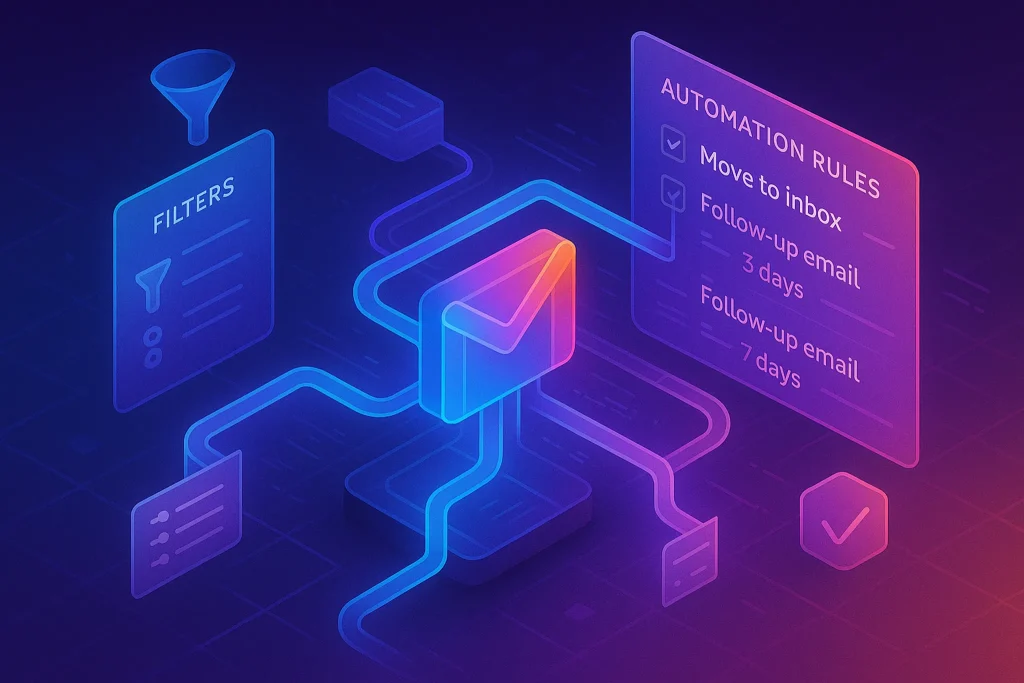
The best portfolios look recently touched. That doesn’t mean busywork—it means a few automations feeding “recent work” and “latest highlights” sections:
-
Notion Database → Site Sync: Maintain your projects in a Notion table; publish with Super/Potion so updates go live instantly.
-
YouTube Uploads → Latest Video Embed: If you publish breakdowns or reels, auto-embed the newest video in your Highlights section.
-
GitHub Commits → Recent Work Feed: Display the latest pinned repos or a short activity feed to show ongoing momentum.
-
Dribbble/Behance → Live Gallery Strip: Let visual portfolio rails auto-refresh so you never look stale.
When your content engine matures, you can even branch to no-code AI utilities that summarize long case studies into short landing sections or generate a one-page PDF for outbound. If you’re curious about stepping from portfolio to productized systems, best no-code tools for building AI startups is a helpful map for choosing your next building blocks.
💡 Nerd Tip: Add a tiny “Updated on {Month Year}” line in your footer. It quietly signals freshness, which increases contact form completions.
🧪 Pitfalls & Fixes (Keep It Sharp)
New builders often fall into familiar traps. The most common is a screenshot-only portfolio. Without a story, images can’t persuade. Another is a CTA desert; visitors walk in, admire, and leave. Then there’s the “everything I’ve ever done” sprawl that buries your best work under a pile. Finally, many ignore mobile; vertical reading is your default reality.
A simple antidote: treat each piece like a mini product page with one job—earn a conversation. Add a headline metric (or learning), a credible quote, and a crystal-clear next step. Test on a small phone. Cut anything that slows the scroll or muddies your angle.
💡 Nerd Tip: Write the CTA first, then the story. When you know the next step, your case study gets leaner and sharper.
🧩 Mini Benchmarks to Aim For (Targets You Can Hit)
Because every niche differs, treat these as working targets for your first 60–90 days after launch:
-
Visitor-to-Contact Rate: Aim for 2–5% on a focused portfolio with strong CTAs.
-
PDF Download to Intro Call: If your PDF is tight, expect 15–25% of downloaders to accept an intro invite.
-
Case Study Read Depth: Optimized narratives often see 35–50% of visitors reach the CTA module.
-
Reply Time: Responding within 2 business hours often doubles booked calls on cold inbound.
They’re not universal truths—they’re goals that help you calibrate. Hit one, then tune the next.
💡 Nerd Tip: Label your CTAs (“Get a 15-min intro,” “Download 7-page PDF”) and track which phrasing moves people. Language outperforms layout more often than we admit.
⚡ Ready to Build Smarter Workflows?
Explore AI workflow builders like HARPA AI, Zapier AI, and n8n plugins. Start automating in minutes—no coding, just creativity.
🧱 Real-World Case Structure (Template You Can Copy)
Here’s a quick pattern that consistently converts:
-
Hero Snapshot with a bold TL;DR and one “after” image.
-
Context & Constraint (3–5 sentences): why the problem mattered and what shaped decisions.
-
Design/Build Process (4–6 steps): the beats that matter, not the whole movie.
-
Result & Proof: 1–2 metrics and a short quote.
-
Next Step CTA: Book a call or download the PDF.
Write the whole page like you’re defending a decision to a friendly skeptic. Respect their time, but don’t hide the craft.
🔌 Embeds That Elevate (Behance, GitHub, Dribbble, YouTube)
Embeds save you from static screenshots while giving visitors familiar context. A Behance embed preserves process slides. A GitHub repo shows code reality and commit rhythm. A Dribbble shot brings motion and micro-interactions to life. A YouTube breakdown video compresses weeks of thinking into minutes. Using embeds also helps with freshness—each new upload subtly makes the portfolio feel alive.
💡 Nerd Tip: Place embeds after the TL;DR and before long text. Show the thing, then explain the thing.
🧲 Your Conversion Spine (Where to Place What)
-
Homepage Hero: One-line promise + primary CTA + one flagship project.
-
After Each Case Study: A “Work With Me” module and a “Download Portfolio PDF.”
-
Footer: Email link, social proof strip, and a soft “Book a call” nudge.
For sustained momentum, consider stitching a gentle nurture track. A single-page funnel can capture email addresses for those not ready to book today; when you’re ready, circle back to affordable funnel builders for solopreneurs to add a minimal, tasteful follow-up without bloating your stack.
🧭 2025 Portfolio Build — Start-to-Finish Walkthrough
Pick Your Tool Today: If your work is visual, open Wix and select a clean portfolio template; if you’re text/process-heavy, open Notion and create a “Projects” database; if you want maximum control with room to grow, open Webflow and start with a CMS template.
Draft the Angle: Write your one-line value proposition. It should mention audience + outcome. Example: “Interfaces that cut onboarding time for mobile fintech.”
Collect Proof: For each project, gather one before/after asset, three sentences on constraints, three on decisions, two on results. If you lack metrics, write one clear learning and one future iteration.
Compose the Case Studies: Use the five-part structure above. Keep each under 700 words with scannable subheads.
Wire the CTAs: Add a primary CTA on the homepage and one at the end of each case study. Keep options minimal: book a call or download the PDF.
Embed Smartly: Drop one embed per case study where it clarifies reality—Behance for process, GitHub for code, Dribbble for motion, YouTube for a 2-minute breakdown.
Automate Freshness: Sync Notion, pin a GitHub repo feed, or auto-embed the latest video. Add a small “Updated on {Month Year}” note.
As you publish, you’ll likely see two patterns. First, your strongest case studies earn most inquiries—double down by polishing those, not by adding dozens of weaker ones. Second, your calls may skew to one type of client; tweak your hero and project order to reflect the demand you want, not just the demand you get.
💡 Nerd Tip: Keep a tiny changelog at the bottom of your portfolio page. “v1.1—Added metrics to Case Study A.” It quietly telegraphs craftsmanship.
🛡️ Quality Checklist Before You Hit Publish
-
A single, unmistakable angle in the hero.
-
5–8 curated projects—each with a TL;DR, a short story, and a result or learning.
-
One primary CTA across the site, echoed after every case study.
-
Visible trust layers (quotes, logos, or process receipts).
-
Mobile tested on a small phone in portrait.
-
A short PDF that can travel inside teams.
-
A gentle capture path for “not now” visitors (newsletter or mini audit).
💡 Nerd Tip: Read your case study aloud. If you trip, the reader will bounce. Rewrite for breath and rhythm.
📬 Want More Smart AI Tips Like This?
Join our free newsletter and get weekly insights on AI tools, no-code apps, and future tech—delivered straight to your inbox. No fluff. Just high-quality content for creators, founders, and future builders.
🔐 100% privacy. No noise. Just value-packed content tips from NerdChips.
🧠 Nerd Verdict
A 2025 portfolio is a system, not a brochure. Choose the angle that makes your strongest work inevitable, ship on a no-code platform that rewards momentum, and weave each project into a compact story with receipts. Add trust layers that feel real, then install a conversion spine so the best visitors can move now. From there, a tiny dose of automation keeps it current while you sharpen the work that actually earns conversations. When you’re ready to graduate from “proof of skill” to “productized expertise,” your portfolio becomes the front door to everything else you’ll build with NerdChips at your side.
❓ FAQ: Nerds Ask, We Answer
💬 Would You Bite?
If you had to ship your portfolio by tonight, which platform would you pick—and why?
And which single case study would you bet on to win your next client? 👇
Crafted by NerdChips for creators and teams who want their best ideas to travel the world.