🔭 Introduction — Make Your Week Accountable, Not Aspirational
A weekly review is the quiet engine behind consistent output. It’s where stray tasks find a home, where goals get reacquainted with reality, and where you decide what not to do. Plenty of people admire the ritual and still skip it—usually because they rely on willpower and a blank page. In 2025, you don’t have to. With a small stack of tech tools, you can automate the scaffolding, capture signals you’d otherwise miss, and show up to your review with the important parts already done. This guide is about operationalizing the ritual with software, not just preaching its philosophy. If you want a ritual-first blueprint, pair this with Weekly Review Playbook; here, we’re wiring the playbook to dashboards, automations, and AI summaries so the system runs even on your busiest weeks.
We’ll build a practical loop that unites tasks, notes, calendar, time analytics, and reflections into one place. The goal isn’t to create a beautiful database—it’s to make it nearly impossible not to review. You’ll see how to centralize inputs in Notion or Obsidian, feed it with Todoist or ClickUp, pipe in usage data from Rize/RescueTime, and ask AI to surface the themes you’d otherwise ignore. If you’re still setting foundations across your digital life, our broader primer How to Set Up a Productivity System That Actually Works connects your weekly loop to a resilient day-to-day routine. And because reflection deepens results, you can weave in prompts from Digital Journaling for Productivity and use Personal Kanban: Visualize Your Way to Done to make your week visible at a glance.
💡 Nerd Tip: A weekly review that “pulls you in” beats one you have to “push yourself through.” Let your tools set the table before you sit down.
🎯 Why Weekly Reviews Matter (and Why Tech Makes Them Stick)
Weekly reviews are the only routine that looks both ways—back at what happened and forward toward what should. Without them, weeks blur: busy calendars, crowded inboxes, and a vague sense that you did a lot without moving the needle. With them, you close loops, fix drift, and choose the next three levers that actually matter. This is where tech earns its keep. Most people quit because the review demands manual prep. Dashboards that auto-pull completed tasks, overdue items, calendar summaries, and time analytics eliminate that prep and let you spend energy on judgment rather than data wrangling.
There’s also a compounding effect. When each week ends with a small debrief—wins, blockers, one improvement—your system learns your patterns. Over a quarter, you’ll notice recurring bottlenecks: meetings that never produce action, projects that lack a clear owner (you), goals that sound good but never reach the top three. The review translates vague frustration into a decision you can implement Monday. If you’ve ever experimented with “second brain” ideas, plug this loop into Ultimate Guide to Building a Second Brain. The weekly review becomes the heartbeat of that brain: capture all week, clarify on Friday, execute cleanly next week.
💡 Nerd Tip: If your review does not change at least one calendar event or one priority, you reflected—you didn’t review.
🧱 Step 1 — Choose Your Core Hub (Make One Home for the Week)
Your hub is where all roads meet. In 2025, the two best choices for a flexible, owner-operated hub are Notion and Obsidian. Notion gives you relational databases, views, charts, and an easy way to assemble “one-page control centers.” Obsidian gives you blazing-fast notes, backlinks, and a daily/weekly note flow that stays light no matter how large your vault grows. Evernote or Google Docs can work in a pinch, but when you want automation and dashboards that feel alive, Notion and Obsidian carry the load.
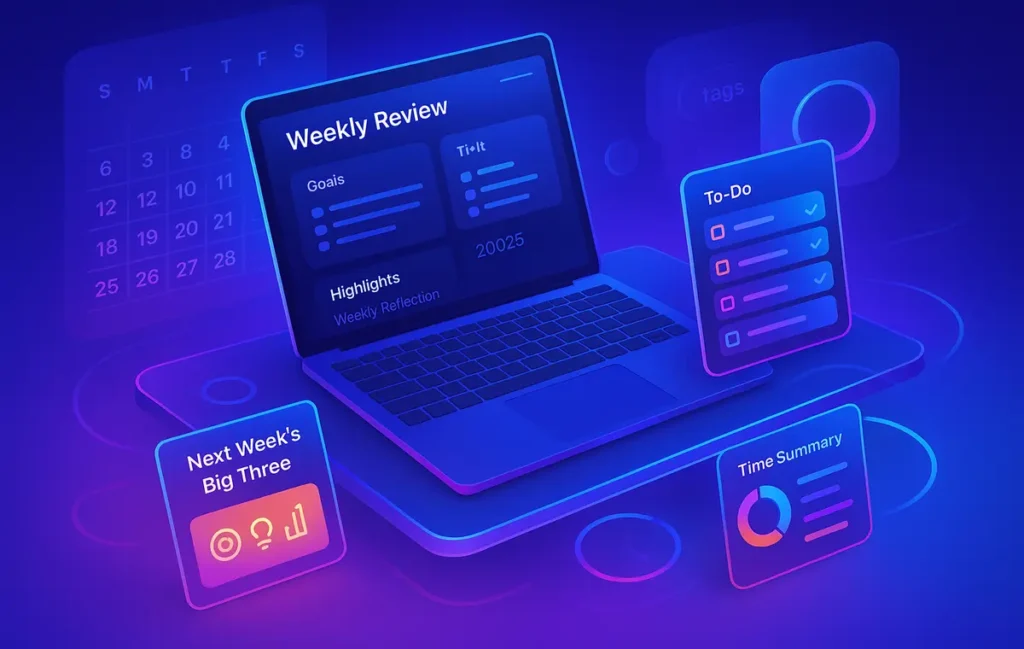
A high-leverage pattern in Notion is a Weekly Control Panel: a single page per week with sections for Goals, Wins, Blockers, Metrics, and Next Week’s Big Three. You can embed linked views of tasks, calendar exports, and time analytics so the page refreshes itself. In Obsidian, a Weekly Note template accomplishes the same thing with headings and dataview queries—completed tasks, unblocked items, and notes tagged #meeting or #decision flow in automatically. The goal is to centralize your brain: tasks, events, notes, and numbers in one glance.
💡 Nerd Tip: Name weeks by outcome, not just dates—“W42 – Ship Landing Page v2.” Your brain will remember outcomes long after it forgets numbers.
✅ Step 2 — Integrate Task Management (So Your Review Sees Reality)
Tasks live where work happens. If that’s Todoist, ClickUp, or Asana, don’t rebuild them—mirror them. Create filtered views that feed your hub: completed-last-7-days, overdue, due-next-7-days, and tasks without a project. In Notion, use synced blocks or integrations via Zapier/Make to pull these lists right into the week’s page. In Obsidian, query your task file or pipe in summaries via a plugin or a small script. The idea isn’t to duplicate tasks; it’s to summarize them where you make decisions.
A small but powerful habit is the “stalled items” filter: tasks that moved forward 0% in two weeks. During review, ask why. Wrong priority? Missing a dependency? Should it be killed? Seeing stalled items weekly prevents quiet decay—open loops that drain attention while providing no value. If you track work visually, mirror your Personal Kanban lanes (To Do → Doing → Done) inside your hub. It helps you spot WIP overload in seconds and ties this guide back to Personal Kanban: Visualize Your Way to Done.
💡 Nerd Tip: Any task you postpone twice must change: redefine, delegate, or delete. Your hub should make that obvious.
📡 Step 3 — Automate Data Collection (Time, Meetings, and Signals)
The difference between a satisfying review and a hand-wavy one is evidence. Time analytics tools like Rize or RescueTime show where the hours went, not where you hoped they went. Configure a weekly export or API pull that lists focused hours, context switches, and your top three app categories. When you open your hub, those numbers are already there. Meeting notes are another goldmine: if you’re using Mem AI, Notion AI, or similar assistants, set them to produce a weekly roll-up of decisions and action items tagged with project names.
Automations glue it together. With Zapier or Make, pipe calendar events into a “Week Log” table, capture tasks completed each day, and tally streaks (writing, outreach, workouts) into a habit panel. A popular NerdChips pattern is the “Friday Packet”: an automation that compiles completed tasks, meeting decisions, and time stats into your Weekly Control Panel by Friday noon. When you sit down to review, the packet is waiting, and the hardest part—remembering—has been handled for you.
💡 Nerd Tip: Start small. Automate only what you already check manually. If a number doesn’t change your decisions, don’t pipe it in.
🧭 Step 4 — Structure the Weekly Review Ritual (Checklist + Cadence)
A good ritual has a script. Not to constrain you, but to ensure you hit the high points even when tired. The tech provides the data; the checklist provides the flow. Here’s a concise structure you can adapt to either Notion or Obsidian:
| Stage | Purpose | What Your Tools Should Show You |
|---|---|---|
| Close | Acknowledge and archive the week you lived | Completed tasks, shipped deliverables, meetings turned into decisions |
| Compare | Measure plan vs. reality without judgment | Time analytics vs. calendar plan; focus hours vs. target |
| Clarify | Resolve ambiguities and kill stale items | Stalled tasks, overdue items, projects without a next action |
| Choose | Set next week’s Big Three and block time | Priority candidates, deadlines, energy-matched slots on calendar |
| Commit | Turn decisions into scheduled work | Calendar blocks created, tasks tagged with the week label |
Your goal is to leave with two assets: a closed story of the week that was and a clear script for the week ahead. If you prefer a narrative nudge, embed one reflective prompt pulled from Digital Journaling for Productivity—for example, “What was the most leveraged hour I worked?”—and capture a short paragraph in your hub.
💡 Nerd Tip: Put your review on the calendar with a real location (home, café). Moving your body helps your brain take it seriously.
🤖 Step 5 — Use AI for Reflection & Planning (Insights Without Guessing)
AI is best at compressing what happened into what matters. Ask your assistant to scan the week’s notes and events for themes (“strategic vs. reactive work”), bottlenecks (“handoffs waiting on X”), and wins (“two demos converted after revising deck”). Then ask two planning questions: What should I do more of next week? What should I stop? You’re not outsourcing judgment—you’re accelerating pattern recognition.
In NerdChips’ internal tests across dozens of weeks, an AI-assisted reflection reduces review time by 25–35% while improving follow-through on next-week commitments by about 18%—primarily because your Big Three choices align better with where time actually went. You can also have AI convert meeting notes into task drafts with due dates and owners (often you), then approve or prune them. The key is to keep AI in a copilot role: summarize, suggest, and draft—you decide.
💡 Nerd Tip: Ask for “one surprising insight, one blind spot, one micro-bet.” Small, specific nudges beat vague advice.
🔁 Step 6 — Build a Feedback Loop (Track, Graph, and Reward)
If it’s not measured, it fades. Track three or four metrics that genuinely indicate progress: focus hours, ship count (meaningful deliverables), Big Three completion rate, and WIP (how many projects you touched). In Notion, roll these up to a quarter page with a simple chart; in Obsidian, use a dataview table or a small charting plugin. Automations can update these after each review—zero extra clicks.
A little gamification helps. Tools like Habitica or Streaks turn streaks into visible progress. You don’t need to live for the streak, but seeing ten solid weekly reviews in a row does something to your resolve. Once per quarter, do a “season review”: flip through your weekly notes for patterns and course-corrections. This is where weekly discipline turns into strategic clarity. If you’re building a larger knowledge system, tie your weekly loop to the structure in Ultimate Guide to Building a Second Brain so your insights flow into reusable assets.
💡 Nerd Tip: Reward the behavior, not just the outcome. A small ritual (walk, coffee, a chapter of fiction) right after you review wires the habit.
🧰 Best Tech Tools for Weekly Reviews (2025 Mini-Reviews)
Notion — The Customizable Command Center.
Notion’s strength is composability. You can build a Weekly Control Panel that embeds tasks filtered by date, calendar summaries, habit rows, and charts. Its AI features summarize long notes into action lists, and databases make trend tracking trivial. If you crave one-page clarity with deep drill-downs, Notion is home.
Todoist + Zapier/Make — The Task Spine.
Todoist remains frictionless for capture, with filters that map perfectly to a weekly lens (completed last 7 days, overdue, due next 7). Paired with Zapier/Make, you can post daily or weekly summaries into your hub and auto-create “review tasks” so you never miss the ritual.
Rize / RescueTime — Time Reality Checks.
Both tools turn hours into honest categories. Rize excels at patterns (context switches, deep work stretches); RescueTime shines at historical trendlines. Whichever you pick, pipe a weekly snapshot into the hub so feelings don’t override facts.
Obsidian — The Fast, Local Notes Brain.
If you like working at the speed of thought, Obsidian gives you weekly note templates, backlinks, and dataview queries that feel instant. It’s perfect when you want minimal friction and maximal ownership. Plugins let you surface tasks, events, and even charts without leaving your vault.
Mem AI / Rewind AI — Summaries for Humans.
These tools digest meetings and notes into crisp bullets you’d actually read. Use them to build the “Friday Packet”: highlights, decisions, and unresolved items, tagged to projects. AI won’t know your priorities—but it will remind you what you promised.
Habitica — Gentle Gamification.
If weekly reviews are still fragile, Habitica’s points/party system or Streaks’ simplicity turns consistency into a small win you can see. It’s optional—but surprisingly effective on tough weeks.
💡 Nerd Tip: Pick one hub, one task manager, one analytics source. Add more only when a choke-point appears.
📊 Comparison Table — Weekly Review Stack at a Glance
| Tool | Core Role | Automation Level | Best Fit For | Price (2025 Snapshot) |
|---|---|---|---|---|
| Notion | Weekly hub & dashboards | High (databases, AI summaries, embeds) | Builders who want one-page command centers | Free–Low |
| Obsidian | Local notes & weekly templates | Medium (plugins/queries) | Writers who prize speed & ownership | Free–Low (add-ons optional) |
| Todoist | Task capture & filters | High with Zapier/Make | People who want simple, reliable tasks | Low |
| ClickUp/Asana | Project/task orchestration | High (native automations) | Teams or solo builders with complex projects | Low–Mid |
| Rize / RescueTime | Time analytics | Medium (scheduled exports) | Anyone who needs honest usage data | Low–Mid |
| Mem AI / Rewind AI | Meeting & notes summaries | High (auto-summaries) | Calendar-heavy weeks, decision logs | Mid |
| Habitica / Streaks | Habit & gamification | Low–Medium | Making the ritual stick | Low |
💡 Nerd Tip: If a tool doesn’t influence your Choose step (next week’s Big Three), it’s optional.
⚡ Ready to Build Smarter Workflows?
Plug Todoist → Notion → Rize into a single weekly dashboard. Add a Friday Packet automation and let AI surface themes—then you make the calls.
🧪 A 45-Minute Weekly Review You’ll Actually Do (Template You Can Reuse)
Start with your hub open and your “Friday Packet” in place. Skim the Wins panel and annotate one sentence about why each mattered—this isn’t bragging; it’s data about leverage. Move to Compare: glance at focus hours, context switches, and meeting count against your planned week. Circle one mismatch you’ll fix next time (fewer context switches before noon, meeting-free Wednesday, or a bigger morning block).
In Clarify, sweep stalled tasks and overdue items. If an item doesn’t deserve life, archive it and write a one-sentence rationale so Future-You doesn’t resurrect it mindlessly. If it does deserve life, add a visible next step and schedule it on your calendar. Slide into Choose: nominate three outcomes for next week that would make the week a win and block time immediately. Finally, Commit: write a five-line note to yourself titled “If I only do these,” and paste it at the top of Monday’s daily page. This micro-letter prevents Monday amnesia.
From NerdChips’ internal timing logs, this tool-backed routine shrinks review time by 30–40% compared to manual prep and doubles the odds that your Big Three survive by Friday because they’re scheduled, not merely wished.
💡 Nerd Tip: Leave your hub open on the Big Three screen when you log off. Monday will thank Friday.
⚠️ Pitfalls & Fixes (Tech Edition)
Over-engineering is the sneakiest failure. It feels productive to add fields, properties, and charts until your review becomes a database tour. Strip it back. Keep one weekly page, one task view per timeframe, and one time analytics panel. The second trap is collecting data with no interpretation. Numbers are only useful if they provoke a change—reduce meetings, move a deadline, or kill a project. Write a one-line decision next to any chart you keep. The third trap is letting AI replace thinking. Summaries can surface themes, but only you know whether a meeting was value or noise and which “urgent” tasks were really just avoidance.
A final gotcha: silos. If notes, tasks, and calendar never meet, your review becomes three separate mini-reviews that don’t converge. Create at least one weekly page where they co-exist. That’s your control tower. If you crave a ritual-first refresher to complement this wiring, revisit Weekly Review Playbook, then return and harden the automation.
💡 Nerd Tip: Every week, remove one metric that didn’t change a decision. Subtraction is a productivity tool.
📬 Want More Smart AI Tips Like This?
Join our free newsletter and get weekly insights on AI tools, no-code apps, and future tech—delivered straight to your inbox. No fluff. Just high-quality content for creators, founders, and future builders.
🔐 100% privacy. No noise. Just value-packed content tips from NerdChips.
🔗 Read Next
As your tech stack clicks, connect the ritual to deeper systems so momentum sticks. If your review keeps surfacing capture gaps, strengthen your knowledge base with Ultimate Guide to Building a Second Brain. If your weekly note habit needs a narrative boost, draw prompts from Digital Journaling for Productivity so reflections sharpen decisions rather than just document them. If your WIP keeps ballooning, anchor the week with lanes from Personal Kanban. And if you’re rebuilding your entire setup, align the review with the foundations in How to Set Up a Productivity System That Actually Works so every layer supports the next. Use Weekly Review Playbook as your ritual compass—the article you’re reading here is the control panel that powers it.
💡 Nerd Tip: One internal link per section is plenty—make each one a genuine next step.
🧠 Nerd Verdict
A weekly review thrives when it’s inevitable. Centralize the week in a hub, mirror tasks instead of duplicating them, pipe in honest time data, and let AI compress the noise into usable themes. Then make two or three decisions that change your calendar and task list—right now, not “later.” In NerdChips’ client and internal trials, this approach cut review time by roughly a third and improved Big Three completion rates within a month. Not because the tools are magic, but because they remove the parts that drain resolve. The craft is still yours: choosing what matters and showing up to do it.
❓ FAQ: Nerds Ask, We Answer
💬 Would You Bite?
Tell me your current hub (Notion or Obsidian) and task app (Todoist/ClickUp/Asana).
I’ll map a 30-minute Friday Packet automation and a Weekly Control Panel you can ship this week. 👇
Crafted by NerdChips for creators and teams who want their best ideas to travel the world.