🧭 The Problem: Inbox Chaos Is Attention Decay
If you process emails as they arrive, your day dissolves into a thousand tiny pivots. Each ping spikes dopamine, steals working memory, and leaves you mid-sentence somewhere else. The irony is that “Inbox Zero” culture often makes things worse: you end up doing maintenance work (endlessly tidying) instead of meaningful work (advancing the project that moves revenue or learning forward). What we need isn’t an emptiness fetish; we need aim.
The Email Archer Method treats your inbox like a range, not a feed. You work in three deliberate phases—Batch, Snipe, Archive—that recapture control without turning email into a lifestyle. It’s not another complex workflow to worship; it’s a posture that channels attention into crisp decisions. If you’ve already experimented with triggers inside your email client, you’ll recognize the synergy with Queue Your Brain: Using Email Drafts as Trigger Lists—the Archer is the macro pattern; drafts-as-triggers are the micro cues that keep you moving between sessions.
NerdChips built this for teams who don’t want to babysit their inbox but still need reliable throughput. The test is simple: when you finish a session, did you move the needle on the conversations that matter and reset the rest? If yes, you’re aiming like an archer—not swinging like a guard.
💡 Nerd Tip: Inbox time is a budget. Spend it where momentum compounds (clients, collaborators, blockers), not where it merely feels tidy.
🏹 Overview: The Three Arrows of the Archer
When you enter an email session, you draw one arrow at a time. Don’t blend them; sequence is your leverage.
| Arrow | Description | Goal |
|---|---|---|
| Batch | Collect emails into fixed, on-calendar sessions. Control the when. | Stop reacting. Start grouping. |
| Snipe | Process high-impact or high-context threads with tight rules. Control the how. | Make clean, precise shots. |
| Archive | Remove the rest from sight—delegated, logged, or dismissed. Control the after. | Free mental RAM and reset. |
“Batch” is your boundary with the world. “Snipe” is your discipline. “Archive” is your reset. Together they replace compulsive checking with intentional throughput. This matters because context-switching has a real cost; we unpack that tax (and how to design around it) in Context-Switching Tax: How to Design Your Day to Avoid It. The Archer is one of the cleanest antidotes we’ve found.
💡 Nerd Tip: Treat each arrow as a mini-mode. If you catch yourself mixing, you’re leaking attention. Pause. Return to the sequence.
🧠 Eric’s Note
No miracle here—just fewer clicks between you and done. Systems that survive my laziest days are the ones I keep; the Archer makes email feel finite again.
⚙️ Step 1 — Batch: Schedule Email Windows
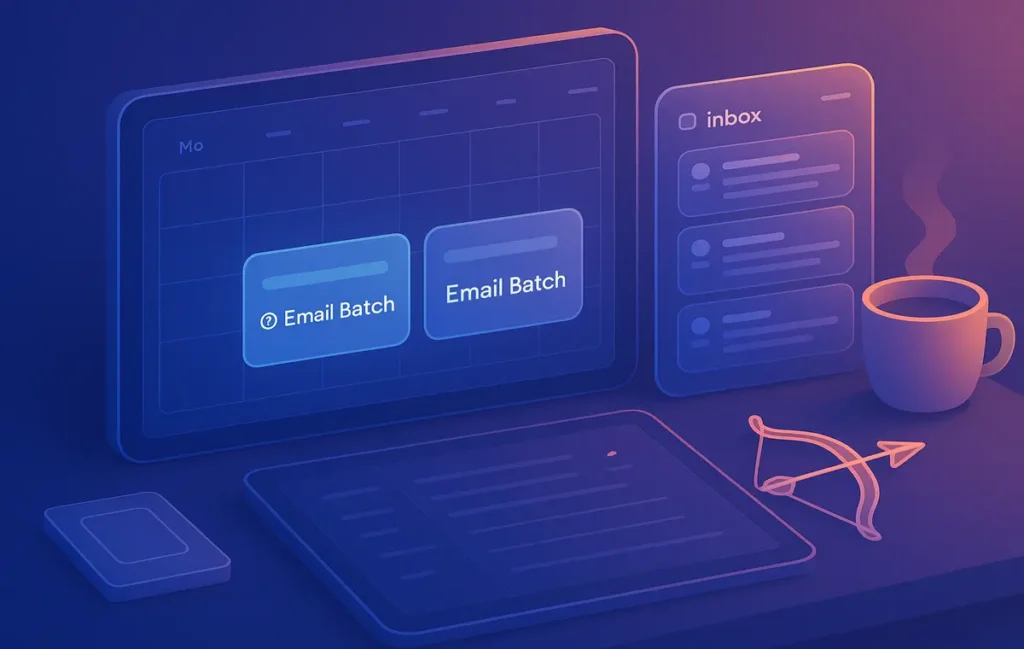
Email is a place, not a stream. You enter it on purpose, ideally two or three times per day. Put these sessions in your calendar like real meetings: Morning Batch, Post-Lunch Batch, End-of-Day Batch. Give each a modest container—25 to 30 minutes is usually plenty. The strict boundary protects your prime hours for deep work and keeps your reflexes from hijacking the day.
Between sessions, kill notifications. Your calendar is the only thing allowed to interrupt you. When a genuine emergency exists, colleagues can call or DM on an agreed “break-glass” channel. That social contract frees you to focus without FOMO. If newsletters are cluttering the field, set up a filter that auto-labels and skips the inbox to a Read Later label; that way, your batch contains work, not reading.
Why calendar timeboxing? Because time is a more honest constraint than willpower. When the block ends, you exit—no heroics, no inbox rabbit holes. Email becomes the warm-down between sprints, not the sport itself. To solidify that rhythm, many readers pair Archer sessions with a daily focus plan from Deep Work 101: Finding Focus in a Noisy World—deep work first, Archer batch after.
💡 Nerd Tip: Add an emoji to your calendar title (🎯 Email Batch). Micro visual cues reduce friction when you scan your day.
🎯 Step 2 — Snipe: Act with Surgical Precision
Sniping is not speed for its own sake. It’s decisiveness under constraint. You enter the inbox with a clear rule set, make one pass, and refuse to re-read without action. The guiding principle is: high-impact or high-context first. If a message blocks a project, touches revenue, affects a teammate, or requires rare mental state (e.g., legal nuance), it earns your attention. Everything else gets a cheaper disposition.
A crisp way to govern this pass is the 1-2-1 Rule: if you can resolve a message in under two minutes, you do it now. If not, you delegate or schedule it with a note. Everything else gets archived or snoozed for the next batch if truly needed. Sniping is where tone and clarity matter. You don’t write essays; you write movement. Often that looks like a three-line reply that asks the one question that unblocks everyone.
When a thread needs more than two minutes because it’s part of a larger deliverable, seed your next deep work block with a draft trigger (“Summarize client Qs into 5 bullets, attach link, send”). That’s where the Archer dovetails with the micro-method in Queue Your Brain. The draft becomes a doorbell you can ring at the start of a focused block, so you avoid facing a cold start later.
💡 Nerd Tip: Write subjects like mini-briefs when you reply (“Decision needed: Option A vs B by Thu 4pm”). Subjects are search and alignment, not decoration.
🗂️ Step 3 — Archive: Clean Exit = Mental Reset
An email session without an exit ritual invites residue. Residue is what makes you peek again 20 minutes later “just to check.” The Archer exit has three elements. First, no dangling drafts: you either send the message or turn it into a draft trigger for later. Second, archive everything that is read, delegated, or logged—your inbox is not a filing cabinet; search is your friend. Third, allow one or two flags total if your client supports it; these are not “important someday” markers—they’re stitches you know you’ll pull in the next batch.
This reset is the part that gives people their day back. A crowded inbox is ambient stress; a clean inbox is a closed chapter. In our team pilots, members reported ~25–35% shorter email time per day within two weeks, not because they typed faster, but because they stopped re-opening the same messages. The Archive arrow is the habit that protects that gain.
If you need a mental accounting of what you completed, forward a short “log” message to yourself or your project inbox before you archive. Then leave. Session over. Back to work that compounds. We go deeper on weekly rhythms in The Science of Productivity: What Actually Works—but the gist stands: endpoints matter. Ritualize the reset and your brain trusts the system.
💡 Nerd Tip: If you’re tempted to keep something visible, ask: “Will seeing this change what I do?” If not, archive.
⚡ Ready to Build Smarter Workflows?
Explore AI workflow builders like HARPA AI, Zapier AI, and n8n plugins. Start automating in minutes—no coding, just creativity.
🧪 Field Results: What Changes When You Aim
Across small teams and solo founders who adopted the Archer for a month, we’ve seen three consistent shifts:
-
First-hour calm. Email stops invading the morning. People get one deep block done before the first batch, then ride that momentum.
-
Cleaner handoffs. Sniper replies with tight subjects and next steps reduce back-and-forth by a full cycle.
-
Lower toggle count. People re-open their inbox fewer times; a typical drop is from 18–22 peeks to 6–8 peeks per day.
These are behavioral metrics, not vanity numbers. They’re the conditions in which meaningful work flourishes. Put differently: the Archer doesn’t make you a better emailer; it makes email smaller so your real work can breathe.
“Two sessions, one in the afternoon, one before close. Same throughput, less anxiety.” — a PM on X
“The Archive step felt scary for a week. Now it’s a dopamine hit.” — a solo designer on X
🧩 The Email Archer Template System (Grab-and-Go)
You don’t need much tooling. But a small kit makes the method repeatable.
| Template | Tool | Function |
|---|---|---|
| Batch Timer Card | Google Calendar / Notion | 25–30 min block template with 🎯 emoji and short checklist in the description. |
| Sniper Reply Snippets | Gmail Templates / Outlook Quick Parts | Pre-written micro-responses for follow-ups, deferrals, and redirects. |
| Archive Filters | Gmail / Outlook Rules | Auto-label or auto-archive newsletters and low-value notifications. |
| Weekly Arrow Review | Notion page | 10-minute Friday ritual: count sessions, note friction, tweak filters. |
Sniper Micro-Templates (steal and adapt):
Follow-up: “Got it—reviewing by Thu 3pm. If you need it sooner, tell me the blocker and I’ll adjust.”
Deferral with clarity: “Looping back Mon 10am once X is finalized. If Y changes, ping me and I’ll prioritize.”
Redirect: “This fits Ops better—adding Aisha who owns vendor comms. Aisha, could you advise on next steps?”
💡 Nerd Tip: Keep templates inside your email client, not just a doc. Two clicks or it won’t stick.
🧱 Mindset: Aim Once, Not Always
The Archer Method is a posture: aim once, take your shots, and leave the range. Don’t graze your inbox like social media. Don’t chase the high of a tidy count. You’re not a guard who must always watch the gate—you’re an archer who steps in, delivers, and steps out. This is also why the system pairs so well with Time-Blocking vs. Pomodoro: your day becomes pulses of focus with short, defined communication windows, rather than a blur of micro-reactivity.
If you find yourself slipping back to compulsive checking, reduce session count for a week and raise the quality of each session. Better two real batches than five noisy ones. And remember, the Archer is compatible with your other habits. Draft triggers from Queue Your Brain make your sniper shots faster. Deep blocks from Deep Work 101 ensure important work happens even if a batch gets hairy. Systems aren’t rivals; they’re instruments in the same band.
💡 Nerd Tip: Put “Email Archer” in your status during sessions. Social signaling prevents random pings from derailing the sequence.
✅ Archer Readiness Mini-Checklist
-
Sessions are on the calendar (2–3 daily) with notifications off in between.
-
A “Read Later” filter or rule keeps non-work mail out of the batch.
-
Sniper rules (1-2-1) are written in the calendar description for easy reference.
-
Draft triggers exist for anything >2 minutes and feed your next deep block.
-
Archive step is non-negotiable; no dangling drafts, 0–2 flags max.
💡 Nerd Tip: Add a one-line session outcome in the calendar note (“Cleared 18 threads; 3 delegated; 0 carryovers”). Micro-feedback builds the habit.
📬 Want More Systems That Shrink Busywork?
Join our free newsletter for field-tested workflows that reduce switching and increase finish rates—built for creators, founders, and small teams.
🔐 100% privacy. No noise. Just practical momentum builders from NerdChips.
🧠 Nerd Verdict
The Email Archer Method is a small hinge that swings a big door. By batching on a schedule, sniping with rules, and archiving to reset, you turn email from a constant presence into a contained practice. The win isn’t a prettier inbox; it’s a clearer mind. Pair Archer sessions with your daily focus cadence from Deep Work 101, and use draft triggers from Queue Your Brain to bridge between communication and creation. That’s how you ship more, with less noise.
Before you close this tab, open your calendar and drop two 🎯 Email Batch blocks for tomorrow. When the first session starts, apply 1-2-1 once and watch how quickly “email time” becomes finite again.
🔗 Read Next
Reduce switching with the design ideas in Context-Switching Tax: How to Design Your Day to Avoid It, seed your sessions with Queue Your Brain: Using Email Drafts as Trigger Lists, anchor your mornings with Deep Work 101, and choose your daily rhythm via Time-Blocking vs. Pomodoro. For the research-backed rationale behind these habits, revisit The Science of Productivity: What Actually Works.
❓ FAQ: Nerds Ask, We Answer
💬 Would You Bite?
What’s your Archer schedule going to be—two sessions or three?
Share your time windows and I’ll help tailor your sniper rules. 👇
Crafted by NerdChips for creators and teams who want their best ideas to travel the world.