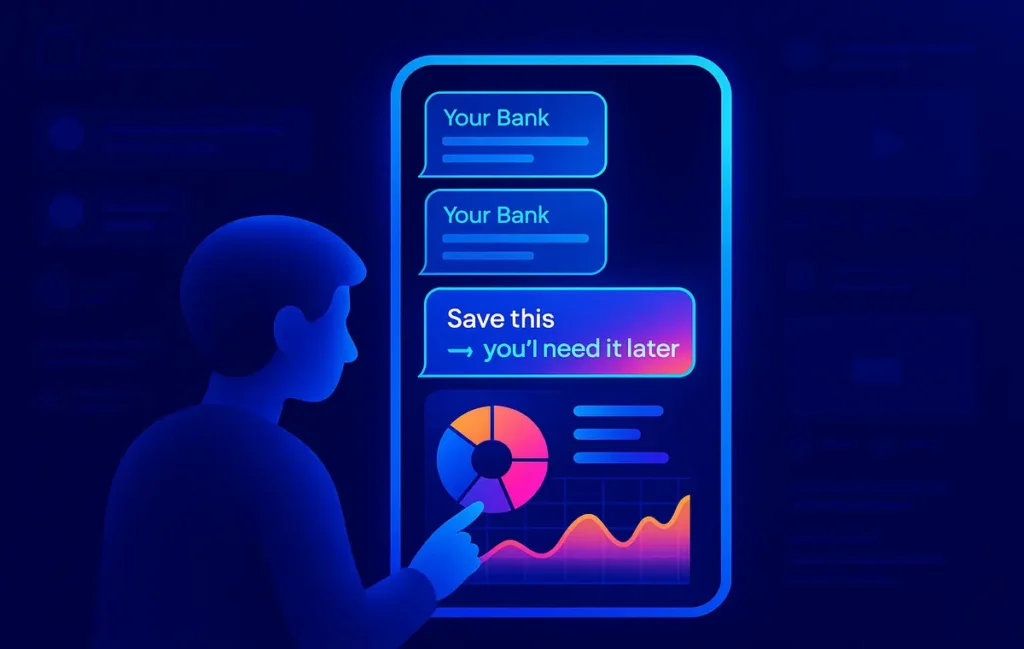
SMS-aware finance apps read your bank alerts in the background, extract amounts, merchants, and balances, then auto-categorize each transaction into a live dashboard. You get instant spend breakdowns without touching a spreadsheet, and the real win is catching recurring leaks and cashflow patterns you’d usually miss.
🎬 Most People Miss 40% of Their Spending Because They Only Trust Bank Apps
If you rely purely on your bank’s official app to understand where your money goes, you are probably flying half-blind. Bank interfaces are built for compliance and basic checking, not for personal insight. Categories arrive late, recurring payments hide inside long lists, and anything involving cash, wallets, or multiple accounts simply doesn’t show up in one clean view.
Meanwhile, in a lot of regions, SMS alerts are still the most reliable, universal channel for banking updates. Every card swipe, ATM withdrawal, or online subscription quietly lands as a text message on your phone—time-stamped, structured, and fast. That SMS stream is essentially your real-time transaction log, but most people ignore it or delete everything once their inbox gets noisy.
This is where SMS-parsing finance apps come in. Instead of forcing you to log every coffee and Uber ride manually, these apps sit between your SMS inbox and your dashboard. They parse each bank alert, auto-tag the transaction with a category, merchant, and account, then sync everything into a feed or chart. You open the app and instantly see how much went to food delivery this week, which subscriptions renewed, and how your cashflow looks for the month.
💡 Nerd Tip: If your finances feel “blurry” even though you check your balance often, the problem isn’t discipline—it’s the lack of a clear, categorized stream of data.
On NerdChips we’ve already talked about bigger automation stacks in posts like Automating Personal Finances: Tools to AutoSave, Invest, and Budget, but this guide zooms in on a very specific angle: finance apps that auto-categorize SMS transactions and feed a personal dashboard. Think of it as the missing link between your bank, your phone, and your actual money decisions.
💳 Why SMS Parsing Beats Traditional Expense Tracking
Traditional expense tracking assumes you’ll be a perfect human: you’ll remember to open an app, add a line item, choose a category, and save it—every single time you spend. The reality is that most people do that for four days, then quit. That’s why so many “budget app” attempts die by the second week of a new year.
SMS parsing flips the flow. Instead of you pushing data into the system, your bank pushes it automatically as SMS alerts. Every card purchase, online payment, or failed transaction already comes with a line that includes: date, time, amount, card type, masked account, remaining balance, and often a merchant descriptor. For a machine, that’s a goldmine. It’s structured enough to be parsed but simple enough to be fast and lightweight.
Because SMS messages arrive instantly—even when you are offline or on a poor data connection—the app can update your dashboard in real time without waiting for banking APIs or slow syncs. If you’re a solopreneur or freelancer juggling multiple accounts, the ability to see all your spending trends consolidated from SMS is often more practical than logging into several bank apps separately.
Another underrated advantage of SMS parsing is error reduction. Receipt scanning with OCR can misread numbers, especially from crumpled paper or low-light photos. Manual entry is even more error-prone because we are tired, distracted, and often rounding numbers. In contrast, SMS alerts originate from your bank’s core system; amounts and balances are exact. The app simply needs to recognize patterns like “INR 1,250.00 debited at AMAZON” or “USD 15.99 POS purchase NETFLIX.COM” and attach them to categories you care about.
💡 Nerd Tip: If you’ve ever tried “photo receipts + manual tags” and dropped it after a week, you’re not the problem—the workflow is. SMS parsing is designed around how you already use your phone, not around perfect habits.
For remote workers, founders, or anyone working across currencies and banks, SMS-based tracking provides an independent layer of truth. You’re not locked into one financial institution’s UX, and you can still plug those categorized transactions into more advanced setups like How to Track Expenses in Google Sheets or other dashboards you already use.
🧠 How SMS Auto-Categorization Works Behind the Scenes
To the user, it feels like magic: you enable SMS access, wait a few minutes, and suddenly the app shows your last three months of spending neatly grouped. Under the hood, though, there’s a fairly sophisticated pipeline turning messy text into structured financial events.
The first layer is pattern recognition. Most banks use consistent templates for their alerts, even if the exact phrasing differs between institutions. The app builds regex patterns and rule sets to extract key elements like amount, currency, account suffix, transaction type (debit/credit), and balance. For example, it might detect anything between USD and debited or after the word INR followed by digits, decimals, and a space. Over thousands of samples, these rules get better and cover more banks.
Next comes merchant and context detection. The text snippet that includes the merchant—something like “UBER *TRIP”, “STARBUCKS 1234”, or “SPOTIFY P0”—is mapped against a merchant dictionary. This dictionary is built from common brands, local businesses, and patterns scraped from anonymized data. When the app sees “SPOTIFY,” it doesn’t just treat it as a string; it knows this belongs to “Subscriptions → Entertainment” by default.
Modern SMS-aware apps increasingly add an AI layer on top of this structure. Even when a merchant isn’t in the dictionary, semantic models can infer intent from surrounding words (“store”, “fuel”, “withdrawal”, “POS purchase at pharmacy”). That AI layer is also used to predict categories when the template isn’t perfect or when banks slightly update their message formats.
Once each transaction is parsed, the app assigns a category, flags special cases (like refunds or transfers), and pushes the event into your internal database. From there, the “dashboard engine” can build charts, monthly summaries, and cashflow views. Some apps also run anomaly detection—spotting unusually high charges, duplicate subscriptions, or a sudden spike in one category—by comparing this month’s data to your previous patterns.
Privacy is critical here. The more serious tools keep all parsing on-device or encrypt SMS content before any processing. Many will explicitly state whether they upload full message bodies or just derived transaction fields. As a user, you want to lean toward apps that make their privacy model transparent and ideally let you opt for local-only processing—even if it means slightly fewer smart features.
💡 Nerd Tip: Before committing, always check whether the app actually needs full SMS access or can work with notification access only. “Read everything forever” is a red flag; “only process bank alerts and ignore OTPs/chats” is the baseline you should expect.
📱 Top Apps That Auto-Tag Bank SMS (2025 Snapshot)
There’s no single global winner for SMS-based finance tracking. Instead, you get regional champions and workflow-focused tools that shine in slightly different scenarios. Below is a conceptual snapshot of the main “species” of apps you’ll encounter, so you can map them to your real life rather than chasing one universal recommendation.
Some apps follow the “full finance OS” model: they parse SMS, sync with accounts where possible, and then give you budgeting, goals, bill reminders, and sometimes even lightweight investing. Others are pure SMS parsers that keep things simple: read message → log transaction → export CSV. If you already have a system like Notion or Google Sheets, that second type might be ideal because it plugs nicely into your existing stack and tools like Tools to Automate Data Entry and Eliminate Spreadsheets.
To make things clearer, here’s a comparative overview in a scrollable wrapper, so you can see how the main types differ on the stuff that really matters: parsing accuracy, rule control, dashboards, and export options.
| App Type / Example Role | Best For | SMS Parsing & Accuracy | Rules & Customization | Dashboard Quality | Multi-Bank & Export | Privacy Model |
|---|---|---|---|---|---|---|
| “Full” Money Manager (e.g. Walnut-style) | Individuals who want everything in one app | High accuracy once templates are learned; good at major banks | Solid rule engine; you can recategorize merchants and set overrides | Rich charts, monthly summaries, bill reminders | Supports multiple banks; CSV/Excel export common | Mix of on-device + cloud; look for clear policies |
| Lightweight Expense Tracker (Monefy-style) | People who want simple visuals, not a full OS | Good for standard templates; may struggle with rare formats | Basic rules; manual fixes still important | Clean category pies and timelines | Usually export to CSV; multi-bank via SMS only | Often local-first with optional cloud backup |
| AI-Enhanced Categorization App | Power users and freelancers | Strong at recognizing new merchants; learns behavior over time | Advanced rules, sometimes auto-learns from corrections | Dynamic dashboards, merchant insights, predictive hints | Multi-account, multi-currency; exports to sheets or BI | Check if on-device AI or cloud-based models |
| Offline-First SMS Parser | Users with limited data or privacy priorities | Designed to work entirely offline; templates cached | Manual but flexible rules; good for legacy banks | Simple but functional dashboards | Export-centric: CSV/JSON for your own dashboards | On-device processing only; ideal for privacy |
| Open-Source SMS Parser | Tinkerers and dev-leaning users | Depends on community templates; surprisingly robust for common banks | Highly configurable if you’re comfortable editing rules | Minimal default UI—meant to feed another system | Everything focused on exporting structured data | Transparent code; you control where data lives |
In practice, many users start with a full-featured money manager and then gradually move toward export-friendly tools once they realize they want more control. If you already love the idea of a “personal finance OS,” you might eventually combine an SMS-parser app with AI-driven money tools like those we covered in Best AI Personal Finance Apps to Manage Money Smarter.
💡 Nerd Tip: Don’t obsess over finding the “perfect” app on day one. Choose one that supports your banks, gives you export options, and lets you fix categories quickly. The real value comes from three months of consistent data, not from feature comparisons.
⚡ Turn SMS Noise into a Clean Money Dashboard
Once your SMS parser is in place, you can plug it into templates, AI finance tools, or custom sheets and let your spending categorize itself. You stay focused on decisions, not data entry.
📊 “Dashboard Mode”: Turning SMS into Instant Money Insights
Once your app is parsing SMS reliably, the real fun begins. You’re no longer staring at raw lists of transactions but at patterns: how your spending clusters, how your income flows, and where your leaks live. “Dashboard mode” is simply the set of visual layers placed on top of those categorized transactions.
The most basic layer is category slices. You’ll see how much went into groceries, transport, dining, subscriptions, and “other” over any period. The power lies in consistency: you are seeing the same categories across weeks and months, drawn from SMS alerts that would otherwise sit ignored in your inbox. It becomes very hard to lie to yourself about “I don’t really spend that much on food delivery” when a pie chart says it’s 27% of your card spend.
Merchant-level views create a different kind of insight. When your dashboard surfaces merchant heatmaps, those names reveal your true habits: the specific apps, stores, and platforms that own your attention and money. Many people discover that three or four merchants explain a massive chunk of their non-essential spending. That’s a powerful negotiation tool with yourself: cancel a couple of subscriptions or renegotiate plans instead of trying to cut everything by 5%.
Another underrated feature is recurring detection. When the app spots transactions that hit the same merchant for the same or similar amount monthly or annually, it can tag them as recurring bills. You instantly see what your “base burn” is—the money that leaves your account whether you are actively spending or not. Align this with the saving and autosaving strategies discussed in Personal Finance Apps to Boost Your Savings, and you can actually redirect a portion of that base burn into savings or investments.
Finally, cashflow timelines take all that categorized data and place it on a calendar. Seeing income spikes and expense clusters visually—even as simple lines or bars—helps you plan better. You might notice that weeks 1 and 4 are heavy on rent, utilities, and subscriptions, while weeks 2 and 3 look freer. Instead of “feeling broke all the time,” you get specific: “week 1 is high burn; I’ll schedule fewer variable expenses then.”
💡 Nerd Tip: Pick one view to be your home base. For some people it’s the monthly category breakdown; for others, it’s the list of upcoming recurring charges. Build your money habits around one screen you’ll actually check.
🛠️ Workflow — Build a Personal Finance Dashboard That Updates Automatically
Here’s where we go from “nice idea” to an actual workflow you can implement this week. The goal is simple: your dashboard updates itself, using SMS as the raw feed, and you only intervene to correct mistakes or make decisions.
First, you enable SMS parsing in your chosen app and grant it permission to read existing messages. Most tools will immediately scan the last few months of bank alerts and reconstruct your history. You might see a loading spinner for a while, then suddenly your dashboard starts filling up with past spending. This “backfill” is important; it gives you context and lets you understand trends instead of only looking forward.
Next, you spend an intentional session correcting categories. Go through your top merchants and fix any misclassifications: if your local coffee shop landed under “General Shopping,” move it to “Food & Drink.” Good apps remember these corrections and treat them as rules. This is where you begin turning a generic parser into something that understands your life.
From there, you define a small set of custom categories that match your real priorities. Instead of having 30 vague labels, compress them into a clear hierarchy: “Fixed Bills,” “Fun Money,” “Learning/Skills,” “Business Tools,” and so on. That way, when you look at your dashboard, you’re asking a human question (“am I overpaying for fun or underinvesting in learning?”), not decoding a taxonomy.
Now you add a tracking layer for big-ticket items. Mark anything over a certain threshold—say $200 or the equivalent in your currency—as high-impact. Many apps let you flag, star, or tag those transactions. Over time you’ll see patterns in those large flows: equipment, travel, health, or unexpected repairs. This is your risk map.
Finally, you connect the data to an external dashboard if you need deeper analysis. Export a CSV monthly and plug it into a template in Sheets, Notion, or a BI tool. If you already use a sheet-based system like the one in How to Track Expenses in Google Sheets, you can treat the SMS parser as a quiet, loyal data-entry assistant feeding your models.
💡 Nerd Tip: Don’t overcomplicate the first version. One app + a few corrected categories + one export pipeline is enough to create serious clarity in 30 days. You can always get fancier later.
🧩 When SMS Parsing Fails (And How to Fix It)
No matter how smart your app is, SMS parsing is not perfect. Banks change templates, merchants use strange descriptors, and not every transaction behaves like a clean card swipe. You’re building a system that needs maintenance, not a “set and forget” miracle. The good news is that a few simple habits can keep your data clean enough to trust.
One common failure mode is multi-language SMS. If your bank sends bilingual messages or mixes scripts (for example, Latin and local script), the parser might only understand part of the text. Amounts are usually fine, but merchant names and category hints become fuzzy. Good apps let you manually fix these and create rules that apply going forward, but you should expect a bit more hands-on work if your messages aren’t in the app’s primary language.
Legacy bank formats are another headache. Some old-school institutions send vague alerts like “Your account has been debited” without clear merchant or category clues. In such cases, your app may create a generic “Other” category or misclassify these as ATM withdrawals. When you see too many transactions in a catch-all category, that’s a sign you either need stronger custom rules or a better partner bank for your main spending card.
OTP and non-financial SMS clutter also interfere. Apps have to distinguish between “Your OTP is 123456” and “USD 19.99 debited for purchase at Spotify.” Most serious tools are good at skipping OTPs and promotional messages, but if you see random junk in your transaction list, look for a setting to ignore non-transactional messages or manually exclude certain senders.
Transfers and cash withdrawals are trickier. The app might treat a transfer between your accounts as an expense when it’s really just moving money. If you rely heavily on wallets, PayPal-style services, or international transfer apps, you’ll want to define clear rules: treat those as transfers, not spending. Over a few weeks, your corrections train the system to treat those events more intelligently.
💡 Nerd Tip: Think of yourself as the “editor in chief” of your financial data. The app does the first draft; your job is spot-checking, not rewriting everything from scratch. Ten minutes a week is enough for most people.
🟩 Eric’s Note
You don’t need twenty dashboards and ten apps to feel in control of your money. You probably just need one pipeline that actually runs every day without you forcing it—and SMS parsing is one of the few that already exists in your life, quietly waiting to be used.
📬 Want More Dashboard-Ready Money Workflows?
Join our free NerdChips newsletter and get weekly deep dives on money dashboards, automation apps, and no-spreadsheet workflows—built for creators, founders, and remote workers.
🔐 100% privacy. No spam. Just focused guides that help you build a calmer money system.
🧠 Nerd Verdict — Should You Build an SMS-Driven Finance Dashboard?
If your phone already lights up with bank SMS alerts, you’re sitting on a live financial data feed that most people ignore. Turning it into a dashboard is less about adding complexity and more about removing friction. The app parses, tags, and feeds; you review, decide, and adjust. Over a few months, you’ve effectively built your own lightweight “finance OS” without hiring a bookkeeper or wrestling with manual Google Sheets every night.
The real win isn’t just seeing that you spent $327 on coffee shops last month. It’s the ability to connect that insight to action: trimming subscriptions, redirecting part of your recurring spend into autosaving tools like those we explored in Automating Personal Finances: Tools to AutoSave, Invest, and Budget, or pairing your SMS data with AI-powered recommendations from Best AI Personal Finance Apps to Manage Money Smarter.
In a world full of noisy fintech “solutions,” SMS parsing stands out because it’s grounded in something simple: messages you already receive, on a device you already use, in a format banks are forced to keep accurate. If you’re serious about letting your best ideas about money actually shape your behavior, an SMS-aware finance app is one of the cleanest upgrades you can make in 2025.
❓ FAQ: Nerds Ask, We Answer
💬 Would You Bite?
If you had a live dashboard showing exactly where your last 90 days of spending went—down to the merchants and recurring charges—what’s the first category you’d want to fix or redesign?
And what would you do with the money you free up? 👇
Crafted by NerdChips for creators and teams who want their best ideas to travel the world.