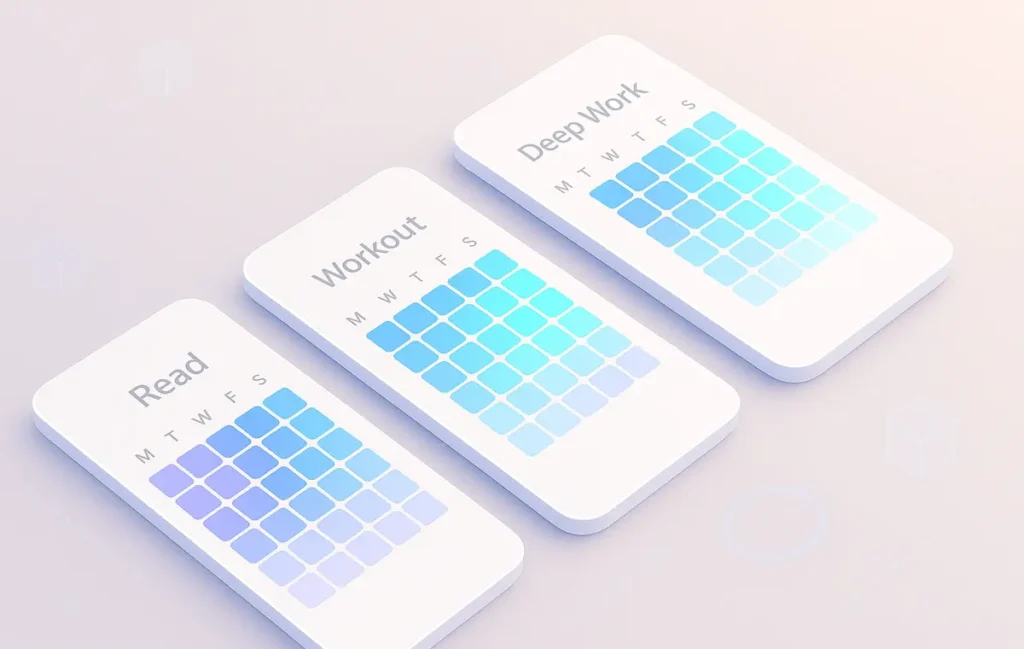
The best minimalist habit tracker apps with calendar heatmaps strip everything down to a tap-to-log workflow and a clean, GitHub-style grid of days. You don’t manage “projects”—you just see where you showed up. Heatmap calendars work because they turn consistency into a visual story, not a guilt list.
✨ Intro — Why Minimalist Habit Trackers Work Better
Most people don’t quit habits because they lack motivation; they quit because tracking the habit quietly turned into a second job. The app started asking for tags, moods, notes, goals, and integrations… when all you wanted was a simple “did it / didn’t do it” button. Every extra tap becomes friction—and friction kills habits.
Minimalist habit trackers are a reaction against that bloat. They assume the habit engine already lives in your brain and body. The app’s only job is to reflect your consistency back to you in the simplest possible way. That is why calendar heatmaps are such a powerful fit: one glance tells you if you’re on a streak, slipping, or oscillating. No dashboards, no complex charts—just colored blocks that tell a story.
If you’ve experimented with broader productivity systems—like pairing habits with time blocking or using routines alongside the tools in Best Time Management Apps to Keep You on Track—you already know that complexity compounds. The more apps you bolt on, the more fragile the system becomes. A minimalist habit tracker is the opposite of that: one simple anchor that doesn’t care what else you’re using, as long as you show up once a day.
This NerdChips guide focuses on a very specific niche: habit trackers that are genuinely minimal and use calendar-style heatmaps as their primary way of showing progress. No bloated “life OS,” no gamified RPG worlds—just a small, quiet tool that lets you see at a glance if you’re being who you said you want to be.
💡 Nerd Tip: If opening your current habit app feels like “work,” that’s your first data point. Minimalist trackers should feel like checking the weather, not filling a form.
🌱 What Makes a Habit Tracker “Minimalist”?
“Minimalist” is one of those words that gets abused in marketing. An app can call itself minimalist and still greet you with five tabs, a newsfeed, and a subscription upsell. So for this NerdChips list, minimalist has a very specific meaning.
First, minimalist habit trackers minimize concepts. You’re not asked to create projects, goals, sub-goals, workspaces, and boards. You’re usually doing three things: adding habits, logging them, and glancing at your progress. Apps like Loop Habit Tracker lean into this philosophy with a simple, material-style interface that keeps the focus on daily check-ins and a few clear stats, rather than endless configuration.
Second, minimalist trackers require as few taps as possible to log a habit. Many of the newer heatmap-style apps treat each day as a clickable square: tap once to mark it as done, long-press to tweak details if you really need to. Habit Heatmap on iOS explicitly describes itself as “simple and intuitive,” with a GitHub-style grid and on-device storage, which shows how far designers are willing to go to remove busywork and still keep visual clarity.
Third, minimalist doesn’t mean “featureless.” It means that every feature earns its keep. For example, Pebl offers streaks, a heatmap calendar, and gentle celebratory animations—but all of it funnels back into a single question: “Did you show up today?” The interface is intentionally subdued so that the heatmap becomes the main event, not the UI chrome.
Finally, minimalism is about mental load, not just aesthetics. If you’re already juggling time blocking experiments or comparing methods like Time Blocking vs. Pomodoro, a minimalist habit app shouldn’t add yet another decision layer. It should quietly reflect what’s happening so you can adjust your routines elsewhere. Think of it as a mirror, not a manager.
💡 Nerd Tip: Ask yourself, “Would I still use this if it never sent a single notification?” If the answer is yes, you’re probably looking at a genuinely minimalist tracker.
🔥 Why Calendar Heatmaps Increase Habit Stickiness
Calendar heatmaps take a brutally simple idea—days on one axis, intensity on another—and turn it into surprisingly powerful psychology. When you see a block of green slowly expanding across your month, your brain doesn’t need an explanation. It just understands “I’m doing the thing.”
Unlike streak counters, which tend to feel binary and brittle (“I missed one day; everything’s ruined”), heatmaps are more forgiving. They show you clusters and patterns. You might notice that your reading habit lights up strongly on weekdays and fades on weekends, or that your workout habit is unintentionally tied to specific work days. Apps like HabitGrids, which are built entirely around calendar heat maps, lean on this pattern-recognition effect to keep things motivating without shouting at you.
From a neuroscience angle, heatmaps offer quick, low-friction dopamine cues. You don’t have to dive into detailed stats to get the “I’m on track” hit; the colored tiles are enough. A recent discussion around meaningful gamification noted that habit heatmaps paired with simple time statistics can provide “quick, meaningful feedback during brief interactions,” helping users build consistency over time without overloading them.
The key difference versus traditional charts is emotional footprint. A line graph of your habit completion rate feels like analytics. A heatmap of days feels like a personal archive. When you scroll back through months and see waves of color, it feels less like KPI tracking and more like flipping through a visual diary. That emotional tone is underrated—and it’s exactly why pairing heatmaps with minimal UX works so well.
If you already use more full-featured habit or productivity tools (for example, any of the apps covered in Habit-Tracking Apps to Build Better Routines), a small heatmap-first app can act as your “visual overlay.” It doesn’t replace your entire system; it just gives you a brutally honest picture of whether your routines are actually happening.
💡 Nerd Tip: When you’re choosing an app, treat the heatmap as the main feature—not a cute extra. If it’s buried two screens deep, it won’t shape your behavior.
🧪 How We Evaluated Minimal Heatmap Trackers for This List
Because minimalist tools are so opinionated, this isn’t a “throw everything in” roundup. The apps here were chosen with a specific criteria stack that matches NerdChips’ view of what minimal habit tracking should feel like in 2025.
The first filter was simplicity of interaction. Logging a habit should be tap-first, not form-first. Apps like HabitDone and Pebl explicitly emphasize “simple and modern design” or “simple & intuitive interface,” where daily use feels closer to checking a checkbox than filling an entry in a database.
The second filter was heatmap clarity. Some trackers technically have a heatmap buried in an analytics tab, but the view is cluttered with graphs, badges, and overlapping colors. We prioritized apps where the calendar heatmap is clean, legible, and central to the workflow—think GitHub-style grids, monthly layouts, or clear yearly views where gaps and streaks are obvious at a glance. Habit Heatmap, HabitGrids, and several of the Android-first tools in this list take that design seriously.
Cross-platform support was a third layer, but not a hard requirement. In practice, many of the sharpest minimalist designs appear either iOS-only or Android-first. To balance things, this list includes a mix: some iOS-only purist designs, some Android-focused minimal apps, and one cross-platform option for people who live on multiple devices.
Privacy and pricing also played a role. Minimalist users often care deeply about data staying on-device and avoiding dark-pattern subscriptions. Several of the picks here explicitly highlight on-device storage or no-subscription models, with optional one-time or low-friction upgrades.
Finally, we listened to user sentiment—especially candid reviews on app stores and on X/Reddit. When people say things like “Clean UI & easy to use, does what is supposed to without being overwhelming or cluttered,” about a habit app, that’s exactly the energy this list is trying to surface.
💡 Nerd Tip: If an app’s marketing page talks more about “AI coaching” and “deep analytics” than about how it feels to log a habit, it’s probably not minimalist at heart.
🏆 Best Minimal Habit Tracker Apps with Heatmaps (2025 Picks)
Below are the 2025 picks that hit the “minimalist + heatmap visualization” sweet spot. The focus is on how they feel in daily use, not just their feature list.
| App | Platform | Heatmap Style | Friction Level | Best For |
|---|---|---|---|---|
| Habit Heatmap | iOS / iPadOS | GitHub-style grid, very clean | Ultra low | Visual-first Apple users |
| Pebl | Android | Color-coded calendar heatmap | Low | Beginners and streak lovers |
| HabitDone | iOS / Android | Colorful heatmaps + stats | Low–medium | Users who like a bit of data |
| HabitGrids | iOS | Yearly calendar grids | Low | Year-over-year habit overview |
| Loop Habit Tracker | Android | Minimal charts + history view | Low | Privacy-focused Android users |
| HabitKit | iOS | GitHub-inspired tile grid | Low | Visual motivation junkies |
| Habitify | iOS / Android / Desktop | Calendar + minimalist layout | Medium | Multi-device productivity setups |
🟩 Habit Heatmap (iOS) — Pure GitHub-Style Minimalism
Habit Heatmap is exactly what it sounds like: a habit tracker built entirely around a GitHub-style grid of days. You tap to mark a habit as done, and the grid slowly fills with color. There are no complex dashboards or social feeds to configure. The app stores data privately on-device with optional iCloud sync, which fits nicely with the minimalist, privacy-aware mindset.
The heatmap itself is divided into months, which makes it emotionally easier to navigate than a massive, single-year block. Instead of feeling like you’re staring at a wall of responsibility, you’re just looking at “this month’s story.” For users who already run heavier productivity stacks—maybe they’re using separate tools from Best Time Management Apps to Keep You on Track—Habit Heatmap acts like a visual addon rather than a competing system.
Pricing is intentionally lightweight: the app has been available at a very low one-time price in late 2025, with no subscriptions and a focus on keeping ownership simple. If you’re an iOS user who wants the most literal interpretation of “minimalist habit heatmap,” this is arguably the cleanest implementation right now.
💡 Nerd Tip: Habit Heatmap is ideal if you want your habit history to feel like a contribution graph, not a to-do list. Treat it as your “life GitHub” and it starts to click.
🟦 Pebl (Android) — Minimal, Gentle, and Visual
Pebl brands itself with the tagline “One pebble a day, a mountain someday,” and that’s pretty much how it feels in use. The app’s UI is understated: you create simple habits, group them if you want, and then log them with minimal friction. The heatmap calendar is color-coded, letting you see streaks and gaps without diving into menus or fiddling with filters.
What makes Pebl stand out in the minimalist crowd is how it balances calm visuals with motivational feedback. You get streaks and small celebratory animations, but they never overshadow the grid itself. The heatmap remains the core metaphor: each day is a pebble, and your consistency is the pile. That tone is especially good for people who burn out quickly on high-energy gamification but still want a bit of encouragement.
For Android users who might already be experimenting with habit stacks, Pomodoro timers, or scheduling tools like those compared in Time Blocking vs. Pomodoro: Which Productivity Method Works Best?, Pebl slots in as the quiet visual tracker. It doesn’t try to replace your entire system; it just shows you whether the habits behind that system are actually alive.
🟧 HabitDone (iOS & Android) — Heatmaps with Just Enough Data
HabitDone is a modern habit app that pushes a little further into analytics while staying fairly minimal in daily use. You set habits, log them with simple taps, and the app renders your progress on visually pleasing heatmaps and complementary statistics views. Reviews consistently highlight the clean interface and the feeling that it “does what it’s supposed to without being overwhelming.”
Under the hood, HabitDone offers multiple check-ins per day, themed colors, and reminders. That might sound like extra complexity, but if you constrain yourself to a handful of core habits, those features simply allow the app to adapt to your life a little more. The heatmaps stay front and center, functioning as an always-on visual summary.
Pricing follows the standard “free with optional upgrade” pattern, including annual or lifetime options rather than a single mandatory subscription. For users who want minimalist visuals but appreciate seeing a bit more data—completion rates, streak analytics, and so on—HabitDone is a solid middle ground.
💡 Nerd Tip: Use HabitDone’s extra analysis only during weekly reviews. The rest of the time, live on the heatmap screen so tracking never feels like running reports.
⚡ Want Curated Habit Apps, Not App Store Roulette?
Before you install ten different trackers, build a focused toolkit. Use NerdChips-style reviews to shortlist minimalist habit apps that actually respect your time and attention.
🟨 HabitGrids (iOS) — Yearly Heatmaps for Long-Term Builders
HabitGrids is what happens when you decide that the heatmap is the entire product. The app presents your habits as calendar heat maps, often across large spans of time, making it easy to see long-term trends at a glance. Reviewers consistently describe it as “simple but effective,” emphasizing the combination of elegant grids with a straightforward habit journal and stats.
Because the heatmap is year-focused, HabitGrids is particularly good for slow-burn habits: learning languages, long-term health changes, deep work routines. You’re not being asked “Did you crush today?” so much as “What story is this year telling?” That perspective can be incredibly grounding when you’re juggling other tools like journaling apps or reflection workflows, especially if you’re already exploring options like Best Daily Journaling Apps for Productivity.
If you want a minimalist dashboard for your entire year that you can scan in a few seconds, HabitGrids is one of the most focused implementations available right now.
🟪 Loop Habit Tracker (Android) — Open-Source Minimalism with Charts
Loop Habit Tracker has been around long enough to earn a reputation as a “default” on Android for people who care about simplicity and privacy. Its interface is minimal and follows material design guidelines, with no ads and no accounts required. Underneath, it provides detailed charts and statistics that show how your habits change over time, including visual histories that feel similar in spirit to heatmaps.
Loop isn’t strictly heatmap-only; it offers a mix of charts and calendar views. But because it’s open source, distraction-free, and low on commercial pressure, it has become a favorite for users who want more control while still staying in the minimalist camp. If you’re the kind of person who reads up on habit systems, tweaks your routines, and appreciates export options, Loop gives you that power without asking you to micro-manage your life.
💡 Nerd Tip: Pair Loop with a simple time blocking system—like the ones discussed in Best Time-Blocking Apps to Keep You on Track—so your calendar shows “when” and Loop shows “did you actually do it?”
🟥 HabitKit (iOS) — GitHub-Style Grid as the Star of the Show
HabitKit leans fully into the grid aesthetic. Its core screen is a GitHub-inspired tile layout where each colored block represents a day you completed a habit. Reviewers call out the minimalist aesthetic as one of its greatest strengths, noting that “watching your chosen colors fill the grid is genuinely satisfying.”
From a UX standpoint, HabitKit feels like a slightly more stylish cousin of GitHub’s own contribution chart. You tap to log, occasionally adjust settings if you want, and most of your time is spent looking at rows and columns of progress. That’s perfect if you’re a visually oriented person who responds well to “don’t break the chain” cues, but doesn’t want cartoonish gamification layered on top.
For anyone deep in maker or developer culture, HabitKit’s grid will feel familiar in a good way. It effectively says, “Treat building your habits like you treat shipping code—one commit at a time.”
🟦 Habitify (Cross-Platform) — Minimalist Interface for Multi-Device Life
Habitify lives slightly on the heavier side of this list, but still earns a place because of its clean layout and cross-platform reach. It offers apps for iOS, Android, macOS, and the web, and its interface has been described by reviewers as “simple and organized,” with habits presented in a calendar-style view that makes your day feel like a sequence of small goals.
Heatmap purists might prefer the more focused apps above, but if your life spans multiple devices and you already use an ecosystem of productivity tools, Habitify can serve as a central minimal hub. Just be aware that its full power sits behind a subscription once you move beyond a few core habits, so it’s best suited for users who know they’ll commit.
💡 Nerd Tip: Use Habitify only for 3–5 keystone habits and ignore every optional view you don’t need. Minimalism is often about how you use the tool, not just the design of the tool itself.
🧾 Minimalist Alternatives (If You Hate Apps)
Not everyone wants another app icon on their home screen. The good news is that “minimalist habit tracker with a heatmap” is more of a pattern than a piece of software—and you can recreate the pattern with tools you might already use.
A very simple option is a Google Sheets heatmap. Create a grid with days across the top and weeks or months down the side, then use conditional formatting to color cells when you type an “x” or a number. Within a few minutes you’ll have a DIY heatmap that behaves a lot like the app-based versions, especially if you pin the sheet on mobile. The benefit is total ownership and infinite flexibility; the downside is a bit of setup work.
If you’re already living inside Notion for planning or journaling, a Notion habit tracker with a heatmap widget can be a perfect middle ground. Several community templates and widgets now mimic GitHub-style calendars directly inside Notion dashboards, so your habit history sits next to your tasks and notes. These tools use color intensity to show how often you complete a habit over time, giving you the same “at a glance” effect as dedicated apps.
Old-school? You can go fully analog with a pen-and-paper heatmap: print a 12×31 grid and fill in each square with a colored marker when you complete your habit. Many people find the physical act of shading squares strangely satisfying—and paper has exactly zero notifications.
For Apple users, there’s also a fun hybrid option: use Apple Shortcuts to build a one-tap button on your Home Screen that logs a habit into Notes or Numbers. Each press can append today’s date to a list, and you can periodically convert that log into a heatmap in a spreadsheet. It’s not as frictionless as a dedicated app, but it lets you stay inside a workflow you already trust.
💡 Nerd Tip: If you hate app clutter, commit to one analog or semi-digital heatmap for at least 90 days before you even think about trying another method. Depth beats tool-hopping.
🧭 How to Build a Zero-Frustration Habit System (5 Steps)
Tools are only half the story. A minimalist habit tracker with a beautiful heatmap is still useless if your system around it is chaotic. The goal is to create a loop where you decide once, act daily, and reflect weekly—with as little friction as possible.
Step 1: One metric per habit.
Each habit should have a single, binary outcome: did you do it or not? “Read 10 pages” beats “get better at reading.” The more measurable your habit, the more meaningful each colored square on your heatmap becomes. If you find yourself entering custom notes every day just to make sense of the data, the habit definition is probably too vague.
Step 2: Same input format everywhere.
Whether you’re using Habit Heatmap, Pebl, or a simple Notion grid, logging should look and feel identical across habits: one tap, one mark, one keyboard shortcut. If you mix checkboxes, timers, sliders, and journals, your brain has to re-learn the interaction every time. That cognitive tax adds up and eventually you’ll “forget” to log altogether.
Step 3: Make visual feedback unavoidable.
Your heatmap should live in a place you can’t ignore. Pin the app widget, make the heatmap page the default view, or tape a paper grid to the wall above your desk. When you’re already using other tools covered in Habit-Tracking Apps to Build Better Routines or time-focused apps from Best Time-Blocking Apps to Keep You on Track, place the heatmap right next to them so your habits and your schedule talk to each other.
Step 4: Weekly review, not daily self-critique.
Looking at your heatmap every day for a mini dopamine hit is great. Judging yourself every day is not. Once a week, take five minutes to scan patterns: which habits streaked, which ones died midweek, what changed in your environment? This is where the visualization shines—clusters and gaps are often more revealing than raw numbers.
Step 5: Run a friction audit every month.
Once a month, ask three questions: Is this habit still worth tracking? Is the metric too strict or too loose? Is the tracker adding friction? If the answer to the last question is “yes,” simplify something: fewer habits, a simpler app, or a clearer definition. Minimalist systems are living systems; you’re allowed to prune.
💡 Nerd Tip: Most people need fewer habits, not more. Three well-chosen, visually tracked habits will reshape your year more than 15 half-tracked ones scattered across apps.
🟩 Eric’s Note
I gravitate to tools that make it slightly harder to lie to myself and slightly easier to keep going on a bad week. A good heatmap does both—no drama, just a quiet picture of who you’re becoming.
📬 Want More NerdChips Playbooks Like This?
Join the free NerdChips newsletter and get weekly breakdowns of minimalist productivity tools, habit systems that actually survive busy weeks, and app stacks that stay out of your way.
🔐 100% privacy. No noise. Just thoughtful insights for people who want their tools to disappear into the background.
🧠 Nerd Verdict
Minimalist habit trackers with calendar heatmaps are not competing with giant productivity suites; they’re competing with your brain’s tendency to forget what actually happened. When the only job of the app is to show you a colored grid of days, there’s no room for excuses or dashboard tourism—you either filled the squares or you didn’t.
For NerdChips, this niche sits in a sweet spot between analog satisfaction and digital convenience. You can still build out full routines with the tools covered in Habit-Tracking Apps to Build Better Routines, stack them with time-blocking systems, or log reflections in your favorite journaling app. But your minimalist heatmap becomes the anchor: a one-screen answer to “How consistent am I really?”
If you choose one of these apps, define a handful of clear habits, and commit to a weekly five-minute review, the grid on your phone or paper will quietly become one of the most honest mirrors in your life. No algorithms, no feeds—just evidence.
❓ FAQ: Nerds Ask, We Answer
💬 Would You Bite?
If you had to pick one habit to track on a minimalist heatmap for the next 90 days, what would it be—and which app from this list feels like the best home for it?
Share your combo (habit + app) and why you chose it. That’s often where the most useful, real-world tweaks show up. 👇
Crafted by NerdChips for creators and teams who want their small daily habits to add up to something visible and real.