✈️ Introduction: Freedom Is a System, Not a Calendar
The digital nomad lifestyle promises two things at once: the freedom to choose your city—and the responsibility to deliver work anywhere. Most productivity advice ignores the friction that nomads face daily: shifting time zones, shaky internet, and the mental tax of being “always arriving.” What actually works in 2025 isn’t more apps; it’s a set of small, repeatable systems that survive airports, hostels, and jet lag.
This guide focuses on hacks and workflows, not gear. You’ll learn how to plan your calendar across continents, build mobile-first workflows that don’t fall apart when Wi-Fi does, turn any space into a viable workstation, automate the admin that eats your creative time, and protect your energy so you can keep moving without burning out. We’ll weave in practical, nomad-specific tips and small rituals—plus ready-to-use presets you can copy. If you need a list of apps or travel gadgets, save those for later with our pieces on Ultimate List of Must-Have Apps for Digital Nomads and Travel Tech Essentials for Digital Nomads. Here, we’ll make you operational.
💡 Nerd Tip: Treat this article as your “operating manual.” Revisit it every new city—tighten one habit, one automation, and one boundary each time.
🧭 The Core Challenges Nomads Actually Face (So We Can Solve Them)
Nomad productivity suffers not from one big problem, but from a pile of small ones that stack: time-zone drift that breaks collaboration, internet unpredictability that collapses meeting schedules, spaces that aren’t meant for deep work, and social isolation that slowly erodes motivation. When you solve these, your output stabilizes—even while you’re switching countries every few weeks.
Time zones are the first enemy. Even 3–5 hours of difference can break team rhythm. If your client base spans the US and Europe, there is no single perfect schedule—you must design overlap windows on purpose. Internet quality is the next saboteur. A call that drops twice isn’t just annoying; it forces rescheduling and ruins the morning. Workspace quality matters more than gear when you’re transient; you need to compress ergonomics into a backpack and deploy them in minutes. And then there’s the human factor: loneliness and the lack of routine. Without intentional community and energy rules, productivity becomes a series of sprints and crashes.
The win comes from building a small set of durable systems: a calendar policy that respects time zones, a mobile-first workflow that tolerates offline gaps, a “workspace anywhere” kit, admin automations that shrink busywork, and energy rituals that travel with you. With these in place, you’ll work like you’re at home—even when home is a different continent this month.
💡 Nerd Tip: Systems beat willpower. If you need fewer decisions to do the right thing, you’ve already increased your productive hours.
🌍 Hack 1 — Time-Zone Mastery: Design Your Day Around the Map
Time-zone mastery starts with visibility. Keep a permanent “world clock” strip inside your calendar and phone—choose the cities that matter for the next 90 days, not your entire travel history. Overlay calendars so your day view shows both your local time and your clients’/team’s time. Your goal isn’t to be available to everyone; it’s to create predictable overlap.
Adopt a two-tier day: deep work in your high-energy local morning or early afternoon, and collaboration during “neutral” hours that overlap most stakeholders. For example, in Lisbon working with New York and London, reserve 9:00–12:00 local for deep work, 14:00–17:00 for calls and async catch-up. In Bangkok with EU clients, you’ll likely flip: async mornings, calls late afternoon to evening. Write this policy in your email signature and Slack status so people learn your rhythm.
Avoid the “one more meeting at midnight” trap by scheduling a hard stop. The long-term cost of poor sleep is far larger than the short-term benefit of squeezing one call. When overlap is impossible, move communication to async video (quick Looms) and decision memos instead of meetings. You’ll find that many “must-have calls” turn into two five-minute videos that get better decisions without timezone pain.
💡 Nerd Tip: Pre-book “floating office hours” twice a week for the hardest time zone—15:00–17:00 your time, for example—and direct stakeholders there. It reduces random late-night scheduling.
| Base City (You) | Main Clients | Deep-Work Block | “Neutral” Call Window | Notes |
|---|---|---|---|---|
| Lisbon (UTC) | NYC (UTC-5), London (UTC) | 09:00–12:00 | 14:00–17:00 | Strong overlap with both; avoid 19:00+ calls. |
| Bangkok (UTC+7) | Berlin (UTC+1), London (UTC) | 08:30–11:30 | 16:00–19:00 | Protect early mornings for deep tasks. |
| Mexico City (UTC-6) | SF (UTC-8), NYC (UTC-5) | 07:30–10:30 | 12:00–16:00 | One late evening window per week only. |
📱 Hack 2 — Mobile-First Workflows: Your Laptop Is Optional, Your Process Isn’t
Nomads who stay productive build for mobile-first continuity. Assume your laptop dies or your hostel Wi-Fi collapses—could you still ship a deliverable from your phone within an hour? This is a design problem, not a tech problem.
The backbone is cloud synchronization with offline readiness. Keep your key folders mirrored locally: proposal templates, brand assets, invoices, and a “pitch kit” you can email without downloading anything. Maintain a standard “offline packet” before every flight: docs you’ll edit, reference PDFs, calendar notes, and a mini backlog sorted by no-internet required. When connectivity returns, your sync queue should complete without manual babysitting.
Portable monitors and travel keyboards turn a kitchen table into a legitimate desk, but the real win is the workflow that survives small screens: short decision memos over sprawling threads, templated responses for client updates, and voice-to-text captures that get turned into tasks later. If you must edit rich media, pre-render drafts or proxies while on strong Wi-Fi and keep mobile-friendly review files handy.
💡 Nerd Tip: For deep work on the go, pre-create a 90-minute “Flight Mode Sprint” checklist: 3 tasks, one doc, one decision. You’ll land with real progress.
If you’re new to the discipline of maintaining output away from home base, cross-reference general principles in How to Stay Productive While Traveling. Then return here to harden the workflow.
🧳 Hack 3 — Workspace Anywhere: Deploy a Desk in 180 Seconds
Great work doesn’t require a hip co-working photo; it requires repeatable ergonomics. Your goal is a three-move setup you can deploy anywhere: stabilize the screen, stabilize your posture, stabilize the network.
Screen stability comes from a foldable stand or portable monitor. Elevate your screen to eye level; your neck will thank you after week two on the road. Posture stability comes from a compact keyboard and mouse/trackpad; typing on a laptop at table height is a fast path to shoulder fatigue. Network stability is the deal breaker—carry an eSIM with reasonable day passes and learn the coverage map for your region. The time you spend hunting for cafés with good Wi-Fi is time you could spend doing paid work.
Coworking day passes are underrated. Even if you don’t love the vibe, a quiet, air-conditioned desk with strong internet is worth the cost when you have deadlines. In a pinch, ask Airbnb hosts to confirm router location and speed; if they don’t know, assume weak coverage in bedrooms and plan to work near the living area. If you’re staying longer than a month, buy or rent a local router and stick it by your desk.
💡 Nerd Tip: Establish a ritual—timer on, headphones in, one sip of water, status set to “deep work.” Your brain will learn to drop in faster no matter the city.
🤖 Hack 4 — Automation for Admin: Shrink the Unbillable
Admin work scales with your travel complexity unless you tame it. Build a light “command center” that runs whether you’re at the beach or a bus terminal. The goal is to automate what you repeat weekly: invoices, expenses, time tracking, content publishing steps, client updates.
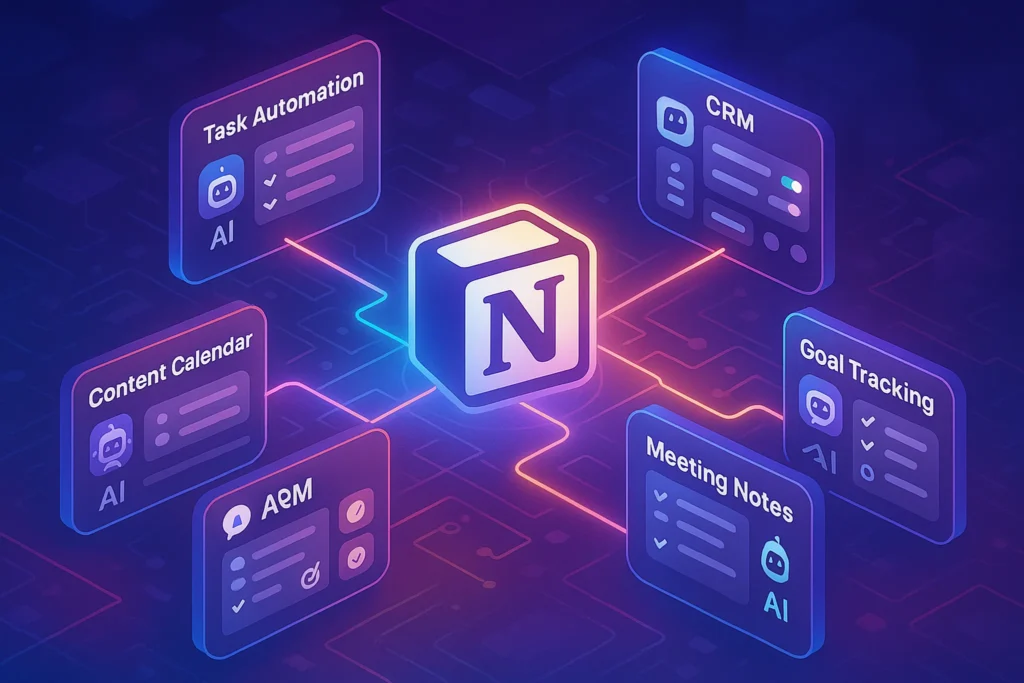
Use a central database (Notion or equivalent) as a single source of truth: clients, projects, deliverables, rates, and a calendar view. Connect it to automations that move data where it needs to go—log time from your phone, generate invoices from templates, and push status summaries to clients on a cadence. Time tracking should be invisible during focus and precise at review; a single mobile button to start/stop and automatic rounding rules will keep your billing clean.
For expenses, take photos of receipts as you get them and tag by project; batch reconciling once a week beats a monthly panic. For content creators, build a publish checklist that standardizes titles, meta, internal links, and distribution steps; then trigger it via a single “Ready to Publish” status. If you’re freelancing across multiple clients, standardize your onboarding packet to reduce back-and-forth: scope, meeting cadence, tools, and “how we make decisions” rules.
💡 Nerd Tip: If an admin task happens more than twice a month, template it. If it happens weekly, automate it. If it happens daily, eliminate the decision entirely.
When you do want hardware upgrades that make remote setups feel pro, you can borrow ideas from Remote Work Essentials: Best Gadgets to Upgrade Your Home Office and adapt the leanest pieces for your backpack.
🔋 Hack 5 — Energy & Routine: Protect the Machine That Earns
Nomads don’t burn out from one 12-hour day; they burn out from six weeks of poor sleep, irregular meals, and decisions at every turn. Create portable routines that move with you: a 15-minute morning reset (mobility, sunlight, water), a standard breakfast, and a first 90-minute deep-work block before any messaging. Your body reads these signals as “we’re safe,” and performance follows.
Use focus frameworks that tolerate interruptions: time-boxed sprints (50–90 minutes) with hard breaks, audio environments that block café noise, and a short shutdown ritual that closes loops before dinner. Plan intentional “offline days” where your only job is to refill attention—walk a new district, read a real book, or explore a museum. Off days feel “unproductive,” but they prevent multi-week productivity crashes.
Sleep hygiene matters more when you’re changing beds. Pack an eye mask and earplugs; map noisy areas in your first night; and avoid late-night caffeine when you have morning calls across time zones. Protect your attention, too: silence non-urgent notifications by default and batch social media to one window per day. People who appear “always on” are usually scheduling well and guarding recovery.
💡 Nerd Tip: Use a two-question daily review: “What gave me energy today?” and “What drained it?” Adjust tomorrow’s schedule by one item each.
🤝 Hack 6 — Community & Collaboration: Beat Isolation, Improve Output
Loneliness erodes productivity because it erodes purpose. Build community on purpose, not by accident. Join local meetups in the first week of a new city and commit to attending at least one gathering per week—tech talks, language exchanges, or co-working socials. Say yes to the first invitation that aligns with your values; momentum follows. Online, embed in 1–2 nomad Slack/Discord groups that match your industry so you can ask for local tips, partner on projects, and keep your professional identity intact.
For collaboration, default to asynchronous and artifact-driven. Replace status meetings with a weekly memo that covers what you shipped, what’s blocked, and what you’ll deliver next. When you need discussion, record short async videos to make context rich without time-zone pain. Save live calls for decisions that genuinely benefit from conversation. As your team sees that async is faster and clearer, meetings shrink and your time becomes yours again.
Write agreements with clients and collaborators about how you’ll work across time zones: response time expectations, office hours in your current time, and escalation paths for urgent issues. Clarity increases trust—and trust reduces the pressure to be online 24/7.
💡 Nerd Tip: Create a personal “collaboration README” and share it with new partners: how you work, when you’re online, how to get a fast answer, and what tools you use.
⚡ Ready to Build Smarter Nomad Workflows?
Set up a lightweight command center and automate boring admin. Use simple routines to turn any city into your most productive office.
🪤 Pitfalls & Fixes: What Typically Goes Wrong (and How to Recover)
Over-scheduling travel is the classic failure mode. Three countries in four weeks looks great on social, but it destroys deep work. Fix it by adopting a “2–3–1” rhythm: two weeks settle, three heavy work sprints, one lighter week with travel in the middle. Your output will feel less brittle.
Ignoring local culture and time can torpedo relationships. If you email clients during their weekend, you might appear inattentive when they don’t respond. Add their public holidays to your calendar. Better yet, ask about them in kickoff calls and plan around them.
Working in perpetual vacation mode is seductive. If your mornings always start with sightseeing, work will always start late and get squeezed at night. Pick two “tourist blocks” per week and guard your core work blocks the rest of the time. When you do play, fully play. When you work, fully work. That boundary keeps you sane long term.
Stacking too many tools is another trap. Each new app creates overhead and sync risks. Consolidate quarterly. If a workflow breaks without the internet, make a pen-and-paper fallback. Simplicity is an advantage in motion.
💡 Nerd Tip: A bad week on the road is normal. Don’t redesign your system from scratch—tighten your calendar policy, cut meetings, and reset bedtime first.
🧱 Your Nomad “Command Center” (A Lightweight Blueprint)
Your command center is a single dashboard where you see projects, cash flow, travel, and routines. Keep it boring and durable: one page for active projects with due dates, one for recurring admin (invoices, taxes, reporting), one for travel logistics (visas, bookings, SIM/eSIM info), and one for personal routines (workouts, sleep, language learning). Each item should have a status, an owner (you or partner), and a cadence.
Tie this dashboard to your calendar so recurring reviews happen automatically. Weekly: project status and cash flow. Monthly: client satisfaction pass and tool consolidation. Quarterly: destination planning and skill upgrades. If you stick with this cadence, “surprises” become rare, even when luggage gets lost or a border crossing eats your afternoon.
When you want to explore tools and kits that plug into this system, go browse Ultimate List of Must-Have Apps for Digital Nomads for software picks and Travel Tech Essentials for Digital Nomads for hardware ideas—then only add what the system actually needs.
💡 Nerd Tip: Add a “Today view” that shows exactly three tasks. Everything else is noise until those are done.
🎛️ Mini Checklist — Pre-Flight Productivity Prep
-
Confirm your overlap windows for the next 7 days and block them on the calendar.
-
Build or refresh your offline packet (docs, notes, reading).
-
Test your workspace anywhere kit: stand, keyboard, mouse, eSIM/hotspot.
-
Audit notifications and silence all but mission-critical channels.
-
Update your collaboration README and share with new clients this month.
(Keep it on your dashboard; five bullets is all you need.)
📬 Want Weekly Nomad Systems That Actually Work?
Join our free newsletter for practical workflows, no-fluff automation tips, and field-tested routines—curated by NerdChips for creators on the move.
🔐 100% privacy. No noise. Just value-packed content from NerdChips.
🔗 Read Next
If your productivity dips whenever the suitcase opens, pair these workflows with travel-day techniques from How to Stay Productive While Traveling. And when you’re ready to curate a lean, reliable toolkit that complements these systems (not replaces them), start with our curated Ultimate List of Must-Have Apps for Digital Nomads. If you return to a home base between trips, keep your at-home output sharp with the routines in Work-from-Home Productivity: How to Stay Focused—the principles translate perfectly to co-living kitchens and beachside apartments.
🧠 Nerd Verdict
Productivity on the road is not luck—it’s architecture. You’ll never eliminate uncertainty, but you can make your output predictable by anchoring on five pillars: time-zone policy, mobile-first continuity, deploy-anywhere workspace, admin automations, and energy rituals that travel with you. When those pillars click, destinations become a backdrop, not a barrier. That’s the NerdChips philosophy: fewer gimmicks, more systems; less hustle theater, more shipped work.
❓ FAQ: Nerds Ask, We Answer
💬 Would You Bite?
If you could improve just one pillar this week—time zones, mobile-first, workspace, automation, or energy—which would unlock the most progress for your nomad life?
Tell us where you’re stuck, and we’ll help you tune it. 👇
Crafted by NerdChips for creators and teams who want their best ideas to travel the world.