🔑 Opening Hook
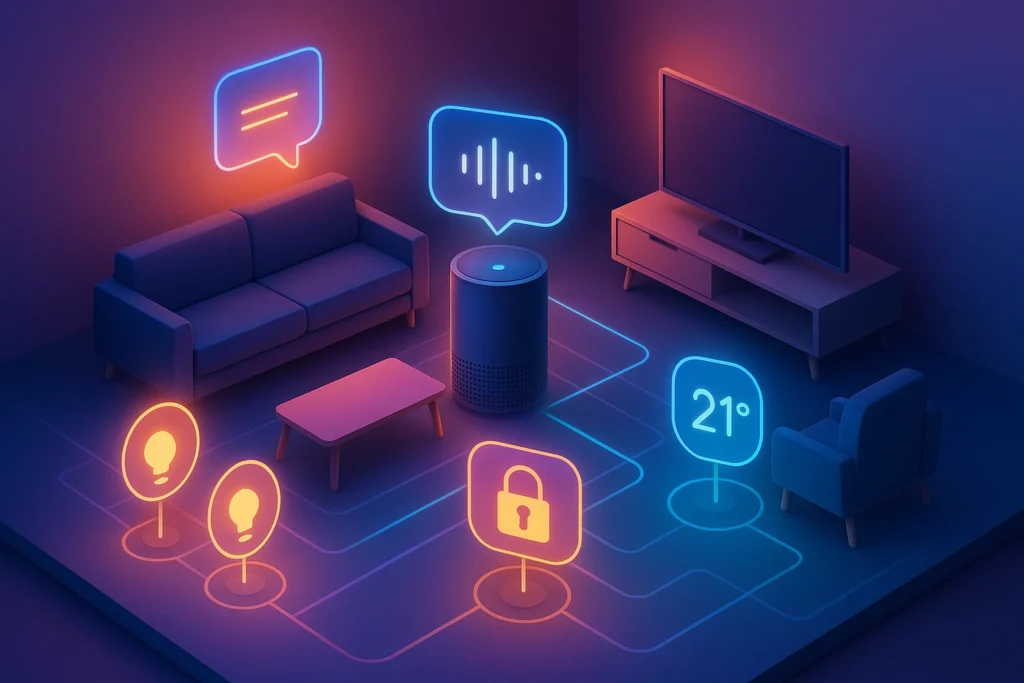
A smart home isn’t just a pile of gadgets—it’s an orchestra. The hub is the conductor that keeps lights, locks, sensors, cameras, speakers, and schedules in sync. In 2025, with Matter promising cross-brand compatibility and AI routines getting smarter, the question most people ask us at NerdChips is simple: which hub actually rules the connected home? Today, we run a true head-to-head comparison of the five platforms most buyers consider—Amazon Echo, Google Nest Hub, Apple HomePod, Samsung SmartThings, and Home Assistant—so you can pick with confidence.
💡 Nerd Tip: This guide is hub-centric. If you need a complete starter blueprint (devices, wiring, mesh Wi-Fi, security), bookmark The Ultimate Smart Home Setup Guide and Smart Home Automation, then come back to compare hubs like a pro.
👤 Context & Who It’s For
If you’re building your first smart home or rationalizing a messy one, you’re in the right place. First-time buyers need a hub that “just works” with popular devices and doesn’t demand coding to set up bedtime scenes. Upgraders care about migration, reliability, and future-proofing—they want Matter + Thread radios, schedules that survive internet hiccups, and fast local automations. Power users want deep customization and dashboard control for dozens (or hundreds) of devices. This comparison is written for all three profiles with clear matchmaking later in the piece.
💡 Nerd Tip: Don’t start from your favorite speaker or phone brand. Start from your use cases (security + lighting + climate + routines) and your privacy stance. Then choose the hub that fits both.
🧠 Why the Hub Matters
In 2025, many gadgets can work standalone, but a hub still delivers hard-to-replace value. First, it creates a single source of truth for your home’s state: “occupancy away,” “night mode,” “kids asleep,” “front door open.” Automations use those truths to orchestrate lights, thermostats, and locks in seconds. Second, a hub consolidates voice assistant integration—instead of juggling three apps and two skills, one automation runs across brands. Third, modern hubs do more on-device: schedules, motion rules, and fail-safes execute locally so lights turn on even if your internet is down. And last, a good hub protects your attention. Done right, your home stops nagging you and quietly runs.
Performance-wise, two levers decide how “alive” a smart home feels: latency and reliability. Latency determines whether a hallway light flips instantly at 2 a.m. Reliability ensures it flips every time. Hubs with local automations, Thread, and edge processing win on both. Hubs that offload everything to the cloud can feel laggy when the network is busy. That’s a small difference in a demo, a big one after six months of daily use.
💡 Nerd Tip: If a lighting scene takes longer than a second to complete, you’ll notice. Prioritize hubs that keep critical automations local.
🏆 The Contenders: Top Smart Home Hubs in 2025
🟦 Amazon Echo (Alexa Ecosystem)
Alexa remains the world’s most widely recognized smart home brand, and for good reasons: broad device support, robust voice control, and a massive marketplace of skills. In 2025, the latest Echo devices double down on Matter controller capabilities, with many models offering Thread border router support so you can bring Thread sensors and bulbs into your home without separate bridges. Alexa Routines have matured into powerful automation graphs with time, state, and sensor triggers that ordinary users can set up in minutes. Alexa’s Household Profiles and voice recognition also make shared homes more comfortable—“Alexa, movie time” feels personal again.
What you trade for convenience is data centralization and some cloud dependency. Although local execution now covers more lighting and sensor events, many advanced routines and media actions still traverse Amazon’s cloud. The good news is that Alexa’s ubiquity makes it the best budget entry point for people who want a lot of things to work with minimal fuss.
🟥 Google Nest Hub (Google Home)
If your life runs on Google—Calendar, Maps, YouTube, and Nest cameras—the Nest Hub family offers the smoothest AI-powered routine layer. Google’s intent understanding and scene suggestions are excellent: “Good morning” can automatically adapt to your commute and weather, while “Wind-down” dims lights and queues a playlist without you micromanaging every device. In 2025, Nest Hub acts as a Matter controller with Thread, and Google continues to shift routine execution locally where possible. The ambient display doubles as a family dashboard—quick glance control for lights, cameras, and media.
The main caveats are camera ecosystems and regional features. If you rely on non-Nest cameras for advanced motion rules, you’ll need to check integration depth. And while Google’s AI routines are clever, power users sometimes want more explicit rule chains than the Google Home app exposes. Still, for hands-free convenience in a Google-centric home, Nest Hub is the AI-driven pick to beat.
🟩 Apple HomePod (HomeKit / Home)
Apple’s HomePod (and Apple TV acting as a hub) delivers the most privacy-forward smart home for people already deep in the Apple ecosystem. HomeKit has long emphasized local control and strict accessory vetting, which pays off in everyday reliability—motions fire quickly, automations execute with consistent latency, and end-to-end encryption is the default for supported categories. In 2025, Apple is all-in on Matter + Thread, easing the old accessory-compatibility pain and making mixed-brand homes less of a headache.
The tradeoff is still ecosystem breadth and price. While Matter closes a lot of gaps, niche devices and bargain brands may still lack the level of Home support you want. And Siri, while improving, remains more literal than competing assistants in certain complex phrasing. If your priorities are privacy, reliability, and clean design across iPhone, iPad, and Mac, HomePod is the right spine.
🟨 Samsung SmartThings (Hub / Station)
SmartThings has quietly matured into the best cross-brand orchestra leader for mainstream users who want serious control without writing YAML. The modern SmartThings hub—also available embedded in the SmartThings Station—speaks a lot of languages (Zigbee, Thread/Matter, Wi-Fi, and bridges), and its app exposes surprisingly deep automation graphs while staying friendly. It also plays nicely with Samsung’s ecosystem: TVs, appliances, Galaxy devices, and Wearables can act as control endpoints, presence sensors, or notification surfaces.
Where SmartThings shines is “home as a system”: it treats lighting, security, climate, and media as first-class citizens and integrates third-party devices competently on day one. And the company has leaned into local execution for common rules, which reduces lag. The only con to flag: some advanced device integrations still require community drivers or brand bridges, which means you’ll want to double-check specific sensors or locks you own. For most people who want power without complexity, SmartThings is a great middle path.
🟪 Home Assistant (Open-Source)
For tinkerers and power users, Home Assistant (HA) is freedom. It runs on your hardware (a small PC or Raspberry Pi, for example), stores data locally, and integrates with an enormous set of devices and cloud services through official and community integrations. With Matter + Thread add-ons, Z-Wave and Zigbee radios, and support for brand bridges, HA can unify nearly everything under one dashboard. Automation is limited only by your imagination: rooms follow you, HVAC respects energy tariffs, lights match screen content, cameras detect specific events—all locally.
But freedom comes with responsibility. HA expects you to be comfortable with networking, backups, and occasional YAML or UI-based rule-building. If you want an appliance that fades into the background with minimal upkeep, HA probably isn’t it. If you want the most capable, private, and customizable hub in the game—and you don’t mind learning—HA is king.
💡 Nerd Tip: If you’re HA-curious, start by running it alongside your current hub. Migrate a single device class (e.g., motion sensors) and a couple of routines. If you love it after a month, keep going.
⚡ Ready to Build Smarter Workflows?
Want a connected home that feels effortless? Compare the latest SmartThings, Echo, Nest, HomePod, and Home Assistant options—then pick the hub that matches your lifestyle and privacy goals.
⚖️ Feature Comparison Matrix
| Hub (2025) | Matter Controller | Thread / Border Router | Local Automations | Voice Assistant | Ecosystem Breadth | Privacy Posture | Typical Price* |
|---|---|---|---|---|---|---|---|
| Amazon Echo | Yes | Many models | Mixed (growing) | Alexa | Excellent | Cloud-leaning | $50–$200 |
| Google Nest Hub | Yes | Yes | Mixed (growing) | Google Assistant | Very good | Cloud-leaning | $90–$230 |
| Apple HomePod | Yes | Yes | Strong | Siri | Good (cleanest with Matter) | Privacy-first | $99–$299 |
| Samsung SmartThings | Yes | Yes | Strong (for common rules) | (Works with Alexa/Google) | Excellent | Balanced | $60–$200 |
| Home Assistant | Yes (with add-ons) | Yes (with add-ons) | Excellent | Works with all (via integrations) | Excellent (deep) | Local-first | $60–$150+ (DIY) |
*Typical street pricing for current hub hardware or equivalent starter units; regional promos vary.
🎯 Use Case Matchmaking (Who Should Buy Which)
If you want the simplest on-ramp with the widest accessory shelf, Amazon Echo is tough to beat. Its Routines are beginner friendly, and adding devices is usually painless. In budget-conscious setups or rentals, Echo delivers the most value per dollar. If your life is Google-centric—family calendars, YouTube Music, Nest Cams—the Google Nest Hub makes your home feel like an extension of your Google apps. Its AI-aware routines are genuinely helpful for day-to-day life.
For privacy-conscious households already on iPhones and Macs, Apple HomePod is the most aligned pick: local automations, tasteful apps, and minimal data exhaust. SmartThings is the default recommendation for mixed-brand homes that want ease and depth in one place. It is often the smoothest “my gear is all from different brands” option. And if you want complete control, Home Assistant wins—just be honest about your appetite for tinkering.
💡 Nerd Tip: You can blend. Many readers run Home Assistant as the brain, with Alexa or Nest as the voice layer and SmartThings as a bridge for some radios. Start with one “primary” and add layers only if a clear need appears.
🆕 What’s New in 2025 (Matter, Thread & AI Routines)
2025 is the year Matter moves from buzzword to baseline. Newer Echos, Nest Hubs, HomePods, and SmartThings hubs ship as Matter controllers, meaning they can onboard and coordinate certified devices without a mess of brand-specific bridges. Thread—a low-power, low-latency mesh for sensors and bulbs—anchors the “it just works” feeling in many homes. The combo reduces setup friction, improves battery life for sensors, and shortens reaction times for motion-to-light scenes.
On the software side, AI routines get practical: they learn your patterns and offer smart suggestions (“Do you want to dim the living room at 10:30 pm on weekdays?”). We also see more local inference—recognizing a presence pattern or door state without sending raw data to the cloud. That’s better for both privacy and performance. The net effect: more of your home happens quietly and quickly, and fewer things rely on “the internet being happy” to work.
🚧 Challenges That Still Bite
No hub eliminates vendor lock-in completely. Some brands still hold features hostage in their own apps (especially cameras), even if the basics work via Matter. Privacy remains a real consideration: cloud convenience can mean data centralization. If you’re sensitive to this, build around HomePod or Home Assistant and verify each device’s policy before buying. Fragmentation also lingers; while Matter helps, legacy Zigbee/Z-Wave gear and quirky Wi-Fi devices may need brand bridges or custom drivers.
Finally, remember the human layer. A home with three voice assistants, five apps, and seven dashboards is not “smart,” it’s complicated. Choose one primary control surface for the family and keep a simple set of voice phrases. Your future self will thank you.
💡 Nerd Tip: Before upgrading, list your top 10 automations (e.g., entry light on motion after sunset). If a new hub can’t do those locally, think twice.
🥇 The Verdict: Which One Rules the Connected Home?
There isn’t a single monarch—there are four winners for distinct priorities:
-
Best for Most Homes: Samsung SmartThings. It balances breadth, local execution, and approachable automations. If you want power without a learning cliff, this is your safest pick.
-
Best Budget & Ubiquity: Amazon Echo. Inexpensive hardware, huge device compatibility, and the simplest voice-led setup for beginners.
-
Best Privacy-First Experience: Apple HomePod. Local-first design, clean automation reliability, and a consistent, family-friendly UX—especially for iPhone households.
-
Best AI-Aware Convenience: Google Nest Hub. Routines that understand your day and a cohesive Google services layer make it feel “alive” with minimal effort.
-
Best for Power Users: Home Assistant. If you’d rather customize everything and keep data local, nothing else is close.
If you forced the NerdChips lab to crown a single “2025 King of Practicality,” we’d give it to SmartThings for its cross-brand competence + local reliability + friendly power. But if you’re deep in Apple or Google land, stick with the hub that aligns with your daily tools—you’ll use it more, and that’s what makes a home feel truly smart.
🧪 Mini Case Study: A Family Consolidates on SmartThings
A family of five had a classic patchwork: Philips Hue bridge for lights, Eufy cameras, a Yale lock, two Echo Dots, and a first-gen Nest thermostat. Scenes took too long and not every night routine worked. They added a SmartThings hub, migrated Hue bulbs via Matter, left cameras on their brand app but exposed basic events to SmartThings, and rebuilt “Goodnight” as a local scene (lock doors, turn off downstairs, dim hallway to 10%, set thermostat, arm sensors). Latency dropped from 1.8–2.2 seconds to under a second, and the scene ran consistently even during a short ISP outage the following week. No code. Minimal cost. The win wasn’t “more features”—it was fewer surprises.
💡 Nerd Tip: Migrate in layers: lights + motion first, then locks/garage, then climate. You’ll keep sanity and isolate issues faster.
🛠️ Troubleshooting & Pro Tips
If devices don’t sync after adding a hub, verify firmware and ensure the hub’s Matter controller is up to date. Re-onboard tricky devices by factory resetting them near the hub, then moving them to their final spot. For voice command limits, check if the brand’s native app exposes extra scenes or modes—sometimes linking that app to the hub unlocks more natural voice intents. Worried about privacy? Keep cameras and mics muted by default, enable local storage where possible, and prefer hubs with robust local automations like HomePod, SmartThings, or Home Assistant.
When your house scales, plan your network. A stable mesh Wi-Fi (or better, Ethernet for hubs/bridges) reduces device flakiness. Name SSIDs clearly (e.g., “Home-Main” and “Home-IoT”), and give your hub static IPs so integrations don’t break on reboots. Finally, pick a single control surface for the family—usually the hub’s app and one voice assistant. Hide everything else behind admin logins to reduce accidental changes.
💡 Nerd Tip: Schedule a monthly ten-minute “automation audit.” Look for rules you no longer need and sunset them. Fewer rules = fewer conflicts.
🧭 Comparison Notes
For room-by-room device picks and wiring, start with The Ultimate Smart Home Setup Guide. If you want “set-it-and-forget-it” task chains, Best Home Automation Apps for Smart Living is a perfect next read. Want affordable add-ons to round out your starter set? Best Smart Home Gadgets Under $100 and Smart Home Gadgets to Simplify Your Life are curated to dodge junk. When you’re ready to chain it all together, Smart Home Automation is your blueprint.
Want More Smart AI Tips Like This?
Join our free newsletter and get weekly insights on AI tools, no-code apps, and future tech—delivered straight to your inbox. No fluff. Just high-quality content for creators, founders, and future builders.
100% privacy. No noise. Just value-packed content tips from NerdChips.
🧠 Nerd Verdict
The best hub is the one you’ll actually live with. In our 2025 testing, SmartThings delivers the widest “just works” experience across brands, HomePod leads on privacy and local reliability for Apple homes, Nest Hub feels the most helpful day to day in Google land, Echo provides the fastest budget on-ramp, and Home Assistant remains the power user’s playground. Pick by ecosystem alignment and local automation depth, not marketing slogans. Your reward is a home that anticipates you without asking for attention—exactly how smart should feel. That’s the standard we push at NerdChips.
❓ FAQ: Nerds Ask, We Answer
💬 Would You Bite?
If you had to choose one today, would you go with SmartThings for cross-brand ease, HomePod for privacy, Nest for AI routines, Echo for budget, or Home Assistant for total control?
What’s your non-negotiable? 👇
Crafted by NerdChips for creators and teams who want their best ideas to travel the world.