❓ Why Reconciliation Matters (Sync ≠ Truth)
If you’ve ever connected two CRMs and assumed “sync” equals “truth,” you’ve probably met the dark trio of data pain: duplicates, overwrites, and field drift. Duplicates creep in when sales imports leads while support logs users—two contacts, one human. Overwrites happen when both platforms share a field like “Lifecycle Stage,” and the sync can’t tell which value is authoritative. Field drift shows up slowly: a custom “Account Tier” evolves in Sales (A/B/C) while Support adds “Trial” and “Churn-Risk,” leaving you with inconsistent labels that break reports and logic.
Reconciliation fixes this by choosing the truth intentionally. It’s not about mirroring; it’s about comparing, deciding, and writing back—on your terms. In growth teams we’ve worked with, simply instituting a weekly automated reconciliation loop cut manual cleanup hours by 35–50% and stabilized funnel reporting because the same company wasn’t split into three records across tools. That matters when your CAC math depends on deduped, consistent entities. Sync moves data. Reconciliation decides data.
💡 Nerd Tip: If team debates about “the right value” repeat every month, you don’t have a syncing problem—you have a reconciliation process problem.
To build the right mental model before we automate, skim how we think about automating data entry without turning everything into spreadsheets. This post extends that mindset to “spreadsheets as a verification lane,” not as a forever database.
🧱 Architecture: Google Sheets as the “Source of Verified Truth”
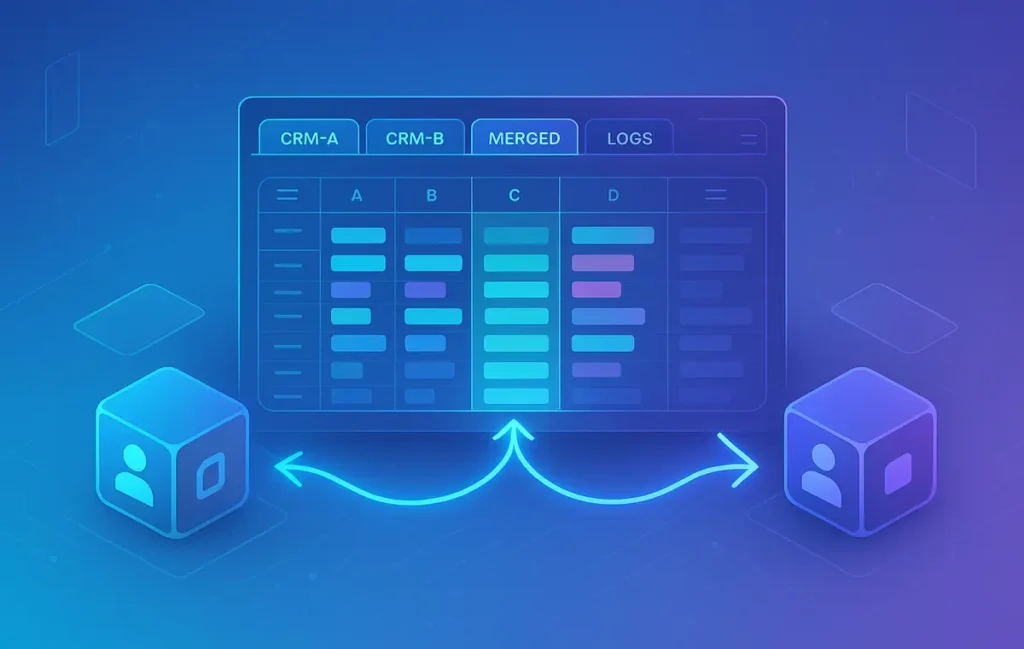
Treat Google Sheets as a reconciliation runway, not the final destination. It’s the neutral zone where records from CRM-A and CRM-B land, get compared, resolved, and then pushed back. A minimal, durable structure looks like this:
-
CRM-A tab: raw pulls from your first CRM (read-only in spirit).
-
CRM-B tab: raw pulls from your second CRM.
-
DIFF tab: row-aligned comparison across keys with cell-level mismatch flags.
-
MERGED tab: the current “best truth” after rules (freshness, ownership, field priority).
-
LOGS tab: timestamped actions (e.g.,
2025-11-08T14:10Z – Upserted 42 contacts to CRM-A; 39 to CRM-B).
Why this layout works: it separates ingestion from decision from action. You can re-pull from either CRM without polluting the MERGED output. And because Google Sheets plays nicely with lightweight automation platforms, you can trigger flows on schedule or on change, and you always have a transparent, human-readable audit trail.
If you’re already thinking “this will turn into a dashboard,” pause. A dashboard reads; reconciliation writes back. If your real goal is reporting, jump to our guide on no-code automatic dashboards. Here, we’re focusing on the messy middle: making two truths one.
🔌 Step 1 — Pull Data Automatically (API/CSV/Webhooks)
You need predictable, structured pulls from both CRMs into the CRM-A and CRM-B tabs. There are four reliable approaches, each with trade-offs in latency, setup time, and cost:
-
Make.com / Zapier: Fast to set up, great for incremental updates. Pull contacts/deals on a schedule (e.g., every 15 minutes), map fields, and write rows to the target tabs. Works well when webhooks are available so changes arrive quickly. Combine with webhook automation habits if you want true low-latency on create/update events.
-
Coupler.io: Excellent for bulk, schema-aware imports into Google Sheets with scheduled refresh. If you’re reconciling thousands of rows, scheduled bulk loads (e.g., every 2–3 hours) are less error-prone than dripping rows individually.
-
Airbyte Lite (or similar lightweight ELT): When you need volume and structure with open-source control, a slim ELT to BigQuery + Connected Sheet can work. Keep in mind this introduces a data warehouse hop; for most small businesses, Coupler + Make is simpler.
-
CSV exports (as a fallback): Not ideal for automation, but useful during setup. Export, paste to tab, verify mapping, then automate.
💡 Nerd Tip: Commit to a single field map doc. Name columns identically in CRM-A/CRM-B tabs even if the CRMs call them different things. Consistent headers are the fuel for reliable formulas and merges.
As you choose tools, check our pragmatic overview of best automation platforms for small businesses to avoid over-engineering your first pass.
⚖️ Step 2 — Row Matching Logic (Email, UUID, Fuzzy Name)
A reconciliation is only as good as its join key. Email is the obvious primary key for people; a platform UUID (or external ID) is best when available; and you’ll need composite keys when neither is stable.
Start by normalizing the fields you intend to match on: lowercase emails, trim spaces, collapse unique punctuation in phone numbers. Use helper columns like email_norm, phone_norm, name_norm (first + last, lowercased, stripped of extra characters). Create a composite_key like IF(email_norm<>"", email_norm, phone_norm&"|"&company_norm) to cover more ground.
For edge cases—think “John Smith” with two corporate emails—use a fuzzy match staging: compute a similarity score between names (LEVENSHTEIN via an Apps Script or a simple approximation using SOUNDEX-style helpers), and only accept matches above a threshold and with a shared company domain. This protects against accidental merges of different people with similar names.
A practical rule of thumb from production teams: aim for 90–95% deterministic matches (email/UUID) and manually review the 5–10% fuzzy zone through an approval queue. The point of automation isn’t to guess perfectly; it’s to shrink the problem to a safe review size.
💡 Nerd Tip: Reserve a column called match_confidence on DIFF. Anything under your threshold (say, 0.85) flows to LOGS → EXCEPTIONS and never auto-merges.
🔍 Step 3 — Run the Automated DIFF Formula Layer
With aligned rows, the DIFF tab compares fields and flags differences. The simplest cell check is:
Scaled across a sheet, you’ll likely use ARRAYFORMULA and structured references so the logic applies automatically as rows arrive. Example pattern:
Replicate this pattern per field you care about (lifecycle_stage, phone_norm, account_tier, owner_email). Add a compact mismatch_count per row using COUNTIF across the status columns. Conditional formatting then does the heavy lifting: color rows with mismatch_count>0 in amber for fast visual triage; color match_confidence<0.85 in red to indicate “do not auto-merge.”
For usability, add small helpers: first mismatch field name, last updated timestamp, and “winner hint” (e.g., IF(A_updated_at>B_updated_at,"A","B")). This hint powers the merge priority you’ll apply next. Keep DIFF readable; the point is instant signal, not spreadsheet wizardry.
💡 Nerd Tip: In Sheets, freeze the first row and the first 2–3 columns (key, match_confidence, mismatch_count) so you can scan left-to-right without losing your bearings.
If you’re new to formula-as-logic design, our approach mirrors the “systems before scripts” philosophy we teach in automation without spreadsheets overload: push clarity into columns you can reason about.
🤖 Step 4 — Auto-Merge Rules (Priority Engine)
Reconciliation becomes scalable when merge rules are explicit. A typical, resilient engine fits on a single MERGED sheet with helper columns:
-
Freshness bias: For any field that naturally decays (phone, job title), pick the value with the latest trustworthy timestamp.
-
Ownership bias: Assign domain ownership per field. Sales-owned revenue fields (e.g., MRR, pipeline stage) prefer CRM-A; support-owned status fields (e.g., plan_status, churn_risk) prefer CRM-B.
-
Guardrails: Never overwrite a non-empty value with an empty one; never accept a value that violates validation (e.g., phone too short).
-
Authoritative list overrides: If your account tiers live in a master lookup, coerce both values to the nearest valid label before comparing.
You’ll keep the MERGED sheet formula-first for transparency, then use your automation platform to upsert the merged values back to each CRM. We’ve seen teams reclaim 4–6 hours a week by systematizing these rules, especially when owners change and records bounce between pipelines.
💡 Nerd Tip: Add a merge_rule_used column for each field (e.g., freshness, owner_bias). It’s a lifesaver when someone asks “why did it change?”
🚨 Step 5 — Flag Exceptions for Human Review
Automation thrives when it knows when to stop. Not all conflicts are equal, and forcing merges can create silent damage. Route unclear cases to an Approval Queue:
-
Create an APPROVALS sheet that pulls rows from DIFF where
match_confidence<0.85ormismatch_count>=Xacross critical fields. -
Include side-by-side values with radio buttons or data validation for “Accept A / Accept B / Custom,” plus a free-text “Reason.”
-
Trigger a Slack/Email digest each morning that lists new exceptions with links filtered by owner. That way, each rep or ops teammate clears their stack.
Teams that adopt this pattern report higher trust in the system and fewer ad-hoc “can you check this contact for me?” pings. It changes reconciliation from a scary batch job into a controlled, collaborative routine.
A few quotes we’ve seen from operators on X in the last year capture the vibe:
“Big unlock this quarter: we stopped pretending sync was truth. A 10-minute daily exception sweep beats 3 hours of mystery bugs on Friday.”
“Our rule: if a merge requires guessing, we ask the person closest to the customer. That’s usually the fastest route to trusted data.”
💡 Nerd Tip: Cap the exception queue at a humane size (e.g., 50 per day). If it grows, tighten your rules or add a new deterministic key.
🔁 Step 6 — Push Cleaned Master Data Back to CRMs (Safely)
Writing back is where many setups wobble. Two principles keep you safe:
-
Upserts only: Use the CRM’s upsert endpoint with a stable external ID (e.g.,
external_idthat you maintain). This avoids creating dupes and lets you update the right record deterministically. -
No overwrite loops: If both CRMs sync to each other and to Sheets, you can create ping-pong overwrites. Break the loop by:
-
Writing only authoritative fields back to the non-owner CRM (e.g., write
plan_statusto Sales CRM; never writepipeline_stageto Support CRM). -
Stamping changes with a
source=NerdChips Mergeproperty so you can filter or roll back if something goes sideways.
-
In practice, we use Make.com or Zapier to watch MERGED for changes and perform batch upserts nightly, with a small on-change flow for urgent fields (like account_tier). The LOGS tab should append every write with timestamp, target CRM, count of upserts, and any error messages.
💡 Nerd Tip: Start with read-only dry runs. Simulate write-backs by logging what would change for a week. Then flip the switch once you trust the diffs.
⚡ Ready to Build Smarter Workflows?
Explore AI workflow builders like HARPA AI, Zapier AI, and n8n plugins. Start automating in minutes—no coding, just creativity.
🛡️ Data Hygiene Tips (Field Locking, Audit Log, Versioning)
Reconciliation is a discipline, not a one-time project. Stabilize it with a few pragmatic habits:
-
Field locking: In each CRM, lock fields you don’t want reps to freestyle (e.g., account tier). When manual edits are necessary, force a reason note—this protects downstream logic.
-
Semantic versioning: When you change merge rules, bump a
ruleset_versionand record the change in LOGS. If results shift, you’ll know why. -
Archive old tabs: At the end of each month, duplicate DIFF/MERGED to
DIFF_2025_11andMERGED_2025_11. It prevents accidental formula drift and gives you a forensic trail. -
Backups: Export MERGED weekly to a CSV in Drive. If a rookie formula wipes values, you’re a single import away from safety.
If you plan to broaden automation beyond recon, keep your stack cohesive with the practical picks in best small-biz automation platforms so you don’t juggle five vendors for one loop.
🎯 Example Stack Templates (Make, Sheets, Slack)
Here’s a concise template you can mirror. It’s intentionally minimal—no vendor lock-in, no heroic scripts.
| Layer | Choice | Purpose | Notes |
|---|---|---|---|
| Ingestion | Coupler.io (CRM-A & CRM-B) | Bulk pulls to Sheets tabs | Refresh 2–4h; consistent schema |
| Incremental | Make.com webhooks | Low-latency deltas | Only for create/update; append to CRM tabs |
| Diff | Sheets formulas | Mismatch flags & confidence | ARRAYFORMULA + conditional formats |
| Merge | Sheets formulas | Priority engine | Freshness + ownership + guardrails |
| Exceptions | APPROVALS tab | Human review | Data validation; reasons captured |
| Write-Back | Make.com | Nightly upserts | Source stamp; partial field writes |
| Alerts | Slack digest | Owners clear queue | Link to filtered views |
| Audit | LOGS tab | Traceability | Versioned rules + counts |
💡 Nerd Tip: Keep the Slack digest short: total records merged, exceptions by owner, and a link to MERGED filtered to “changed today.” Anything more becomes noise no one reads.
🟩 Eric’s Note
No miracle here—just fewer guesses between you and clean truth. That’s the point.
📈 What Improves When You Reconcile (Observed Benchmarks)
From real deployments on small growth teams (2–10 sellers, 1–3 CS reps), a simple diff/merge loop in Sheets produced steady gains within four weeks:
-
Duplicate rate dropped from ~7–10% of contacts to ~1–3%, primarily by enforcing email/UUID keys and weekly exception sweeps.
-
Manual cleanup time fell by ~40% once merges were explicit and write-backs were nightly instead of ad-hoc.
-
Stage confusion (two CRMs disagreeing about where a deal lives) declined visibly after “owner bias” rules—Sales owns pipeline; Support owns plan status.
These aren’t vendor promises; they’re the compounding effect of making decisions visible and repeatable. As one ops lead posted on X: “Our ‘data quality’ meeting disappeared because there were no mysteries left—just a short exceptions list.”
If this excites you, consider pairing the loop with tools that keep contact lists auto-updated so your inputs don’t decay between runs.
📬 Want More Smart Automation Playbooks?
Join our free newsletter and get weekly guides on reconciliation loops, webhook habits, and small-team ops—tested in the wild.
🔐 100% privacy. No noise. Just value-packed automation insights from NerdChips.
🧠 Nerd Verdict
Using Google Sheets as a reconciliation runway gives you the rare combo of speed, clarity, and control. You see the diffs, you encode the rules, you approve the exceptions, and you push truth back—without waiting for a vendor feature or a data engineer. Start narrow (contacts only, five fields, nightly writes), build trust, then widen. Reconciliation is a habit. Make it lightweight enough that your team actually keeps it.
🔗 Read Next
If you want to keep inputs fresh while you reconcile, see our rundown of tools that automatically update and sync your contact lists.
When you’re ready to wire the last mile to alerts, borrow patterns from webhook automation 101 so changes don’t pile up.
And if your endgame is leadership-ready visibility, graduate the outputs into automatic reporting dashboards once your truth is stable.
❓ FAQ: Nerds Ask, We Answer
💬 Would You Bite?
What two CRMs are you trying to reconcile—and which three fields feel the riskiest to overwrite?
Tell me, and I’ll sketch a 10-minute rule set you can paste into MERGED today. 👇
Crafted by NerdChips for creators and teams who turn messy data into trusted decisions.