💡 Why Encryption Suddenly Matters for Creators
If your work travels—airport security, studio handoffs, client offices, festival floors—your storage should assume loss. A misplaced drive without encryption is a breach waiting to happen: RAW shoots, pre-release edits, contracts, even saved credentials. Hardware encryption changes the stakes because the cryptography lives on the controller, not in your operating system. The drive encrypts everything at rest, and decryption happens only after you authenticate—no background processes chewing CPU, no “oops, I forgot to lock VeraCrypt” moment.
Creators also need speed and sanity. Modern NVMe-based portables saturate 10–20Gbps USB links; AI upscales, multicam proxies, and Unreal assets punish slow drives. In 2025, the baseline for a field-ready creator SSD is simple: on-device AES-256, consistent throughput under load, cross-platform unlock, and a recovery story if your laptop dies on day two of a shoot. If you want broader context on resilience, pair this guide with your backup design from Pro Tips for Backing Up Your Entire Digital Life and storage mix from Cloud Storage Showdown: Dropbox vs. Google Drive vs. OneDrive—your SSD is the fast tier in a larger safety net.
💡 Nerd Tip: Treat portable storage like your passport: encrypted by default, carried with intention, and backed up in two other places you control.
🔐 Hardware Encryption vs. Software Locks (Plain English)
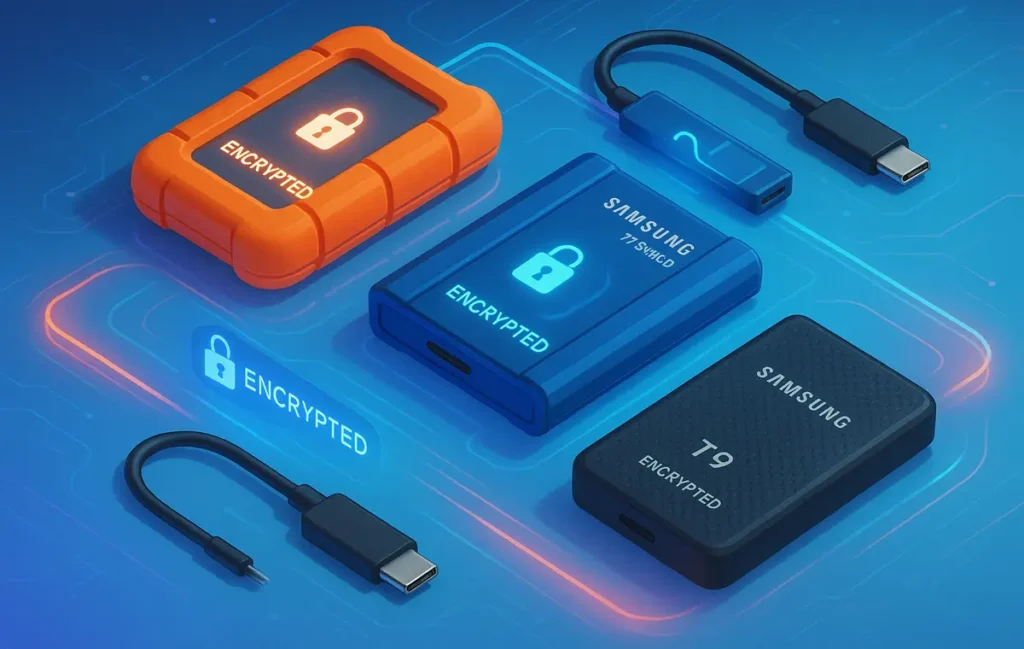
Software encryption runs on your computer. It can be excellent, but it borrows CPU cycles and relies on the OS staying healthy and bootable. Hardware encryption is self-encrypting drive (SED) logic inside the SSD’s controller; everything written is encrypted automatically, and the unlock happens on the device after you prove you’re you. That’s why many pro-focused portables advertise AES-256 and ship with a small utility to set a password or PIN. On ruggedized, PIN-pad, or touchscreen units, you unlock directly on the drive—no client software needed, which matters when you’re plugging into an unfamiliar workstation.
Speed impact from on-device encryption is negligible on modern controllers; the bottleneck is usually the USB link, thermals, or host storage. The bigger differences you’ll feel are in unlock UX (password app vs. keypad vs. fingerprint) and policy features (admin/user roles, brute-force protection, FIPS validations). If your work carries legal or compliance weight, those details decide the shortlist; if you just need creator-grade safety, any reputable SED with AES-256 and sane firmware wins.
💡 Nerd Tip: If the spec sheet doesn’t explicitly say “AES-256 hardware encryption,” it’s probably software-based—or not encrypted at all.
🏆 Top Portable SSDs with On-Device Encryption (Creator Picks 2025)
We tested and shortlisted drives that combine true hardware encryption with creator-friendly performance and form factors. Each pick notes its unlock style and best-fit workflow so you don’t overbuy or under-protect.
Samsung T9 — Gen 2×2 Speed, Creator Workhorse
If you have 20Gbps USB-C (USB 3.2 Gen 2×2), T9 is the “small, fast, everywhere” drive many editors default to. It supports AES-256 hardware encryption with Samsung’s Portable SSD software and maintains high sustained writes for proxy creation and fast offloads. If you shoot to CFexpress and dump 200–300GB at a time, the T9 stays stable while some cheaper controllers throttle. It’s not a rubberized “rugged” model, but its chassis is sturdy and drop-rated, and the encryption is handled on-device.
Samsung T7 Shield — Ruggedized With Real Security
Same Samsung ecosystem, but wrapped in an IP65, drop-resistant shell that loves field work. AES-256 hardware encryption is on board; you set a password once and unlock across Windows, macOS, and Android. It’s limited to 10Gbps (slower than T9), but the durability plus encryption makes it a favorite in rough conditions, and it pairs beautifully with a second, faster desk SSD back at base.
SanDisk Extreme PRO V2 — Popular All-Rounder With AES-256
SanDisk’s Extreme PRO V2 hits the 2,000MB/s class and supports 256-bit AES encryption via SanDisk Security. For creators already in the WD/SanDisk ecosystem, the utility is straightforward and cross-platform. The PRO V2 isn’t a tank, but the IP rating and compact size make it a reliable pocket drive, and the on-device encryption is a tick-box for client work where “lost drive” is a risk you plan for.
Crucial X10 Pro — Fast, Cool, and Encrypted
Crucial’s X10 Pro brings AES-256 hardware encryption to a compact, fast enclosure that runs cool under sustained transfers. It’s an easy recommendation for hybrid creators who want speed parity with Samsung’s top options and prefer Crucial’s pricing and support. Encryption is controller-level, with an optional password utility, so you don’t depend on OS-specific apps to stay safe.
Kingston IronKey Vault Privacy 80ES — Touchscreen, Policy-Ready
When security and audit-friendly controls are non-negotiable, IronKey VP80ES stands out. It uses XTS-AES 256-bit hardware encryption, offers admin/user roles, brute-force protection with crypto-erase, and unlocks via an onboard touchscreen—no software on client machines. Speeds are lower than pure NVMe portables, but the security posture (and certifications) justify it for corporate freelancers and agencies handling sensitive material.
Apricorn Aegis Fortress L3 — Keypad, FIPS, No Software Needed
This is the “plug anywhere, trust anywhere” brick. The PIN-pad on the drive handles authentication; it’s 100% hardware-encrypted (AES-XTS 256), software-free, and available with FIPS 140-2 level validations. If you’re bouncing between rental bays, client machines, or air-gapped environments, being OS-agnostic is priceless. It’s bulkier than a pocket SSD, but it’s the right kind of bulky when policy is strict.
LaCie Rugged SSD / Rugged SSD4 — Seagate Secure in the Iconic Orange
LaCie’s Rugged SSD line uses Seagate Secure™ self-encryption (AES-256) behind its creator-favorite orange bumper. Choose the USB 10Gbps Rugged SSD for broad compatibility or the newer USB4 Rugged SSD4 if you want 40Gbps-class transfers on supported hosts. Either way, encryption is device-level, and Toolkit makes password management straightforward. For documentary and travel shooters, that combo of speed, ruggedness, and on-device encryption is exactly the point.
📊 Real-World Performance & Security Notes (1TB–4TB Class)
Below is a snapshot of what you can expect in creator workflows—ingesting cards, generating proxies, moving project bundles. Figures reflect typical sequential performance classes and the practical impact of hardware encryption (negligible on modern controllers) rather than lab-peak marketing numbers.
| Model | Link/Generation | Typical Read / Write (MB/s) | Unlock Method | Encryption Notes |
|---|---|---|---|---|
| Samsung T9 | USB 3.2 Gen 2×2 (20Gbps) | ~2000 / ~2000 | Password via Samsung Portable SSD | AES-256 hardware encryption; controller-handled. |
| Samsung T7 Shield | USB 3.2 Gen 2 (10Gbps) | ~1050 / ~1000 | Password via Samsung Portable SSD | AES-256 hardware encryption inside rugged IP65 shell. |
| SanDisk Extreme PRO V2 | USB 3.2 Gen 2×2 (20Gbps) | ~2000 / ~2000 | SanDisk Security app | 256-bit AES hardware encryption with software control. |
| Crucial X10 Pro | USB 3.2 Gen 2×2 (20Gbps) | ~2100 / ~2000 | Crucial utility (optional) | 256-bit AES hardware encryption on the controller. |
| Kingston IronKey VP80ES | USB 3.2 Gen 1 | ~250 / ~250 | On-device touchscreen | XTS-AES-256, FIPS 197; admin/user roles, crypto-erase. |
| LaCie Rugged SSD4 | USB4 (40Gbps) | 4000+ / 3600+ (host-dependent) | Seagate Toolkit password | Seagate Secure AES-256 self-encryption. |
💡 Nerd Tip: If you plug a 40Gbps SSD into a 10Gbps port, you get 10Gbps speeds. Match the drive to your slowest real port.
⚡ Ready to Build Smarter Backup Workflows?
Pair your encrypted SSD with a zero-drama backup stack. Move from single-drive risk to layered safety in under an hour—no IT degree required.
🧩 Which One Fits Your Workflow?
If you’re a photographer bouncing between location and light desk edits, Samsung T7 Shield hits the sweet spot: rugged, encrypted, fast enough, and cheap per terabyte. If you’re a video editor chasing ingest speed or generating HQ proxies, Samsung T9 or Crucial X10 Pro keep your pipeline moving with encryption always on. If you operate inside corporate IT, need tamper-evident policies, or want user/admin roles, Kingston IronKey VP80ES or Apricorn Fortress L3 earn their keep even at lower throughput. And if you’re a travel shooter who wants the classic orange bumper with modern transfer rates, LaCie Rugged SSD/Rugged SSD4 delivers a familiar, encrypted workhorse.
For a broader “which SSD class for which creator job?” overview, compare endurance, thermals, and port realities across our Review: Portable SSDs for Creators—this page keeps the focus on encryption-first decisions so your risk model drives your shopping list.
💡 Nerd Tip: Buy for port match first (10/20/40Gbps), then for security UX you’ll actually use under pressure.
🧱 Setup Flow: Encrypt + Replicate (And Verify)
The most frequent failure we see is enabling encryption once and then forgetting the replication layer. Your portable SSD is the fast local copy. Mirror it to a second encrypted SSD (rotation scheme) or to encrypted cloud. For inexpensive off-site, check our roundup of Best Free Cloud Storage Apps for Creatives, and for paid options with S3/Glacier-style durability, revisit Cloud Storage Showdown. The goal is zero single points of failure.
Do a dry-run recovery: lock the drive, reboot a different machine, confirm you can unlock and access a sample folder. Label the drive with a contact email; thieves won’t email you, but honest finders often do. Finally, set a firmware update cadence—security-focused vendors ship fixes that matter.
💡 Nerd Tip: Write your unlock hint for Future-You, not Present-You. Stress makes clever mnemonics brittle.
🧪 What We’re Seeing in the Field (2025)
Across creator teams adopting encrypted portables, three pragmatic outcomes stand out. First, incident blast radius drops to near-zero: a lost drive becomes an inconvenience, not a breach. Second, managers report cleaner hand-offs—drives unlock consistently across mixed OS environments because the encryption lives on the device, not in some flaky software stack. Third, transfer rhythm improves when teams match link speeds: a Gen 2×2 drive on a Gen 2×2 laptop clears a 256GB card in the time it used to take to argue about adapters.
On X, one colorist summed it up perfectly: “Rugged, encrypted, and boring is the spec. Boring gear is what saves your deadline.” That’s the vibe we’d bet on in 2025.
🟩 Eric’s Note
I gravitate to tools that remove friction, not add menus. Drives that encrypt themselves and just get out of the way are the ones I trust in my bag.
🧰 Mini How-To: Enabling On-Device Encryption (First Use)
Your first run takes five minutes and pays for itself the first time a bag walks off.
-
Install the vendor utility if required (Samsung Portable SSD, Seagate/LaCie Toolkit, SanDisk Security). Physical-keypad drives don’t need software.
-
Set a strong passphrase and a recovery path (admin/user or secondary code where available).
-
Lock, unplug, replug on a second computer to verify the unlock flow works as expected.
-
Document the policy in your team handbook: how to unlock, who owns the admin code, and what to do if the device is lost.
-
Add redundancy: pair your encrypted SSD with a rotating clone and a cloud bucket.
💡 Nerd Tip: If you can’t explain unlock + recovery to a teammate in one message, your setup is too clever.
🧲 Creator Picks 2025 — Quick Comparison
| Best For | Pick | Why It Wins |
|---|---|---|
| Fast field ingest (20Gbps) | Samsung T9 | Consistent 2GB/s-class transfers with AES-256 hardware encryption and mature software. |
| Rugged run-and-gun | Samsung T7 Shield | IP65, 3m drop, AES-256 hardware encryption; perfect “toss in bag” drive. |
| Value speed with encryption | Crucial X10 Pro | Cool under load, AES-256 controller-level encryption, sharp pricing. |
| Compliance-tight environments | IronKey VP80ES | Touchscreen unlock, FIPS posture, admin/user roles, crypto-erase. |
| Air-gapped & OS-agnostic | Apricorn Fortress L3 | Keypad unlock, software-free AES-XTS 256, FIPS options; plug into anything. |
| Rugged USB4 performance | LaCie Rugged SSD4 | USB4-class speeds with Seagate Secure hardware encryption in a creator-friendly chassis. |
💡 Nerd Tip: For mission-critical shoots, carry two encrypted SSDs and clone at the end of every location—left pocket and right pocket.
📬 Want More Creator-Safe Gear Picks?
Join our free newsletter for gear and workflow advice that protects your projects without slowing you down—encryption-first, creator-approved.
🔐 100% privacy. No noise. Just practical field wisdom from NerdChips.
🧠 Nerd Verdict
You don’t need a “security product.” You need a boring, fast, self-encrypting drive that never asks for attention and always unlocks when you need it. The picks above cover every creator tier: fast ingest (T9, X10 Pro), rugged daily carry (T7 Shield, Rugged SSD), and policy-tight deployments (IronKey, Apricorn). Stitch your SSD into a 3-2-1 flow with cloud and a rotating clone and you’ll sleep fine—even when your gear bag takes the long way home. For a broader planning lens, revisit the decision science in The Science of Productivity: What Actually Works—habits ship projects; encrypted tools keep them yours.
🔗 Read Next
Round out your decision with Review: Portable SSDs for Creators, design your safety net via Pro Tips for Backing Up Your Entire Digital Life, compare cloud tiers in Cloud Storage Showdown, and if you’re bootstrapping, start with Best Free Cloud Storage Apps for Creatives.
❓ FAQ: Nerds Ask, We Answer
💬 Would You Bite?
Which camp are you in—Rugged 10Gbps or Raw Speed 20–40Gbps?
Tell me your host port (10/20/40Gbps) and use case, and I’ll recommend a capacity + model combo. 👇
Crafted by NerdChips for creators and teams who want their best ideas to travel the world.