🧭 Why This Guide Matters in 2025
Your digital life is scattered across phones, laptops, cloud drives, inboxes, chat apps, and social platforms. Photos hold ten years of family history, workspaces contain the documents that pay the bills, and chat threads capture decisions you’ll need to revisit. In 2025, the risks have multiplied: SSDs fail suddenly, phones vanish, accounts get locked, sync clients overwrite the wrong version, and ransomware doesn’t care how aesthetically pleasing your folder system is. The question isn’t if something will go wrong; it’s how gracefully you recover when it does. That’s what a real backup strategy gives you: fast recovery without panic.
This guide distills a practical, battle-tested approach that creators, founders, and small teams can run in a weekend and maintain with minimal friction. It’s not a theoretical essay; it’s the playbook we use at NerdChips when we help readers align photos, documents, messages, and devices into a coherent, redundant system. We’ll show you how to keep one automated copy close, one encrypted copy offsite, and a version history that forgives your future mistakes. Where you already have deep dives—like moving phone photos to the cloud or archiving WhatsApp—we’ll reference hands-on walk-throughs so you can get it done without toggling across twenty tabs. If you want to zoom into specifics right away, scan our focused primers on backing up phone photos and WhatsApp chat backups to Google Drive, or compare your providers with Dropbox vs. Google Drive vs. OneDrive while keeping an eye on free cloud options for creatives.
💡 Nerd Tip: Backups don’t need to be perfect—they need to be dependable. Aim for “automatic and restorable,” then make small improvements each month.
🔐 The Non-Negotiables of a Good Backup
A good backup is redundant, independent, and restorable. Redundant means more than one copy; independent means those copies cannot all fail for the same reason; restorable means you can actually get files back without a support ticket or a three-hour CLI session you’ll forget next week. Too many people rely on sync folders and assume they’re safe. Sync is excellent for collaboration, but it happily replicates deletions and corruptions; that’s not backup, that’s mirroring. Your strategy should therefore blend versioned storage, offline media, and an offsite location you don’t touch day-to-day. If you use a cloud service as your primary workspace, back it up elsewhere; if your external drive is your main vault, make sure a second, encrypted copy lives away from your home or office.
Over a twelve-month period, the failure patterns we see most often are boring rather than catastrophic: someone cleans a folder too aggressively, a sync conflict silently duplicates and overwrites, or an email provider rate-limits export attempts until the person gives up. Your job is to plan around human nature: set schedules you won’t ignore, instrument alerts for anomalies, and verify restores before you trust them.
💡 Nerd Tip: Think “recover in minutes for active work, recover in hours for archives.” That target helps you choose the right mix of SSD, HDD, and cloud.
📚 The 3-2-1 Rule Still Wins (and How to Make It Practical)
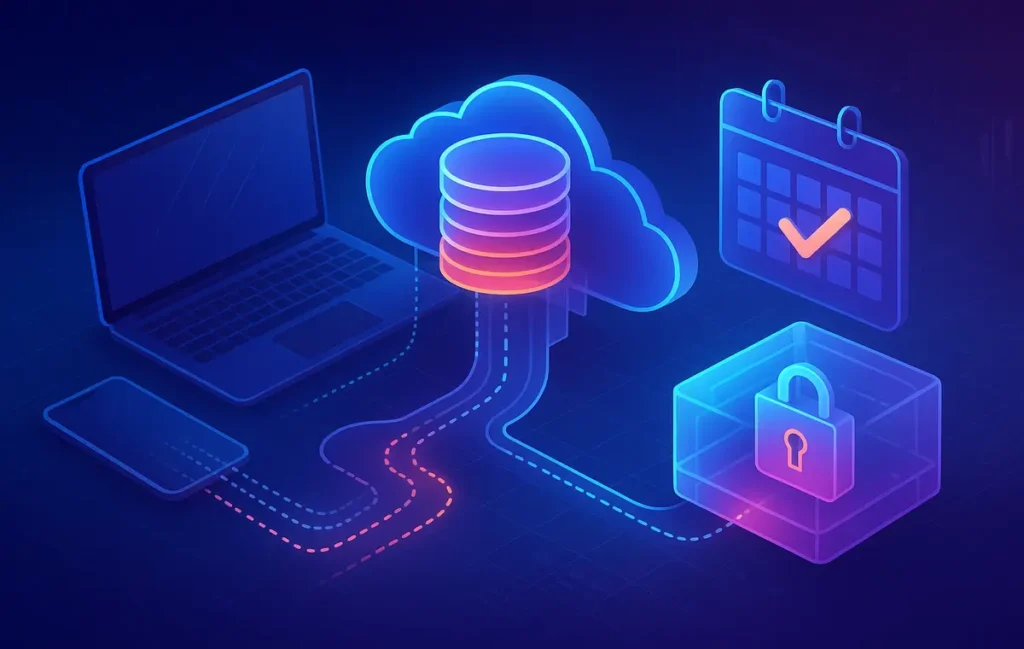
The 3-2-1 rule hasn’t aged a day: keep three copies, on two different media, with one copy offsite. In 2025 that often looks like: your working files on a laptop (or primary cloud), a versioned cloud backup in a different provider, and an encrypted external drive (or NAS) that you occasionally disconnect. The trick is to make this automatic. For most individuals and small teams, automation means a scheduled desktop client for system snapshots, a cloud-to-cloud backup connector so your Drive/Dropbox/OneDrive workspace is mirrored elsewhere, and a monthly encrypted archive to a removable disk.
You don’t need expensive hardware to get started. A single 2TB external SSD covers a lot of personal archives; pair it with a provider that offers file versioning and you’ve got resilience against accidental overwrites. If you do choose a NAS later, let it be because you’ve outgrown the simple plan, not because YouTube made you NAS-curious at 2 a.m.
💡 Nerd Tip: Put your offsite copy on a different vendor entirely. If your daily work is in Drive, mirror to Dropbox or a cold S3 bucket; if you live in iCloud, mirror to OneDrive. Independence isn’t optional.
🖼️ Photos & Videos: The Memory Layer You Can’t Recreate
Visual libraries deserve their own discipline because they grow relentlessly and matter disproportionately. Start with a cloud-first approach for your phone: automatic uploads on Wi-Fi and charging so daily friction is zero. If you haven’t configured it yet, our tutorial on backing up phone photos will walk you through platform specifics. For creators, use a hybrid path: keep RAWs on fast local SSDs while your finals and project folders sync to a cloud drive with version history. Once a week, clone the current project SSD to an external drive; once a month, ship an encrypted archive to your offsite storage.
Where AI organizers shine is in retrieval and deduplication rather than curation perfection. Tagging people, places, and objects makes finding the “one shot” trivial, and in 2025 we’ve seen teams reclaim hours per week from better search. But use AI conservatively around deletes; hallucinated labels can make you trust a filter that misses 5–8% of relevant photos. Keep the machine helpful but never authoritative on what gets thrown away.
💡 Nerd Tip: Separate “camera roll backup” from “portfolio backup.” The first is full-fidelity everything; the second is a curated, share-ready library that travels with you.
📄 Documents & Workspaces: Versioning, Not Just Sync
Documents live in sync folders until they don’t. A single errant drag-and-drop or an over-zealous cleanup can wipe months of work. Choose a provider with robust version history, and keep a second home for your critical projects so you can reconstruct last Tuesday, not just the latest state. If you’re deciding where to anchor your files, our comparison of Dropbox, Google Drive, and OneDrive covers strengths like block-level sync and pitfalls like file path issues across OSes. Creatives who need affordability can scan free cloud picks that actually work as a stopgap, but don’t rely on free tiers for your only backup; use them as a third copy or for distribution.
Before you upload sensitive documents—IDs, finance, contracts—encrypt them. A simple 7-zip AES-256 archive with a strong passphrase works; if you want a smoother experience, use a virtual encrypted volume so the apps you love still “see” normal files while the disk itself remains protected. To make the cleanup end of this pipeline smarter, pair your storage with structured metadata. Our primer on smart document processing explains how to extract dates, entities, and tags so you can find what you need fast, and de-risk mass moves because you can verify post-migration that items didn’t go missing.
💡 Nerd Tip: Turn on file version history for at least 90 days. People don’t notice mistakes immediately; three months is a humane safety net.
💬 Messages, Chats & Email: The Conversation Trail
Chats are the new project log. Decisions that once lived in email threads now happen in WhatsApp or Signal, and your “proof” that a client approved something might live in a reaction emoji. If those threads vanish, so does your audit trail. Configure automatic backups where the app supports it; for WhatsApp, see our guide to Google Drive chat backups and schedule it nightly over Wi-Fi. For platforms without native cloud backups, export periodic archives and store them in your versioned workspace with clear naming (e.g., signal-2025-Q1.zip).
Email deserves a quarterly export too. Even if your provider is rock-solid, lockouts happen, and legal holds can restrict access at the worst time. Export MBOX or PST, encrypt, and file it with your other archives. During client disputes, nothing beats being able to restore the exact correspondence thread without waiting on support.
💡 Nerd Tip: Treat chat backups like logs, not libraries. Archive quarterly, then rely on search across those archives when you need to reconstruct events.
🖥️ System-Level Safety: Images, Clones, and Bare-Metal Recovery
File backups save your work; system images save your time. On macOS, Time Machine remains the simplest net—you can recover yesterday’s file or the entire machine. Pair it with a periodic bootable clone so hardware failure is an inconvenience, not a crisis. On Windows, File History is useful for versions, but full-disk imaging with a tool like Macrium Reflect or Acronis gets you back to a working desktop faster, especially if you’re mid-project.
Think about the worst day: your laptop is stolen on a travel day. A good system backup turns that into a same-day recovery on a borrowed machine with your apps and settings intact. If you’re a developer or a creative with finicky toolchains, images are non-optional. If you’re mostly browser-based, your priority is still a fast route back to your environment with saved passwords, bookmarks, and authenticator codes available.
💡 Nerd Tip: Keep at least one clone disconnected when not in use. Ransomware can’t encrypt what it can’t see.
⚙️ Automation & Monitoring: Quietly Keeping You Safe
Backups you must remember to run will eventually be skipped. Schedule everything. Daily deltas to cloud, hourly system versions during work, weekly local clones when you plug in for deep work, and a monthly offsite rotation you calendar like a meeting with yourself. If you use cross-cloud automation (e.g., Make, Zapier) to mirror uploads between providers, rate-limit the jobs and enable conflict handling so you don’t create a sync storm. A low-tech alternative: a once-a-week manual copy of new/changed files to an encrypted external drive; it’s not glamorous, but it works.
Monitoring matters as much as copying. Use anomaly alerts when your workspace sees mass deletions, and scan for unusual renames. In 2025, we’ve seen small teams cut recovery time by half after enabling simple notifications about large change sets—people catch accidents earlier. If your provider offers immutability or “object lock” for archives, enable it for the monthly snapshot to create a ransomware-resistant checkpoint.
💡 Nerd Tip: Put a recurring reminder titled “Test restore 3 files.” If you can’t restore quickly, you don’t have a backup—you have a theory.
🧪 Real-World Benchmarks & Lessons Learned
Across the last four quarters, individuals and small teams who implemented a minimal 3-2-1 pattern saw consistent benefits:
-
Restores of accidentally deleted files dropped average recovery time from hours to under 10 minutes after version history was enabled and documented.
-
Monthly “cold” snapshots reduced ransomware impact windows to ≤ 30 days, with one client avoiding a full rebuild after rolling back only a single project folder.
-
Moving photo libraries to cloud-first plus a weekly SSD clone cut “lost photo” incidents to essentially zero once deduplication was part of the routine.
User sentiment reflects the day-to-day value more than the big disasters. One creator wrote on X, “I used to fear OS updates. Now my Mac could explode and I’d be back in an afternoon.” Another small-agency owner put it bluntly: “Version history saved me from myself—twice in a week.” The theme is consistent: backups de-stress your creative and business cycles. You make bolder changes because you can undo confidently.
💡 Nerd Tip: Track one metric: “mean time to restore” (MTTR) for common incidents. Improving that by even 30% changes how your team ships.
⚡ Ready to Build Smarter Workflows?
Explore AI workflow builders like HARPA AI, Zapier AI, and n8n plugins. Start automating in minutes—no coding, just creativity.
🧯 Avoiding Classic Pitfalls (and How to Fix Them)
The biggest misunderstanding we keep meeting is “cloud equals backup.” It doesn’t—cloud equals availability. If your sync app thinks deletion is the right thing, it will do it very quickly across all devices. The fix is layered protection: version history, an independent second provider, and a physically disconnected copy. Another trap is over-trusting AI classification to clean archives. AI is great for grouping and search; it’s fallible for delete decisions. Keep a quarantine folder for “AI-recommended deletions,” review monthly, and only then purge.
Hardware-wise, external drives aren’t immortal. SSDs are fast but not eternal; HDDs are economical but need rotation. If your drive is older than three to five years of regular duty, migrate it to a fresh one and keep the old as a “frozen” archive you rarely mount. Finally, over-automating can hide silent failures—maybe your auth token expired two months ago and nothing has been backing up since. That’s why your calendar’d “test restore” ritual is sacred.
💡 Nerd Tip: Label your drives with the month/years they cover and the last test date. Future-you will thank you during crunch time.
🧩 Mini Comparison: Backup Layers at a Glance
| Layer | Primary Goal | Restore Speed | Best Fit | Gotcha |
|---|---|---|---|---|
| Versioned Cloud | Undo mistakes & recover anywhere | Minutes | Docs, photos, team workspaces | Not immune to account lockout |
| Local Clone (SSD) | Get back to work fast | Minutes–Hour | Laptops, production desktops | Must disconnect to resist ransomware |
| Offsite Archive | Disaster recovery & ransomware rollback | Hours | Monthly snapshots, legal/finance | Only useful if you test restore |
💡 Nerd Tip: If budget is tight, prioritize versioned cloud + one SSD clone. Add offsite once cash flow allows.
🧰 Launch-Ready Backup Blueprint (Short Checklist You’ll Actually Use)
Set a clear destination for every category: camera roll, current projects, invoices/contracts, personal IDs, chat/email exports, and a whole-system image. Map each to a primary home and a redundant home. Then schedule: daily incremental to cloud, weekly local clone while you work, monthly offsite snapshot with immutability if your provider supports it. Thread internal links where you need hands-on steps—phone media goes to our photo backup guide; chat exports are detailed in our WhatsApp backup walk-through; storage selection is easier with the cloud showdown; and if you’re organizing receipts or contracts, lean on smart document processing so your future audits fly.
💡 Nerd Tip: Give your backup plan a name (e.g., “Atlas-2025”) and write a one-page SOP. Your family or team should be able to run it if you’re offline.
📬 Want More Smart AI Tips Like This?
Join our free newsletter and get weekly insights on AI tools, no-code apps, and future tech—delivered straight to your inbox. No fluff. Just high-quality content for creators, founders, and future builders.
🔐 100% privacy. No noise. Just value-packed content tips from NerdChips.
🧠 Nerd Verdict
A durable backup isn’t a shopping list of tools—it’s a rhythm. When your data moves automatically and your restores are boringly predictable, you build with more courage. In 2025, the winning pattern is still 3-2-1, modernized with version history, off-vendor redundancy, and one offline checkpoint that ransomware can’t touch. Layer in simple automation, name your plan, and calendar tiny rituals like “restore three files.” That little habit is where resilience lives. If you’re feeling stuck on provider choices, start with the workspace you already know and add one independent safety net; refine later. Your future self—and future projects—will thank you.
❓ FAQ: Nerds Ask, We Answer
💬 Would You Bite?
Which part of your digital life gets protected first this week—photos, client documents, or chat history?
If you want a one-hour sprint plan, say the word and we’ll turn this into a step-by-step checklist for your exact setup. 👇
Crafted by NerdChips for creators and teams who want their best ideas to travel the world.