Intro
If you’ve ever dropped a talking-head video onto a timeline and then panic-searched random stock footage to fill the silence, you already know the problem: most B-roll is “vibes,” not story. It floats on top of the script instead of following it. In 2025, that’s changing fast. New AI video tools can read (or at least parse) your script, identify beats, and generate or suggest B-roll that lines up with what’s being said second by second.
On NerdChips we’ve talked about AI in video production and how automation is changing editing, but here we’re going narrower: beat-matched B-roll. We’re not just talking “AI finds some stock clips.” We’re talking:
-
The line “revenue suddenly drops” triggers a fast downward graph animation at the right second.
-
The phrase “here’s where the user drops off” triggers a cursor leaving a webpage.
-
The word “overwhelmed” gets a quick slow-motion shot of someone buried in notifications.
All of this can now be driven by script-aligned prompts instead of guesswork. The result: higher retention, cleaner editing, and way fewer “what do I put here?” moments at 1 a.m. with coffee that’s gone cold.
💡 Nerd Tip: As you read, keep one of your recent scripts in mind. It’ll be much easier to translate these steps into a real edit if you imagine a specific video, not an abstract one.
🔍 Why Beat-Matched B-Roll Matters for Watch Time & Retention
Most creators already know B-roll “helps with retention,” but they treat it like decoration. In reality, beat-matched B-roll works more like a second narrator. It doesn’t just fill empty space; it punctuates key lines in your script.
Think about how viewers consume content on TikTok, Reels, and YouTube Shorts. Their attention is trained on micro-events: a cut, a zoom, an on-screen text pop, a sound effect, a visual gag. Each micro-event is like a tiny dopamine ping that says, “Something new is happening; don’t scroll.” When your B-roll aligns with script beats—the specific moments a new idea, emotion, or promise appears—you’re essentially scheduling these dopamine pings in sync with your story.
From the analytics side, creators who shift from generic B-roll to intentional, beat-driven visuals usually see changes in three places:
-
Average view duration: viewers don’t bail during the “explanation” section because you’re keeping their visual brain busy.
-
Relative retention: the graph stops dipping on the long talking segments and sometimes even spikes at key visual payoffs.
-
Click-through to offers: when your product demo or CTA is supported by on-point visuals (not just more talking head), the conversion feels like a natural climax, not a random interruption.
The principle is simple: when your visuals tell the same story as your words, your viewer’s brain has to work less to understand you. Less friction means more watch time. That’s also why creators who are already experimenting with next-gen AI video generators tend to adopt beat-matched workflows early—they’re used to thinking in scenes and beats, not just “clips.”
💡 Nerd Tip: Next time you watch a high-performing ad or explainer, ignore the audio and just notice when the shot changes. Those cut points almost always line up with script beats, not random seconds.
⚙️ How AI Understands Script Beats (Explained Simply)
To make AI-generated B-roll actually match your script, the tools have to “understand” that script in a structured way. This isn’t full human-level comprehension, but it’s far from the old keyword search days. Under the hood, most modern tools run three main processes: speech segmentation, NLP timing, and emotion/intent mapping.
First, if you upload a talking-head recording, the tool will run automatic speech recognition (ASR) to turn your audio into text. That transcript is then segmented into units—sentences or clauses—based on pauses, punctuation, and timing. Each sentence is a candidate “beat.” If you paste a script instead, the tool still needs to estimate where you’ll pause, which lines are important, and how long each beat will last once spoken.
Then comes the NLP layer. The software looks for actions (“launch,” “optimize,” “delete”), entities (“TikTok Ads Manager,” “email list,” “data cap”), and sentiment cues (“frustrating,” “excited,” “broken”). This is where emotion → visual mapping kicks in. A line like “I was completely overwhelmed by all the data” will be tagged differently than “this simple dashboard cleared everything up.” The first suggests chaotic visuals; the second suggests clean, calm interfaces or simple charts.
Some tools even infer shot-type preferences from context: user-centric lines may call for close-ups or screen recordings, while conceptual lines might trigger more abstract B-roll like motion graphics. The AI doesn’t always get it right—sometimes it suggests painfully literal imagery—but when you feed it better prompts and structure, it can get surprisingly close.
Ultimately, beat-matching is just aligning timestamps (0:15–0:19 = “problem statement”) with visual intent (“show the pain”). Once that mapping exists, AI can either generate fresh B-roll or search a stock library for clips that fit. That’s the bridge between your script and the automatic cuts you see in your timeline.
💡 Nerd Tip: When writing scripts, don’t just think “what do I say?”—think “what should be on screen right here?” Those notes become gold when you start feeding them into AI.
🧪 Tools That Can Generate Beat-Matched B-Roll Automatically
There’s no single “perfect” AI B-roll app yet, but a few categories are clearly pulling ahead: script-aware editors, repurposing tools, and stock-search AIs. You’ll probably end up mixing two or three, just like you already mix your NLE with tools for repurposing long-form videos into shorts.
🎬 Script-Aware Editors (Example: Descript-Style Workflows)
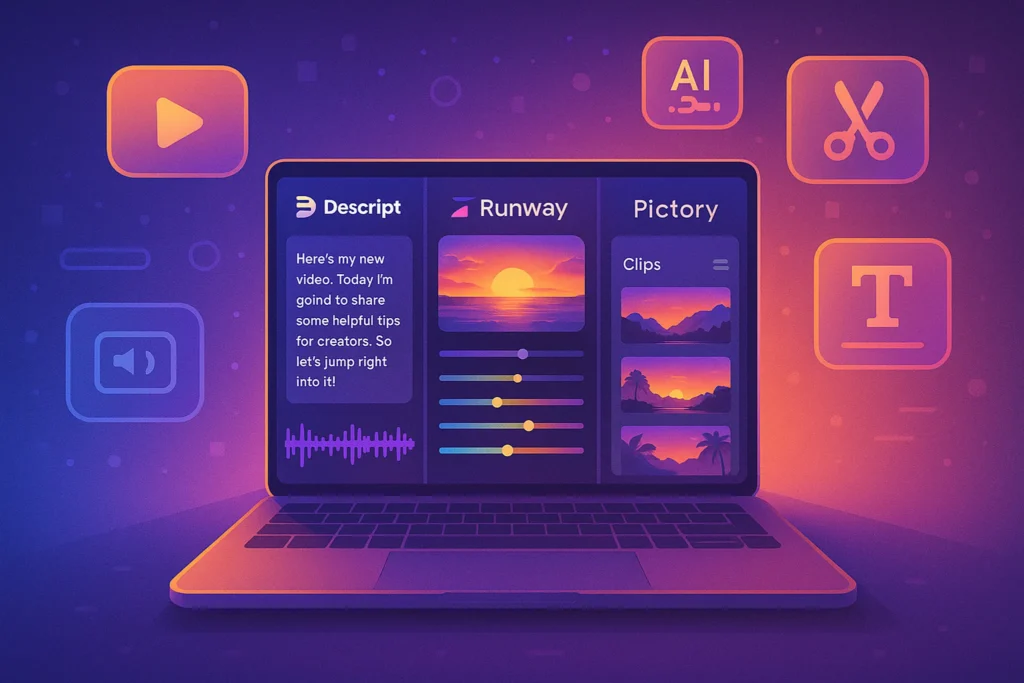
Script-aware editors let you edit video by editing text, and that same text awareness makes them strong candidates for beat-matched B-roll. You import your talking-head recording, let the tool transcribe it, and now every sentence has a timestamp. Some tools already allow you to highlight a line like “we scaled our ROAS by 30%” and attach a visual asset that auto-aligns to that segment.
In an AI-driven B-roll workflow, this becomes even more powerful. Instead of manually searching for a clip, you can right-click a sentence and ask the assistant to “suggest B-roll” or “generate a visual sequence.” The system will parse the line, detect that it’s about growth, ads, and performance, and then either pull clips of dashboards and graphs or generate a custom motion graphic. You still approve or reject each suggestion, but the heavy lifting—searching, trimming, aligning—is off your plate.
The strength here is precision. Because the editor knows exactly where each word lives in the timeline, the B-roll can snap to your beats without tedious scrubbing. The downside is that most of these tools are still maturing on the “visual creativity” side; you might get very generic clips if your prompts are vague. Script-aware editors are ideal if you publish a lot of explainers, tutorials, and case studies where tight alignment matters more than cinematic flair.
📱 Repurposing Tools That Auto-Detect “Moments”
If you’ve tested AI tools that turn your long YouTube videos into short clips, you’ve already seen a flavor of beat detection. These tools scan for hooks, punchlines, and emotional spikes, then auto-cut and caption the best 15–60 second segments for TikTok or Reels. The same mechanism can be repurposed for beat-matched B-roll suggestions.
Imagine feeding a 12-minute webinar into such a tool. Instead of only outputting shorts, it could mark key beats: “problem statement,” “big insight,” “framework breakdown,” “call-to-action.” Now you have a beat map. The AI can propose B-roll types for each section: “pain visuals,” “framework diagram,” “UI walkthrough,” “product close-up.” This is especially useful when you want your B-roll to support conversion-heavy content like viral TikTok ads that rely on hooks, culture, and data.
The strength of these repurposers is speed. They’re built to process long content in bulk and detect what matters without you manually setting markers. The limitation is control: they’re not always designed for frame-perfect edits, so you may still need to pull their recommendations into your main editor and refine them. Use these tools to discover beats and moments, then upgrade the visuals in your NLE.
🎞️ AI Stock & Clip Searchers
Finally, there are AI layers on top of stock libraries that act like a “visual search brain.” Instead of typing “city stock footage” and scrolling, you can describe a beat: “close-up of hands scrolling through endless notifications, anxious vibe, vertical format.” The system understands mood, framing, and sometimes even the platform format.
For beat-matched B-roll, you can feed these searchers chunks of your script rather than single words. A paragraph about being burned out by dashboards could turn into a curated row of clips: exhausted analysts, chaotic screens, night-time office scenes. You then drag those onto the corresponding parts of your timeline. It’s not as automated as one-click generation, but it massively reduces the cognitive load of finding something that actually matches the line you just delivered.
This category shines when you want higher production value than pure AI generation usually gives, but you still want to move faster than traditional stock browsing. Pair it with your analytics from a video ROI tracking stack so you can see whether your more intentional visuals actually improve results.
💡 Nerd Tip: Whatever stack you pick, start with one pilot video. Over-optimize after you’ve seen a real retention graph, not before.
📋 Step-by-Step Workflow (Beat → Prompt → B-Roll)
Let’s move from theory to a practical workflow you can reuse. This is designed for solo creators, small teams, and performance marketers who care about outcomes, not just “prettier” videos.
1. Extract and Label Your Script Beats
Start by getting your script into a beat-friendly format. If you already write in Google Docs or Notion, break your script into short paragraphs or single sentences, each representing one idea. If you’re going from a raw recording, use a transcription tool inside a script-aware editor to generate the text first.
Then, scan through and label each beat with a simple tag: “hook,” “pain,” “story,” “demo,” “framework,” “CTA,” and so on. You don’t need a perfect taxonomy—this is about giving your future self a quick sense of what each line is doing. The goal is that when you later ask AI to generate B-roll, it has context like “this sentence introduces a pain” instead of just the literal words.
💡 Nerd Tip: Limit yourself to 5–7 beat types. Too many categories and you’ll never use them consistently.
2. Identify Emotional High Points and Visual Payoffs
Next, look for spikes—moments where your viewer is supposed to feel something: surprise, relief, FOMO, “aha,” or urgency. These are the lines where beat-matched B-roll will make the biggest difference.
If you’re unsure, imagine where you would naturally raise your voice, pause, or show something on screen if you were presenting live. Those are emotional inflection points. Mark them clearly in your script, maybe with a simple “⭐” or “VISUAL PAYOFF” tag.
This is also where you decide what type of payoff fits:
-
Conceptual transitions → abstract motion graphics or simple diagrams.
-
Pain points → chaotic, crowded, or dark-toned visuals.
-
Solutions → clean interfaces, smiling users, calm environments.
By the end of this step, you should know exactly where you refuse to stay on talking head alone.
3. Create B-Roll “Slots” on Your Timeline
Open your editor and lay down your A-roll (talking head or screen recording). Then, using markers or dummy adjustment layers, create slots where you know B-roll will go, even before you generate anything.
For each slot, note the beat label and emotional intent. For example:
-
00:12–00:19 — “Hook: data chaos” → needs stressed/overwhelmed visual.
-
02:04–02:18 — “Framework intro” → needs simple diagram animation.
-
05:40–05:57 — “CTA” → needs product-in-action plus social proof.
When you later feed segments to an AI tool, these slots become the containers. You’re telling the AI “fill this 8-second gap with visuals that match this sentence and this emotion.”
4. Turn Beats into Visual Prompts
Now we turn structure into language. For each important beat, write a visual prompt that describes what should be seen—not the entire script, just the essence of that moment.
Instead of:
“Show something about analytics being overwhelming.”
Try:
“Fast-cut montage of messy dashboards, charts overlapping, alerts popping, late-night office glow, handheld camera feel, medium shot.”
Good prompts describe:
-
Subject (what’s literally in frame)
-
Mood (anxious, calm, focused, playful)
-
Motion (handheld, static, smooth tracking)
-
Format (vertical for shorts, horizontal for YouTube)
You can adapt these into templates later (we’ll give you some in the prompt section), but start by writing them in your own words. The better your prompts, the less the AI will hallucinate irrelevant or cheesy visuals.
5. Generate or Source B-Roll per Slot
Feed your beat text plus visual prompt into your chosen tool. Depending on your stack, you’ll either:
-
Ask a script-aware editor’s AI assistant to generate or suggest clips.
-
Use a repurposing tool to detect the moment and then export that section for external B-roll generation.
-
Paste your prompt into an AI video generator or AI stock searcher.
Don’t expect perfection on the first try. Think of it like casting: you’re auditioning clips for each role. Accept what works, reject what doesn’t, and don’t hesitate to tweak prompts. Over time, you’ll notice which phrasing consistently produces usable footage.
💡 Nerd Tip: Keep a “prompt scrap sheet” in Notion or your editor. Every time a prompt works well, save it as a template and adjust for future beats.
6. Drop Clips in and Sync to Micro-Beats
Place your best clips into their slots and tighten the timing. This is where micro-beats (words or half-sentences) matter. If the line is “and then the numbers crashed overnight,” try to sync that “crash” word with a sharp movement in the B-roll—like a red bar dropping or a stack of blocks falling.
Small sync moments like this make your edit feel intentional, even if everything is AI-assisted. Use J-cuts and L-cuts where helpful: you can start the B-roll a second before the line to cue the viewer’s brain, or let the visual linger as you move into the next sentence.
7. Layer Captions, Callouts, and UI Overlays
Beat-sync isn’t just B-roll. It’s also captions, arrows, and highlights. Once your B-roll is in place, add on-screen text and graphics that reinforce what’s being said at each beat.
For example, during a beat about “three levers you can actually pull,” you might show a motion graphic of three sliders with labeled levers. That’s far more memorable than B-roll alone. If you’ve read our breakdown of AI video generation tools for creators, you know many of them can now auto-generate captions and overlays from the transcript—use this as a second layer of beat-matching.
8. Check the Flow Against Your Retention Curve
Before publishing, run a quick mental (or analytical) test: does your visual pacing match where viewers usually drop? If you have previous data inside your video analytics stack, look for moments where people typically bail—often in the first explanation section or before the CTA.
Now ask:
-
Did I add beat-matched B-roll there?
-
Are the visuals actually evolving, or did I default back to talking head too long?
-
Does the emotional arc feel supported by the visuals, or are they neutral?
This is where you turn AI from “cool toy” into a performance lever. You’re not just generating B-roll; you’re deliberately redesigning the watch-time curve.
9. Ship One Version, Then Iterate
Don’t get stuck in perfection mode. Publish a first pass, collect data for a week or two, then revisit the edit if the video is strategic (like a core sales asset, not a throwaway short). Adjust beats that feel flat, upgrade visuals where you see viewers dropping, and tighten any sections that drag.
🟩 Eric’s Note
I don’t trust any workflow that only looks cool in theory. This one earns its keep when you open your retention graph and actually see fewer people bailing in the “boring middle.” That’s the only metric that matters here.
⚡ Ready to Automate Your Video Workflow?
Explore AI tools that help you map script beats, generate B-roll, and repurpose your best content into shorts—so every upload works harder for you.
🎨 Prompt Templates for Beat-Synced B-Roll
To make this repeatable, you need prompt templates you can adapt quickly. Below are flexible structures for common beat types. Treat them as starting points, not rigid rules.
🎯 Action & How-To Beats
When you’re walking viewers through a process (“click here, then do this”), your visuals should feel practical and grounded. For a line like “first, open your TikTok Ads Manager and head to the reporting tab,” you might use:
“Screen-record style shot of a marketer’s monitor with a clean ads dashboard, pointer moving confidently, shallow depth of field, modern workspace, horizontal, 16:9, sharp UI detail.”
Adjust details like “ads dashboard” to “email tool” or “analytics platform” depending on your script. This is especially potent in performance videos where you discuss campaigns, targeting, or metrics, just like you’d see in a deep-dive on creating viral TikTok ads with real data.
💥 Emotional Beats (Pain, Frustration, Relief)
For emotional spikes, you want visuals that match energy, not just topic. If your line is “I felt completely overwhelmed trying to edit all this footage manually,” your prompt might be:
“Fast handheld shot of a tired creator at a cluttered desk surrounded by screens with messy timelines, color noise, late-night lighting, anxious mood, slight camera shake.”
Then, when you switch to the solution—“that’s why I built a beat-matched AI workflow”—you can flip tone:
“Slow, smooth tracking shot of a clean editing timeline with organized clips and markers, calm lighting, confident cursor movement, minimalist workspace, horizontal 16:9.”
The contrast between chaos and calm is what the viewer remembers.
🧪 Product & Feature Demo Beats
Whenever you mention a specific tool or framework, your prompt should emphasize clarity and benefit. For example, during a beat about measuring performance:
“Close-up of a clear analytics dashboard showing uplift in watch time and retention, smooth camera movement, modern UI, subtle green growth indicators, focus on numbers increasing.”
Pairing visuals like this with mentions of your analytics stack or AI tools gives viewers a mental model: “this is what success looks like.” That matters when you later talk about ROI improvements you’re attributing to AI editing workflows.
🌍 Story & Context Beats
Sometimes you’re telling a story rather than teaching. Maybe you’re explaining how your creative process changed after discovering AI B-roll generation. Here, prompts can be more cinematic:
“Soft-focus city at night seen from a high-rise window, creator silhouetted in front of a monitor playing a video timeline, reflective mood, slow dolly in, horizontal.”
These shots give your narrative breathing room and prevent your video from turning into a nonstop tutorial. They also help you maintain variety—a big factor in retention even if viewers can’t articulate why it feels better.
💡 Nerd Tip: Build a small “prompt library” for each of these beat types. You’ll rewrite them faster than you can search for inspiration every time.
🧠 Mistakes Creators Make (and How to Avoid Them)
Even with great tools, most creators fall into a few predictable traps when they first try to generate B-roll that matches script beats. Fixing these is usually the fastest way to get pro-level results without upgrading your gear.
❌ Mistake 1: Overly Literal Prompts
If your script says “we finally found product–market fit,” and your prompt is “show people buying products,” you’re asking for bland, generic stock. The AI is doing its job, but the result feels like a template ad.
Instead, map the emotion and context, not just the nouns. Product–market fit is relief, momentum, clarity. A better visual might be: a graph finally breaking out of a flat line, a small team high-fiving in a real office, or a product dashboard showing “sold out” tags. When your B-roll speaks the same emotional language as your script, it stops feeling like wallpaper.
❌ Mistake 2: Clip Length Mismatch
Beat-matched B-roll fails hard when your clips are the wrong length. If you shove a 12-second clip into a 4-second beat, you’ll either cram it unnaturally or leave it on screen way too long. Both kill pacing.
Whenever you create B-roll slots, estimate the length in seconds and include that in your prompt or clip request: “4–5 second clip” or “short punchy 3-second shot.” Many AI tools will respect this and generate tighter, more usable footage. Your timeline then feels like it was planned, not patched together.
❌ Mistake 3: Wrong Mood and Color Language
Another common issue: clip mood doesn’t match the section of the video. You talk about a frustrating failure, but the visuals look bright and aspirational. Or you’re explaining a calm, methodical workflow and the B-roll is frenetic and glitchy.
Remember that mood lives in color, contrast, and motion. Darker tones, shakier camera, and busier frames read as chaotic or stressful. Clean lines, soft movement, and balanced colors read as confident and controlled. When you brief AI, mention mood explicitly: “anxious, chaotic, late-night lighting” versus “calm, neutral tones, clean workspace.”
❌ Mistake 4: Forgetting the Viewer’s Cognitive Load
Just because you can fill every second with motion doesn’t mean you should. If your script is dense—lots of frameworks, numbers, or steps—too much visual noise will exhaust viewers.
The win is not “maximum B-roll”; it’s matching visual complexity to cognitive load. Use simpler, slower visuals for complex explanations, and more energetic B-roll for emotional or simple beats. That’s how you avoid the “information firehose” effect and keep your watch time high.
💡 Nerd Tip: Rewatch your edit with sound off. If you feel anxious or bored at any point, your visual pacing is probably off, even if your script is solid.
📬 Want More Smart AI Video Tips?
Join our free NerdChips newsletter and get weekly breakdowns of AI video workflows, no-code tools, and future tech—built for creators and lean teams. No fluff, just field-tested ideas you can use in your next upload.
🔐 100% privacy. No noise. Just value-packed content from NerdChips for builders who ship.
🧠 Nerd Verdict
Beat-matched AI B-roll isn’t about making your videos prettier; it’s about making them easier to watch and harder to skip. When your visuals lock onto your script beats—especially the emotional and high-value moments—you reduce friction in your viewer’s brain and increase the odds they stick around long enough to understand, trust, and act.
For teams already exploring automation in editing and AI-assisted video production, this is the natural next step: moving from “AI helps me cut faster” to “AI helps my story land harder.” The tech is still evolving, but the advantage goes to creators who start mapping beats, writing smarter prompts, and feeding AI clear intent instead of vague wishes.
If you treat your retention graph as your scoreboard and your B-roll as a narrative tool—not just decoration—you’ll be miles ahead of channels still dragging random stock clips into their timeline and hoping for the best.
❓ FAQ: Nerds Ask, We Answer
💬 Would You Bite?
If you wired this workflow into your next video, which part would you automate first: beat detection, B-roll generation, or repurposing into shorts?
And what’s the one script you’re secretly thinking about testing this on right now? 👇
Crafted by NerdChips for creators and teams who want their edits to feel cinematic without losing another weekend to the timeline.