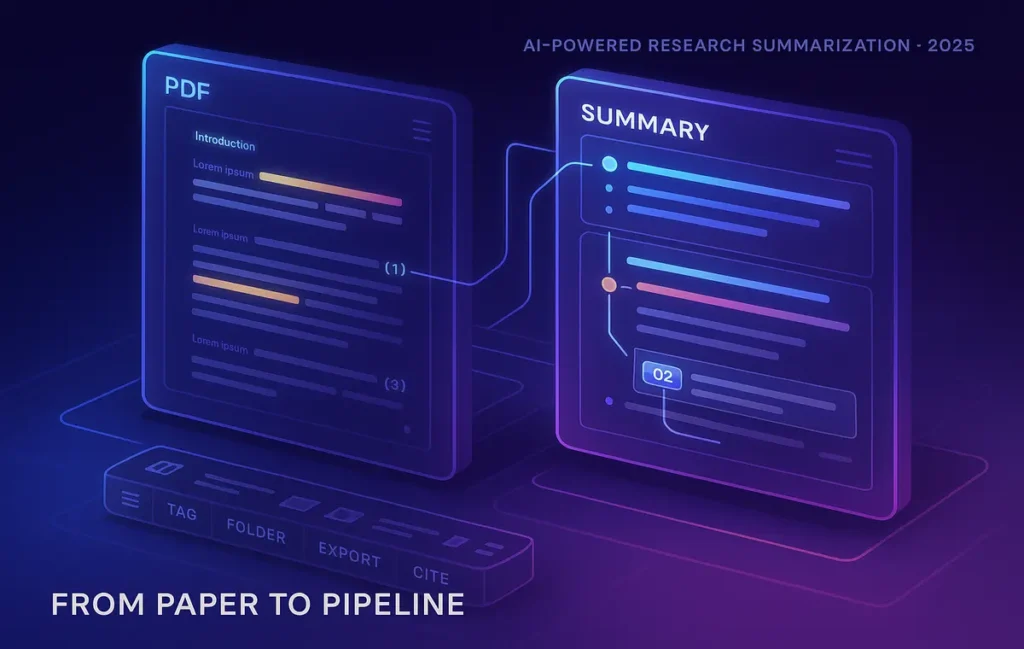
🚀 Turn Hours of Reading into Minutes of Clarity
Reading and digesting a research paper can take hours—especially when you’re juggling dense methods, unfamiliar terminology, and appendices that never end. In 2025, AI summarization trims the first pass down to minutes without sacrificing rigor. The key is process: choose the right tools, feed the paper correctly, prompt for structured outputs, and always validate. This guide is fully practical—built for students, researchers, and science creators who want fast, accurate briefings they can trust and reuse across their notes and citations.
💡 Nerd Tip: This article focuses on summarizing academic papers end-to-end. For broader research workflows with another assistant, pivot to How to Use Google Bard for Research. For long-form drafting after you summarize, see Writing with AI.
🎯 Context & Who It’s For (and Why It Works)
If you’re a student facing a mountain of PDFs, a researcher screening studies for a review, or a creator translating papers into public-facing explainers, AI helps you triage the pile and retain what matters. You’ll learn a workflow that: (1) ingests papers via PDF or DOI, (2) extracts reliable metadata, (3) produces structured summaries (Background → Method → Results → Limitations → Key Quotes), (4) stores highlights in your second brain, and (5) sanity-checks claims before anything enters your literature review.
💡 Nerd Tip: Treat AI as your research assistant—fast at extracting and organizing; you remain the analyst who checks assumptions and context.
🧠 Why Use AI for Summarizing Research Papers
AI doesn’t replace deep reading; it front-loads comprehension. Instead of spending an hour to discover a paper isn’t relevant, you learn that in five minutes—with an outline that captures hypothesis, sample, method, metrics, and headline effects. You also get consistent structure across multiple papers, which is crucial for systematic reviews and meta-analysis prep. The biggest win isn’t just speed; it’s comparability. When every summary follows the same headings, you can scan across a dozen studies to spot conflicts, gaps, or replication issues.
Readers using a disciplined workflow commonly report cutting screening time by a third and note prep by half. The caveat: validation. AI can misread tables or overstate findings; that’s why we hardwire cross-checks into the process.
💡 Nerd Tip: The value is not a single summary—it’s a corpus of consistently structured summaries you can sort, filter, and cite later.
🔎 Choosing the Right AI Tools (2025 Edition)
Different tools shine at different stages—ingestion, structure, evidence tracking, and citation sanity checks. Here’s a concise capabilities map to help you mix and match without bloating your stack.
🧩 Mini Comparison
| Tool | Best Use | Strength | Watch-outs |
|---|---|---|---|
| ChatGPT (general LLM) | Flexible summarization & custom templates | Excellent at structured prompts, tone control, multi-format outputs | Needs grounding in the PDF; risk of hallucination without quotes & page refs |
| Elicit | Literature triage | Pulls related papers by question; extracts key fields fast | Coverage varies by domain; still validate methods & effect sizes |
| Scholarcy | PDF → structured flashcards | Breaks paper into sections, pulls figures/tables, highlights limits | Can miss nuances in complex stats; always skim original Results |
| Scite | Citation context & reliability | Shows supporting/contrasting citations and how others cite it | Not a summarizer; use as a sanity check layer |
| Paper Digest | Quick first-pass abstracting | Rapid one-pager summaries for screening | High-level; pair with deeper method extraction |
💡 Nerd Tip: Pick two: one generator (ChatGPT/Scholarcy/Elicit) + one verifier (Scite/manual checks). Add a notetaker that syncs (Notion/Obsidian/Zotero) so nothing lives in chat history alone. For the knowledge system, see Ultimate Guide to Building a Second Brain and Best AI Note-Taking Apps for Students.
🧭 Step-by-Step Workflow (Bulletproof & Repeatable)
This is the blueprint we recommend for 2025. It’s fast enough for sprints and rigorous enough for academic work.
🧱 Step 1: Gather the Paper (PDF, DOI, arXiv)
Start with the publisher PDF when possible (clean figures, page numbers, and references). If all you have is a DOI or arXiv ID, use your tool’s importer. Create a simple file name: LastnameYear_Journal_Topic.pdf. Good filenames pay off when you automate later.
💡 Nerd Tip: Save a text-only copy of the abstract and conclusion. These seed prompts when the full PDF is too large.
📥 Step 2: Ingest the Paper into an AI Tool
-
ChatGPT path: Upload the PDF directly (if your plan supports file uploads). If not, paste the abstract + key sections (Methods/Results) and ask the model to request more if needed.
-
Scholarcy path: Drop the PDF and let it generate a card deck: structured sections, figures, tables, and highlights.
-
Elicit path: Ask a research question, add your paper, and let Elicit suggest related literature while extracting key fields.
Always confirm metadata (title, authors, year, journal). Correct now, not after you’ve summarized a misattributed study.
💡 Nerd Tip: For long PDFs, summarize per section (Intro → Methods → Results → Discussion) and stitch later. Accuracy climbs when you chunk.
🗣️ Step 3: Prompt for a Structured Summary (Reusable Template)
Your prompt is your protocol. Ask for headings, page-anchored quotes for key claims, and neutral language. Here’s a ready-to-paste template:
💡 Nerd Tip: For lay summaries, swap section 6 with “Explain Like I’m a Non-Expert (120–150 words)”. For lab peers, append “Replication Notes” (datasets, code, hardware).
🧷 Step 4: Save the Summary into Your Note System
Export the output into Notion or Obsidian using a paper template. At minimum, include:
-
Core fields: Title, authors, year, venue, DOI, link
-
Your verdict: Relevance (0–3), Evidence quality (0–3), Notes to self
-
Tags: Domain, method, population, outcome metric
-
Attachment: The PDF (or a link) and the raw AI summary for traceability
This is your literature review graph. Over time you’ll search by method or population rather than title, which is how real synthesis happens. For setup ideas, see Ultimate Guide to Building a Second Brain.
💡 Nerd Tip: Store one sentence in your own words: “This paper shows ____ using ____ on ____.” That becomes gold when you draft.
✅ Step 5: Validate & Cross-Check Before You Trust
Never stop at a single AI take. Validate on three fronts:
-
Numbers: Do reported effect sizes, CIs, or p-values appear in the tables/figures the summary cites?
-
Method fit: Does the statistical test match the design and measurement scales?
-
External context: Use Scite (or similar) to see whether the paper is mostly supporting or contrasting in the literature.
If anything feels off, ask the AI to quote the exact lines for the contested claim. Lack of verifiable text means it’s a hallucination—or the claim is only implied.
💡 Nerd Tip: Keep a “Do Not Trust” checklist: absolute phrasing without numbers, causal language from observational designs, and sweeping generalizations in small n studies.
⚡ Ready to Supercharge Your Literature Review?
Compare summarization tools (free vs. pro), plug them into your notes, and build a repeatable review pipeline that saves hours each week.
🧩 Pro Tips for Better Summaries
-
Tune for audience: “Summarize for a clinical practitioner” yields different emphasis than “for a methods seminar.” State it.
-
Ask for comparisons: When skimming a field, prompt: “Contrast this paper’s methods and results with the last 3 summaries in my notes tagged [X].”
-
Get tabular output when screening many papers: Request a one-row table per paper with columns: Design / Sample / Primary Outcome / Effect Size / Limits / Relevance (0–3).
-
Use citation-aware checks: After the summary, ask: “List 5 studies that most commonly cite this paper with a ‘supporting’ stance; 2 with a ‘contrasting’ stance.” (Then manually verify key ones.)
-
Control verbosity: Cap sections (e.g., Methods ≤ 150 words) to prevent signal loss.
💡 Nerd Tip: Don’t let AI paraphrase quotes you’ll rely on later. Capture exact lines with page numbers for anything you plan to cite.
🚧 Limitations & Risks (and How to Mitigate)
-
Hallucination: LLMs may fabricate numbers or overstate claims. Cite-to-page rules and copy-pasted quotes neutralize this.
-
Over-compression: A good summary can hide fragile methods. If a claim will shape your decision, read the Methods and Limitations directly.
-
Copyright & privacy: Respect paywalls and data policies. Don’t upload proprietary PDFs to third-party tools without permission; use on-device or institution-approved options where required.
-
Domain gaps: Models are better on familiar fields. In niche areas, expect more “not reported” flags and do extra manual checking.
💡 Nerd Tip: Assume first pass ≠ final truth. AI is the intake nurse; you are the attending.
🔄 Integration into an Academic Workflow (From PDF to Publish)
A durable pipeline looks like this:
-
Intake: Save PDFs (or DOIs) into a tracked folder.
-
Summarize: Run the structured prompt; generate a methods-heavy brief.
-
File: Append summary + metadata to your Notion/Obsidian template.
-
Cite: Add the reference to Zotero or Mendeley immediately (prevent future archaeology).
-
Synthesize: Use your notes tool to compare across tags (e.g., RCT, Education, n>500).
-
Write: Move distilled points into your outline using the techniques in Writing with AI.
-
Review: Once a week, scan newly added papers for conflicts/replications.
-
Share/Teach: Convert summaries to slides/newsletters/threads—see AI Tools Everyone Should Know for helpful adapters.
💡 Nerd Tip: Schedule a recurring “Literature Harvest” block. Consistency beats heroic weekend binges.
🧪 Mini Case Study: Halving a PhD Lit Review Timeline
A PhD candidate in public health faced 120+ papers on community interventions. The old approach: skim abstracts, bookmark PDFs, get overwhelmed. The 2025 approach: Elicit to surface adjacent studies by intervention type, then Scholarcy to convert priority PDFs into sectioned cards. Each card fed a ChatGPT prompt for a uniform, page-anchored summary. Scite flagged which seminal papers were heavily supporting vs contrasting. All outputs flowed into a Notion database linked to Zotero. Result after eight weeks: a literature matrix sortable by population, outcome metric, and effect size, plus a confident narrative of where evidence truly converged. Time to first draft dropped by nearly half—not because AI wrote the review, but because it eliminated thrash between discovery, reading, and note organization.
💡 Nerd Tip: The “matrix moment” happens when summaries share the same headings. Standardize once; benefit for years.
🧯 Troubleshooting & Pro Tips (When Things Go Sideways)
-
Summary feels shallow: Expand the prompt: “Extract sample characteristics (n, age, location), instruments, and exact primary endpoints with page refs. If any are missing, say ‘not reported’.”
-
Conflicting outputs across tools: Treat conflicts as a signal. Re-open the paper and verify the relevant table/figure. Ask the model to quote the lines in question.
-
Missing or messy citations: Run metadata through a citation manager; ask the AI to format in APA/Chicago but verify against the DOI.
-
Over-long PDFs choke the model: Chunk by section and summarize incrementally. Maintain a running “master summary” you stitch together at the end.
-
Too many summaries, no insight: Build a comparison prompt: “Create a table comparing the last 10 papers tagged [X] across Sample, Design, Primary Effect, Limitations, Relevance.”
💡 Nerd Tip: When in doubt, quote-then-paraphrase. Pull exact wording first; translate into your register second.
🧭 Comparison Notes (Where to Go Next)
This guide is about summarizing academic papers. If you want a broader research assistant experience with Google’s ecosystem and web-first workflows, pivot to How to Use Google Bard for Research. To turn your summaries into polished essays or reports, use techniques in Writing with AI. If you’re building a durable knowledge graph that survives graduation, wire everything into Ultimate Guide to Building a Second Brain. Students juggling classes should also review Best AI Note-Taking Apps for Students, and if you want a shortlist of everyday tools that punch above their weight, see AI Tools Everyone Should Know.
📬 Want More Smart AI Tips Like This?
Join our free newsletter and get weekly insights on AI tools, no-code apps, and future tech—delivered straight to your inbox. No fluff. Just high-quality content for creators, founders, and future builders.
🔐 100% privacy. No noise. Just value-packed content tips from NerdChips.
🧠 Nerd Verdict
AI has turned paper summarization from a time-sink into a force multiplier—but only when you keep control. With the right tools and prompts, you get fast, comparable briefs that make synthesis and writing easier. With validation and quotes-to-page discipline, you avoid the trap of elegant but wrong summaries. That balance—speed plus rigor—is where creators, students, and researchers working with NerdChips consistently win.
❓ FAQ: Nerds Ask, We Answer
💬 Would You Bite?
Would you trust AI to handle the first pass on your thesis papers if every claim had a page-anchored quote you could verify?
And which domain would you trial first this week? 👇
Crafted by NerdChips for creators and teams who want their best ideas to travel the world.