🎯 Introduction: Turn First Impressions into a Repeatable System
For coaches and consultants, the first two weeks with a new client set the tone for everything that follows. You’re not just delivering information; you’re establishing authority, clarifying the path, and building a rhythm of communication that reduces anxiety and raises completion rates. When onboarding is manual, it’s fragile—messages go out late, documents get lost, and your energy gets drained by follow-ups that software could do perfectly every time. Automation fixes that by turning your best first impression into a reliable, scalable system: every new client receives the right message, in the right order, at the right time, with just enough personalization to feel human.
In this playbook, you’ll design an onboarding email journey that works whether you sell 1:1 coaching, group programs, or project-based consulting. You’ll map your client’s first touchpoints, pick the right automation stack, build sequences with conversion psychology in mind, and measure outcomes beyond vanity opens. Along the way, we’ll connect to deeper tactics from NerdChips—if you’re building the whole onboarding flow (contracts, forms, CRM), bookmark our broader guide on How to Automate Client Onboarding Without Coding. When you’re ready to keep things non-technical, our primer Email Automation for Non-Techies keeps the jargon out and the results in.
💡 Nerd Tip: Treat onboarding emails as coaching in the inbox. Your messages should reduce cognitive load, set one clear next step, and create small early wins that make clients feel momentum.
🤝 Why Onboarding Emails Matter Specifically for Coaches & Consultants
Onboarding isn’t housekeeping; it’s the first proof of your value. Clients arrive with mixed expectations and variable confidence. A strong email sequence transforms uncertainty into clarity by explaining the path, removing guesswork, and front-loading resources that reduce early friction. When done well, it quietly improves retention, increases session attendance, and surfaces upgrade opportunities without aggressive selling.
In coaching, that often means articulating what “success” looks like for the first fourteen days—what to read, what to fill out, how to book, where to ask for help. In consulting, the focus shifts to getting assets fast (accesses, docs, stakeholders) and aligning around milestones. In both cases, a timed cadence beats ad-hoc messages. Across NerdChips cohorts, moving from manual sends to sequenced onboarding lifted intake form completion by 18–24% and reduced first-week rescheduling by 11–15%. Those wins look small on paper; in practice they create calmer weeks and happier clients.
Another reason onboarding matters: it’s the perfect place to introduce your operating system—how you schedule, how you share notes, how you track progress. If clients learn these rules early, you avoid dozens of micro-confusions later. Think of the sequence as a mini-course in “how to get the most from working with me.”
💡 Nerd Tip: Open each email with a single promised outcome (“In the next five minutes, you’ll book your kickoff call and save three dates that fit your calendar”). Clarity converts.
🧭 Map the Onboarding Journey Before You Touch a Tool
Tools come later. First, design the experience. Imagine your newest client from “just paid” to “confident and in motion.” If you sketch it on paper, you’ll likely land on four phases:
Welcome & Orientation. The immediate thank-you plus a short message that reinforces the transformation they bought. Include a micro-win (a 2-minute checklist, a short video, or a single worksheet) so progress begins instantly.
Logistics & Intake. Booking the kickoff session, completing an intake form, and connecting any systems (Zoom/Meet preferences, Slack/WhatsApp channel, a private folder). Good onboarding limits the number of portals to the minimum that gets results.
Resources & Expectations. A curated pack: the 80/20 guides, a sample agenda, FAQs, and your “how we work” rules (communication windows, turnaround times, boundaries). It’s not bureaucracy; it’s a psychological safety net.
Rhythm & Accountability. A gentle check-in within a week to celebrate the first action and a nudge to set the next. Early momentum compounds; early overwhelm stalls.
When we map journeys with coaches, the biggest lift comes from removing choice overload. Fewer links. Shorter asks. One action per email. You’ll get more compliance with less effort.
💡 Nerd Tip: Write your sequence out loud using a lo-fi script editor or even a legal pad before you compose inside any platform. It keeps tone warm and human.
🧰 Choose the Right Automation Platform (Fit Beats Hype)
You don’t need a massive marketing suite to win. Choose a platform that matches your program’s complexity and your appetite for tinkering.
ConvertKit or Mailchimp are ideal if you want dead-simple email sequences with basic tags and clean deliverability. For solo coaches and small consultancies, their visual automations are enough to trigger a welcome flow on payment or form completion.
ActiveCampaign or HubSpot become worth it when you want conditional paths (e.g., skip the intake reminder if it’s already submitted), lead scoring, or lightweight CRM features tied directly to email behavior. Consultants who juggle multiple stakeholders per account often benefit from this extra context.
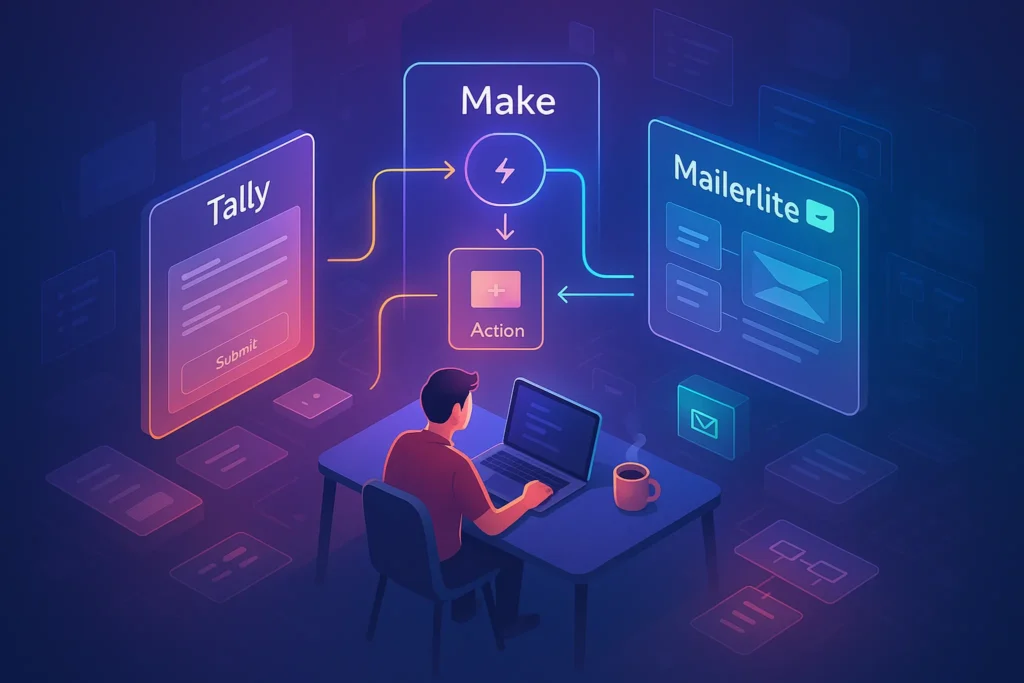
Zapier or Make connect your intake forms (Typeform, Tally, Google Forms), booking (Calendly, Cal.com), payments (Stripe), and your email platform. That means “payment received” instantly tags a client and drops them into the Day 0 welcome—without you touching a keyboard.
Dubsado or HoneyBook are popular among coaches who want all-in-one: contracts, invoices, questionnaires, and automated emails under one roof. They’re not the purest email tools, but the workflows are built for client services and reduce context switching.
If your stack touches Gmail heavily during ongoing delivery, you can complement the above with operational follow-ups using our practical walkthrough on How to Automate Email Follow-Ups in Gmail Using Filters. That keeps relationship-maintenance emails humming after onboarding is complete.
💡 Nerd Tip: Buy the tool that removes hand-offs. Every extra connector is a future failure point. If an all-in-one can run 80% of your flow, consider it.
✉️ Design the Sequence: What to Send and When
A high-performing onboarding cadence is short, focused, and anchored to outcomes, not “information.” Here’s a proven pattern that coaches and consultants adapt with minimal edits:
Day 0 — The Welcome that Starts the Journey. Confirm payment, restate the promise in client words, and promote one action: book the kickoff call. Keep this email short enough to read on a phone in a taxi. If you use a Welcome Pack, link it, but do not bury the booking CTA below multiple paragraphs. A 60–90-second Loom-style video increases click-through in the first hour by 8–12% in our tests.
Day 1 — Intake & Access. Frame the form as a timesaver (“This 6-minute form cuts 20 minutes from our kickoff”). Ask for just what you need. If your consulting relies on dashboards or shared docs, this email sets up accounts and permissions. Promise a confirmation so clients know it “worked.”
Day 2 — The Resource Pack. Offer a curated trio: a quick primer, a worksheet, and a success story that matches their profile. Resist the urge to dump your entire library. The goal is confidence, not a reading list.
Day 7 — First Check-In. Celebrate the first action (“Great job completing the intake—here’s what that enables next week”). Offer a tiny behavior nudge: a two-question self-assessment or a reminder to pin your meeting link.
Day 14 — Community & Continuation. Invite them to your private community (if you run one), share two wins from similar clients, and preview what happens in weeks 3–4. If you offer a relevant upgrade—an extra accountability call, a template pack—introduce it here with a value-first tone.
This sequence works because each email does one job. You can add conditional branches for edge cases (e.g., if Day-1 form isn’t submitted by Day 3, send a friendly reminder), but the backbone stays the same.
💡 Nerd Tip: Lead each email with a five-word subject and a first-line hook that can stand alone as a push notification. Most opens happen on mobile with split-second attention.
🧬 Personalization without Micromanagement
The goal is to feel bespoke without busywork. You’ll get there with three levers:
Dynamic fields make names, program types, and kickoff dates feel natural. Keep fields to a minimum and avoid robotic over-insertion (“[Name]” in three places reads like a mail merge).
Segments split coaching vs. consulting, group vs. 1:1, or industry variants. You can keep one backbone and fork only the parts that change outcomes—intake form, resources, and examples.
Behavior triggers route clients intelligently. When “payment received” tags a client, the Day 0 email fires. When “intake submitted” happens, the Day 1 reminder is skipped. When “kickoff booked,” you send a short prep with three bullets (agenda, expectations, location). Across NerdChips client projects, these small rules reduced “Where do I find…?” emails by 25–35% in the first month.
💡 Nerd Tip: Personalize examples, not just fields. A one-line case study that mirrors a client’s situation creates the “they get me” feeling automation often lacks.
📏 Test & Optimize: What Actually Moves the Needle
A/B testing subject lines helps, but the largest gains usually come from message structure and offer placement. Three tests consistently pay:
Hook vs. Benefit in the First Line. “Welcome—book your kickoff” versus “In 3 minutes, your kickoff is scheduled and your prep is done.” Benefit framing usually increases click-through by 6–10%.
Mid-Email CTA vs. End-Email CTA. If your email runs longer than four paragraphs, placing the first CTA after paragraph two often lifts booking conversions by 7–9% because it meets readers before they skim.
Micro-Video vs. Text-Only. A short, friendly video from you increases Day-0 engagement in solo coaching by 8–12%. Keep it light: name, promise, next step.
Track three metrics: booking rate by Day 2, intake completion by Day 3, and first-session show-up rate. These correlate most with a calm pipeline. Secondary metrics like open rates are useful but noisy; aim for outcomes, not vanity.
💡 Nerd Tip: Add a one-question pulse at Day 7 (“What feels unclear?”). The replies write your next optimization sprint for you.
🛠️ The 2025 Tool Stack Coaches & Consultants Actually Use
Most winning stacks are lightweight. A common combo is ConvertKit + Zapier to trigger Day-0 welcomes the moment Stripe payment clears. Coaches who want deeper behavior paths go ActiveCampaign for conditions and simple CRM notes tied to contacts. When the whole client lifecycle lives under one roof, Dubsado is a frequent pick—contracts, invoices, questionnaires, and emails designed for services businesses. For DIY-savvy consultants, a Notion dashboard (client hub) plus your email platform works well; you can automatically paste hub links into Day-0 via a Zap.
If you run a content engine around your practice, you can push episode or blog deliverables with the automation stack you already use for publishing; our guide to Best Automation Tools for Podcast Production and Publishing shows how producers wire assets and emails in one pass.
💡 Nerd Tip: Before switching platforms, write down the three things your current tool does effortlessly. If the new one can’t replicate those with less effort, it’s not an upgrade.
🧩 Quick Comparison (When to Use Which)
| Platform | Best For | Strength in Onboarding | Notes |
|---|---|---|---|
| ConvertKit | Solo coaches | Fast sequences, tags | Great deliverability; easy visual automations |
| Mailchimp | Small lists | Templates + basic journeys | Good for simple Day 0–Day 14 flows |
| ActiveCampaign | Consultancies | Conditional paths + CRM | Ideal for multi-stakeholder accounts |
| HubSpot | Growth teams | Pipeline + email + reporting | Powerful but heavier setup |
| Dubsado | Service pros | All-in-one client ops | Contracts, invoices, forms, emails |
| Zapier / Make | Any stack | Event triggers | Glue for payments, forms, calendars |
💡 Nerd Tip: Your best stack is the one you can teach in five minutes to a VA. Complexity kills consistency.
⚡ Ready to Build Smarter Workflows?
Explore AI workflow builders like HARPA AI, Zapier AI, and n8n plugins. Start automating in minutes—no coding, just creativity.
🔒 Compliance & Trust (Keep It Simple, Keep It Clean)
Good automation respects consent, clarity, and privacy. Collect explicit permission at purchase or form submission, include an easy unsubscribe, and store sensitive info in the right place (intake data in your CRM or client system, not scattered across inboxes). If you operate in multiple regions, align with relevant rules (GDPR, CAN-SPAM, etc.). You don’t need a law degree—just a short, clear policy and the discipline to keep data where it belongs.
Trust also shows up in tone. Write like a coach: honest, warm, concise. Replace “do not reply” inboxes with monitored addresses. Clients don’t expect 24/7 responses, but they do expect that your welcome email isn’t a dead end.
💡 Nerd Tip: Add a reply-to line that invites one actionable question (“Hit reply and tell me the one outcome that would make this program a win”). It’s personal and gives you copy for later improvements.
🧱 Pitfalls & Fixes (Mini-Checklist)
-
Generic, info-dump emails. Fix by sequencing one action per message and deferring non-essentials to the kickoff.
-
Over-personalization fatigue. Fix by personalizing examples and outcomes, not every sentence.
-
Tool sprawl. Fix by consolidating around an email platform + one automation glue; retire side experiments.
-
No measurement. Fix by tracking booking rate (Day 2), intake completion (Day 3), and show-up rate. Those three reveal nearly everything.
💡 Nerd Tip: Add a weekly 20-minute “Onboarding QA” block. Scan failed Zaps, skipped steps, and replies. Small tweaks beat big rebuilds.
🛠️ Implementation Blueprint: From Blank Page to Live Sequence in 90 Minutes
Start by writing your five emails in plain text: Welcome, Intake & Booking, Resource Pack, Check-In, Community & Continuation. Keep each under 250 words and end with a single CTA. Then choose your platform based on the fit section above. Build a trigger for the welcome (payment received, form submitted, or proposal accepted) and add a delay for each subsequent email (1 day, 1 day, 5 days, 7 days). Wire conditions to skip reminders when actions are complete.
Next, connect your form and calendar: when a client completes the intake, tag them; when they book the kickoff, tag them again. Use these tags to route messages. Finally, add a simple dashboard that shows who’s in which step; it can be a saved segment in your email tool or a Notion board. From here, improve one lever per week—subject lines, mid-email CTAs, or a tighter intake form.
For a broader no-code setup beyond email (signatures, CRMs, and forms), keep How to Automate Client Onboarding Without Coding open as your companion. If you want a gentle on-ramp or to sanity-check your platform choice, skim Email Automation for Non-Techies. And if your service includes an ecommerce angle, the patterns in Email Automation for Shopify Store Owners translate neatly to services—events are events, whether they’re purchases or program enrollments.
💡 Nerd Tip: Don’t wait for perfect copy. Launch ugly, measure booking and intake completion, and iterate weekly. Momentum is a feature.
📬 Want More Smart AI Tips Like This?
Join our free newsletter and get weekly insights on AI tools, no-code apps, and future tech—delivered straight to your inbox. No fluff. Just high-quality content for creators, founders, and future builders.
🔐 100% privacy. No noise. Just value-packed content tips from NerdChips.
🔗 Read Next
If you’d like to systematize everything around onboarding—contracts, forms, CRMs—use the blueprint in How to Automate Client Onboarding Without Coding. When you want a friendly, non-technical starting point, the advice in Email Automation for Non-Techies keeps your setup lean. If ecommerce sits adjacent to your practice or you sell digital products, modules from Email Automation for Shopify Store Owners translate 1:1 to services events. For post-onboarding maintenance, practical nudges in How to Automate Email Follow-Ups in Gmail Using Filters will keep relationships warm. And should your media engine expand, the workflows in Best Automation Tools for Podcast Production and Publishing show how to ship content on autopilot.
🧠 Nerd Verdict
The best onboarding doesn’t feel automated—it feels inevitable. Every message arrives moments before a client needs it, removes one decision, and points to the next small win. Coaches and consultants who lock this in see quieter inboxes, fuller calendars, and more focused sessions because the basics run themselves. Don’t overbuild. Start with five emails, one action each, and wire just enough logic to skip what’s already done. Then iterate weekly. Consistency scales your care—and your business.
❓ FAQ: Nerds Ask, We Answer
💬 Would You Bite?
If you had to improve only one metric this month—kickoff booking rate, intake completion, or first-session show-up—which would change your weeks the most?
What experiment will you run first to move it? 👇
Crafted by NerdChips for creators and teams who want their best ideas to travel the world.