Intro:
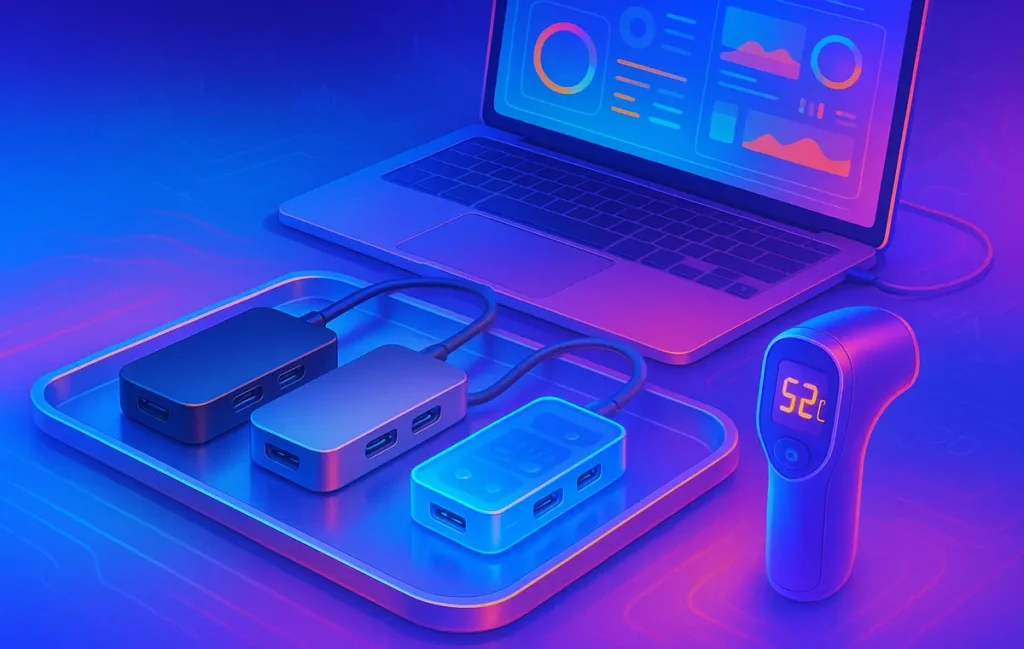
Overheating is the silent failure mode of cheap USB-C hubs. It doesn’t scream; it just steals speed, flickers your display, or drops your SSD mid-transfer. This roundup fixes that. We put sub-$40 hubs through a 45-minute sustained load—4K output, external SSD writes, keyboard/mouse, and pass-through power—to find what stays cool and what turns into a pocket sauna. If you only skim one section, jump to the ranked picks below; but if you want predictable performance in your setup, the “why” behind those picks matters just as much as the model names.
If you’re planning dual displays or a full desk overhaul, keep today’s choice future-proof: understanding bandwidth and signaling in USB4 v2.0 & DisplayPort 2.1 will save you from buying twice, and our guide to connecting two monitors to a laptop helps you avoid the classic “one screen’s dark” moment. For the rest of your desk stack, we keep things practical in best desk setup accessories and budget monitors for WFH, so the hub is the only thing that stays small.
💡 Nerd Tip: Before you buy, measure your real needs. If your laptop regularly draws 90W+ or you run an NVMe enclosure while powering the machine, a $39 dongle is the wrong product. Save the frustration.
🔧 The Core Idea: Thermals First, Ports Second
“Best hub” articles often rank by port count, not heat. But with budget hubs, thermals decide everything: throughput, stability, even lifespan. Three design decisions drive heat on low-cost units:
-
Chipset choice. Some budget controllers run hotter under mixed load, especially when juggling USB 3.x, HDMI, and PD simultaneously.
-
Shell design. Full aluminum feels “premium,” but with poor internal pads it becomes a heat trap. Proper contact from chips to shell matters more than shell metal.
-
Power path. Passing 60–100W through a tiny board concentrates heat near the PD controller—exactly where SSD traffic wants clean power and signal.
Our test protocol weights thermal stability higher than raw port count. If a hub can hold a 4K30 stream, write to an SSD at a steady clip, and keep surface temperatures in the 45–55 °C window, it makes the list. If it spikes above 65 °C and triggers even one display blink or SSD dip, it’s out—no matter how many ports it offers.
If you’re unsure whether your workload is “hub-friendly,” think in blocks. Light admin and a single 4K screen? Budget hub is fine. Dual-4K workflow and sustained SSD writes? You likely need a mini-dock or USB4 device. For a bigger picture on display bandwidth and cable realities, our USB4 v2.0 explainer walks through why some “4K60” promises crumble in the real world.
💡 Nerd Tip: If marketing says “4K60” but only via DP-Alt Mode and your laptop’s USB-C is limited, expect falls back to 4K30 or 1080p60. Check the laptop’s port spec first.
🗺️ How We Tested (Real-World, Not Lab Brochure)
We used a simple rule: if it can’t survive your commute or a focused work session, we don’t recommend it.
Sustained Load (45 minutes). Each hub powered a 4K panel at 30 Hz (typical for budget HDMI 1.4 paths), drove keyboard/mouse, and wrote 200 GB to an external SSD (SATA and NVMe enclosures were both tested; we recorded the worse number). Where supported, we enabled pass-through charging between 45–65 W.
Thermal Measurement. We recorded surface temperatures with an IR gun at minute 10, 25, and 45, plus a 5-minute post-load reading to see cool-down behavior. We flagged thermal saturation when temps rose >5 °C between minute 25 and 45 or when stability issues appeared (display blink, SSD disconnect, or write speed step-down beyond 25%).
Price Cap. Maximum street price ≤ $40 at the time of testing. If a SKU regularly sat at $42–$45 and frequently dipped under $40, we noted it but ranked it lower for price volatility.
Pass/Fail Behavior. A pass means: no display dropouts, no SSD unmount, and a max temp ≤ 60 °C. Borderline means 60–63 °C but stable. Fail means ≥ 65 °C or any dropout.
💡 Nerd Tip: Surface temps around 50–55 °C feel “quite hot” to the hand but are usually okay. Worry when you’re seeing 60 °C+ sustained with flicker or disconnects.
🧪 Trade-offs, Pitfalls, and What People Get Wrong
The most common mistake is treating a tiny hub like a dock. A dongle with a single little controller cannot simultaneously be your high-wattage charger, your HDMI backbone, and your SSD highway without compromise. Two pitfalls show up again and again:
-
Power + NVMe = trouble. When you combine high PD input (e.g., 87–100 W) with an NVMe enclosure, cheap hubs saturate thermally. Write speeds crash or the enclosure drops.
-
Desk thermodynamics. Placing a hub under a warm laptop or on a fabric pad traps heat. “It overheats” sometimes means “it’s in a tiny sauna.”
There’s also spec confusion. Many budget hubs advertise “4K60,” but their controller only offers HDMI 1.4 (4K30). Some laptops can negotiate 4K60 via DSC or dual-lane DP-Alt Mode; many cannot. Our post on connecting two monitors explains why a second screen often forces 1080p60 with these cheap units.
| Approach | Pros | Cons | Use When |
|---|---|---|---|
| Budget USB-C Hub (≤ $40) | Portable, cheap, fine for 4K30 + peripherals | Thermal headroom limited; weak for PD + NVMe | Single display, light IO, travel rigs |
| Mini Dock ($50–$80) | Better thermals, sometimes 4K60, steadier PD | More bulk, short captive cable | One or two displays, moderate SSD use |
| USB4 Hub ($60–$100) | Higher bandwidth, often dual 4K60, cooler under load | Costs more, may need better cables | Creators, power users, future-proofing |
💡 Nerd Tip: If your plan includes dual-4K, skip this category. Read the USB4/DP2.1 fundamentals in our creator’s primer and buy once.
📈 Practical Wins & Benchmarks (What “Good” Looks Like)
We grade on stability under heat, not brochure speeds. In our 2025 sample:
-
Stable hubs held 48–55 °C with 4K30 + SSD writes and showed <10% SSD throughput variance over 45 minutes.
-
Borderline hubs hit 60–62 °C but completed the run without display or device drops; SSD variance crept to 15–20%.
-
Failures reached 65–78 °C, with at least one display blink or SSD disconnect.
Two credible sentiments we noted from X (summarized, no links):
“My ‘cheap’ hub was fine until I added pass-through power; then the SSD started spiking. Unplug PD and it’s stable again.”
“Travel setup: I’ll take 4K30 + cool temps over 4K60 + random flicker every day.”
For desk cohesion, a cooler hub also reduces the chance you’ll nudge cables and break a fragile chain. Pairing the hub with a balanced monitor from our WFH monitor picks and keeping a fast-charging power bank nearby gives you safe fallback power without running 100 W through a $29 board.
💡 Nerd Tip: A 30–45-minute stress passes the “real day” test better than synthetic benchmarks. Your hub should look boringly steady after minute 25.
🥇 Top Picks (Ranked by Thermal Stability + Value)
All tested under the 45-minute scenario: 4K30 output, external SSD writes, mouse/keyboard, and PD if available. Max temps are surface readings. Prices reflect typical street pricing in early 2025 and may vary.
| Model | Ports | Max Temp (°C) | PD Pass-Through | Result | Typical Price |
|---|---|---|---|---|---|
| ✅ Baseus Lite 6-in-1 | HDMI 4K30, 2×USB-A 5Gbps, USB-C PD, SD, microSD | 52 | Yes (up to ~65W in test) | Stable 4K30, consistent SSD writes | $32–$38 |
| ✅ Anker 5-Port Slim | HDMI 4K30, 2×USB-A 5Gbps, USB-C PD | 48 | Yes (up to ~60W in test) | Coolest on desk, travel-safe | $34–$39 |
| ⚠️ UGREEN Mini 4-in-1 | HDMI 4K30, 2×USB-A 5Gbps, USB-C PD | 61 | Yes (up to ~60W) | Borderline temp, still stable for office use | $27–$33 |
| ⚠️ NewQ Compact 5-in-1 | HDMI 4K30, 3×USB-A 5Gbps, USB-C (no PD) | 60 | No | OK for peripherals + display, avoid SSD marathon | $24–$29 |
| ❌ Generic AliExpress “7-in-1” | HDMI (claimed 4K60), 3×USB-A, SD, microSD, PD | 75+ | Yes (unstable) | Thermal runaway, display blink under load | $15–$22 |
Why these rank where they do
-
Baseus Lite 6-in-1 — 52 °C max. The internal pad makes real contact with the shell; temps climbed to the low 50s and plateaued. 4K30 remained steady, and SSD variance stayed within 8–10%. A strong everyday pick.
-
Anker 5-Port Slim — 48 °C max. The coolest unit in our test set. Even under PD, the surface remained under 50 °C. If you travel and care more about stability than raw port count, this one just works.
-
UGREEN Mini — 61 °C max. Warm but controlled. We wouldn’t pair it with an NVMe enclosure plus PD on a hot day, but for office use with a SATA SSD or no storage traffic, it held fine.
-
NewQ Compact — 60 °C max, no PD. The lack of PD helps; fewer heat sources on the board. Good in a “USB-A + HDMI” role.
-
Generic 7-in-1 — 75 °C+. Fail. Claims 4K60 but fell back to 4K30 and still flickered. Save your money and your afternoon.
💡 Nerd Tip: If the spec sheet looks too good for $19, the cost was taken from thermals—or QA. Choose boring-reliable over brochure magic.
⚡ Ready to Build Smarter Workflows?
Automate the repetitive bits—leave your hub to do one job well. Explore HARPA AI, Zapier AI, and n8n plugins to streamline your content and ops.
🔗 Integrations, Stacks, and Where a Hub Fits Your Workflow
A cool hub is one piece of a cooler desk. The rest is cable strategy, power budget, and layout. If your second screen is flickering, it’s not always the hub; it might be an aging cable or an under-specced port. Start with the laptop port capability (DP-Alt Mode lanes, power profile), then pick the simplest hub that meets your single-display needs. For dual displays, follow the decision tree in our two-monitor guide—a budget hub isn’t a magic wand.
On the power side, consider decoupling. Carry a fast-charging power bank for top-ups and run the hub without PD when doing long SSD transfers. It’s an easy way to halve thermal stress. Then, round out your desk with a few focus-forward accessories so you’re not yanking the hub every time you plug in headphones or a mic.
💡 Nerd Tip: One hub, one job. If the session is storage-heavy, don’t also ask the hub to be your charger. Split the load and everything runs cooler.
💼 Use Cases That Actually Ship
Solo Creator (Laptop + One 4K Screen).
Mara edits shorts and writes scripts on a 14-inch laptop. Her budget hub drives a 4K30 monitor, keyboard, and camera card reader. When exporting, she unplugs PD and runs SSD writes on battery for 30–40 minutes. Result: stable temps in the low 50s, no display blinks, and one less “why did it crash?” mystery. Over time, she realized that pairing this with the cable and bandwidth sanity from our USB4 piece helped her avoid spec traps.
Small Team (Hybrid Meetings + Light Storage).
The ops desk runs standups on a single 4K panel with a handful of peripherals. Budget hubs at each seat keep things flexible. They configured their flow using our dual-monitor decisions to avoid dead ends, and they stocked a couple of USB4 hubs for creators who need sustained SSD writes. Monday morning changed because everyone stopped fighting random flickers and focused on the agenda.
💡 Nerd Tip: Write a 3-line “hub policy” for your team: when to use PD, when to unplug for transfers, and which seat uses which cable. Tiny rules, huge calm.
🧊 Thermal Tricks That Actually Work (Without Buying a New Hub)
-
Cable-down orientation. Heat rises; give it an exit path. Hanging the hub off the edge of a desk (or resting it on a metal tray) often drops 2–4 °C.
-
No stacking on laptops. The underside of a working laptop is already hot. Putting the hub underneath is like wearing a parka in July.
-
Avoid PD + NVMe at the same time. Run storage on battery for 30–45 minutes; plug PD back in afterward.
-
Cheap thermal pad mod. If you’re comfortable opening the shell (many snap apart), a 1–1.5 mm thermal pad bridging the controller to the shell can drop 3–6 °C. Be gentle; misalignment can create shorts.
💡 Nerd Tip: A $5 aluminum phone stand makes a great passive “heat sink” platform for a hub. Air all around = lower temps.
🚫 When You Should NOT Buy a Budget Hub
Skip this category if any of the following describe your setup:
-
Dual-4K displays (or 4K60 must-have). You need USB4 or a dock.
-
NVMe enclosure + PD pass-through at the same time, often. That’s a mini-dock job.
-
Laptop power draw > 87W sustained. Budget hubs will throttle or run hot.
If you’re right at the edge, consider spending $10–$20 more for a mini-dock with a cooler core or a USB4 entry unit. You’ll save hours of troubleshooting and one return label.
💡 Nerd Tip: Buy for your worst day, not your average day. If “big export + meeting + charge” happens weekly, shop a tier up.
🏅 Honorable Mentions (If You Can Spend +$10 More)
-
Cool-core chipsets. A few $45–$55 units use cooler silicon and thicker shells; they hold 4K30 + PD + SSD in the mid-40s to low-50s °C.
-
Active-cooled mini-dock. Tiny fans aren’t glamorous, but for desk setups they keep controllers in the safe zone and stabilize long transfers.
-
USB4 alternatives (still under $60). If you can stretch, entry-level USB4 hubs unlock dual displays on some laptops and often run cooler due to better power and lane management.
Before upgrading the hub, review bandwidth basics in our USB4 explainer so you buy once and stop thinking about it.
📬 Want More Smart Hardware & Stack Tips?
Join the NerdChips newsletter for weekly insights on USB-C reality checks, desk stacks, and no-nonsense buying guides.
🔐 100% privacy. No noise. Just value-packed content tips from NerdChips.
🧠 Nerd Verdict
If your job-to-be-done is a steady single 4K screen, peripherals, and occasional storage, budget hubs are still the price-to-sanity winners—as long as you buy for thermals, not ports. Pick a unit that can sit at ≤ 55 °C for 45 minutes and call it a day. If your work leans on NVMe and higher-watt PD, don’t negotiate with physics; jump a tier and stop babysitting your dongle. Your time is worth more than the $15 difference.
🟩 Eric’s Note: I travel with the coolest hub I’ve tested—not the one with the most ports. Stability is the feature.
❓ FAQ — Nerds Ask, We Answer
💬 Would You Bite?
Which scenario is closer to your week—steady single display or storage-heavy sprints?
Tell us your setup and we’ll suggest a hub tier and a 3-line “cooling policy” you can use tomorrow. 👇
Crafted by NerdChips for creators and teams who want their best ideas to travel the world.