🧭🌟 Intro
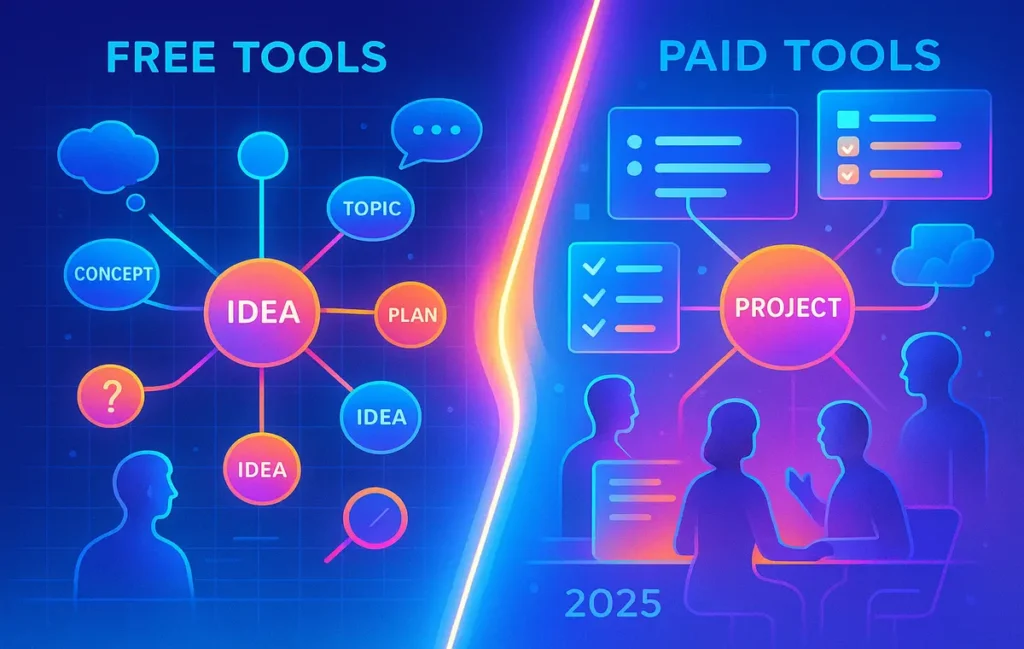
Is a free mind-mapping tool enough, or should you invest in a paid platform? The answer can double your creative throughput. In 2025, mind mapping isn’t just a pretty diagram—it’s a thinking system that turns scattered ideas into shippable outcomes. Choose well, and your brain gets a runway; choose poorly, and you fight your tools instead of crafting your next big thing. This NerdChips deep-dive compares free vs paid through the lens that actually matters: does it help you think faster, collaborate better, and publish sooner?
💡 Nerd Tip: Your tool should disappear the moment you’re “in flow.” If you keep thinking about the UI, the tool is in the way.
🎯 Context & Who It’s For
If you’re a student mapping essays, a designer planning a feature, a content team building a campaign, or a founder structuring a product roadmap, the right mind-mapping setup determines how quickly ideas become plans. This guide is not a list of “what exists”—we covered that in Mind-Mapping and Brainstorming Tools. Here we judge free vs paid on creative value. If you care about idea velocity, collaboration, and getting to publish-ready assets—like carousels, scripts, or content calendars—this is for you. For turning maps into content systems, see Endless Ideas: Tools & Techniques to Never Run Out of Content Topics and Content Creation Tools for Social Media. When you want to pitch or storyboard, Visual Storytelling Tools and Top Content Creation Trends tie directly into the workflows described here.
🧠 Why Mind Mapping Matters for Creativity
Creative work breaks when your brain holds too much in RAM. Mind mapping externalizes working memory: ideas become nodes, relationships become edges, and priorities emerge as you re-arrange the graph. The magic isn’t the branches; it’s the distance it creates between you and the mess. Once the canvas holds the chaos, your brain can pattern-match and sequence: What’s a theme? What’s a script? What’s an asset? That’s when ideation shifts into execution.
In teams, the benefit compounds. A shared map becomes the single source of context: product, content, and growth can see the same picture. The team isn’t arguing over words; they’re moving nodes. When tools add AI, those nodes can be expanded, clustered, and turned into first-draft artifacts in seconds—briefs, outlines, or even slide decks. But that only helps if the AI respects your structure and doesn’t derail your voice. Good platforms keep your canvas opinionated yet flexible: low friction for adding thoughts, high power for rearranging and exporting to the next tool in your stack.
💡 Nerd Tip: A great map answers three questions at a glance: What’s the point? What’s next? What’s not?
🆓 Free Mind Mapping Tools in 2025 — Pros & Cons
Free tiers shine when you need low-friction solo ideation. Tools like XMind Free, MindMup, and Coggle’s free tier launch fast, feel lightweight, and support essential gestures: add node, sibling, child, link, and quick style. For students, freelancers, or early-stage founders, that’s often enough to clear the cobwebs and outline a plan. Because there’s no paywall, you can experiment with multiple structures—radial, tree, or outline—without commitment. Many free apps also export to basic formats (PNG, text outline) so you can share a snapshot or paste a structure into docs.
The trade-offs appear the moment you collaborate or ship. Free tiers typically cap map size, restrict export (no OPML/Markdown/CSV), and limit real-time collaboration to one or two guests. They may also throttle AI features, prevent custom brand kits, or watermark exports. If you need consistent team workshops, or you plan to turn maps into deliverables—wireframes, storyboards, content calendars—the friction of free stacks adds up. And when your one map becomes twenty across different tools, fragmentation kills the very clarity you built.
Where free excels is private thinking and first-pass structure. Where it strains is cross-functional workflows. A student planning a thesis in XMind Free? Perfect. A marketing team mapping a quarterly campaign across channels with dependencies? The paywall will nudge you daily.
💡 Nerd Tip: Free + Google Docs is a classic combo: sketch the structure in a free mapper, then paste the outline into Docs to draft.
💳 Paid Mind Mapping Tools in 2025 — Pros & Cons
Paid platforms earn their keep with compounding workflow gains: persistent real-time collaboration, unlimited canvases, AI expansion and clustering, version history, and export formats that plug into the rest of your stack (Markdown to wiki, CSV to backlog, OPML to writing apps). Flagship tools like MindMeister, Miro, LucidSpark, and XMind Pro add features that move you beyond brainstorming: presentation mode, task assignment, integrations (Jira, Asana, Notion, Drive), and sometimes AI assistants that translate a messy cluster into a prioritized brief or user story map.
The cost—monthly or annual—makes sense when you consider the meeting minutes you save and the misalignment you avoid. Teams pay for fewer “what are we even doing?” calls. The main risk is feature sprawl: with templates, sticky notes, and diagram types galore, you can drown in options. The antidote is a house style: name nodes consistently, set a minimal palette, define three core templates (ideation, planning, publishing). With that discipline, paid tools become creative exoskeletons, not distractions.
💡 Nerd Tip: If a paid tool doesn’t export to your drafting app or backlog, it’s a silo. Insist on Markdown/CSV/OPML or a native integration.
Turn Maps into Finished Assets
Pick a tool that collapses steps—AI expansion, clean export, and team comments. Free for sparks, paid for systems. That’s the NerdChips play.
⚖️ Side-by-Side Comparison (Free vs Paid)
| Factor | Free Tiers (XMind Free, MindMup, Coggle Free) | Paid Platforms (MindMeister, Miro, LucidSpark, XMind Pro) |
|---|---|---|
| Creativity Kickoff | Fast start, minimal UI friction | Fast + AI expansion/clustering for deeper exploration |
| Collaboration | Often limited seats, no advanced permissions | Real-time multi-editor, comments, roles, version history |
| Export & Handoff | Basic images or text; limited formats | Markdown/OPML/CSV/PDF + direct integrations to PM/wikis |
| AI Capabilities | Usually capped or absent | Idea expansion, deduping, clustering, outline-to-doc |
| Scale & Organization | Map size caps; few folders | Unlimited canvases, templates, brand kits |
| Best Fit | Individuals, students, early-stage solo projects | Teams, agencies, repeatable workflows, enterprise needs |
(Use this table as a decision lens, not a shopping list.)
🔍 Key Comparison Factors That Actually Matter
🤝 Collaboration & Team Features
Creativity scales with shared context. Paid tools let you co-edit, comment inline, assign tasks, and keep a timeline of changes. That means fewer screenshots in chat and more single-source maps everyone trusts. If you routinely run workshops, retros, or cross-team planning, permissions and version history become non-negotiable. Solo creators can skate on free; teams can’t.
🤖 AI-Powered Brainstorming
AI in mind mapping has matured from “generate random ideas” to useful structure: dedupe similar branches, suggest missing steps, convert a cluster into a draft outline, or create a meeting agenda from a map. This doesn’t replace thinking; it accelerates it. Our pattern at NerdChips: AI grows breadth, humans apply taste and truth, then tools export cleanly to the writing surface.
📴 Offline vs Online Access
Travel or client sites with tight VPN rules? Local clients like XMind Pro shine. Browser-only tools need reliable internet. If your use is “train and plane,” prioritize offline editing and conflict-free sync. If your use is workshops and async reviews, browser collaboration wins.
🧭 UX Simplicity vs Advanced Features
Free tools often feel lighter; that’s a creative advantage. Paid adds power—layers, frames, templates—which can slow first-time users. You can have both by standardizing a light template: a minimal radial map for ideation and a hierarchical map for “from idea to outline.” Then let power users go deep when the job demands it.
💡 Nerd Tip: Pick one ideation template and one execution template for the whole team. Consistency beats novelty.
🧪 Case Studies — Free vs Paid in the Real World
🎓 Solo Freelancer on Free
A freelance writer uses XMind Free for daily idea sprints. Ten minutes of branching yields three headlines, five sub-points per idea, and a quick “hooks” branch. They export a plain text outline and draft in their editor. Throughput is high because friction is low, and their work doesn’t require real-time collaboration. When a client asks for a peek, a PNG export does the job. Creativity win, zero cost.
🧩 Startup Team on Paid
A five-person marketing team maps a product launch in Miro. They run a one-hour remote workshop, cluster ideas with AI, convert the winning cluster into a content calendar, and sync tasks to Asana. Designers comment on messaging; sales adds objections; CS drops real customer quotes. By the end, the map becomes an outline in their wiki and tasks in their backlog—no copy-paste marathons. Creativity win, meetings saved, execution aligned.
💡 Nerd Tip: If your map doesn’t survive beyond the meeting, you’re missing the handoff. Export is part of creativity.
🧭 Verdict Framework — Which Boosts Creativity for You?
If your work is mostly personal thinking, free tools often provide maximum flow: low UI weight, fast starts, and enough export to move forward. Creativity here is about velocity—capturing sparks before they fade. If your work is team-centered and repeatable—campaigns, product planning, cross-functional projects—paid platforms amplify creativity by reducing coordination tax. AI expansion, comments, roles, and proper exports turn brainstorms into shippable assets.
The meta-truth: creativity grows when friction shrinks. Free shrinks cost friction; paid shrinks collaboration friction. Choose the friction that hurts you most and remove it first.
🗺️ A Practical Workflow You Can Steal (Free → Paid, Step by Step)
-
Seed the map solo (free or paid): brain-dump nodes without judgment for 8–12 minutes.
-
Cluster & label: group by themes; name clusters with verbs (“Fix onboarding,” “Answer objections”).
-
AI pass (if available): dedupe, suggest missing steps, generate a rough outline from your top cluster.
-
Team comments (paid shines here): invite stakeholders to react, add objections, and tag dependencies.
-
Export: OPML/Markdown to your wiki or draft; CSV to your backlog; PDF for stakeholders who prefer static.
-
Template it: freeze the structure that worked into a team template and reuse it next sprint.
💡 Nerd Tip: Never start from zero twice. Your best maps should evolve into house templates.
🧰 Mini Case Study — Miro (Paid) for Campaign Systems
A marketing team adopted a paid Miro plan for campaign mapping. They began with a free-form brainstorm, clustered themes with AI, and transformed the winning branch into a channel matrix (blog → email → short video). From the same canvas, they exported a Markdown outline to the content wiki and pushed tasks to their PM tool. Over one quarter, they cut handoff time dramatically and saw a steadier cadence of shipped assets because the map wasn’t a screenshot—it was the source of truth. That’s what paid buys: continuity.
🧯 Troubleshooting & Pro Tips
If free caps block you mid-project, don’t panic. Use a two-surface approach: keep the high-level map in your free tool, and push details into Docs/Sheets. This preserves clarity while dodging limits. If paid tools feel overwhelming, run a 30-minute onboarding with two templates and three gestures (add, group, export). Creativity hates cognitive overload; your ritual should make the tool feel invisible. If budget bites, many platforms offer annual discounts or student/education plans—and even a single paid editor seat with guest commenters can cover a small team.
💡 Nerd Tip: Your tool isn’t your process. Write your three-step ritual on a sticky note and keep it next to the keyboard.
🧩 Quick Decision Matrix
| You Are… | Choose… | Why |
|---|---|---|
| Solo creator/student | Free (XMind Free / Coggle Free) | Fast, light, enough export for drafting |
| Small team, light collab | Low-tier Paid (MindMeister / XMind Pro) | Real-time edits and clean handoffs |
| Cross-functional team | Miro / LucidSpark | Comments, roles, templates, integrations |
| Heavily offline user | XMind Pro (desktop) | Local files, no internet dependency |
| Storyboarding/visual first | Miro with frames + export | Slides/storyboards straight from map |
Want More Smart Creativity Systems?
Join our free newsletter for weekly workflows on idea generation, visual thinking, and ship-ready content systems—curated by NerdChips.
100% privacy. No noise. Just high-signal playbooks.
🧠 Nerd Verdict
Tools don’t create ideas—constraints and clarity do. Free tiers are fantastic for fast solo thinking; paid platforms win the moment your creativity depends on shared context and repeatable execution. If you’re choosing today: go free for private ideation sprints, invest in paid for collaboration, AI structuring, and export workflows. The most creative teams we see at NerdChips run a hybrid: free for personal drafts, paid for turning maps into outcomes.
❓ FAQ: Nerds Ask, We Answer
💬 Would You Bite?
If you could only buy one seat of a paid mapper for your team, would you give it to the facilitator who runs workshops or the editor who turns maps into final assets—and why?
Crafted by NerdChips for creators and teams who want their best ideas to travel the world.