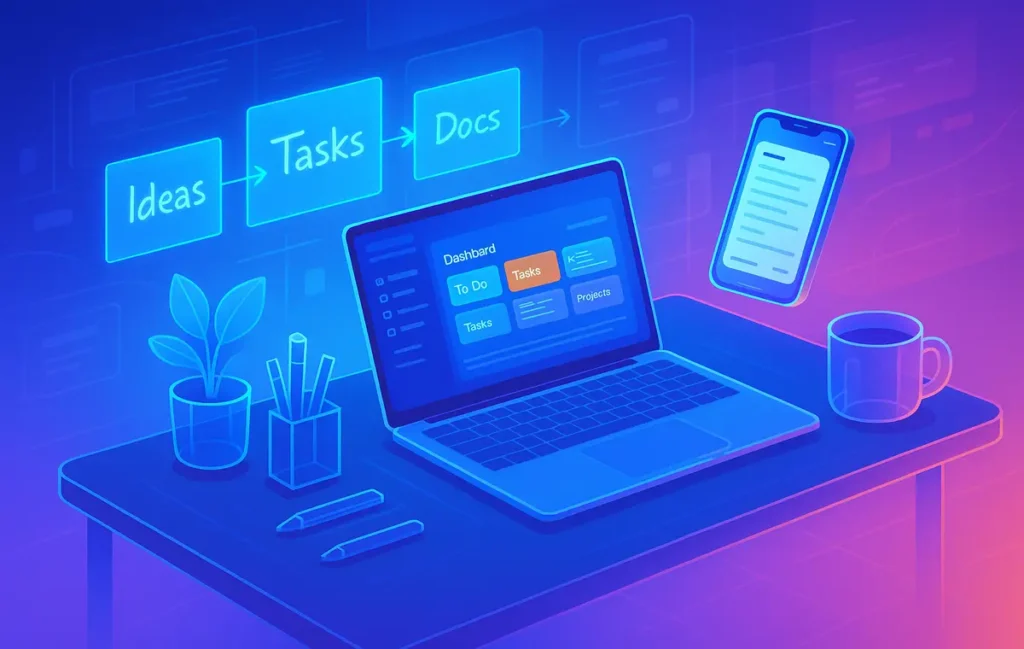
The best note-taking apps for entrepreneurs in 2026 are the ones that behave like a business brain, not a pretty notebook. Tools like Notion, Apple Notes, Obsidian and newer “thinking OS” apps work best when you combine them into a capture → clarify → action workflow that plugs into your business stack.
🎣 Entrepreneurs Don’t Need “Note Apps.” They Need “Thinking Systems.”
If you’re building a business, you already know the truth: notes aren’t the problem. You probably have thousands of them — in email, screenshots, post-its, voice memos, DMs. The real problem is that almost none of those notes reliably turn into better decisions, clearer documentation, or actual shipped work.
Most entrepreneurs don’t need another shiny “best note-taking app.” They need a thinking system that takes them from messy input to clear output:
-
Capture ideas when they appear.
-
Clarify what they mean and whether they matter.
-
Connect them to projects, people, and timelines.
-
Execute on them through tasks and documentation.
That’s why on NerdChips we treat note-taking as one layer in a Business Knowledge System, not a standalone hobby. Your note app should talk to the rest of your stack, just like your capture habits should talk to your planning and execution habits. If you’re already building an inbox for screenshots, clips, and snippets, a system like the one we explored in the Capture-Once System: Inbox for Screenshots, Clips, Snippets becomes the front door to this whole workflow.
💡 Nerd Tip: Before you pick a “best app,” decide what role you want notes to play in your business: memory, strategy lab, documentation hub, or all three.
🧩 What Entrepreneurs Actually Need from a Note-Taking App
Most app comparison posts start with features. Founders should start with friction. Every time you hesitate to capture, search, or act on a note, you pay a tiny tax in attention. Over a year, that tax becomes real money.
For entrepreneurs, a serious note app needs to solve a few specific jobs:
First, it must handle multi-format capture without drama. On any given day you’re dealing with meeting summaries, screenshots, PDFs from investors, voice memos between calls, and quick thoughts mid-commute. Your tools need to accept all of that without forcing you to think about structure too soon. This is where simple front doors like Apple Notes or quick databases in Notion shine. Pairing your note system with a fast capture inbox, like in the Capture-Once System: Inbox for Screenshots, Clips, Snippets, keeps everything flowing into one place instead of fragmenting into seven apps.
Second, you need search that feels like cheating, not like archaeology. Entrepreneurs rarely have time to remember exact filenames or folder structures. Full-text search, tagging, and even local indexing of PDFs should make it trivial to rediscover a pitch deck, a legal clause, or a customer quote months later. The moment you say “I know I wrote this down somewhere” and can’t find it, your system has failed.
Third, linking and structure matter once your business starts to scale. Databases, backlinks, or graph views aren’t toys; they’re ways to see how a piece of meeting feedback connects to a product experiment, then to churn, then to your roadmap. Apps like Obsidian, Reflect, Capacities, and Tana are designed to surface those connections once the raw notes are in.
Finally, founders need action pipelines. Note apps that stop at storage are half-finished tools. The real power appears when you can turn a paragraph of meeting notes into a series of tasks, assign them, and track them. When your notes talk to your task/project OS — often via automations like the ones we cover in AI Productivity Tools for Solopreneurs – Run Lean, Scale Smart — your notes stop being archive and start being engine.
💡 Nerd Tip: When evaluating any note app, ask one hard question: “How does this help me execute faster next week, not just feel organized today?”
🧬 The Entrepreneur Note-Taking Spectrum (Choose Your Style)
Every founder has a default style of thinking. Some love dashboards and databases. Others think in quick scribbles, voice notes, and sticky ideas. Instead of forcing yourself into a single “best” tool, it’s smarter to pick a category that matches how you already operate.
To make this easier, it helps to think of note apps as a spectrum rather than one winner. On one end, you have apps that behave like a Thinking OS for your whole company. On the other, you have instant capture tools that are more like a digital napkin. In the middle live “research brains” for deep thinkers.
| Type | Example Apps | Best For | Main Risk |
|---|---|---|---|
| Thinking OS | Notion, Capacities, Tana, Reflect | Founders building a full business OS with docs, CRM, and projects | Overbuilding systems you never use |
| Instant Capture | Apple Notes, Google Keep, Obsidian Quick Capture | Fast idea capture, meeting notes, daily decisions | Becomes a junk drawer without processing time |
| Research Brain | Obsidian, Logseq, Anytype | Deep research, technical and product founders | Amazing for insight, weaker for team-facing docs |
You don’t have to marry one type forever. Many entrepreneurs do best with a hybrid setup: a fast capture app, a structured thinking brain, and a shared documentation hub. The rest of this post will help you choose which app plays which role in your stack.
💡 Nerd Tip: Don’t ask “Which app should I use?” Ask “Which app should be my inbox, and which app should be my brain?”
🏗️ Type A — “Thinking OS” Apps (Notion / Capacities / Reflect / Tana)
“Thinking OS” apps try to be more than notes. They aim to be the place where your business brain lives: docs, tasks, pipelines, and sometimes even CRM. Notion is still the default name here, but newer tools like Capacities, Reflect, and Tana are aggressively focused on structured thinking and knowledge graphs.
For entrepreneurs, the main advantage of these tools is that they are database-first. A meeting note isn’t just text; it can be a record that links to the client, the deal stage, the next action, and the related project. This makes it much easier to turn ideas into trackable workflows, especially when you’re juggling clients, products, and internal projects at once.
Reflect, Capacities, and Tana push this even further with automatic linking, daily notes, and typed entities. They’re built for people who think in connections rather than folders. A note about a feature idea automatically links to the customer who requested it, your product doc, and your launch checklist, so you don’t have to manually backfill structure later.
On the downside, these tools can be overwhelming if you treat them like a blank page. Many founders fall into the trap of spending weeks building “perfect” dashboards while nothing in the business actually moves. If you lean toward this category, start with a very small set of core views: meetings, projects, decisions, and a simple CRM. Everything else can grow later.
💡 Nerd Tip: If a Notion page doesn’t help you ship faster or decide faster, archive it or refactor it. A calm OS beats a clever one.
⚡ Type B — “Instant Capture” Apps (Apple Notes / Google Keep / Obsidian Quick Capture)
Instant capture tools are the opposite of over-engineering. Apple Notes, Google Keep, and quick-capture flows in apps like Obsidian exist to answer one need: “Can I grab this thought right now before it vanishes?” For iPhone-based entrepreneurs, Apple Notes is usually the fastest zero-friction choice.
Apple Notes excels at accepting whatever you throw at it: text, checklists, photos of whiteboards, scanned documents, voice notes, and simple sketches. Tags and folders give you just enough structure without you having to design a system. You can capture ideas during a commute, archive a signed contract, or jot down a client quote in seconds.
The real power appears when you pair instant capture with smart follow-up tools. For example, combining Apple Notes with a good clipboard manager — like the ones we explore in Clipboard Managers for Power Users: Templates, Snippets & Automation — lets you reuse common snippets, client responses, and templates across your workflow. Your quick notes stop being one-off scribbles and start becoming reusable building blocks.
The main risk here is turning your instant capture app into a bottomless pit. If you never review, process, or promote notes into your main system, you’ll end up with thousands of untrusted notes you rarely search. The best entrepreneurs treat tools like Apple Notes as an inbox, not a warehouse: a place where ideas land, then later either become tasks, documents, or archives.
💡 Nerd Tip: Add one recurring 20–30 minute “notes review” block each week. Promote, delete, or archive. Don’t let your fastest inbox become your slowest graveyard.
🧠 Type C — “Research Brains” (Obsidian / Logseq / Anytype)
Research brain apps are for founders who think in webs rather than lines. If your work involves deep reading, technical exploration, strategy documents, or product research, tools like Obsidian, Logseq, and Anytype feel like home. They’re built around local files, backlinks, and graph views.
Obsidian, for example, lets you turn each note into a node in a graph of related ideas. A note about your pricing experiments can link to customer interviews, competitor research, and the raw spreadsheets where you played with scenarios. As your research grows, the graph view surfaces patterns you didn’t consciously design.
Entrepreneurs who use these tools well tend to treat them as thinking labs, not team wikis. They are places where you explore ideas, refine models, and slowly grow a personal “operating manual” for your decisions. Relationships between notes — through aliases, tags, or links — make it easy to revisit a concept months later and see the full context around it.
The downside is that these apps can be too inward-facing if you’re not careful. Your team may never see the insights if they stay inside your Obsidian vault. That’s why many founders push distilled conclusions into more public-facing tools like Notion or a shared doc. The research brain is where you prepare the story; your shared OS is where the story is told.
💡 Nerd Tip: When you finish a research session in Obsidian, write one short “export” note: What did you decide, and where should this live for the team?
🏅 Best Note-Taking Apps for Entrepreneurs (Deep Reviews)
Now let’s walk through the top contenders in 2026 and how they fit real founder workflows, not just feature grids.
🥇 1. Notion — The All-in-One Business OS
Notion is still the default recommendation for a reason: it behaves like a Swiss Army knife for founders. At its core, Notion combines databases, documents, and templates in one place. This lets you keep meeting notes, investor updates, product specs, and hiring pipelines all under one roof.
For entrepreneurs, the biggest draw is database views. A single database of meeting notes can be filtered by client, project, or deal stage. You can take notes in a simple page during a call, then later view them in a CRM-style board when planning the week. This fluidity means you don’t have to manually file everything as you go.
Notion’s AI features add another layer of leverage. You can summarize long calls, highlight risks, extract action items, or generate first-draft documentation from rough bullets. Used thoughtfully — and combined with the approach we described in AI Productivity Tools for Solopreneurs – Run Lean, Scale Smart — this can save hours of manual rewriting.
The main risks with Notion are speed and sprawl. On slower connections or older devices, large workspaces can feel sluggish. And if you create pages casually without clear conventions, your workspace can become cluttered. Successful founders using Notion almost always define a few “home base” views: Today, This Week, Active Projects, and Pipeline — then treat everything else as optional.
💡 Nerd Tip: Limit yourself to one main workspace sidebar section labeled “Now.” If a Notion page doesn’t affect your next 30 days, it probably belongs somewhere else.
📝 2. Apple Notes — The Fastest Capture Tool (Zero Learning Curve)
If you live inside the Apple ecosystem, Apple Notes is the fastest way to never lose a thought again. It ships on every device, opens instantly, and accepts nearly any input without asking questions. For many solopreneurs and small teams, it’s the most important app on their phone.
Apple Notes works well as your capture layer. You can dictate ideas between meetings, scan contracts, save photos of whiteboards, or quickly write down client feedback. Tags and shared folders make it surprisingly capable as a lightweight collaboration tool when you need to brainstorm with a cofounder or VA.
Where Apple Notes really shines for entrepreneurs is when you tie it into other tools. Combine it with a strong clipboard and snippet workflow — as we cover in Clipboard Managers for Power Users: Templates, Snippets & Automation — and suddenly your note inbox is connected to templated emails, canned responses, and common snippets you reuse across the business. You can copy-paste less and think more.
The main limitation is scalability. Apple Notes is fantastic for personal capture but weaker as a central business OS. It lacks database views, serious task linking, and advanced integrations. That’s fine if you treat it as your front door and regularly move key notes into a more structured system like Notion or a dedicated project manager.
💡 Nerd Tip: Create three fixed pinned notes — “Today,” “This Week,” and “Parking Lot.” Promote anything important out of general notes into one of these so your attention always lands in the right place.
🧩 3. Obsidian — For Deep Thinkers & Technical Founders
Obsidian is beloved by technical founders, engineers, and research-heavy entrepreneurs for one main reason: you own the files. Notes are stored locally as Markdown, giving you full control, offline access, and longevity that goes beyond any single SaaS tool.
For deep thinking, the backlink and graph system is a huge advantage. You can explore relationships between product ideas, user research, and strategic memos visually. Over time, the graph reveals clusters around recurring themes like pricing, customer pain points, or growth experiments — signals that are easy to miss inside linear tools.
Obsidian’s plugin ecosystem also matters for entrepreneurs. You can add spaced repetition, kanban boards, advanced search, and even daily planners. This flexibility makes it possible to create a fully custom “founder brain” that matches how you think, rather than forcing you into someone else’s template.
The trade-off is complexity. Obsidian rewards people who enjoy tinkering. If you already feel stretched thin, the learning curve can feel like another side project. Many founders use Obsidian primarily for strategy, research, and journaling, then publish distilled decisions to more team-friendly spaces.
💡 Nerd Tip: Start Obsidian with just three folders: “Journal,” “Research,” and “Decisions.” If a note doesn’t fit one of these, reconsider why you’re writing it.
🧠 4. Reflect / Capacities / Tana — AI-Structured Thinking Apps
Reflect, Capacities, and Tana represent a newer class of apps that blend daily notes, auto-linking, and AI-structured thinking. Instead of you manually building taxonomies, these tools help classify and connect notes on the fly.
For entrepreneurs, the appeal is speed. You can take quick daily notes, log meetings, capture passing ideas, and trust the system to create entities like people, projects, or companies as you go. Over time, your workspace becomes a knowledge graph that grows almost organically.
The AI layer often includes automatic summaries, suggested links, and prompts that nudge you to close loops. For example, a meeting note with a client might automatically show previous calls, open todos, and relevant docs. This reduces the cognitive overhead of remembering “where everything lives,” especially as your calendar fills up.
Founders who don’t enjoy wrangling databases but still want a rich thinking environment tend to resonate here. These tools strike a balance between the structure of Notion and the freedom of a daily journal. They’re particularly good for solo founders or very small teams who want a powerful brain without hiring an “operations architect.”
💡 Nerd Tip: Use the daily note as your single “entry point.” At the end of each day, tag key decisions and link them to projects so your future self never wonders why a choice was made.
📦 5. Evernote Alternatives for 2026 (Nimbus, UpNote, Amplenote…)
If you grew up on Evernote but don’t love where it ended up, there’s a healthy set of Evernote-style alternatives that keep the classic notebook feel while being more lightweight and affordable. Nimbus Note, UpNote, Amplenote, and similar tools are worth a look if you want structure without committing to a full OS.
These apps are typically cross-platform and low-friction. You get notebooks, tags, decent search, and often web clipper functionality for capturing articles, documentation, and reference materials. For early-stage entrepreneurs, they provide a stable place to keep everything without requiring a full-blown system design.
Many of them have added features like checklists, basic task linking, or calendar integration. While they may not rival Notion for database power or Obsidian for knowledge graphs, they excel at being reliable, quiet tools that don’t demand constant tweaking.
Their main limitation is usually ecosystem depth. Fewer integrations, smaller communities, and less experimentation can slow down power users. But if your primary goal is simply “have a trustworthy notebook that won’t get in my way,” these apps can be exactly right, especially if you pair them with external automation or task tools.
💡 Nerd Tip: If you choose one of these, standardize a simple prefix system in your note titles — like “MEET – Client Name,” “IDEA – Product,” “DOC – SOP Name” — to keep search fast and predictable.
🛠️ How to Build a Note-Taking Workflow That Actually Helps Your Business
Tools matter less than the workflow that connects them. The most successful entrepreneurs treat notes like a pipeline: ideas go in one end and come out as shipped work, clarified decisions, or stable documentation.
A simple but powerful model is to think in four layers: Capture → Processing → Action → Archive. Capture can live in Apple Notes or a quick Notion database. Processing happens when you sit down to decide what a note actually means. Action is when you convert decisions into tasks and calendar blocks. Archive is where you store what needs to be remembered long-term.
For example, you might capture everything during the week in Apple Notes: meeting notes, voice memos, screenshots, and random ideas. Once or twice a week, you move anything important into Notion or Obsidian, clarifying what each note actually is — an idea to test, a decision already made, a request from a client. Then you translate those into tasks in your project manager or within Notion itself, assigning owners and due dates.
To make the action layer more intuitive, many founders use visual encodings, such as emojis or icons for priority and energy. We’ve broken this down in detail in Visual To-Do Encoding: Emojis for Priority & Energy, where a simple emoji system helps you see at a glance which tasks need deep focus and which ones fit into low-energy time slots. When your notes feed into a task list that already tells you when and how to tackle items, execution becomes far less painful.
If you’re working across office and remote setups, connecting this pipeline with the tools we covered in Productivity Tools for Hybrid Work ensures that your note system plays nicely with video calls, shared docs, and distributed teammates.
💡 Nerd Tip: Don’t try to “fix” note chaos in one day. Design the pipeline first, then change only one habit at a time — usually the capture layer or the weekly review.
🤖 AI Layer — The Multiplier for Entrepreneur Note-Taking
AI doesn’t replace note-taking; it amplifies it. For busy entrepreneurs, the AI layer turns raw input into structured insight faster than any assistant you could reasonably hire at an early stage.
At the most basic level, AI summarization converts long meeting notes and call transcripts into digestible briefs. Instead of re-reading a 2,000-word transcript, you get a one-page overview, key decisions, and open questions. Combined with strong prompts, you can have AI highlight risks, propose next steps, or rewrite messy bullets into polished client-facing recaps.
You do need to treat AI as a helpful analyst, not as an infallible authority. It will occasionally hallucinate tasks or conclusions that weren’t actually agreed upon. That’s why your review layer remains critical: you skim the AI output, confirm it matches reality, then paste it into your OS. When used this way, AI takes care of the grunt work while you keep control of the judgment.
We go into more detail on workflows, prompt strategies, and tool choices in AI Productivity Tools for Solopreneurs – Run Lean, Scale Smart. The key idea is simple: any note that will be expensive to revisit later should pass through an AI summarization pass today. This is especially true for multi-stakeholder meetings, investor calls, and customer interviews.
💡 Nerd Tip: Create one standard AI prompt for “Meeting Summary → Decisions → Tasks → Risks.” Use it every time. Consistency beats cleverness.
⚡ Ready to Automate Your Note-to-Action Flow?
Connect your favorite note apps to tools like Zapier, Make, or Notion automations and turn every meeting note into tasks, follow-ups, and documentation—without manual copy-paste.
📋 Templates for Entrepreneur Note-Taking
Once you’ve chosen apps and designed a pipeline, templates become the force multiplier. Instead of reinventing the wheel every time, you reuse proven structures for the most common types of notes.
A good meeting template includes a clear agenda, participants, key decisions, risks, and next steps. Each call should end with explicit actions and owners. Over time, these templates become invaluable audit trails, especially when your business grows and you need to understand why a decision was made three quarters ago.
A Founder Daily Log works best as a lightweight journal where you track what you worked on, what you decided, and what you’re worried about. In many cases, this log becomes your most honest feedback loop. It shows whether you’re spending time on high-leverage work or stuck in reactive mode. It also becomes a goldmine of examples for future documentation, hiring, and even investor storytelling.
For ideas, an Idea → Validation → Action pipeline keeps you honest. Every new idea lands in a capture column, gets a quick sanity check, and then either moves into a validation experiment or gets archived. This prevents your note app from turning into a shrine of “someday” projects and keeps you committed to shipping.
Standardized SOP templates and Project Kickoff sheets anchor all of this. When a recurring process works — onboarding a new client, launching a campaign, shipping a feature — capturing it in a template inside Notion or your documentation tool means your notes start compounding rather than evaporating.
💡 Nerd Tip: Every time you repeat a process twice, pause and turn the third run into a template. That’s the moment when documentation becomes leverage instead of homework.
🟩 Eric’s Note
I don’t care which logo is on your note app. I care whether tomorrow morning you can open one screen and clearly see what matters. If a tool doesn’t reduce that distance between you and clarity, it’s not your tool — no matter how many people on X swear by it.
📬 Want More Nerdy Workflow Breakdowns?
Join the free NerdChips newsletter and get weekly breakdowns of real-world founder stacks—AI tools, note systems, and productivity flows that actually get used.
🔐 100% privacy. No noise. Just field-tested workflows and tools from the NerdChips lab.
🧠 Nerd Verdict
Entrepreneurs don’t win by picking the “objectively best” note-taking app. They win by designing a trusted thinking environment where ideas flow naturally into decisions, tasks, and documentation. Notion, Apple Notes, Obsidian, Reflect, Capacities, Tana, and the Evernote-style tools can all play a role, but only if you’re clear about the job each one is hired to do.
For most founders, the sweet spot in 2026 looks like this: a fast capture inbox (often Apple Notes), a thinking and documentation hub (Notion or a similar OS-style tool), and for some, a research brain (Obsidian or equivalent). Layer in automation, AI summarization, and smart visual encodings like the system from Visual To-Do Encoding: Emojis for Priority & Energy, and your note system stops being overhead and starts feeling like a real partner.
NerdChips’ stance is simple: pick fewer tools, connect them deeply, and review them regularly. Your note system should feel like a calm cockpit, not a museum of abandoned experiments.
❓ FAQ: Nerds Ask, We Answer
💬 Would You Bite?
If you had to keep only two apps — one for capturing everything and one for running your business brain — which would you choose right now?
And what would have to change in your workflow for that pair to actually feel effortless? 👇
Crafted by NerdChips for creators and teams who want their best ideas to travel the world.