🧲 Intro:
Scattered to-do lists and bloated tools are silent productivity killers. They fracture attention, multiply duplicate tasks, and make even simple projects feel heavy. In 2025, the difference between daily chaos and calm output often comes down to one choice: picking a task management system that fits your work—today and six months from now. This isn’t a mere app roundup. It’s a practical, head-to-head look at systems that combine personal planning with team execution, cross-platform sync, and the new wave of AI-assisted scheduling and prioritization. If you’re hunting a leaner, smarter stack, this guide is your map.
💡 Nerd Tip: Before you switch tools, decide how you want to see work (timeline, list, Kanban, calendar). The right view + habit combo beats any feature list.
🧭 Context & Who It’s For
Whether you’re a freelancer juggling client deliverables, a student balancing coursework with part-time projects, or a startup team shipping weekly releases, you need a system that centralizes tasks across devices, nudges priorities automatically, and gives you just enough structure to move faster—without drowning you in configuration. If you’ve outgrown basic to-dos but find full project suites intimidating, you’re in the sweet spot this article targets. And if you’re building a deeper personal knowledge system in parallel, pair this with Ultimate Guide to Building a Second Brain for an end-to-end workflow. Teams comparing collaboration platforms should also see Best Task Management Software for Teams, while solo users who want a simpler list can cross-check Cross-Platform To-Do List Apps Compared and Best Productivity Apps. For time planning around your tasks, Best Time Management Apps to Keep You on Track rounds out your stack.
🧱 What Makes a Great Task Management System in 2025?
A modern task system is more than a list. It’s an operating layer for your day. At minimum, it must be cross-platform (Windows, macOS, iOS, Android, Web) and near-instant in sync so you can context-switch without losing state. It should integrate with your email, calendar, chat, and CRM so tasks emerge where work already happens. Good systems respect offline mode and survive a spotty subway ride. Great systems add automation—turning recurring workflows into rules—and AI assistance that actually reduces decision load.
The second pillar is information architecture: clear hierarchy (goals → projects → tasks → subtasks), frictionless capture, and focused views. A system that can’t distill noise into a short “Today” list becomes shelfware. Finally, adoption matters. If your teammates find it confusing, you’ll spend more time explaining than executing.
💡 Nerd Tip: If you can’t explain your task hierarchy to a new teammate in two minutes, it’s too complex. Reduce levels or rename to match your team’s language.
🏅 Top Task Management Systems (2025 Edition)
Each platform below earns a place because it balances personal productivity with team coordination, scales across devices, and offers credible automation. The right choice depends on how you like to see work—and how complex your workflows are.
🟣 Asana — Project-oriented clarity with enterprise polish
Asana has matured into a project-first system that’s friendly to non-technical teams yet powerful enough for cross-functional programs. The core strength is its work graph: tasks, subtasks, dependencies, due dates, and custom fields combine to form timelines and dashboards your stakeholders actually understand. Templates for marketing launches, sprint planning, and OKR reviews speed onboarding, while Rules automate repetitive handoffs (e.g., “When status = Blocked, @mention owner and move to ‘Needs Review’”). Asana’s AI helps summarize project health, suggest next steps after meetings, and auto-organize tasks into your “Today” or “Upcoming” bucket based on urgency patterns. It’s not the cheapest, but it reduces coordination overhead—often the hidden tax in growing teams.
🟨 Trello — Kanban simplicity that ages shockingly well
Trello stays relevant because Kanban is timeless. Cards on boards feel natural, moving left to right as work progresses. For small teams and visual thinkers, Trello remains the fastest way to get a shared system rolling—especially when paired with Butler automation for rules like “auto-add a checklist when a card enters ‘Design’” or “assign @QA when a card hits ‘Ready to Test’.” Trello’s power-ups cover calendars, custom fields, and integrations with Slack and Google Workspace. It won’t replace deep PM suites for complex dependencies, but for content pipelines, lightweight sprints, and client pipelines, it’s wonderfully sufficient.
🟣 ClickUp — All-in-one flexibility for builders and tinkerers
ClickUp is the Swiss Army knife of task systems. Lists, boards, Gantt, goals, docs, whiteboards, and dashboards live under one roof. That breadth makes it compelling for startups and operations teams that want tasks, SOPs, and KPIs in one space. ClickUp’s automation center is robust, and its AI can draft subtasks from a high-level goal, generate checklists, and suggest priorities. The trade-off for this flexibility is setup overhead: you’ll get the most if you invest in thoughtful spaces, folders, and custom fields up front. Do that, and ClickUp becomes a control room that scales.
⚪ Notion Tasks — Tasks meet connected knowledge
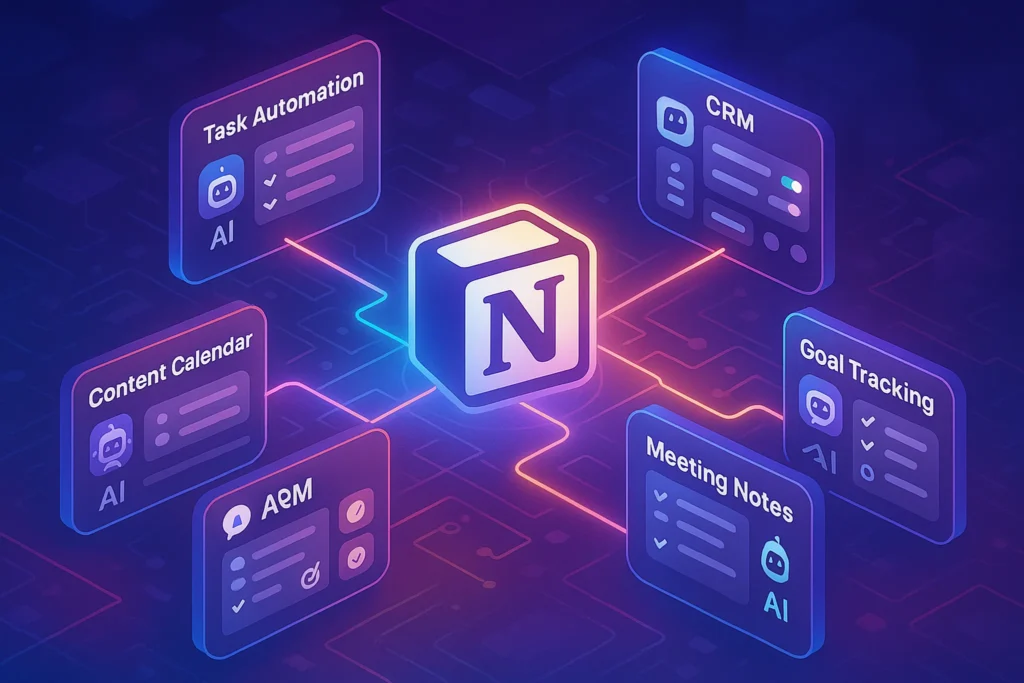
Notion is a workspace first and a task manager second, but in 2025 its Tasks capabilities are strong enough to anchor many teams. The magic is linked databases: tasks, specs, meeting notes, and roadmaps reference each other without duplication. For creators, agencies, and product teams that live in docs, Notion makes it easy to go from “idea in a note” to “scoped task with assignee and timeline” in a single flow. Its AI assistant can summarize meetings into action items, and templates render repeatable pipelines. If you crave native burndown charts and heavyweight dependency logic, look toward Asana or ClickUp; if your work starts as text, Notion Tasks feels frictionless.
🔴 Todoist — Personal power with surgical focus
Todoist remains the gold standard for personal tasking. It’s fast, clean, and powerful where it counts: natural-language capture (“Tue 3pm #Work @DeepWork”), consistent cross-platform behavior, and reliable sync. Filters let you build dynamic views (“Today + Priority 1 + Project = Client A”), and the Karma streaks nudge habit formation. With 2025’s AI upgrades, Todoist can auto-prioritize your day based on past behavior and suggest planning blocks. For power users who want minimal ceremony and maximal speed, it’s hard to beat.
🟦 Microsoft To Do — Free, familiar, and tightly integrated
For Windows and Microsoft 365 users, To Do is the easiest free on-ramp. It excels at personal organization and lightweight team coordination when paired with Planner or Loop. Flagged emails from Outlook become tasks automatically, shared lists are simple, and recurring reminders just work. It’s not built for complex programs, but if your stack is Office-centric and budget-sensitive, To Do provides surprising mileage.
🟧 Monday.com — Visual workflow engine for scaling teams
Monday’s superpower is visual work automation. Boards with color-coded statuses, owner columns, and integration recipes create living dashboards anyone can understand. It’s popular with sales-marketing-ops teams that want a bird’s-eye view of pipelines, SLAs, and campaign stages. Automations are intuitive (“When status changes to Done, notify manager and move item to Completed board”), and AI assists with data cleansing and timeline suggestions. Among enterprise-leaning tools, Monday is approachable while still handling scale.
💡 Nerd Tip: Start with the default templates only to learn the tool. Replace them with your simplified version after one week of real usage.
⚡ Ready to Build a System You’ll Actually Use?
Test-drive Asana, Trello, ClickUp, Notion Tasks, Todoist, and Monday.com. Start with a 30-minute template, run a 2-week pilot, and measure time saved.
⚖️ Feature Comparison Matrix (2025 Snapshot)
| Platform | Platforms | Offline | Native AI | Notable Integrations | Best Fit |
|---|---|---|---|---|---|
| Asana | Win, macOS, iOS, Android, Web | Good | Summaries, next-step hints, smart fields | Slack, Gmail/Outlook, Drive, Jira, HubSpot | Cross-team projects |
| Trello | All major + Web | Basic | Card summaries, rule suggestions | Slack, Google Workspace, GitHub, Calendar | Visual pipelines |
| ClickUp | All major + Web | Good | Task drafting, auto-subtasks, writing | Slack, Drive, Git tools, CRM, BI | All-in-one ops |
| Notion Tasks | All major + Web | Good | Meeting/action summaries, doc→task | Slack, Calendar, GitHub, Zapier/Make | Docs + tasks |
| Todoist | All major + Web | Excellent | Smart prioritization, daily plan | Gmail/Outlook, Calendar, Zapier/Make | Personal mastery |
| Microsoft To Do | Win, macOS, iOS, Android, Web | Good | MS 365 suggestions | Outlook/Planner/Loop/Teams | Free & familiar |
| Monday.com | All major + Web | Good | Timeline suggestions, data hygiene | Slack, CRM, Gmail/Outlook, BI | Visual workflows |
Matrix aims to guide shortlisting. Always test your exact integrations and offline needs in a trial.
🧑🏫 Best Picks by User Type
Students: If you want fast capture and zero friction, Todoist is excellent—use projects for classes and filters for exam weeks. If you’re deep in Microsoft 365, To Do syncs beautifully with Outlook so flagged emails never disappear. Students who collaborate on group projects might prefer Trello boards per class, letting you see progress at a glance.
Small Teams & Agencies: Trello offers the quickest shared start; ClickUp wins if you want tasks + docs + dashboards under one roof. Notion Tasks is a winner for creators and content teams who live in briefs and need tasks that tie back to those docs.
Growing Startups & Mid-Size: Asana and Monday.com shine when you need repeatable cross-functional workflows, stakeholder-friendly timelines, and automations that reduce handoffs. Asana’s project health reports and Monday’s visual boards improve trust with non-technical stakeholders.
Hybrid Creators & PMs: Notion Tasks lets you keep specs, SOPs, and tasks together. For PMs who need burnups and integration with engineering tools, Asana or ClickUp may fit better.
💡 Nerd Tip: Don’t over-tool. One personal system + one team system is enough. Connect them via calendar or automation rather than duplicating tasks manually.
🤖 AI-Powered Task Management in 2025
AI finally moved from a novelty to a daily accelerator. The most valuable features are smart prioritization, auto-scheduling, and context extraction. In practice, that means your task list adapts when a deadline shifts; it proposes rescheduling low-impact work and surfaces the two tasks most likely to unblock your week. Meeting recordings and notes can be summarized into action items—then auto-assigned with due dates based on similar past work. Teams report tangible gains when they let AI batch similar tasks, reducing context switching by an extra 30–60 minutes per day per person.
The key is guardrails. Keep humans in the loop for final scheduling and ensure AI-generated tasks remain visible before they hit “Accepted.” Blind trust creates clutter. Also, be intentional with data. Connect only what improves decisions: calendar, project status, and task metadata—not your entire inbox archive.
💡 Nerd Tip: Use AI for first drafts and sorting, never for final planning. A 30-second human review prevents a day of drift.
🔌 Integrations That Supercharge Your System
The best systems extend into your daily tools. Email integrations convert flagged messages into tasks automatically. Calendar syncs ensure task blocks sit next to your meetings so you see real capacity. Chat (Slack/Teams) should be a destination, not the brain—pipe only the high-signal events (assigned to me, due date changed today, blocked). CRM connections (HubSpot/Salesforce) create follow-ups when deals move stage; for product teams, GitHub/Jira links turn bug reports into tasks with traceability.
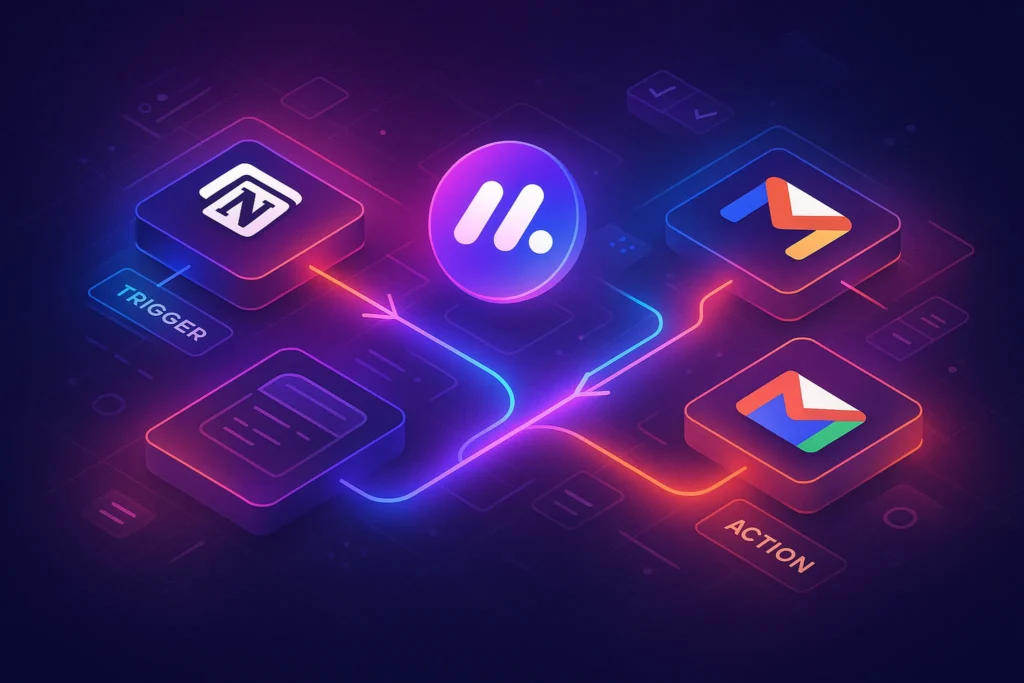
Automations are the multiplier. For example: When a form is submitted by a client, create a task in Asana, assign it to the right project, and post a summary in Slack. Or, when a Notion doc status flips to “Approved,” spawn a ClickUp checklist and due date. If you rely on no-code automation outside the platform, see Workflow Automation 101 later and—if you’re comparing tools—Best Workflow Automation Tools for Solopreneurs & Remote Teams.
💡 Nerd Tip: Integrate fewer, stronger events. Over-notifying kills adoption faster than a buggy mobile app.
🧩 Challenges & How to Overcome Them
Feature Overload: Many tools can do everything; you shouldn’t. Define your MVP workflow: capture, prioritize, schedule, review. Disable advanced modules for 30 days. Add complexity only when the team asks for it.
Switching Costs: Migration fatigue is real. Export tasks and metadata from the old system, import into a clean staging space, and run a two-week dual-track period. If the new system reduces weekly status time by >20%, commit.
Low Team Adoption: People don’t resist tools; they resist unclear benefits. Replace the Monday status meeting with a shared board + async update. Bake templates for “Bug triage,” “Launch plan,” or “Content pipeline” so nobody starts from scratch.
Personal vs Team Drift: It’s normal to keep personal tasks separate. Connect them through calendar blocks or a Weekly Review ritual so your “Today” isn’t double-booked.
💡 Nerd Tip: Measure adoption by meeting minutes saved and work-in-progress clarity—not by logins. Tools exist to buy back time.
🧠 Mini Case Study
A five-person startup split between product and growth switched from scattered to-dos and spreadsheets to ClickUp. They began with just three lists: Product Sprint, Growth Experiments, and Company Ops. Each had a 15-minute template workshop to define statuses and checklists. They integrated Slack (notifications only when tasks moved to “Ready for Review”), Google Calendar (blocking deep work), and a lightweight CRM sync for post-demo follow-ups. AI drafting turned meeting notes into initial task lists, and a weekly automation rolled leftovers into the next sprint.
Within six weeks, they cut their Monday stand-up from 45 to 15 minutes, reduced “lost tasks” to near zero, and shipped two extra experiments per month. A 25% bump in completed tasks came not from more hours—but from fewer collisions and clearer handoffs. That’s what a good system buys you.
🧩 Comparison Notes (Scope Clarity)
This piece is your all-in-one overview of task management systems that blend personal and team workflows. If you only need personal to-dos, see Cross-Platform To-Do List Apps Compared and Best Productivity Apps. If your priority is team collaboration with enterprise features, go deeper with Best Task Management Software for Teams. For calendar and time planning around tasks, add Best Time Management Apps to Keep You on Track. And if you’re building your knowledge backbone, integrate with Ultimate Guide to Building a Second Brain.
📬 Want More Smart Productivity Playbooks?
Join our free newsletter for weekly, field-tested systems—AI scheduling, task templates, and deep-work tactics. Curated by the NerdChips team.
🔐 100% privacy. No noise. Just value-packed insights.
🧠 Nerd Verdict
The best task management system in 2025 is not the one with the most features—it’s the one that mirrors how you actually work and gets adopted by everyone who touches your projects. For personal mastery, Todoist remains unmatched in speed and clarity. For visual pipelines and quick team starts, Trello still shines. For scaling teams that need automation and reporting, Asana and Monday.com bring stakeholder-friendly structure, while ClickUp consolidates tasks, docs, and dashboards into a single control room. Notion Tasks is the natural choice when your work lives in documents. Start simple, integrate smartly, and let AI assist—not dictate—your day. That’s the NerdChips way: fewer switches, more shipped work.
❓ FAQ: Nerds Ask, We Answer
💬 Would You Bite?
If you had to pick today, would you choose a simpler system (Trello/Todoist) you’ll use daily, or an all-in-one (ClickUp/Asana) that centralizes everything under one roof?
Tell us your workflow style, and we’ll tailor a two-week pilot plan. 👇
Crafted by NerdChips for creators and teams who want their best ideas to travel the world.