⏱️ Intro: Track Time Without Losing Trust—or Your Flow
Traditional time tracking grew up inside billing departments and compliance checklists. It wasn’t designed for creators, indie developers, or remote-first teams who measure progress by shipped outcomes rather than keystrokes. That mismatch is why so many people associate timers with anxiety. In 2025, the best tools flipped the script: autonomy over oversight, insight over surveillance, and nudges over nags. You get clarity about where your day actually goes, without feeling watched.
This guide collects the apps and workflows that work with your brain instead of against it. We’ll focus on gentle tracking (minimal friction), privacy-first design (local or opt-in data), and AI insights that help you make better choices tomorrow. If you’re building a full system around these apps, it pairs neatly with our breakdown of planning methods in Time Blocking vs Task Batching: Pro Tips to Boost Productivity and our curated Best Pomodoro Apps That Actually Improve Focus & Deep Work—because tracking only helps when it turns into better sessions. For a wider catalog of tools beyond tracking, see Best Time Management Apps to Keep You on Track and the open-source picks in Best Productivity Apps.
💡 Nerd Tip: The goal isn’t perfect logs. It’s a kinder feedback loop: observe → adjust → improve. Time tracking should make you curious, not guilty.
🧠 Why Traditional Time Tracking Fails (and What to Replace It With)
The classic model treats time logs as proof for someone else. That’s why it leans on hyper-detail, manual entry, and—at its worst—screen captures. Those mechanics breed defensive behavior: people work to satisfy the log, not the goal. Meanwhile, manual timers decay because real work doesn’t move in neat start/stop blocks; flow is messy. When the cost of logging exceeds the benefit of insight, adoption collapses and everyone quietly quits the tool.
Humane time tracking begins with a different premise: your attention is the scarce resource, and you’re the primary user of the data. Apps should either capture passively in the background or make active logging so effortless that it fades into the session. They should highlight patterns you can act on—context switching, focus windows, fatigue points—not produce courtroom exhibits. And they should make privacy a first-class feature, from local processing to transparent controls. If a tool can’t explain what it captures and why, it has no place on a creator’s machine.
There’s also a cultural shift at play. Teams that publish clear goals and outcomes don’t need invasive tracking to tell whether work is moving. They need a light signal that says: this is where the day drifted. That kind of signal changes behavior fast, not through fear, but through awareness.
💡 Nerd Tip: Before trying an app, write one sentence: “If I knew X about my week, I would change Y.” If you can’t finish the sentence, you don’t need tracking—you need goals.
🛠️ The Best Non-Intrusive Time-Tracking Apps (Creator- and Freelancer-Friendly)
Below are tools we’ve seen solo operators and small teams adopt without pushback. Each one minimizes friction, centers the user, and resists micromanagement creep.
🎯 Toggl Track — Lightweight Timers, Honest Reports
Toggl earned its reputation by being fast to start and forgiving to forget. You can hit a single button, tag a project, and keep moving. When you inevitably leave a timer running, the web and mobile apps make cleanup painless. Reports are simple by default—time by client, project, or tag—so freelancers can answer “where did my week go?” without spelunking through settings. Crucially, Toggl doesn’t shove surveillance features into your face; the product feels built for self-tracking first, with optional team rollups if you graduate to small squads. If you bill clients, you can export clean summaries without revealing irrelevant minutiae.
🧭 RescueTime (Focus Workflows) — Passive Tracking with Gentle Nudges
RescueTime lives quietly in the background, classifying activity into rough categories—communication, design, coding, research—and surfacing focus blocks you can protect. Where it shines in 2025 is the workflow engine: you declare the kind of session you’re entering (“deep work for 60 minutes”), and RescueTime helps you hold the boundary with calendar sync, desktop nudges, and a post-session review that highlights derailers. It’s not interested in punishing you for checking a DM; it’s helping you swap back quickly. The AI suggestions are small, practical interventions (“consider moving this recurring call out of your focus window”) rather than moral lectures.
🤖 Timely by Memory — Automatic Time Capture, Zero Micromanagement
Timely’s promise is bold: automatic time capture across apps and documents, summarized into a private timeline only you can edit and publish. You review, confirm, and share just what’s relevant to a client or manager. That design eliminates the timer tax while keeping the user in control of what becomes a record. For consultants and designers who context-switch all day, Timely reconstructs the day so you don’t have to. The result isn’t surveillance; it’s memory aid. Teams get accurate project accounting without arguing over whether three minutes of email counts as a task.
🌿 Rize.io — An AI Coach for Focus, Not a Hall Monitor
Rize is what happens when habit design meets time tracking. It monitors session lengths, break cadence, and context-switching, then offers tiny habit experiments: try a 50/10 focus/rest rhythm this week, pull email to two batches, nudge the afternoon slump earlier. It reads like a coach, not a tracker, and the interface celebrates streaks without shaming interruptions. For creators who want better energy management more than billable minutiae, Rize’s perspective—“optimize for sustainable deep work”—lands well.
🧾 Harvest — Honest Billing Without Over-Detail
Harvest aims squarely at freelancers and small agencies who bill by project or retainer. The timer is simple, the invoice flow is clean, and the reporting granularity is right-sized: enough detail to justify a bill, not enough to feel like a spy tool. You can track expenses and attach receipts without dragging finance into your focus time. If accounting is part of your weekly ritual, Harvest reduces admin mindshare so tracking isn’t a second job.
🔒 Qbserve (Mac) — Privacy-First, Local-Only Insights
Qbserve is for users who want on-device analysis and zero external dashboards. It tags activity locally, builds private reports, and never sends data off your machine. That stance is rare—and welcome—when you’re handling sensitive material or simply prefer not to create more copies of your work life in the cloud. Qbserve’s charts won’t win design awards, but they answer the key questions (“how many real focus hours did I get?”) without leaking your life to another server.
🧮 Clockify (Solo Mode) — Free, Familiar, and Friendly to Individuals
Clockify is the everyperson’s timer: free to start, fast enough, and available everywhere. While teams can add layers you may not want, Solo Mode keeps things humane—projects, tags, quick edits, and decent reports. If you’re testing whether tracking helps at all, Clockify is a low-friction sandbox. When you outgrow it, your habits come with you.
💡 Nerd Tip: Evaluate tools by cleanup speed. You will forget timers. The right app makes fixing yesterday’s entries take minutes, not willpower.
🔬 What Makes an App Feel “Humane”? (Design Principles Worth Protecting)
Humane time tracking is an experience, not a feature list. It begins with clear ownership: you control what’s captured and what’s shared. Apps should default to private timelines that you selectively publish to clients or managers. Next is context awareness. Rather than tracking “minutes in app,” the best tools resolve work episodes—the contiguous blocks that map to how your brain actually engages. That subtle change produces reports that feel like a diary you recognize, not a forensic analysis a stranger assembled.
The interface matters more than marketers admit. A calm UI that mirrors your day in broad strokes (two deep work blocks, a meeting cluster, admin) promotes reflection. A busy UI pushes you back into optimization theater, fiddling tags instead of improving tomorrow’s schedule. Finally, humane tools stay close to decisions. They propose experiments: “Move standup 30 minutes later to protect the morning focus window.” An app that only totals hours gives you data; an app that changes your calendar gives you progress.
If you manage a team, you can broadcast these principles as policy. Declare: “We’re tracking to find focus and support accurate billing, not to rank people.” Explicit statements lower threat levels and boost honest usage. In our experience at NerdChips, teams that state why they track time see faster adoption, cleaner data, and fewer debates about what “counts.”
💡 Nerd Tip: Put your humane tracking policy in your handbook: private by default, opt-in sharing, no screenshots, and focus-hour goals instead of raw totals.
🧭 Comparison Snapshot (Scan, Then Choose One to Trial)
| App | Tracking Style | Best For | Signature Strength |
|---|---|---|---|
| Toggl Track | Manual + quick edit | Freelancers, small teams | Fast timers, clean reports, minimal setup |
| RescueTime | Passive + focus workflows | Focus seekers | Protects deep work with nudges and post-session reviews |
| Timely by Memory | Automatic timeline | Pros & teams | Auto-capture, user-controlled publishing—zero micromanagement |
| Rize.io | AI habit coach | Creators, solo builders | Actionable insights on breaks, context switches, and energy |
| Harvest | Manual + invoicing | Client billing | Straightforward invoices and expense tracking |
| Qbserve (Mac) | Private, on-device | Privacy-first users | No cloud—local analytics only |
| Clockify (Solo) | Manual, everywhere | Beginners, budget-minded | Free tier, familiar workflows, decent reports |
Pick one and commit for two weeks; switching weekly hides the real signal.
⚡ Ready to Build Smarter Workflows?
Explore AI workflow builders like HARPA AI, Zapier AI, and n8n plugins. Start automating in minutes—no coding, just creativity.
🧪 A Humane Starter Workflow You Can Deploy This Week
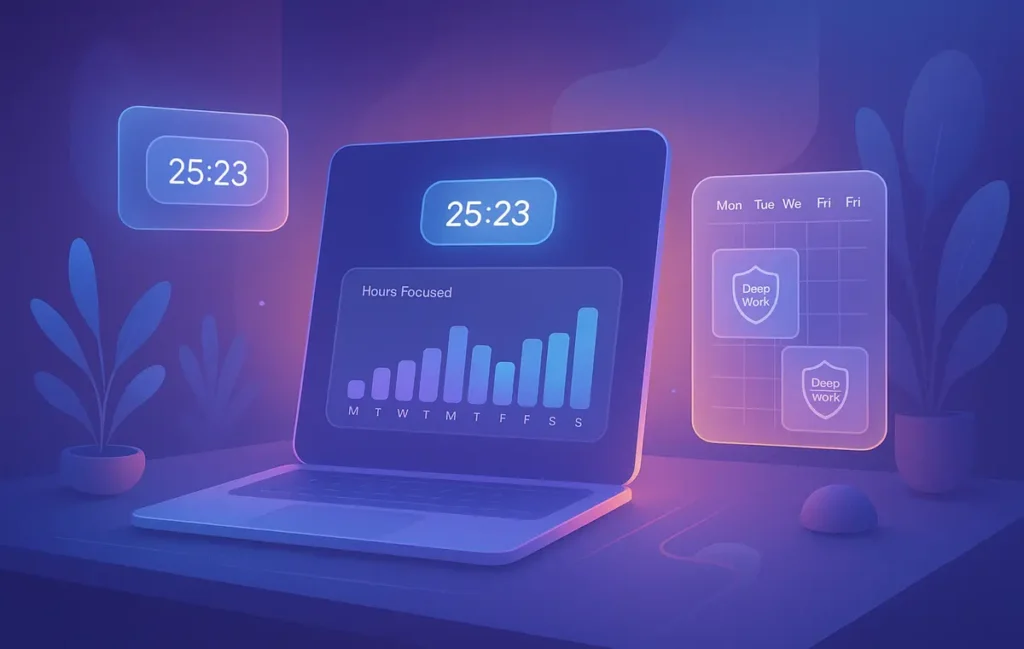
Start by naming why you’re tracking for the next 14 days: perhaps “find two 90-minute deep work blocks on weekdays” or “confirm whether email is swallowing mornings.” Once the goal is explicit, choose a tool that aligns with your temperament. If you’re allergic to timers, start with RescueTime or Timely. If you love tactile control, Toggl or Harvest is safe. Privacy purists on Mac can live entirely in Qbserve.
Anchor your day with focus windows. These are appointments with yourself, blocked on the calendar and protected by your tracker of choice. If you already use structured planning, the windows dovetail with Time Blocking vs Task Batching approaches. Use Pomodoro-style bursts inside those windows when attention wavers; if you need a companion app for intervals and pacing, our Best Pomodoro Apps list is tuned for deep work rather than gimmicks.
At the end of each day, run a two-minute review: What derailed the longest block? Which app captured a session you didn’t intend? Adjust tomorrow’s plan, don’t re-litigate today. On Friday, open your weekly report. If admin chores inflated unexpectedly, consider a boundary like batching email (tied to the tactics in Pro Tips for Effective Email Management). If you discover your best concentration lives before noon, reshape meetings accordingly. Tracking is only useful when it changes the calendar.
💡 Nerd Tip: Pair focus windows with status notes: “Shipping draft by 12:30.” Your tracker will confirm the block happened; your note cements intent.
🧯 Pitfalls & Fixes (So Your System Survives Month Two)
The first pitfall is over-tracking. Turning every breath into a tag breeds fatigue. Fix it by tracking at the project level (drafting, editing, client A), not forensic detail. The second is letting reports become judgment theater. Numbers are neutral until you weaponize them. Remind yourself—and your team—that the point is to find more time for meaningful work, not to worship totals.
A sneakier trap is data without decisions. Many people collect beautiful charts that never influence their week. Fix it by writing one decision per report: “Move standup to 10:30,” “Batch Slack replies at 1 p.m.,” “Reserve Friday morning for review-automation.” The last trap is tool creep. If your stack already includes planning and task apps, don’t bolt on a tracker that duplicates them. Choose the tracker that lives closest to where you actually do the work.
💡 Nerd Tip: Put “What will I change next week based on this report?” at the top of every Friday review. No change = no tracking.
🧭 14-Day Humane Tracking Checklist (Print, Tape, Use)
-
Day 0: Write your why; choose one app that matches your temperament.
-
Daily: Block two focus windows; label them with outcomes.
-
Daily: Two-minute cleanup in your tracker; leave breadcrumbs for tomorrow.
-
Midpoint: Kill one derailment (move a meeting, mute a channel).
-
Day 14: Ship one systemic change (new weekly template, batched comms).
💡 Nerd Tip: You’re building a reflex, not a ritual. Keep the checklist boring and the work exciting.
📬 Want More Smart AI Tips Like This?
Join our free newsletter and get weekly insights on AI tools, no-code apps, and future tech—delivered straight to your inbox. No fluff. Just high-quality content for creators, founders, and future builders.
🔐 100% privacy. No noise. Just value-packed content tips from NerdChips.
🔗 Read Next
To round out your system, build a planning backbone with the options in Best Time Management Apps to Keep You on Track and strengthen your routines with techniques from Time Blocking vs Task Batching: Pro Tips to Boost Productivity. If you rely on sprints and intervals, pair your tracker with a focused session app from Best Pomodoro Apps That Actually Improve Focus & Deep Work; and if you want transparent, privacy-friendly software beyond time tracking, explore the open-source picks in Best Productivity Apps. Finally, keep your inbox from hijacking your mornings by adopting the batching tactics in Pro Tips for Effective Email Management.
🧠 Nerd Verdict
Humane time tracking is a culture and a craft. The right app helps, but the win comes from how you use it: declare intent, protect focus windows, and let reports rewrite your calendar—not your self-worth. If you practice that loop for two weeks, you’ll feel the anxiety drain and the clarity rise. That’s the NerdChips way: tools that respect people, systems that compound, and work that ships.
❓ FAQ: Nerds Ask, We Answer
💬 Would You Bite?
What’s the single question you want your time data to answer next week—focus hours, context switches, or billing clarity?
Drop your answer and your current stack; we’ll propose a 14-day humane tracking plan you can copy. 👇
Crafted by NerdChips for creators who measure progress by what ships—not by keystroke counts.