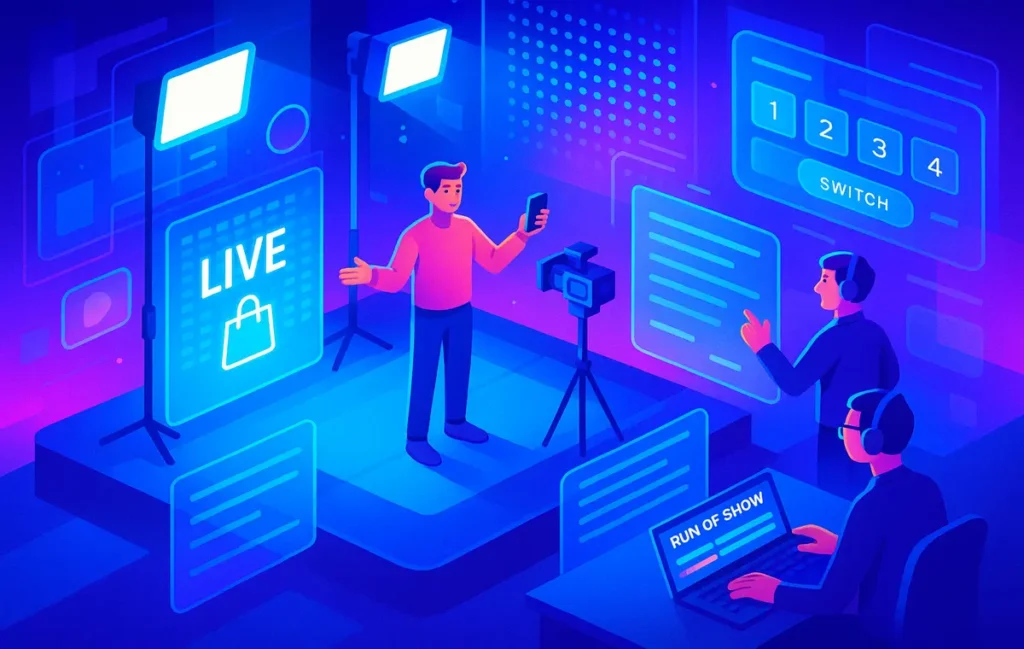
A live-shopping runbook is a detailed run-of-show that maps roles, cues, scenes, and contingencies minute by minute. It turns chaotic “let’s go live” energy into a repeatable sales show, so even a tiny team can deliver structured, high-converting streams instead of hope-based livestreams.
🎣 Live Shopping Is Not Just “Going Live”
The harsh truth: most live-shopping attempts don’t fail because of bad products. They fail because they’re treated like casual livestreams. Someone says “let’s go live,” the host improvises, chat goes wild, tech glitches show up, and by minute five the viewer graph looks like a cliff. What’s missing is not talent, gear, or discounts. What’s missing is a runbook.
A live-shopping runbook is your broadcast brain. It tells the host when to pitch, the producer when to cut cameras, the moderator when to drop promo codes, and the tech operator when to trigger overlays. It transforms a nervous, improvised session into something closer to a lightweight TV show, built to sell.
If you’ve already experimented with formats from basic livestreams to more polished setups, you’ve probably learned the hard way that gear alone doesn’t fix drop-offs. Tools from your Live Streaming 101 basics to more advanced Top Livestream Production Tools: Software, Gear & Workflows can stabilize quality, but structure is what stabilizes attention and conversion. That’s what this guide builds for you: a full run-of-show, roles, cue sheets, scene maps, and checklists you can plug into Notion, ClickUp, or your favorite workflow app.
💡 Nerd Tip: Design your live-shopping like a recurring show, not a one-off event. It’s easier to improve something you repeat than something you reinvent every single time.
🌅 Outcome Snapshot: What You’ll Have by the End
By the time you finish this guide, you’ll be able to:
You’ll have a clear live-shopping runbook that you can paste into Notion or your project manager and roll out with your team. Every minute will have a purpose instead of being a guess. You’ll understand exactly what each role does before, during, and after the stream, how cues trigger actions and scene changes, and how to build simple fallback plans so tech issues don’t kill the show. Even if you’re a solo creator or a tiny brand, you’ll be able to run sessions that feel closer to a studio-level broadcast than a shaky phone stream—and you’ll have a clear path to improving each episode, one run-of-show tweak at a time.
⚠️ Why Live Shopping Fails (And What Runbooks Fix)
The average viewer decides in the first 60–90 seconds whether your stream is worth staying for. In that window, most “casual” live-shopping attempts do the worst possible things: they fiddle with audio, apologize for tech, greet friends in chat, and postpone the first real value moment. The result is predictable: drop-offs spike before you even show the first product.
A stream without a runbook usually suffers from three patterns. First, the host is overloaded. They’re trying to remember the offer stack, manage chat, react to technical issues, and improvise stories. Second, there’s no “cue → action → handoff” structure. Nobody knows when to drop a promo code, when to switch to a close-up, or when to push viewers to checkout. Third, there’s no time discipline: a hero product that should take five minutes gets fifteen, while a high-margin add-on gets squeezed into thirty seconds at the end.
A good runbook fixes these by pre-deciding what happens when. Instead of the host thinking “what should I say next?”, they’re following a clear rhythm: hook, social proof, offer, demo, objection, CTA. The producer or tech operator knows exactly when to switch scenes or show a call-to-action overlay. The moderator understands when to surface questions and when to pin messages. When you bring in tools you may have met in guides like Video Marketing Toolkit: Software to Create, Edit, and Analyze Videos, that structure lets you turn analytics into incremental improvements, not random guesses.
💡 Nerd Tip: Watch your own replays with the sound off once. If the show doesn’t feel structured visually—scene changes, on-screen text, offer boards—you’re leaning too hard on the host and not enough on your runbook.
🧱 The Core of a Live-Shopping Runbook
📘 What Exactly Is a Live Runbook?
A live runbook is more than a script. A script focuses on words. A runbook orchestrates everything: words, timing, scenes, contingencies, and responsibilities. Think of it as the flight plan of your show. It doesn’t lock you into robotic delivery, but it protects you from getting lost mid-flight.
While a script might say, “Introduce Product A and talk about its main features,” the runbook is more precise. It says: at minute 7, the host introduces Product A while the producer switches to the top-down camera. The moderator drops the “PRODUCTA10” code into chat and pins it, while the tech operator triggers a lower-third overlay highlighting the discount. There’s also a note that if chat engagement drops below a certain threshold, the host pivots into a quick story or user testimonial.
This is why runbooks pair well with earlier content you might have read on How to Script Your Videos for Maximum Engagement. Your script gives you story beats and persuasive language; your runbook tells your whole team how to support that story live. For solo streamers, the same document becomes your external brain—one that keeps you from forgetting critical CTAs, codes, or demonstrations.
🧩 The Four Pillars: Roles, Cues, Scenes, Fallback Plans
Every strong live-shopping runbook rests on four pillars that work together like a compact control system.
The first is roles. Even when you’re solo, you’re still switching hats between host, producer, moderator, and tech operator. The runbook makes those hats explicit and defines when each one is “active.” That keeps you from trying to do everything at once and helps you decide what to outsource first as you grow.
The second is cues. Cues are triggers that cause actions. They can be time-based (“at T+10:00”), event-based (“when chat mentions shipping three times”), or script-based (“after the story, cut to top-down shot”). Cues prevent the show from drifting and help your team stay in sync without constant verbal coordination.
The third is scenes. Scenes are the visual configurations—main camera, product close-up, offer board, Q&A layout—that keep the stream from looking static. Pre-building these in your streaming software makes it possible to run a dynamic show without frantic improvisation.
The fourth is fallback plans. Something will break: audio, links, overlays, or your main camera. Fallback notes in the runbook spell out what to do when that happens. Instead of panic, you have a script for recovery: move to a backup camera, simplify scenes, switch to a “talk only” segment, or extend Q&A while tech stabilizes.
💡 Nerd Tip: Treat your first runbook as “v1.” After each show, add one improvement note. Runbooks evolve; the goal isn’t perfection, it’s iteration.
👥 Defining the Roles (Streamline, Don’t Micromanage)
🎤 Host (Talent) — The Conversion Engine
The host is the emotional center of the show. Their job is not to read features; it’s to translate features into felt benefits, stories, and reasons to act now. A strong runbook protects the host’s energy by removing avoidable tasks. They shouldn’t be debugging links, manually hunting for product pages, or juggling fifteen windows.
Before going live, the host should walk through a consistent routine. They internalize the core hooks, key differentiators, top objections, and the primary CTA for each product segment. They also physically rehearse transitions: how they go from intro to first offer, how they tease upcoming deals, how they move from demo into Q&A without a dead zone. The runbook gives them landmarks instead of a memorized script, which supports a more natural, conversational tone.
During the show, the host’s metrics are attention and action. Attention is measured in retention curves and chat activity; action is measured in clicks and sales. When your runbook clearly marks “conversion moments,” the host knows exactly when to lean in, repeat the code, and restate the offer. That’s how live-shopping feels guided instead of rushed.
🎛️ Producer / Show Caller — The Brain of the Operation
The producer or show caller is the person thinking thirty seconds ahead. They’re not just pressing buttons; they’re tracking the run-of-show against reality. When you see polished live-shopping sessions where the host stays in flow while scenes, overlays, and offers appear at just the right moment, that’s usually thanks to a producer working from a tight runbook.
In practical terms, the producer watches both time and chat. They note when segments are running long, when engagement spikes, and when the host might need a rescue question from chat to bridge a gap. They also coordinate with the tech operator on scene changes and with the moderator on when to surface FAQs or highlight key comments. This role is where the “cue sheet” lives in real time.
If you’ve implemented dynamics from Pro Tips for Better Virtual Meetings, you’ll recognize the idea of pre-planned turns, clear facilitation, and active timekeeping. Live-shopping simply layers revenue onto that same discipline. The producer ensures that the show is a controlled flow, not a random walk.
💡 Nerd Tip: Even if you’re solo, assign the “producer brain” to a second screen. Use a timer, your cue sheet, and simple visual markers so you always know where you are in the show.
🔧 Tech Operator — Audio, Lighting, Failover
The tech operator’s job is to make sure nobody is thinking about tech. That means stable audio, clean lighting, reliable internet, and smooth scene transitions. In a mature setup, they run the streaming software, monitor CPU and network, and manage backup routes if the primary platform fails.
Your runbook should give the tech operator clear prompts: which scenes are used in which segments, when to trigger overlays, and what to do when something breaks. For example, if the main camera freezes, the plan might be to cut to a static product scene while the host acknowledges the issue and keeps talking. The worst outcome is silence and confusion; the runbook preemptively removes that gap.
Over time, the tech operator can annotate the runbook with small tweaks: which scenes are heavy, which platforms behave differently, and which transitions risk audio glitches. That’s how your production quality climbs without needing dramatically more gear than what you’ve already seen in Top Livestream Production Tools: Software, Gear & Workflows.
💬 Moderator — Chat, Q&A, UGC, Promo Codes
The moderator is your live CRM. They listen to the questions beneath the questions, track objections, and turn chat into a conversion engine instead of a distraction. A well-briefed moderator knows the offer stack, the FAQs, and the points at which the host wants specific questions surfaced.
In your runbook, the moderator’s responsibilities should include pinning promo codes at the right moment, collecting testimonials and positive reactions for the host to read aloud, and tagging common questions that can feed your post-live FAQ. They also enforce rules and tone so the host doesn’t have to get pulled into policing chat.
This is where live-shopping shines compared to static ads. The moderator helps you adapt in real-time: if everyone is worried about shipping times, you can pivot into a short shipping explainer; if they’re excited about bundles, you can spontaneously assemble one and test it. That feedback loop becomes part of your script for future shows.
💡 Nerd Tip: Give your moderator pre-written “power messages” for key moments—scarcity reminders, bundle explanations, and code reminders—so they can act quickly without reinventing copy.
🧭 Building Your Live Shopping Run-of-Show
⏱️ Pre-Show (T–30 → T–0)
The pre-show block is where 80% of your stress can be eliminated. Thirty minutes before go-live, you’re not creating; you’re checking. Audio levels get verified with a short recording and playback. Lighting is confirmed with simple tests, including how products look under close-up shots. Internet stability is tested with a brief unlisted stream or speed check.
This is also when you set up your “cold open.” Instead of starting the stream with a static frame or awkward small talk, you design a short countdown scene with a clear promise: what viewers will get, how long the show will run, and what kind of offers they can expect. Your runbook should list the exact text of this countdown overlay and who is responsible for turning it on and off.
By the final five minutes, the host has already done a vocal warm-up, re-reviewed the first hook, and checked physical props. The producer has the cue sheet in front of them, the moderator has canned responses open, and the tech operator has confirmed recording and backup paths. It’s not glamorous, but it’s the foundation of a calm show.
🎯 Opening Hook (T+0 → T+2)
The opening 120 seconds are sacred. Your job is to give latecomers a tiny buffer, but not to bore the early birds. A strong pattern is: hook, promise, frame. The host delivers a punchy benefit-driven hook, states what will happen in the session, and gives a simple instruction like “stay until the end for the bundle offer” or “drop ‘READY’ in chat if you’re with us.”
This section is where your scripting skills pay off. Techniques from How to Script Your Videos for Maximum Engagement translate perfectly: use open loops (“We’ve got one product that replaced three tools on my desk”), time constraints (“We’re doing this in under 45 minutes”), and simple audience participation (“Tell me in chat what you’re watching from”). The runbook ensures this is rehearsed, not improvised under pressure.
Your opening scene setup should be clear in the runbook too. Start with the main host camera, then at a specific time code the producer cuts to a quick montage or a product overview scene before coming back. Done right, the viewer feels like they’ve walked into a well-planned show, not a test stream.
💡 Nerd Tip: Write three different opening hooks and rotate them across episodes. Your product lineup may stay similar, but your audience doesn’t need to hear the same line every time.
🔁 Offer Cycles (T+2 → T+40)
The heart of your run-of-show is a sequence of offer cycles, each focused on one product or bundle. Instead of a long, meandering demo, each cycle follows a pattern: context, payoff, proof, demo, objection, CTA. The runbook gives you time boxes for each of these so you don’t get stuck in endless feature talk.
For example, a product segment might allocate one minute to setting context (“who this is for”), two minutes to showing the payoff (“what changes in their day”), two to three minutes of live demo, one minute to handling the top objection, and thirty seconds to a clear CTA. The producer tracks this against the clock; if the host is running long, they give a silent cue to move towards the CTA.
Visually, your runbook should specify when to switch to top-down cameras, when to show B-roll loops, and when to cut to a static offer board scene. These decisions become predictable for the tech operator, which lowers error rates and makes the stream feel cinematic. When you later analyze performance with tools from your Video Marketing Toolkit, you’ll see where engagement peaks and where segments lose energy, and you can refine future cycles accordingly.
🎉 Engagement Blocks (Polls, Giveaways, Q&A)
If you keep selling without listening, your numbers will tell you. Engagement blocks are the “breathing spaces” in your run-of-show. Instead of being random, they’re scheduled modules where you intentionally change the tempo and hand the mic to your audience.
Your runbook can define specific engagement tactics at set times—such as a poll about which product to demo next, a quick giveaway linked to a code phrase in chat, or a structured Q&A focused on a particular concern like warranties or returns. The moderator’s role here is crucial: they gather questions, filter them, and feed the most valuable ones to the host at the right moment.
The key is to tie engagement back to conversion. A Q&A block that only answers curiosity may be fun, but a Q&A block that unpacks real buying friction moves revenue. Over time, your runbook can evolve by logging which engagement blocks reliably re-activate chat and hold attention, allowing you to design a rhythm that alternates between selling and listening without losing momentum.
🎬 Closing Scene (T+40 → T+45)
Weak live-shopping closings sound like exhausted apologies: “Okay, I think that’s it, thanks for hanging out.” Strong closings feel intentional. Your runbook should treat the closing as its own mini-segment with structure: recap, final offer, urgency, next step.
The host briefly summarizes the top three offers or bundles, reiterates who each is best for, and reminds viewers where to click. The moderator repins the main link or code. The producer switches to a closing scene that visually reinforces the primary CTA—perhaps with product thumbnails and a countdown timer if the offer is time-limited.
It’s tempting to squeeze in “one last thing” here, but your runbook protects the viewer from closing fatigue. You decide in advance what the final line is and stick to it. Over time, this consistency trains your audience to show up and stay, because they know they won’t get trapped in an endless goodbye.
💡 Nerd Tip: Always give one clear next action: “Grab the starter bundle below” or “Bookmark this page and rewatch the demo.” Too many options at the end usually means no action.
🎥 Scene Map — Your Visual Blueprint
🧱 Core Scenes for Fast Execution
Your scene map is the visual counterpart of your script. Instead of hoping you remember which camera to use when, you define a small set of reusable scenes that cover 90% of your needs:
-
A Countdown scene with a clear time-to-start and value promise.
-
A Host Main scene for storytelling, intros, and Q&A.
-
A Product Close-Up scene for detail shots and feature callouts.
-
A B-Roll Loop scene that can run short product montages while the host talks.
-
An Offer Board scene with prices, bundles, and codes visible.
-
A Q&A View that focuses on chat and the host responding.
In your runbook, each scene has a unique name and a list of segments where it appears. This lets the producer and tech operator anticipate transitions instead of reacting. On replay, you’ll also see how often each scene appears and where you may be overusing or underusing certain views.
🖥️ How to Pre-Build Scenes in OBS / Streamlabs / Mobile Apps
Pre-building scenes in your streaming software is where your runbook moves from paper to pixels. For tools like OBS or Streamlabs, you’ll create collections that match your scene map and assign them to hotkeys or a control surface. Mobile-first setups can still mimic this pattern with scene presets and layouts.
Your runbook should include a short description of each scene’s composition: which camera source, which overlays, which text elements, and which audio sources are active. The tech operator uses this as a reference when making adjustments, and the producer uses it to plan visual variety throughout the show. As your setup evolves, you might revisit resources similar to Top Livestream Production Tools: Software, Gear & Workflows for ideas on cameras, switchers, and control surfaces that fit your workflow.
💡 Nerd Tip: Keep your first scene map lean. Too many scenes early on creates decision fatigue and mistakes. Start with four to six, then add only when a new scene solves a recurring problem.
📑 Cue Sheet Template (With Exact Timing)
A cue sheet is the operational heart of your runbook. It tells each role what to do and when, using simple, scannable entries. Instead of a dense wall of text, you want a table-like structure that your team can glance at without losing the flow of the show.
Below is a basic layout you can adapt. Think of it as a template rather than a fixed rule set:
| Cue # | Time / Trigger | Action Owner | Scene Change | On-Screen Text | Promo / CTA | Contingency Note |
|---|---|---|---|---|---|---|
| 1 | T–2:00 | Tech | Countdown ON | “Show starts in 2 min” | None | If lag detected → lower bitrate |
| 5 | T+8:00 | Producer / Host | Product Close-Up | “Today’s Hero Deal” | Code: HERO10 | If chat drops → ask “Who’s watching from where?” |
Over time, your cue sheet becomes a goldmine of data. You’ll see which cues consistently boost chat, which CTAs convert, and where you need better backup plans. That’s where the “Nerd” in NerdChips really pays off: treating every show as a dataset you can improve.
⚡ Ready to Turn Chaos Lives into Runbook-Driven Shows?
Outfit your live-shopping stack with scene presets, run-of-show templates, and streamlined workflows that feel like a mini control room—not a gamble. Start building repeatable shows that viewers trust and come back for.
🔍 The 10-Minute Pre-Live Tech Checklist
The final 10 minutes before going live are where small oversights turn into big regrets. Your runbook should reserve this block purely for verification, not creativity.
Start with audio. The tech operator runs a short test recording of the host speaking at normal energy plus their peak “promotion” energy. They check for clipping, background noise, and balance between voice and any background music. Then comes lighting: a quick check of how skin tones and products look in both main and close-up scenes.
Next is network stability. Whenever possible, use a wired connection or a dedicated 5 GHz Wi-Fi network with a pre-tested backup hotspot. A brief private test stream can reveal dropped frames before the show. Finally, the team verifies that shopping links, UTM parameters, and pinned comments are ready to go. This is where a planning habit from a post like [Top Social Media Content Planner Tools for 2025] naturally extends into live shows: pre-written, error-free links instead of last-second copy-paste.
💡 Nerd Tip: Keep this checklist visible as a printed card or a pinned note in your streaming app. When stress rises, a simple “did we tick all seven boxes?” is more reliable than memory.
🔁 Post-Live Workflow (Clips, Analytics & Follow-Up)
The stream is over, but the work that compounds future results is just beginning. A solid runbook includes post-live workflow steps, not just pre-live prep. First, you capture assets: the full replay, timestamps for key segments, and chat logs. These become raw material for repurposing and learning.
Next, you spin the show into new formats. AI tools can help you generate short clips for vertical platforms, pulling out the best demos, reactions, and Q&A moments. Structured workflows similar to what you might design in a “Best AI Tools for Repurposing Long Videos into Shorts (2025)” style setup turn one live session into a week’s worth of content. At the same time, you can feed transcripts into your blog strategy, turning repeated questions into articles, FAQs, or comparisons.
Finally, you analyze. Retention graphs show where people dropped off; click-through data tells you which CTAs landed. Concepts from a hypothetical “YouTube Analytics Explained” guide—like understanding audience retention dips and spikes—transfer directly to live-shopping platforms. The result isn’t a vague sense of “that went okay,” but a clear view of what to change before the next run.
🧠 SOP + Toolstack
A powerful live-shopping setup is less about expensive gear and more about consistent processes. Your Smart Conversion Block is the cluster of assets that make each show easier to repeat and improve:
You start with a reusable Live Shopping Runbook template—your full run-of-show in a format you can duplicate for each episode. Alongside that, you maintain scene presets in your streaming software that match the runbook’s segments. A set of saved profiles on your control surface or hotkeys ensures you can move between scenes without hesitation.
You also define an auto-clip pipeline that connects your replay to your editing or AI-clipping tools. This can be as simple as a folder structure and a checklist or as advanced as a semi-automated workflow. On the analytics side, you attach UTM tags to each show’s primary links so you can see which live sessions drive the most downstream revenue in your analytics platform, much like the logic behind an “Auto-Generate UTM Links from Briefs in Notion (No-Spreadsheet Workflow)” style approach.
💡 Nerd Tip: Don’t try to automate everything at once. First, make the manual version of your Smart Conversion Block reliable. Then, gradually automate the steps you’re tired of repeating.
🟩 Eric’s Note
“I don’t buy the myth that only big studios can run tight live-shopping shows. The real separator isn’t budget, it’s respect for structure. A simple, honest runbook beats a chaotic expensive setup every single time.”
📬 Want More Live-Video & Runbook Tactics?
Join the free NerdChips newsletter and get weekly breakdowns on video workflows, live-shopping formats, and automation tricks that actually reduce friction in your content stack.
🔐 No spam, no hype—just practical systems to help your next live show feel less like a gamble and more like a strategy.
🧠 Nerd Verdict: Your Live Show Needs a Brain
A live-shopping runbook is that brain. It removes guesswork from your most fragile channel—live sales—so your team can focus on human energy instead of constant improvisation. When roles, cues, scenes, and fallback plans are clear, the show feels calmer inside and sharper outside. Viewers sense the difference between “we’re testing this” and “we’ve built this for you.”
For brands and creators who already invest in gear, audiences, and offers, not having a runbook is leaving money on the table. The jump from “We’re just going live” to “We run a 45-minute show with a defined arc” is often where live-shopping finally clicks.
❓ FAQ: Nerds Ask, We Answer
💬 Would You Bite?
If you mapped your next live-shopping session into a 45-minute run-of-show today, what part would scare you the most—timing, scenes, or tech?
And which single role (host, producer, moderator, tech) do you think would give you the biggest lift if it improved by 20%? 👇
Crafted by NerdChips for creators and teams who want their live shows to feel like systems, not stress tests.