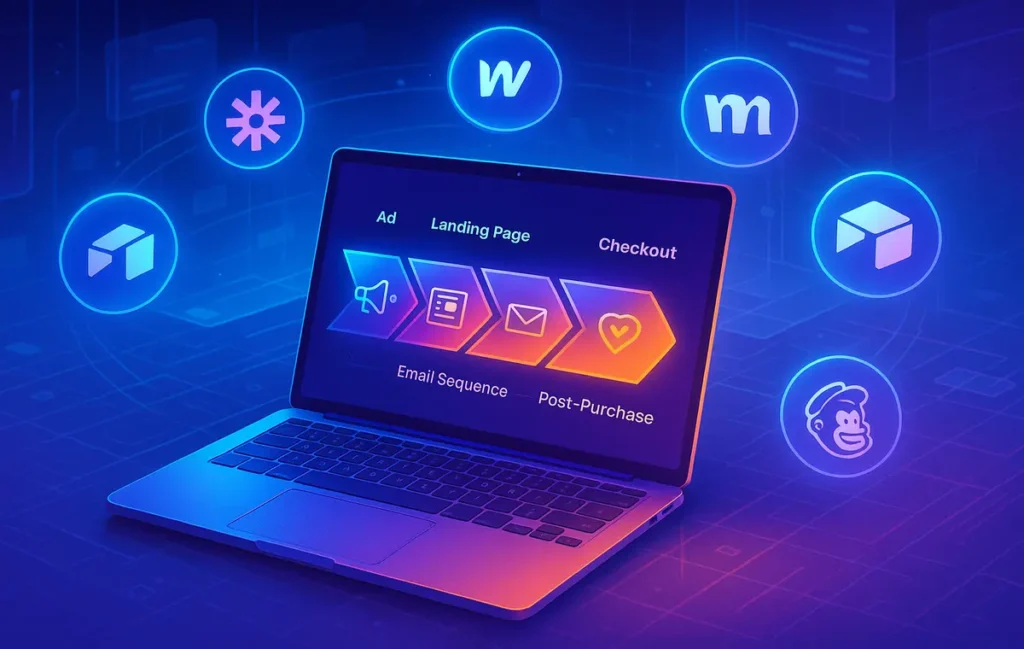
You automate your marketing funnel by mapping each stage (capture, nurture, convert, post-purchase), then wiring no-code tools together so every action triggers the next step automatically. The tools are secondary; the real leverage comes from having a clear funnel blueprint before you touch any settings.
🚦 Your Funnel Still Runs on Manual Mode?
If your marketing funnel depends on you “finding time” to send follow-up emails, update a spreadsheet, or remember who downloaded which lead magnet, you’re not running a funnel—you’re running a memory test. In 2026, the gap between teams that automate and teams that don’t is getting wider, not because of some magic AI tool but because one group treats their funnel as a system, not a series of one-off campaigns.
The manual version of this story is painfully familiar: leads get exported from a form tool and imported into a CRM when someone remembers. Follow-up emails go out late, if at all. Lists are mixed, so someone who bought last week is still getting “first-time buyer” discounts. Your best prospects slip away, not because your offer is bad but because your follow-up is slow and inconsistent.
This playbook is about flipping that script. Instead of chasing leads one by one, you design a repeatable path: awareness → lead → nurture → offer → purchase → post-purchase. Then you use no-code tools to make that path run on rails. By the end, you’ll have a runbook you can implement with landing pages, email tools, automation platforms, and workflow builders—no developer required.
If you ever want to compare specific funnel platforms in detail, you already have that covered in your ecosystem with posts like Sales Funnel Software Showdown: ClickFunnels vs Alternatives. Here on NerdChips, this article stays focused on the how—the architecture, triggers, and flows that turn whichever tools you choose into a living funnel.
💡 Nerd Tip: Don’t start this process by opening a new tool tab. Start with a pen, a single page, and the path you want one ideal customer to follow.
🗺️ Know Your Funnel Stages (No Buzzwords, Just Flows)
Before you touch automations, you need one simple thing: a clear picture of what actually happens between “I’ve never heard of you” and “I’ve bought and would buy again.” That picture is your funnel. It’s easy to drown this in jargon (“TOFU, MOFU, BOFU”), but entrepreneurs don’t need more acronyms—they need a clean, testable flow.
At its simplest, your funnel has a small set of stages. First, Awareness: people discover you through ads, content, referrals, or search. Then Lead: they take a small step and give you permission to follow up, usually by filling a form or opting into a lead magnet. Next is Nurture: you earn trust, demonstrate expertise, tell stories, and answer objections. After that comes Offer and Purchase: you present a clear, compelling opportunity and make buying easy. Finally, Post-Purchase: you onboard, support, and deliver such a good experience that the relationship doesn’t end at the checkout.
A course creator might see this as: ad → free lesson signup → email sequence → cohort launch → onboarding → alumni offers. An e-commerce brand might see ad → product quiz → discount email → first purchase → reorder campaigns and post-purchase bundles. A service business might move from content → audit request → call → proposal → retainer.
The important part is that each stage in your mind is concrete, not theoretical. You know what counts as a lead, what “nurture” actually looks like in your world, and what one specific purchase event you’re trying to drive. Once those building blocks are defined, no-code tools become the cables that connect them, not the strategy itself.
💡 Nerd Tip: If you can’t describe your funnel in one or two sentences without buzzwords, pause and fix that first. Automating something you don’t fully understand just multiplies confusion.
✏️ Draw Your Funnel on One Page
Before any automation, draw the whole thing on a single page. Think of it as your marketing subway map. Each station is a touchpoint; each track is an automated path. This drawing becomes the truth source for you, your team, and anyone you bring on later.
Start at the top with your traffic sources: ads, blog posts, partner newsletters, organic search, social content. From each source, draw arrows to your capture points: lead magnets, forms, chat widgets, or quizzes. Label exactly what each lead is opting into. Are they downloading a checklist, signing up for a webinar, or requesting a quote?
Then map out your nurture layer. What happens immediately after someone opts in? Do they receive a welcome email, a confirmation message, or a first piece of value? What does the subsequent sequence look like over the first 7–14 days? This is where many funnels silently fail—people opt in and hear nothing for a week.
From nurture, draw lines to your conversion events: sales pages, checkout links, or call booking pages. Then add your post-purchase experiences: onboarding emails, setup guides, educational content, and any referral or review requests. If you run e-commerce, this is where you sketch your post-purchase upsells and winback campaigns, which you can later pair with the strategies in Marketing Automation for E-commerce Stores: Smarter Sales.
Only when you see the full picture on paper does it make sense to ask, “Where should automation live?” In most cases, you’ll discover that 80% of the chaos comes from 20% of missing connections. That’s exactly what we fix next.
💡 Nerd Tip: If you can’t print your funnel on one page, it’s too complicated. Simplify first, automate second.
🧱 No-Code Funnel Stack: The 4-Layer Architecture
Once the map is clear, you can design a four-layer stack that most modern funnels share: Capture, Nurture, Convert, and Orchestrate. Think of this like building a house—capture is the door, nurture is the living space, convert is the decision room, and orchestrate is the electrical wiring behind the walls.
The tools you pick in each layer can vary. A landing page builder, a form tool, an email platform, a checkout system, and a workflow automation platform can all be swapped out. The architecture remains the same, which is why this playbook works no matter which specific stack you lean toward. If you later want more in-depth comparison of funnel platforms, you can anchor those decisions with posts like Sales Funnel Software Showdown: ClickFunnels vs Alternatives, but here we’ll talk about the jobs they need to do.
🧲 Layer 1 – Capture (Forms, Landing Pages, Popups)
Capture is where strangers become leads. Practically, this means landing pages, embedded forms, popups, and chat widgets. No-code tools make this layer accessible: you can drag-and-drop a page, paste in a form, and go live without touching code.
The job of this layer is simple but critical: collect clean data and explicit permission. Every form should ask for just enough information to segment later—usually name, email, and one clue about intent (like “interest: e-commerce” vs “interest: coaching”). If you grab too much info up front, conversion rates drop. If you grab too little, your automation has no intelligence.
Smart teams think about tagging and naming conventions at this layer. For example, leads from a “Facebook Ad – Webinar – January” campaign might automatically receive tags or fields that encode source and offer. When that data flows downstream into your email tool and CRM, segmenting by source, offer, and funnel stage becomes much easier.
This is also where you decide whether your primary capture asset is a standalone landing page or part of a bigger funnel builder. If you want a full “all-in-one” experience, the options you explored in Sales Funnel Software Showdown: ClickFunnels vs Alternatives help frame which platform can own this layer. If you prefer modular, you might use one builder for pages and another for forms.
💡 Nerd Tip: Every capture form should answer two questions at a glance: “What am I getting?” and “What happens next?” Automation works best when expectations are crystal clear up front.
💌 Layer 2 – Nurture (Email, CRM, Messaging)
Nurture is where strangers turn into believers. No-code email tools and lightweight CRMs let you create behavior-aware follow-up without touching code. The moment a lead opts in, an automation can tag them, add them to the right list, and kick off a sequence tailored to why they signed up.
At minimum, your nurture layer needs a welcome sequence that delivers the lead magnet, sets expectations, and tells your origin story. From there, you can layer in value-driven content, case studies, and soft offers. The best sequences balance education and invitation: they help people understand a problem better while gently pointing to your solution.
Segmentation and tagging are what move this beyond a newsletter. You might tag people based on pages they visit, links they click, or products they view. Someone who clicks multiple emails about e-commerce deserves different follow-up from someone obsessed with SaaS content. That’s where the heavier-duty platforms covered in Best Marketing Automation Platforms for Scalable Growth and Small-Business Marketing Automation Tools: Affordable ROI That Pays Back earn their keep—they’re built for nuanced behavior-based campaigns.
Done right, your nurture layer becomes a compounding asset: once set up, new leads move through it automatically. Some founders report that even modest improvements in open and click-through rates—say, lifting click-through from 3% to 4.5%—have the same net effect as paying for a 50% traffic increase, but at a fraction of the cost and stress.
💡 Nerd Tip: Design your nurture sequence around the questions prospects already ask on sales calls. If you answer them ahead of time, your funnel closes more deals before you ever get on a call.
💳 Layer 3 – Convert (Checkout + Sales Actions)
Conversion is where “someday” becomes revenue. In this layer, your sales pages, checkout forms, and payment links do the heavy lifting, supported by timely follow-ups. No-code checkout tools make it simple to create frictionless purchase experiences—one-page checkouts, saved payment methods, and localized pricing.
Automation here is about responding intelligently to buying signals. If someone views your sales page several times but doesn’t buy, they should enter a short reminder sequence that addresses hesitation. If they add a product to cart but abandon, they should receive a sequence of reminders, value reinforcement, and possibly a small incentive. If they land on a pricing page after reading a deep-dive article, you can treat them as warmer than someone who has only downloaded a top-of-funnel checklist.
For e-commerce, this layer really starts to shine when you connect browsing behavior, cart events, and purchase history into automated flows. That’s where the tactics you explore in Marketing Automation for E-commerce Stores: Smarter Sales fit in: browse-abandon flows, product-specific education, and post-purchase bundles, all triggered without you touching a spreadsheet.
The goal is not to harass people; it’s to reduce friction at the exact moment of decision. A well-timed reminder email or an educational message about how a product is used can move someone from “I’m not sure” to “I’m ready” more effectively than a bigger ad budget.
💡 Nerd Tip: Track how many people hit your primary sales pages but never see a checkout. That gap is often where simple behavioral automations have the highest ROI.
🎛️ Layer 4 – Orchestrate (Workflow Automation Glue)
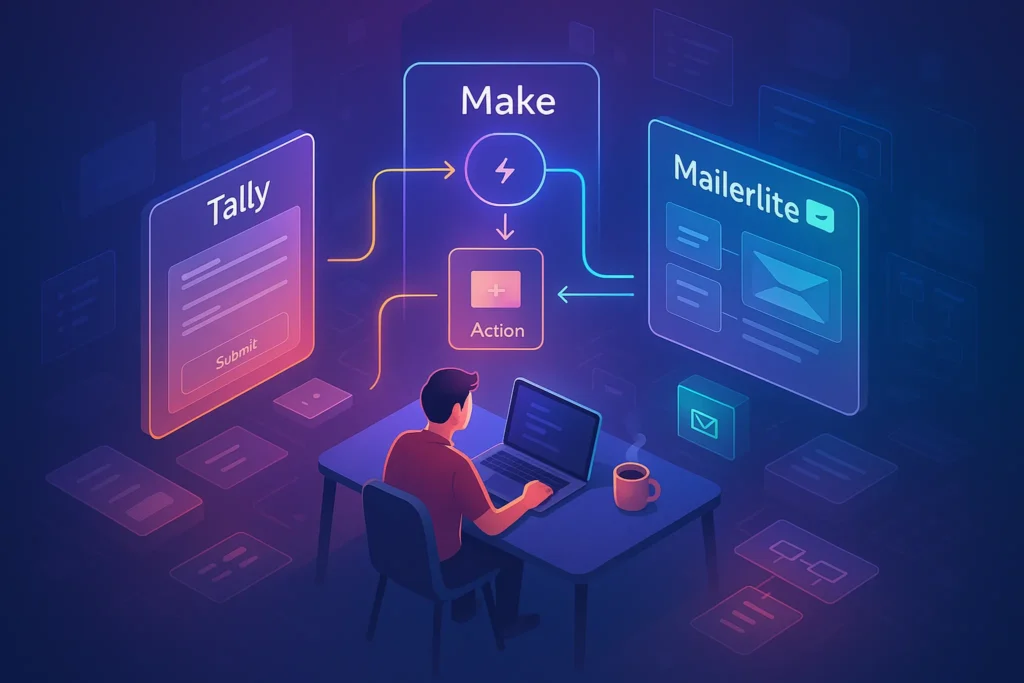
The orchestration layer is where you connect everything so that no lead gets lost between tools. Platforms like Zapier, Make, n8n, and Pabbly act as switchboards, watching for events (a form submission, a purchase, a tag applied) and triggering the appropriate actions in your other systems.
In practice, an orchestration flow might look like this: when someone submits a landing page form, the automation adds them to your email list, tags them with the lead magnet and traffic source, creates a contact in your CRM, and logs a note with UTM data. If they later purchase, another automation updates their CRM record, tags them as a customer, and triggers an onboarding sequence. All of that happens without anyone on your team opening a CSV file.
Even simple orchestrations—like “when a lead books a call, add them to a pre-call email sequence and move them to the ‘Booked’ stage in the CRM”—can dramatically reduce no-shows and confusion. The trick is to think in triggers, conditions, and actions. Trigger: something happens. Condition: check if the lead meets certain criteria. Action: do one or more follow-up steps in different tools.
If you want to go deeper into designing these connective tissues between apps, the concepts in Workflow Automation Software: Map Your Processes, Trigger Actions, Scale Faster give you a broader framework. Here, the key takeaway is this: orchestration is not a “nice to have.” It’s the difference between a funnel and a scattered collection of tools.
💡 Nerd Tip: Start with one “golden path” automation that follows a single ideal customer from first opt-in to first purchase. Optimize that before you chase fancy edge cases.
Funnels don’t scale through tools alone—they scale through systems. This end-to-end workflow automation guide shows how to map and automate funnels without losing attribution or control.
⚡ Ready to Build Smarter Workflows?
Explore AI-enabled workflow builders and no-code automation platforms that connect your forms, email, CRM, and checkout. Start turning “I’ll follow up later” into flows that run 24/7.
🪜 Step 1 – Design Your Lead Capture Flow
Now we go from architecture to build. Your first practical step is to design one clear lead capture flow that turns cold traffic into tagged, trackable leads entering the right sequence.
Start by choosing one or two lead magnets tightly aligned with your core offer. For a course, it might be a free lesson or a checklist. For a SaaS, it could be a short onboarding guide or ROI calculator. For an agency, an audit template or “mistakes to avoid” PDF often works well. The point is to attract people who are likely to care about what you actually sell.
Then design your form. Ask for essential information only: name, email, and one piece of segmentation data such as “business type” or “main goal.” In your no-code automation tool, make sure each submission automatically tags the contact with the magnet name and traffic source, then adds them to your email platform. There should be no manual step here—no downloading CSVs, no copy-pasting.
Immediately after submission, send a delivery email with the promised asset. This does three jobs: it builds trust by delivering quickly, it trains people to open your emails, and it gives you a clean test point for deliverability. If your new leads never see this email, you know something is wrong with your setup.
💡 Nerd Tip: Treat your lead magnet as the first “mini product.” If it doesn’t deliver a small but real win, your nurture sequence is starting from behind.
🪜 Step 2 – Build Your Nurture Sequence (Once, Then Let It Run)
With capture in place, you can design a nurture sequence that runs automatically for new leads. Think of this as your “always-on salesperson” who never gets tired and never forgets what to say next.
A strong baseline sequence usually spans 5–7 emails over 7–14 days. The first message welcomes the subscriber, delivers the lead magnet again (for easy access), and sets expectations. The next few messages educate—sharing stories, frameworks, or mini case studies that show you understand the problem deeply. Later messages address common objections, show social proof, and introduce your core offer without pressure.
You can keep branching logic simple at the start. For example, if a subscriber clicks your offer link in one of the emails, you might move them into a shorter, more focused sequence; if they never open, you can resend the most important messages with new subject lines. Many automation tools let you layer in this behavior-based logic visually, avoiding the need to write any code.
This sequence lives inside your email or marketing automation tool, but it only works if the earlier capture step sends the right tags and fields. That’s where your overall automation stack, including the tools you vetted in Best Marketing Automation Platforms for Scalable Growth, becomes the backbone rather than a random gadget.
💡 Nerd Tip: Before building your sequence, write down the single transformation you want a new subscriber to experience over two weeks. Build every email to move them one step closer to that.
🪜 Step 3 – Add Behavior-Based Triggers
Once a basic sequence is live, you can move beyond time-based emails into behavior-aware automations. This is where no-code tools start to feel genuinely smart.
Common triggers include “visited sales page X times,” “viewed pricing,” “added to cart but didn’t buy,” or “no engagement for 30 days.” For each trigger, you design a specific follow-up: maybe you send a short FAQ email after someone visits the pricing page multiple times, or a gentle reminder after a cart is abandoned. You might move cold subscribers to a lighter “check-in” stream instead of sending them the same volume of content as your most active audience.
For e-commerce, behavior-based triggers can be particularly powerful. A shopper who viewed a specific product several times without purchasing could receive a small educational sequence about how other customers use that product, followed by social proof. The flows and ideas from Marketing Automation for E-commerce Stores: Smarter Sales slide naturally into this stage.
One important nuance in 2026 is AI-driven predictions. Many tools now suggest which leads are “hot” based on past behavior. These are helpful, but not perfect. You might see cases where an AI mislabels a lead as “unlikely to buy” because they open few emails, even though they’re highly engaged on your site. That’s why combining on-site behavior with email data produces more reliable segments than relying on AI scores alone.
💡 Nerd Tip: Start with just two or three behavior triggers. Make them obvious and high-impact—like cart abandonment or repeated visits to your main sales page—before you worry about more subtle events.
🪜 Step 4 – Integrate Your Payment & CRM
The moment money changes hands, your automations should know about it. Without this integration, you’ll keep sending “ready to buy?” messages to people who already purchased, and you’ll miss your chance to deliver a great onboarding experience.
In a no-code setup, every purchase event should update your CRM and email platform. Typically, this means creating or updating a contact, tagging them as “Customer – Product X,” and logging the transaction details. From there, you can trigger a dedicated onboarding sequence, move them out of pre-purchase campaigns, and add them to appropriate upsell or cross-sell flows.
Refunds and cancellations deserve equal attention. If someone refunds a product or cancels a subscription, your automations should remove them from certain sequences, move them to a dedicated segment, and optionally start a short “churn feedback” flow. Too many teams leave ex-customers inside the same campaigns as active ones, which feels tone-deaf and damages trust.
For service businesses, integrating payment can also mean connecting your proposal tool, invoicing system, and CRM so that once a contract is signed or a first invoice is paid, onboarding tasks and messages start without delay. No-code automation platforms make it possible to update multiple systems from a single “payment succeeded” event.
💡 Nerd Tip: Make a list of everything you want to happen the moment someone buys. If it’s more than three steps, it deserves an automation.
🪜 Step 5 – Post-Purchase Automation (Retention & Referrals)
A funnel isn’t finished at purchase; that’s just the middle. Post-purchase automation is where you turn one-off buyers into loyal customers and evangelists. For many businesses, this is where the highest ROI automations live, because acquisition costs are already paid.
The first step is onboarding. After a purchase, your sequence should help customers get quick wins: setup videos, usage tips, recommended starting points, or a simple “first 10 minutes” guide. If customers experience value quickly, refund rates drop and referrals become natural.
Next, design success milestones. For a course creator, this might be completing the first module. For SaaS, it might be connecting a key integration or inviting a teammate. Your tools can track these events and trigger celebratory messages, prompts to share wins, or invitations to deeper resources.
Then layer in reviews, testimonials, and referrals. After a reasonable time window, ask for honest feedback and reviews. You can invite happy customers into a referral program, offering perks or bonuses. And for those who go quiet, a gentle winback campaign after a period of inactivity can bring them back with fresh content, new features, or tailored offers.
💡 Nerd Tip: Design your post-purchase automation as if your revenue depended more on repeat business than first-time sales. For many teams, that’s already true—you’re just not tracking it yet.
📬 Want Battle-Tested Funnel Playbooks in Your Inbox?
Join the free NerdChips newsletter and get weekly breakdowns of real funnels, no-code stacks, and automation recipes you can plug into your own business—without hiring a dev team.
🔐 100% privacy. No noise. Just field-tested tactics from the NerdChips lab.
🧪 Real-World Funnels: 3 No-Code Blueprints
Seeing the system in action makes it easier to adapt to your own business. Here are three blueprints you can implement with nothing but no-code tools and a few focused afternoons.
| Blueprint | Core Goal | Main Lever |
|---|---|---|
| Course Creator | Turn subscribers into cohort students | Story-driven nurture + deadline offers |
| E-commerce | Turn visitors into repeat buyers | Behavior-based campaigns and bundles |
| Service Business | Turn traffic into booked calls | Authority content + structured follow-up |
🎓 Blueprint #1 – Course Creator Funnel
A course creator’s funnel often starts with education and trust. A typical path might be: content or ads drive people to a free lesson, workshop, or checklist. When they sign up, your capture layer tags them by topic and source, then your email tool begins a story-driven sequence.
Over the following days, your sequence can share behind-the-scenes stories, student wins, small exercises, and gentle reframes of the problem your course solves. Somewhere in the middle, you introduce the offer: a live cohort, a hybrid program, or a self-paced course with community access. Deadline-based automations handle reminders as the cart closing date approaches, without you writing each email manually every round.
Your orchestration layer ensures that once someone enrolls, they’re moved into a dedicated onboarding flow: welcome emails, platform access, community invites, and milestone check-ins. Refunds or failed payments trigger different paths so you can handle issues quickly without confusing students with “Have you joined yet?” messages they shouldn’t be getting.
💡 Nerd Tip: Many successful course creators report that a clear, honest “Who this is not for” email in the middle of the sequence filters out bad fits and improves both conversion and completion rates.
🛒 Blueprint #2 – E-commerce Funnel (Single Product Focus)
For a single-product or hero-product store, an automated funnel can do more than “send discount codes.” It becomes a way to move people from curiosity to conviction and then into a rhythm of reorders or cross-sells.
Imagine a shopper lands on your product page from an ad. A quiz, offer, or content piece invites them to join your list—for example, “Find your perfect size and get 10% off.” The capture layer tags their preferences and adds them to your email system. A short welcome sequence helps them understand the product, materials, care instructions, and real-world results, rather than just blasting sale announcements.
Behavior-based triggers then watch for key actions: product views, add-to-cart events, and purchases. Abandoned cart sequences remind them what they left behind, while browse-abandon flows send helpful context for people who looked but never added. After purchase, an onboarding sequence helps them get the most from the product, followed by a structured timeline for review requests and cross-sell offers.
When this works well, it feels less like “being marketed to” and more like being guided by a smart, considerate store. It’s the same philosophy that underpins the strategies in Small-Business Marketing Automation Tools: Affordable ROI That Pays Back—do more with the audience you already have.
💡 Nerd Tip: Post-purchase, send at least one purely educational email before you ask for a review. Happy customers write better reviews when they understand how to get great results.
📅 Blueprint #3 – Service Business Funnel (Calls & Proposals)
Service businesses sell trust and outcomes, not widgets. Their funnel needs to move people from “I’m browsing” to “I’m confident enough to talk to you.” A no-code funnel for services might start with a lead magnet such as a short audit, a mini-training, or a detailed “mistakes to avoid” guide.
When someone requests the asset, your capture and orchestration layers tag them and add them to both your email list and CRM. A nurture sequence builds authority with case studies, client stories, and small insights they can apply immediately. At key moments, you invite them to book a call via a scheduling tool integrated into your automation platform.
Once a call is booked, automations send pre-call emails to set expectations, share a short agenda, and reduce no-shows. After the call, another automation sends a recap, links to resources, and—if appropriate—a proposal or next steps. If a prospect goes quiet, a short “check-in” sequence can re-open the conversation later.
Everything from form submission to proposal follow-up can be orchestrated with no-code tools. That means you spend less time chasing emails and more time actually delivering value, while your funnel quietly keeps the pipeline warm in the background.
💡 Nerd Tip: Treat every “no” as another automation opportunity. Ask: “What should have happened automatically before, during, or after the sales process to change this outcome?”
🟩 Eric’s Note
I don’t believe in “set and forget” funnels. I believe in systems that do the boring parts reliably so you can put more human energy into better offers, better creative, and better service. No miracle—just fewer cracks for good leads to fall through.
📊 Measurement: How to Know Your Automated Funnel Actually Works
Automation can create a dangerous illusion of effectiveness. Just because something runs without you doesn’t mean it’s working. That’s why you need a small, focused set of metrics to track, plus a simple way to see them.
At the top, watch your opt-in rate. If only 1–2% of visitors join your list, your capture layer or offer needs work. In the middle, track open and click-through rates for your key sequences. If people open but don’t click, your calls to action might be unclear or misaligned. At the bottom, monitor lead-to-customer conversion, average time-to-first-purchase, and basic lifetime value segments.
One useful mental model is to ask, “If this metric improved by 20%, what would it change?” Often, a small lift in opt-in rate or nurture engagement does more for revenue than squeezing another discount into your sales page. That clarity helps you prioritize which parts of your funnel to tweak first.
You can also bucket your list into broad engagement bands: highly engaged, somewhat engaged, and cold. Over time, automation can move people between these bands, warming up the middle and either reactivating or quietly sunsetting the cold. This keeps your email reputation cleaner and your messaging more relevant.
💡 Nerd Tip: Attach real numbers to your funnel. For example, if 100 leads enter, you might aim for 20–30% to click at least one sales link and 3–5% to buy within 30 days. That makes experimentation less emotional and more directional.
📈 Build a Simple Funnel Dashboard (No-Code)
You don’t need a data team to track your funnel. A simple dashboard built in a spreadsheet or a no-code reporting tool is usually enough. The key is consistency: the same numbers, updated regularly, in a format you and your team actually look at.
Start by listing your core stages down one side: visits, leads, engaged leads, opportunities, customers, repeat customers. Across the top, track periods (weeks or months). Then connect your automation tools so they push counts into this sheet automatically—many platforms can send data to a spreadsheet, or you can use workflow software to do the same. This turns your funnel into a living scoreboard, not a pile of disconnected metrics.
Over time, you can add more nuance: segment dashboards for different offers, traffic sources, or customer types. If you’re already exploring options for your orchestration layer, the ideas from Workflow Automation Software: Map Your Processes, Trigger Actions, Scale Faster give you more ways to connect those data streams without code.
The point isn’t to obsess over numbers. It’s to have a clear, honest answer when you ask, “Is this automated funnel actually improving our business, or just making us feel busy?”
💡 Nerd Tip: Review your dashboard on a fixed cadence—weekly or biweekly. Pick one stage to improve at a time instead of trying to fix everything everywhere.
🧠 Nerd Verdict
A no-code marketing funnel isn’t about replacing humans; it’s about reserving human energy for the parts that genuinely require it. When your capture, nurture, conversion, and post-purchase journeys are wired into a coherent system, you stop losing leads to forgetfulness and start compounding the value of every new visitor.
For most teams, the winning 2026 setup looks like this: a clear, one-page funnel map; a simple but well-tagged capture system; a nurture sequence that answers real questions; behavior-based triggers that respond to buyer signals; and a minimal but reliable orchestration layer keeping your tools in sync. The specific platforms—whether they’re the ones you’ve already vetted in Best Marketing Automation Platforms for Scalable Growth or alternatives—matter less than the clarity of your blueprint.
NerdChips’ stance is straightforward: automate the boring, repetitive work, not your empathy or your strategy. Let the machines handle the “if this then that,” so you can spend more time improving offers, talking to customers, and building products that don’t need gimmicks to sell.
❓ FAQ: Nerds Ask, We Answer
💬 Would You Bite?
If you had to automate just one part of your funnel this month—capture, nurture, conversion, or post-purchase—which would move the needle fastest for you?
And what’s the very first no-code workflow you’re willing to build to make that happen? 👇
Crafted by NerdChips for creators and teams who want their best ideas to travel the world.