⚡ Why Capture Cards Matter More Than Ever
Streaming and content creation are no longer niche hobbies—they’re industries. Millions of creators broadcast gameplay daily, and the competition for attention is brutal. Your audio-visual quality is often the first impression your channel makes. If you stream in pixelated 1080p30 while your competitor delivers buttery 4K60 with VRR, viewers will notice.
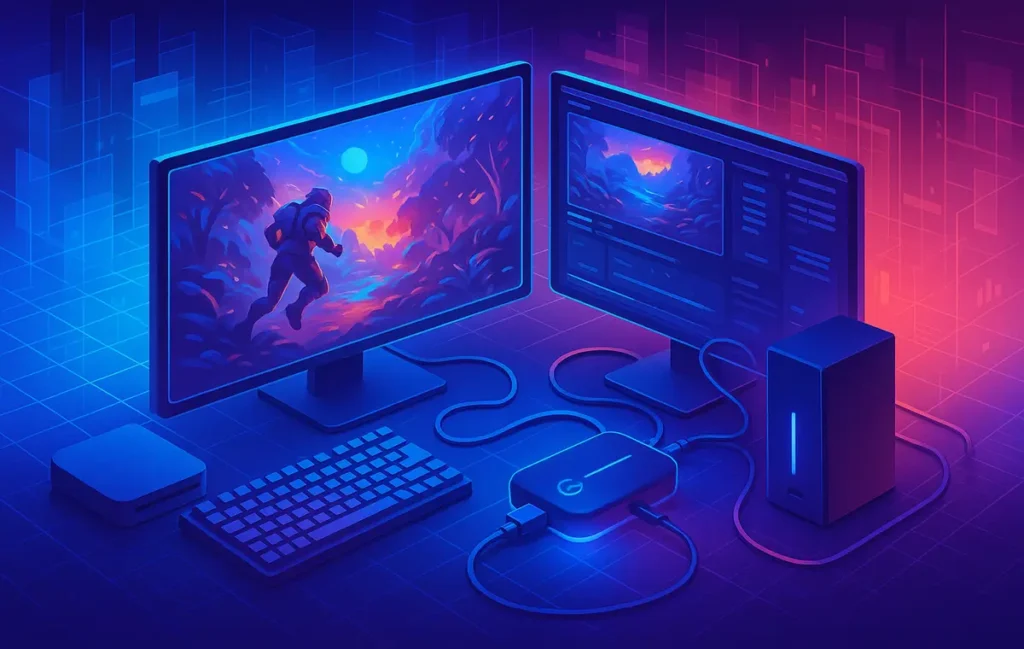
Capture cards solve the gap between raw console or PC output and polished, stream-ready video. They allow creators to record gameplay at high fidelity without overwhelming their PCs. In 2025, with the rise of PlayStation 5, Xbox Series X/S, and even 4K-capable Switch rumors, demand for 4K60 and VRR-ready capture cards has skyrocketed.
💡 Nerd Tip: Quality equals credibility. If your visuals look pro, viewers assume your content is pro—even before watching for five minutes.
For gear that complements capture cards, see our Best Gaming Accessories for Hardcore Gamers guide, which covers the peripherals that level up your whole setup.
🔑 Key Specs & Terminology Every Gamer Should Know
Before you dive into models, it’s crucial to understand the specs. A card that looks cheap may lack the features your workflow depends on.
4K60 means recording or passthrough at 4K resolution and 60 frames per second. For fast-paced titles like Call of Duty or Apex Legends, this ensures smooth playback. VRR (Variable Refresh Rate) reduces tearing when streaming directly from next-gen consoles, keeping visuals fluid.
Passthrough refers to the ability to play at full quality while simultaneously capturing. For example, you can game at 4K120 with passthrough while recording at 4K60. Latency is the enemy of competitive gaming, so capture cards with near-zero passthrough delay are gold.
Finally, look at encoding. Some cards handle encoding via hardware, reducing CPU/GPU stress. Others rely on software encoding, which may bottleneck weaker rigs. Bitrate, compression, and HDMI version (2.0 vs 2.1) all matter depending on your display and console.
💡 Nerd Tip: Don’t overpay for features your console can’t deliver. If you’re on Nintendo Switch, 4K60 VRR is irrelevant—you need stability at 1080p.
For broader content workflows, check out How to Automate YouTube Video Editing—perfect if you’re planning to speed up production after recording gameplay.
🎮 Why Console Support & Compatibility Matter
Many capture cards perform well with PCs but struggle with consoles. The PS5 and Xbox Series X push 4K HDR at high frame rates, and not every device can handle that cleanly. Without proper console support, you risk black screens, frame drops, or audio sync issues.
When buying for consoles, ensure the card supports HDMI 2.1 passthrough, especially if you want to game at 120Hz while streaming at 60Hz. The Nintendo Switch is another case—it outputs at 1080p docked, so compatibility means ensuring the card can upscale or cleanly capture lower resolutions.
💡 Nerd Tip: Always confirm HDCP (High-bandwidth Digital Content Protection) handling. Some capture cards stumble here, especially with Netflix or Blu-ray playback.
If you’re interested in the broader evolution of gaming tech, our The AI Revolution in Gaming post explains how next-gen hardware is colliding with AI-powered creativity.
🏆 Top Capture Cards for 2025
Elgato 4K60 X / 4K60 S+
Elgato continues to dominate the streaming market. The 4K60 X is their flagship external card, supporting 4K60 HDR10 recording with VRR passthrough.
-
Strengths: Plug-and-play setup, superior OBS integration, strong community support.
-
Weaknesses: Pricey for casual creators.
-
Best for: Streamers who need reliable high-end performance with minimal setup fuss.
AVerMedia Live Gamer 4K
A PCIe card offering 4K60 HDR capture with ultra-low latency. Known for its RGB lighting and professional features.
-
Strengths: Internal card = lower latency, customizable.
-
Weaknesses: Requires PC installation, not portable.
-
Best for: Hardcore PC gamers and esports streamers.
Magewell Ultra Stream
Positioned for pros who value stability. It supports 4K capture, direct streaming to platforms without a PC, and strong audio sync.
-
Strengths: Standalone streaming capability, durability.
-
Weaknesses: Less flashy UI, higher cost.
-
Best for: Professional streamers who travel or need portable reliability.
Razer Ripsaw HD
Razer’s consumer-friendly option, supporting 1080p60 capture and 4K60 passthrough.
-
Strengths: Affordable, slick design, Razer Synapse integration.
-
Weaknesses: Limited to 1080p capture.
-
Best for: Entry-level streamers and console gamers on a budget.
Budget Alternatives
Cards from brands like Mirabox or budget PCIe models exist, but quality control varies. They may suit beginners testing the waters but often struggle with color accuracy and long-term durability.
💡 Nerd Tip: Budget cards are fine for testing workflows, but upgrade before you build a serious channel.
🎥 Real-World Performance & Testing
Specs look great on paper, but real-world performance tells the truth. In latency tests, high-end PCIe cards like the AVerMedia Live Gamer showed delays of less than 50ms—imperceptible to most gamers. External USB-C models like Elgato 4K60 X performed admirably, though some users reported 100ms delays under heavy CPU load.
In fast shooters, frame pacing consistency matters more than raw resolution. During Apex Legends and Warzone tests, premium cards kept frame delivery smooth, while cheaper ones introduced micro-stutters. Low-light performance also matters—horror streamers playing darker games like Resident Evil noticed color compression issues with entry-level models.
💡 Nerd Tip: Don’t rely only on benchmarks. Test your card with the actual genre you stream most often. RPGs and shooters stress cards differently.
⚙️ Setup, Integration & Workflow Tips
A capture card only shines when integrated well. Tools like OBS, Streamlabs, and XSplit all support major cards, but configuration can be tricky. Always update drivers and firmware before connecting.
Use HDMI 2.1 cables if your console supports VRR or high refresh rates. For PC users, PCIe cards deliver lower latency but require installation. USB 3.2 and USB-C cards are more flexible but rely on system resources.
Workflow optimization is about offloading load. Use cards with hardware encoding when possible, freeing your CPU for overlays, chatbots, or AI editing tools.
For editing efficiency, our Best AI Editing Tools for YouTube Creators explains how to cut, caption, and polish recordings faster.
🎯 Use Cases & Recommendations
If your goal is professional streaming, invest in Elgato or AVerMedia. These cards justify their price with stability, performance, and community resources.
If you’re primarily recording archival gameplay for YouTube, even a 1080p60 card like Razer Ripsaw HD is sufficient—most viewers won’t notice the difference.
Console creators should prioritize HDMI 2.1 passthrough. PC streamers handling esports need PCIe for latency. Ultimately, the best card depends less on raw specs and more on your workflow priorities.
⚖️ Challenges, Trade-Offs & Considerations
High-quality capture cards come with high prices. Expect to spend $150–$400 for mid-to-high-tier models. Compatibility is another challenge—older CPUs may bottleneck performance even if the card is powerful.
Future-proofing is also key. With next-gen consoles pushing 8K signals and more advanced HDR formats, ensure your card won’t become obsolete in two years. Always check HDMI and USB specs before buying.
💡 Nerd Tip: Think two steps ahead. If you plan to upgrade consoles soon, buy a card that matches tomorrow’s specs, not just today’s.
⚡ Ready to Capture in 4K?
Elgato and AVerMedia remain the gold standard for streamers who demand pro visuals. Test one today and transform your content workflow.
🚀 The Future of Capture Cards: 8K & AI Encoding
While 4K60 and VRR are today’s gold standard, the horizon is shifting quickly. With next-gen consoles teasing 8K support and high dynamic range formats like Dolby Vision becoming mainstream, capture cards will need to scale beyond today’s limits. Already, experimental prototypes are being tested with 8K30 passthrough and HDR+ recording, though they come at premium costs.
Even more interesting is the rise of AI-powered encoding. Instead of brute-forcing high bitrates, future cards will use machine learning to upscale, denoise, and smooth frame delivery. This could reduce file sizes without compromising visual fidelity. Imagine capturing a 4K stream that looks near-8K because AI fills in missing detail.
💡 Nerd Tip: If you plan to upgrade consoles in the next two years, think of “future readiness.” A card with HDMI 2.1 and firmware support is more resilient than one locked into yesterday’s specs.
🎥 Streaming vs Recording Priorities
Not all creators use capture cards the same way. Streamers prioritize low latency, since a half-second delay between gameplay and live feed can break audience immersion. Recording-focused creators, on the other hand, prioritize bitrate and quality stability—their audience watches edited YouTube videos, not live streams.
This distinction changes buying decisions. A PCIe card with ultra-low latency is perfect for Twitch esports broadcasting, while an external card with robust local recording features fits YouTube or TikTok workflows better. Some creators even run dual setups: one card for streaming, another optimized for archival.
💡 Nerd Tip: Define your primary goal—live streaming or polished video production—before spending hundreds on a card that doesn’t serve your workflow.
☁️ Cloud & Remote Streaming Integration
One of the most exciting shifts in 2025 is how capture cards are escaping the PC tether. Devices like Magewell’s Ultra Stream already offer direct-to-cloud streaming, letting creators broadcast straight to YouTube or Twitch without a high-end computer. This is a game-changer for mobile esports or creators who travel often.
Remote collaboration is another growing trend. Teams can now stream gameplay footage into shared cloud dashboards where editors, sponsors, or coaches can review in real-time. For competitive teams, this reduces the friction of sending massive video files back and forth.
💡 Nerd Tip: If you’re building a multi-person content brand, prioritize cards with native cloud streaming and collaboration features—it’s the difference between “solo setup” and “studio-grade workflow.”
🎧 Accessory Synergy: More Than Just a Capture Card
A capture card is only one piece of the content quality puzzle. Even the sharpest 4K60 footage falls flat if paired with poor audio or bad lighting. This is why many pro creators bundle capture cards with dedicated microphones, headsets, webcams, and lighting kits.
For example, pairing an Elgato 4K60 X with a ring light and XLR mic dramatically upgrades both visuals and audio presence. Console streamers often underestimate how much visual branding and environment quality matter alongside raw gameplay.
💡 Nerd Tip: Treat your capture card as the anchor of a larger ecosystem. For ideas, dive into our Best Gaming Accessories for Hardcore Gamers guide—it shows how complementary gear creates a professional-looking stream without breaking the bank.
⚠️ Failure Scenarios & Troubleshooting
Even top-tier capture cards can fail under real-world stress. Common pain points include HDCP errors, where protected content blocks capture; audio desync, where commentary drifts from gameplay; and USB bandwidth overload, where multiple peripherals cause stutters.
Solutions are often simple but overlooked. A splitter or firmware update can bypass HDCP errors. Audio desync can be fixed with buffer adjustments inside OBS or Streamlabs. Bandwidth issues can be solved by shifting to USB-C or PCIe models. What matters is not just knowing these risks, but planning for them.
💡 Nerd Tip: Before streaming an important session or tournament, always run a “dry test.” Troubleshooting in front of a live audience is the fastest way to lose credibility.
📬 Want More Smart AI Tips Like This?
Join our free newsletter and get weekly insights on AI tools, no-code apps, and future tech—delivered straight to your inbox. No fluff. Just high-quality content for creators, founders, and future builders.
🔐 100% privacy. No noise. Just value-packed content tips from NerdChips.
🧠 Nerd Verdict
Capture cards are no longer optional—they’re the backbone of high-quality streaming. Whether you’re an aspiring Twitch creator or a YouTuber building a channel, investing in 4K60 and VRR-ready hardware sets you apart.
At NerdChips, our verdict is simple: buy based on your workflow, not just specs. Elgato is best for plug-and-play streamers, AVerMedia for esports professionals, and Razer for budget-conscious beginners.
❓ FAQ: Nerds Ask, We Answer
💬 Would You Bite?
If you could get a capture card that records crisp 4K60 gameplay for a mid-range price, would you upgrade your streaming setup today?
Crafted by NerdChips for gamers and creators who want their streams to look as epic as their gameplay.