📱 Introduction — 2025 Is the Year Cloud Gaming Went Mobile-First
Cloud gaming no longer feels like a PC or living-room experiment. In 2025, the most interesting action is on phones and tablets, where ultra-efficient codecs, 5G Standalone networks, and Wi-Fi 6E/7 routers finally meet controller-grade touch layers and low-latency overlays. If you’ve been waiting for “console in your pocket” without buying a console, this is the guide you wanted last year. We’ll evaluate the best mobile-ready services, focus on what actually matters on a small screen—latency stability, smart mobile UI, controller support, and value—and share a practical setup you can reproduce anywhere from a crowded train to hotel Wi-Fi.
Because we’re NerdChips, we’ll look at the experience through a mobile-first lens, not a feature checklist designed for desktops. That means we’ll consider how services behave on Android and iOS, how quickly they resume, how readable UI text is at 6.1–11 inches, and how gracefully they fall back when your signal hiccups. If you’re new to this space and want a big-picture refresher on ecosystems, pairing this piece with our breakdown of Cloud Gaming provides helpful context, while Cloud Gaming vs Consoles: A Battle for the Future will help you decide whether streaming can replace your next hardware purchase. And for players who split time between phones and tablets, Mobile Games with Console-Level Graphics is a great companion read to appreciate how far native mobile has come alongside streaming.
💡 Nerd Tip: Read this guide with your current phone in hand. The best service is the one that feels frictionless on your exact device, network, and grip.
🚀 Why Mobile Players Actually Need Cloud Gaming in 2025
Modern phones are absurdly capable, but physics still gets a vote. You can’t fit a discrete GPU and a cooling solution from a living-room box into a 200-gram slab. Streaming moves the heat, the noise, and the cost away from your hands while giving you access to essentially “desktop-class” titles on commutes, hotel couches, or small apartments. The advantage isn’t just graphics—it’s logistics. You press play, and a beefy server spins up the game you already own or rent. No 90-minute patches over hotel Wi-Fi, no 120-GB installs on storage you’d rather use for photos, and no fan noise fighting your podcast.
There’s also the portability dividend. A cloud library travels with your account, so your “console” is whatever device you’re holding: the bus phone, the café tablet, or the TV you cast to in an Airbnb. For many players, cloud becomes a pressure valve: you can sample big releases without committing to a console ecosystem, then decide later if something deserves native ownership. As we argued in The Rise of Cloud Gaming Platforms, the platforms are shifting from “nice experiment” to “default try-before-buy,” especially for busy mobile-first gamers.
💡 Nerd Tip: Think of cloud gaming as a second brain for your library—always on, anywhere, with no install anxiety.
⚙️ Key Criteria for Mobile Cloud Gaming (What Matters More on a Phone)
The first is latency you can actually feel. Raw milliseconds are useful, but consistency matters more than peaks. A stable 50–70 ms with minimal jitter feels better than occasional dips to 30 ms punctuated by spikes to 140 ms. On mobile, network swaps—from 5G mid-band to low-band, from one access point to another—are the silent killers. Services that recover cleanly from these transitions win.
The second is the mobile UI. Phone screens compress complexity, so overlays need to be readable at arm’s length and touch targets must be generous. A service that gives you clean font scaling, high-contrast HUD options, and a responsive on-screen layout is easier to live with when your controller isn’t attached. Controller support itself is the third pillar. If a platform detects MFi on iOS and standard HID/Bluetooth on Android instantly, shows correct button glyphs, and supports popular mobile clips like Backbone or Razer Kishi, the whole experience feels “native.”
Libraries and pricing land fourth and fifth, not because they’re unimportant, but because they only matter if the experience is playable where you are. Still, they’re decisive tie-breakers: some services are “bring-your-own-games” (great if you already own a PC library), while others bundle Netflix-style catalogs. Pricing models range from all-you-can-eat tiers to “priority” queues to full PC desktops in the cloud. Finally, there’s the reality of mobile life: data usage and battery. Expect anywhere from roughly 3–7 GB of data per hour at 720–1080p with modern codecs and about 10–20% battery per 30 minutes on mainstream phones, depending on brightness and 5G band conditions. That’s manageable with a power bank and a sensible resolution cap, but it’s something to plan around.
💡 Nerd Tip: On phones, turn on “reduced latency” or “balanced” streaming modes and lock 60 fps only if your network is truly stable. Smooth > sharp.
🏆 Best Cloud Gaming Services for Mobile in 2025 (Mobile-First Reviews)
🎮 Xbox Cloud Gaming (via Game Pass Ultimate)
For sheer pick-up-and-play on phones, Xbox’s cloud remains the most “console-like.” The mobile app loads quickly, remembers your last session, and pairs with popular controllers in seconds. Where it excels for mobile players is the catalog: a deep rotating library that includes big new releases and evergreen comfort games suited to short sessions. Microsoft’s touch layouts have matured as well; many titles ship with bespoke on-screen controls that are genuinely usable when you’re controller-less. The adaptive bitrate holds up reasonably on mid-band 5G and Wi-Fi 6E, and resume latency feels tight enough for action games if your network is calm.
You’re trading ownership for access, of course. If leaving the subscription means losing access to a favorite, that’s a consideration. But for mobile-first players who want the least friction and the most reliable “it just works” experience, this is the benchmark. When you’re weighing cloud against hardware, our piece on Cloud Gaming vs Consoles can help frame the decision with cost and convenience in mind.
💻 NVIDIA GeForce NOW
GeForce NOW is the power user’s pick, especially on larger phones and tablets where the UI has room to breathe. You bring your own PC library from supported stores, and NVIDIA streams it from a high-end GPU tier depending on your plan. The payoff is image quality and input responsiveness that often feel best-in-class—particularly for competitive titles or graphically demanding single-player games. On mobile, the client exposes useful toggles: resolution caps, fps targets, and bitrate modes that let you shape battery and data use to the moment.
The downside is complexity: the BYO model means your library availability can vary by store and publisher, and queue/priority differences between tiers matter at peak times. If you already own a deep PC collection and want the most PC-like experience on your phone with the freedom to tune, GeForce NOW is the one to beat.
🅿️ PlayStation Plus Premium (Cloud Streaming)
Sony’s cloud streaming is the cleanest route to PlayStation classics and first-party exclusives on a phone or tablet. The UI assumes you’re a controller person—and on mobile, that assumption pays off. Pairing a DualSense instantly enables correct glyphs and haptics-aware layouts where supported. For story-driven titles, the experience is excellent as long as your network is stable; for twitch shooters, it’s playable but less forgiving than GeForce NOW. Library scope is the lever: if your heart beats for Sony’s catalog, this is the only legitimate way to stream it onto your commute.
There’s a catch for travelers: regional availability and content rotations can be quirky, and hotel Wi-Fi with strict NAT rules may require a personal hotspot. Still, for players who want “PlayStation in your hand,” it’s finally a credible mobile option.
🟨 Amazon Luna
Luna’s channel model remains interesting for mobile because it lets you “size” your subscription to your mood: family-friendly months, retro months, or a handful of current titles without the psychological weight of a massive back catalog. The app has become faster to connect and more stable under average Wi-Fi. For casual and mid-core play, Luna’s simplicity is a feature: you open, you play, you close. Where it lags the leaders is in day-one AAA presence and the depth of controller-aware touch overlays. If you prefer a calm, Netflix-like roll of options and you often play over home Wi-Fi, Luna feels pleasantly low-maintenance.
🌍 Boosteroid / Shadow PC / Blacknut (Global & Niche)
If you live outside major Xbox/PlayStation/NVIDIA coverage zones or you need something specific, these services deserve a look. Boosteroid focuses on straightforward “log in and play supported PC games,” Blacknut skews toward family and indie catalogs with an approachable app, and Shadow PC rents you a full Windows desktop in the cloud. On mobile, Shadow is the most flexible—you can run modded games, launchers, or even non-game software—at the cost of more setup. Boosteroid’s mobile client has improved connection logic and controller detection compared to early versions, and Blacknut’s catalog is surprisingly good for couch-style play on a tablet. These are the “solve a specific need” options: geography, library quirks, or wanting a full PC in your pocket.
📶 Telco-Bundled Cloud Gaming (2025 Wave)
Carriers in several regions now bundle cloud gaming with 5G plans, often zero-rating data or prioritizing gaming packets at the network edge. For pure mobile players, these bundles can feel magical: lower entry cost, fewer sign-ups, and sometimes lower jitter because traffic stays closer to the radio. The trade-off is lock-in: catalogs can be thinner, and moving countries or carriers can reset your access. If your city boasts robust mid-band 5G and your carrier offers an honest gaming bundle, it’s worth a trial month.
💡 Nerd Tip: If you’re between two services, pick the one with the best quick-resume on your device. The “from pocket to gameplay” time is the stat your brain will care about the most.
🧪 Hands-On Scenarios That Matter on Mobile
Commuting over 5G mid-band. This is the hardest everyday test: moving cells, interference, and unpredictable congestion. Services that keep audio stable and frame-pace consistent tend to feel playable even when resolution drops for a minute. GeForce NOW and Xbox Cloud Gaming generally manage graceful degradation, with PlayStation’s stream feeling best when motion is slower (RPGs, action-adventure). Keep a controller clipped to your phone to avoid input flubs caused by finger drift during bumps.
Hotel Wi-Fi with captive portals. The login splash-screen breaks a lot of dreams. If you can’t authenticate the app through the portal, tethering to your phone’s 5G or carrying a travel router to sit between the wall and your devices is the move. Once connected, capping resolution at 720p and targeting 45–60 fps keeps the stream robust. This is where all-you-can-eat catalogs like Xbox or Luna shine: you can sample without installing anything on flaky connections.
Data usage constraints. On mobile networks, 1080p60 streams will chew through a daily cap quickly. A practical compromise is a “balanced” preset around 720p45–60 with an efficient codec. GeForce NOW exposes these controls cleanly; on Xbox and PlayStation, the stream adapts automatically, so try a lower performance mode in-game to make motion smoother at reduced bitrates. For a deeper background on how services price, package, and tune latency, our Cloud Gaming explainer is a helpful reference.
💡 Nerd Tip: If you only remember one slider, make it bitrate. A slightly softer image that never stutters beats a sharper one that drops frames whenever you enter a crowded hub.
📊 Side-by-Side at a Glance (Mobile-First)
| Service | Game Library Model | Mobile Latency Feel* | Controller & Touch | Pricing Style | Best For |
|---|---|---|---|---|---|
| Xbox Cloud Gaming | Curated catalog via subscription | Stable on 5G/Wi-Fi 6E; adapts gracefully | Strong controller support; many titles with bespoke touch | All-you-can-play tier | Frictionless “console in pocket” sessions |
| NVIDIA GeForce NOW | Bring-your-own PC library (store-dependent) | Often best-in-class consistency if tuned | Excellent controller detection; detailed stream controls | Free/priority/ultimate tiers | PC owners who want fidelity and control |
| PS Plus Premium (Cloud) | Sony catalog + classics | Smooth for narrative; sensitive for twitch | DualSense works great; touch minimal | Subscription bundle | PlayStation fans on the go |
| Amazon Luna | Channels (curated bundles) | Good on home Wi-Fi; improving on 5G | Solid controller pairing; simpler overlays | Per-channel subs | Casual and mid-core players |
| Boosteroid | Stream supported PC titles | Region-dependent; decent on strong links | Standard controller support | Subscription | Players outside major coverage zones |
| Shadow PC | Full cloud PC (you manage) | Great when tuned; overhead of a full OS | Controller OK; desktop UI on mobile | Monthly rental | Tinkerers, modders, multi-use beyond gaming |
| Blacknut | Family/indie-forward catalog | Comfortable for slower genres | Simple app, easy pairing | Subscription | Households and casual play |
*“Mobile latency feel” summarizes consistency on modern 5G mid-band and Wi-Fi 6E/7. Actual results depend on region, carrier, router, and congestion.
💡 Nerd Tip: If you can, test two services at once for a week each using the same controller and routes. Your hands will tell you which one feels “sticky.”
⚡ Ready to Level Up Your Mobile Rig?
Pair your favorite cloud service with a clip-on controller and a Wi-Fi 6E/7 router for instant gains. Build a lean kit that fits your bag and plays anywhere.
🎛️ Mobile Setup Tips That Punch Above Their Weight
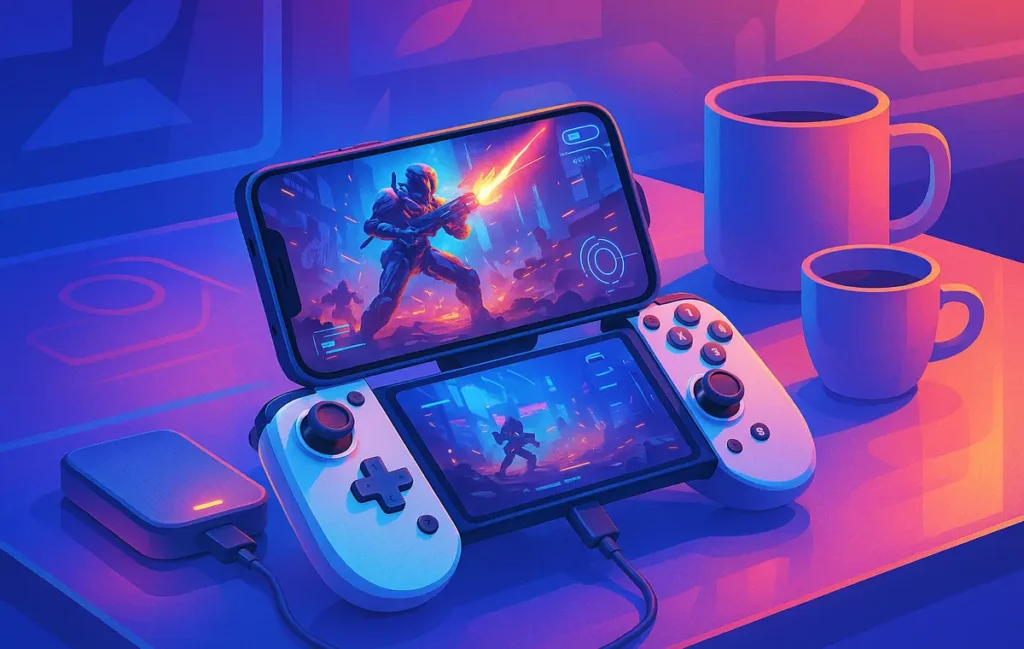
Start with input. A clip-on controller like Backbone or Razer Kishi changes everything by anchoring your grip and removing finger-screen friction. If clips aren’t your thing, a compact Bluetooth pad with a phone stand still beats on-screen controls for most genres. Next, network. At home, leverage Wi-Fi 6E/7 on a clean 6 GHz channel with your phone within a room or two of the router. On the go, prioritize mid-band 5G where available; low-band is fine for turn-based games but less forgiving for shooters.
Tuning the stream is the quiet superpower. Most services let you cap resolution or choose “balanced” profiles; aim for the setting that produces the smoothest motion for your connection, not the sharpest text in the HUD. Finally, power and heat: cloud gaming taxes radios and decoders more than native mobile titles. A 10–20K mAh power bank makes two-hour sessions routine, while a slim clip-on cooler can keep throttling at bay in summer. If you’re building a broader mobile kit, you’ll find inspiration in Best Gaming Accessories for Hardcore Gamers.
💡 Nerd Tip: Lock your phone’s refresh rate to a stable target (e.g., 60 or 90) before streaming. Fewer refresh switches = fewer micro-stutters.
🧯 Pitfalls & Quick Fixes You’ll Actually Use
The most common pain is invisible: jitter. You think your speed is fine, but the stream hitches whenever you enter a busy zone. The fix is to switch from a public, crowded 5 GHz channel to 6 GHz at home or to step outside dense metal structures on cellular. Another killer is over-ambition: forcing 1080p60 on flaky hotel Wi-Fi is an ego move. Drop to a balanced 720p with a frame-rate cap and you’ll enjoy yourself more.
Battery heat is another mobile reality. If you don’t have a cooler, use a case with airflow grooves and keep brightness below 80%. And because we’re all human, remember account hygiene: services that blend ownership and subscriptions can be confusing. Check which games live where before your trip so you’re not re-linking stores in a lobby. When you’re ready to push your setup further, our long-form on Cloud Gaming explains how providers shape latency, queues, and codec choices so your expectations match reality.
💡 Nerd Tip: If a stream starts misbehaving mid-session, exit to the service’s home, wait ten seconds, and relaunch. You’ll likely land on a less congested server node.
📬 Want More Smart AI & Gaming Tips?
Join our free newsletter and get weekly insights on cloud gaming, AI tools, and creator tech—delivered straight to your inbox. No fluff. Just field-tested advice.
🔐 100% privacy. No noise. Just value-packed content tips from NerdChips.
🔗 Read Next
As you pick a primary service, zoom out and decide how streaming fits your ecosystem. If you’re still weighing long-term hardware against subscription flexibility, our analysis in Cloud Gaming vs Consoles clarifies trade-offs over a two-year horizon. If you’re curious how providers juggle codec choices and server queues to achieve low latency, Cloud Gaming: Latency, Libraries & Pricing goes deep. And when you want to appreciate how far handheld visuals have climbed even without streaming, Mobile Games with Console-Level Graphics is a fun reality check that complements cloud nicely.
💡 Nerd Tip: End every session by bookmarking one “return here” game. The faster your next-session decision, the more you’ll actually play.
🧠 Nerd Verdict
The mobile cloud gaming story in 2025 is not “can it work?” but “when does it feel native?” On modern 5G and Wi-Fi 6E/7, several services now cross the threshold where your brain forgets you’re streaming. Xbox Cloud Gaming is the friction king for casual-to-mid-core play, GeForce NOW is the fidelity and control champion for PC owners, PlayStation streaming puts Sony’s worlds into your hands, and Luna offers a calm, channel-first rhythm. Boosteroid, Shadow, and Blacknut round out the map for global availability, tinkerers, and families. Choose based on where you’ll play most—commute, couch, travel—and build a small kit that protects latency and comfort. Do that, and cloud becomes not a compromise, but your favorite way to sneak real games into small windows of time.
❓ FAQ: Nerds Ask, We Answer
💬 Would You Bite?
Which service are you leaning toward for your phone or tablet—and where do you plan to play most (commute, couch, hotel)?
Tell me your device + network and I’ll suggest the ideal settings and a starter game list.
Crafted by NerdChips for creators and teams who turn waiting time into winning time.