Intro: The Real Problem Isn’t Ideas—It’s Follow-Through
If you’ve ever opened a content calendar full of perfectly color-coded plans… and still published inconsistently, you’re not broken. Your calendar was probably designed for a calm, imaginary version of you—one who never gets sick, never gets client changes, never gets “urgent” tasks, and never loses momentum after a single off week.
2026 makes this harder, not easier. Content is more multi-platform than ever, trend cycles are shorter, and audience expectations are higher. Even solo creators now juggle “content ops” realities: batching, approvals (even if it’s just you approving yourself), asset management, version control, and repurposing across multiple channels without duplicating effort.
That’s why this guide is template-first and tool-second.
You’re not here for “the best content calendar tools list” (you already have one). You’re here for the practical system you’ll actually stick to: templates you can copy/paste today, and a tool layer that supports them—without turning your planning into a second full-time job.
The best 2026 content calendar isn’t a prettier spreadsheet—it’s a repeatable system you’ll use on busy weeks. Start with copy/paste templates (themes → monthly grid → weekly sprint → approvals → repurpose), then choose tools that reduce friction. If your calendar doesn’t include “definition of done,” it won’t survive real life.
💡 Nerd Tip: If your calendar doesn’t tell you what to do on a random Wednesday at 4pm, it’s not a system—it’s a wish.
If you want the big-picture yearly plan first, skim our guide on planning a full year of content in advance—then come back here to copy the 2026-ready templates that actually get used.
🧩 The 2026 Content Calendar Stack (Template-First, Tool-Second)
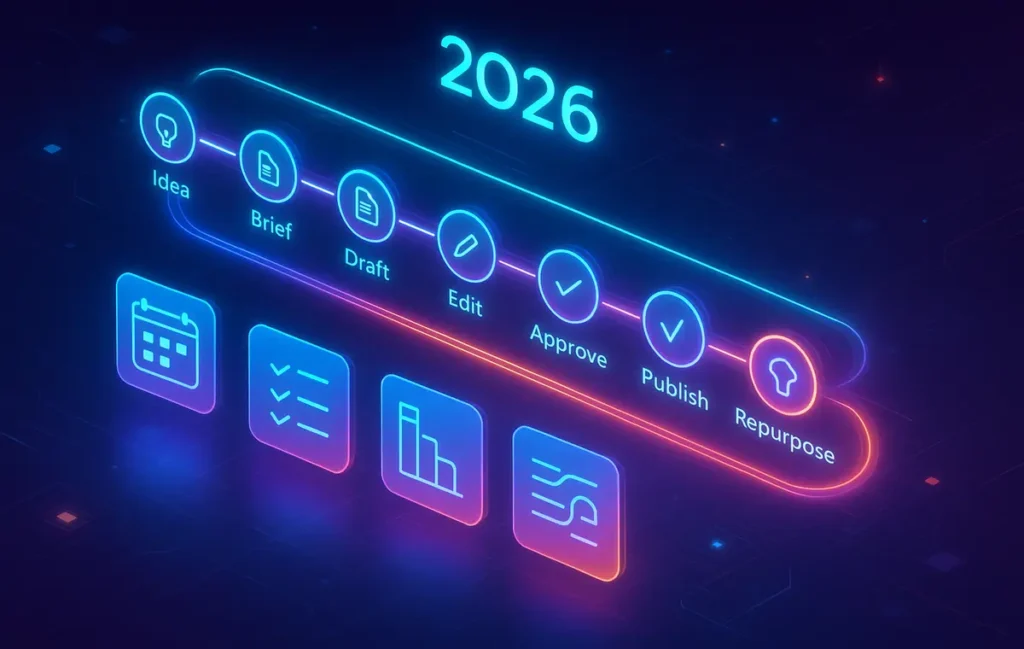
A content calendar isn’t just dates on a grid. In 2026, a real calendar is a pipeline:
Idea → Brief → Draft → Edit → Approval → Publish → Repurpose → Measure → Improve
Most calendars fail because they only track the publish date and ignore the steps that make publishing possible. That’s also where overlap happens with generic “plan your year” content—so we’re going to keep the angle sharp.
If you want the big-picture yearly structure first, read this alongside planning a full year of content in advance—then come right back here for the templates that make it executable.
To keep the calendar usable, think in three levels:
Macro (Quarter): direction, themes, campaigns, KPIs.
Meso (Month): what you’ll actually ship and how it’s distributed.
Micro (Week/Day): production reality—owners, deadlines, “definition of done,” and buffers.
A template-first system means you don’t rebuild your thinking every month. You reuse the same “skeleton,” then fill it with new content. That’s what consistency actually is: not motivation—structure.
If you’re already running content like a pipeline and need software that can manage stages, approvals, and calendars in one place, this breakdown of content marketing platforms built for calendar workflows will help you pick the right category of tool—without chasing hype.
💡 Nerd Tip: Most creators don’t need more creativity. They need fewer decisions per week.
📋 The Templates That Run the Show (Copy/Paste Ready)
These are the five templates that make a calendar “survive” real life. Each one is designed to reduce friction, prevent the most common failure modes, and make multi-platform publishing sane in 2026.
🧭 Template 1: Quarterly Theme Map (Direction Without Rigidity)
A quarterly theme map is your “north star” without becoming a prison. Instead of planning 90 individual posts in detail (which collapses the first time life happens), you define:
-
Your core themes (2–4)
-
The audience problem each theme solves
-
The outcome you want by the end of the quarter (email signups, demos booked, affiliate clicks, community growth, etc.)
-
A few anchor pieces you’ll build around (one per theme)
Here’s the practical trick: your quarterly map should be outcome-based, not “content-based.” Meaning: it’s less “publish 30 posts,” more “build an authority cluster around X so the next 30 posts compound.”
This is also where teams in 2026 win: they treat content like an operating system, not a random stream of posts.
💡 Nerd Tip: If a theme doesn’t produce 5–10 follow-up angles naturally, it’s probably a trend—not a pillar.
🗓️ Template 2: Monthly Content Grid (Pillars + Types + Distribution)
The monthly grid is where you stop being “a person with ideas” and become “a person who ships.”
Instead of listing 20 random titles, you build a grid that forces balance:
-
Pillar topic (what the content is about)
-
Content type (guide, comparison, case study, checklist, template pack, teardown, etc.)
-
Funnel intent (awareness, consideration, conversion)
-
Distribution plan (where it will go after publishing)
In 2026, distribution can’t be an afterthought. If you publish and then “hope it spreads,” you’re turning growth into a lottery.
If you’re already deep into tool comparisons and platform workflows, you’ll also like how NerdChips frames this from a tool-management angle in content marketing platforms that handle calendar workflows—but keep this grid template as the driver. Tools should adapt to your grid, not the other way around.
💡 Nerd Tip: Add one “low-energy” slot to every month: a post you can publish even when your week explodes.
⚙️ Template 3: Weekly Production Sprint (Batching That Doesn’t Burn You Out)
A weekly production sprint is the “execution engine.” It answers the question your brain asks every day:
What exactly am I doing next—and what does “done” mean?
Your sprint template should include:
-
The one weekly outcome (e.g., “ship 2 posts + 6 repurposed outputs”)
-
A realistic capacity estimate (based on your life, not your ambition)
-
Roles (even if you’re solo): writer, editor, designer, publisher
-
Deadlines that reflect the pipeline, not just publish dates
-
A “definition of done” for each stage
This is where calendars stop dying.
Most creators over-plan the month and under-plan the week. The weekly sprint flips that: month gives direction, week produces outputs.
💡 Nerd Tip: If you can’t finish a sprint with 70% focus, the sprint is too big.
✅ Template 4: Approval + Review Workflow (For Small Teams and Sanity)
Even small teams (or solo creators working with freelancers) need approvals, because “almost done” is the most expensive stage in content.
In 2026, approvals aren’t just about brand voice—they’re about:
-
factual accuracy (especially with AI-assisted drafts),
-
compliance (claims, disclosures, client requirements),
-
and consistency (format, style, internal link patterns, CTAs).
A good approval template includes:
-
a single place for feedback (no scattered comments),
-
a revision limit (yes, really),
-
and a clear “go/no-go” rule for publishing.
This reduces bottlenecks because people stop arguing about what “ready” means.
💡 Nerd Tip: Put approvals on a schedule, not on a mood. “We approve Tuesdays” beats “I’ll check later.”
♻️ Template 5: Repurpose Matrix (One Idea → Many Outputs)
If you want to feel like you “have a content machine,” repurposing is where the compounding happens.
A repurpose matrix turns a single published piece into a structured set of outputs:
-
short-form insights
-
a carousel-like breakdown (even if you don’t post carousels)
-
Q&A snippets
-
“common mistake” posts
-
a checklist version
-
a contrarian angle
-
an email version
But here’s the 2026 upgrade: repurposing should be planned before publishing, not after. If you wait until after, you’ll skip it when you’re tired.
That’s why your calendar needs repurposing as a built-in row/column, not a hopeful idea.
💡 Nerd Tip: If repurposing isn’t scheduled, it won’t happen. Your future self is busy.
🛠️ Picking Tools That Match Your Workflow (Not the Hype)
Tools are only useful if they make templates easier to run. In 2026, the best tools are the ones that reduce friction in these areas:
-
Collaboration without chaos
-
Approvals without bottlenecks
-
Versioning without losing the “latest”
-
Asset management (links, images, docs)
-
Scheduling hooks (even if you don’t auto-post)
-
Analytics connection points (so your calendar learns)
If you want a deeper breakdown of platform-style solutions, bookmark this guide on content calendar platforms—but in this post, we’ll keep tools in their proper place: support layer.
🎨 Tool-to-Template Fit (Mini Comparison)
| Template Need | What “Good Support” Looks Like | Tool Types That Usually Fit |
|---|---|---|
| Quarterly Theme Map | Flexible docs + lightweight linking | Docs/notes tools, wiki-style spaces |
| Monthly Content Grid | Database/table views + filters | Spreadsheet-like databases, Airtable-style tools |
| Weekly Sprint | Kanban + due dates + clear statuses | Task managers, board-based project tools |
| Approvals | Assigned reviewer + “approved” state + audit trail | Team PM tools, editorial workflow tools |
| Repurpose Matrix | Saved templates + recurring tasks + duplication | Automation-friendly systems, template-driven tools |
The point isn’t to crown a “best tool.” The point is to avoid the classic failure: choosing a tool that forces you into a workflow you hate, then blaming yourself for not using it.
💡 Nerd Tip: The best content calendar tool is the one you’ll open when you’re tired.
🧠 ⚡ Build Your 2026 Content Calendar Without Tool Chaos
Once your templates are clear, the biggest upgrade is choosing one “home base” that actually runs them—weekly sprints, approvals, assets, and repurposing in one flow. The tools below are the ones creators and small teams stick with in 2026 because they reduce friction, not add dashboards.
🧪 3 Real-World Setups (Choose Your Lane)
A calendar is only “good” if it matches your operating reality. Here are three setups that work in the real world, because they respect constraints.
👤 Setup 1: Solo Creator (Lightweight + Fast)
Solo creators win with speed and low mental overhead. The template-first approach works best when your system has one obvious daily entry point: a weekly sprint board and a monthly grid you review once a week.
In practice, this looks like: you plan the month in 45–60 minutes, then you live inside the weekly sprint. Your quarterly themes act like guardrails so you don’t drift into random topics. Your repurpose matrix is minimal—maybe 2–3 outputs per post—but it’s consistent.
💡 Nerd Tip: Solo creators should optimize for “return to flow,” not “perfect planning.”
For solo creators, the fastest wins usually come from tools that combine databases, weekly views, and lightweight automation. A single workspace is often enough—as long as it supports recurring sprints and reusable templates.
👉 See tools that work best for solo content calendars
👥 Setup 2: Small Team (Approval + Handoffs)
Small teams don’t fail because of effort—they fail because of handoffs. When someone finishes a draft, the work isn’t done; it’s just moving to a new stage where it can get stuck.
A small team calendar needs: clear ownership at every stage, approval checkpoints that happen on schedule, and a shared definition of done so publishing isn’t delayed by subjective preferences.
This is also where many teams start benefitting from structured automation. If you’re ready for that layer, pair this post with how to automate content planning with AI tools—but keep the templates as the foundation, or your automation will just accelerate chaos.
💡 Nerd Tip: In small teams, “waiting for feedback” is a hidden tax. Put it on the calendar.
If approvals are slowing you down, the fix usually isn’t “better communication”—it’s a tool that makes review states, comments, and ownership visible. The right setup removes back-and-forth without killing momentum.
👉 Explore tools built for content approvals
🏢 Setup 3: Agency / Client Work (Multi-Brand + Reporting)
Agencies aren’t managing one calendar—they’re managing a portfolio. That means your monthly grid needs filtering by brand, and your quarterly theme map needs to align with client outcomes (not your internal preferences).
The difference-maker in 2026 is making reporting part of the calendar. Not a separate spreadsheet. When performance data is connected to content entries, the calendar becomes an optimization engine instead of a publishing checklist.
💡 Nerd Tip: If reporting is separate, learning is slower. If learning is slower, you repeat mistakes.
🤖 Automation Layer for 2026 Calendars (What’s Worth It—and What Breaks)
Automation is powerful, but it’s also where calendars can get fragile. The best automations are boring and reliable:
-
reminders that trigger at the right time,
-
tasks that move to the next stage when criteria are met,
-
recurring sprint creation,
-
brief-generation prompts,
-
repurpose prompts that appear after publishing.
If you want practical automation patterns step-by-step, this NerdChips guide to AI-assisted planning automation is the best companion.
⚠️ A Real Failure Mode: AI “Help” That Creates Bad Plans
Here’s a failure you’ll see more in 2026: creators ask an AI to generate a month-long calendar, and it returns something that looks plausible—but is structurally wrong. This isn’t just “hallucination” in a funny sense; it’s operational damage.
Common examples:
-
It repeats topics with different titles (cannibalization disguised as variety).
-
It invents campaign constraints that aren’t real.
-
It assigns unrealistic daily workloads (because it doesn’t feel fatigue).
-
It creates a repurpose plan that doesn’t match your channels or capacity.
Even with retrieval-based approaches (RAG), AI can still output confident plans that don’t reflect your actual workflow constraints. The model can retrieve the right context and still compose a plan that violates your “definition of done,” ignores approvals, or underestimates editing time. The issue isn’t intelligence—it’s that planning is constraint satisfaction, and many constraints are implicit unless you make them explicit in templates.
That’s why template-first matters: templates force constraints into the open. Then AI can assist safely inside the rails.
💡 Nerd Tip: Use AI to draft briefs and variations—not to decide your operating reality.
📅 Monday-to-Friday Execution Rhythm (So It Actually Gets Done)
The best calendar is one you can execute repeatedly. Here are two rhythms that work because they respect energy cycles.
🧱 Rhythm A: Batch-First (Best for Deep Work Weeks)
Batch-first means you group similar tasks together to reduce context switching. A practical weekly flow:
Early week: plan + outline + brief creation.
Midweek: drafting sessions.
Later week: editing + publishing + repurpose.
This rhythm works because writing and editing are different mental modes. Mixing them hourly creates burnout.
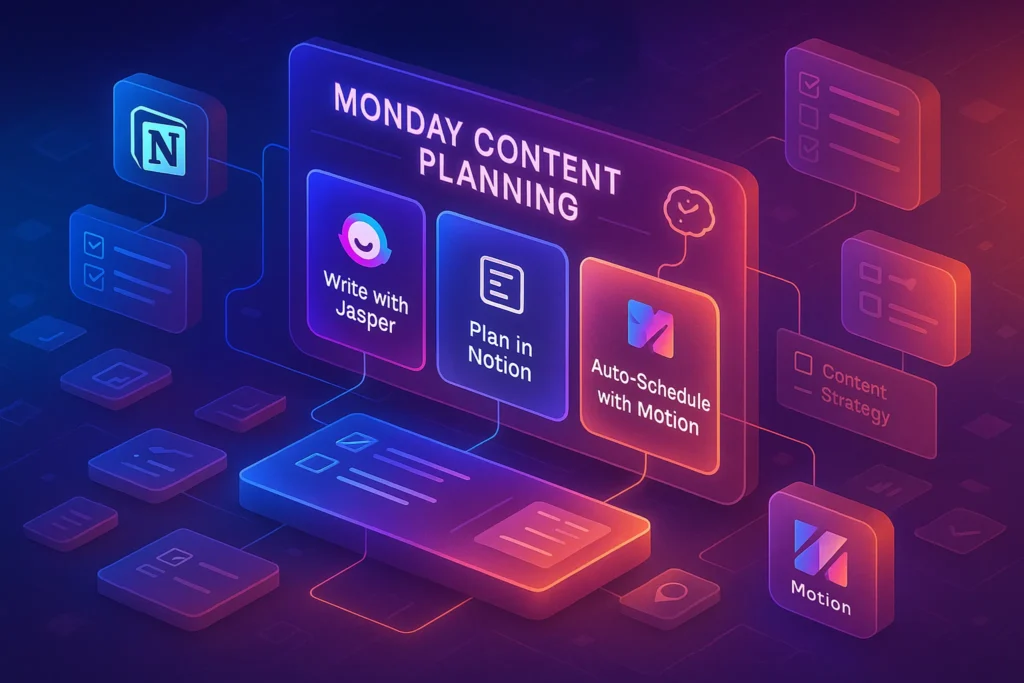
If you like structured daily planning and want a full “weekday system,” borrow ideas from a Monday content planning rhythm with an AI calendar + task flow and adapt it to your own energy.
💡 Nerd Tip: Batching isn’t about doing more. It’s about doing the same amount with less mental waste.
⚡ Rhythm B: Daily Micro-Sprints (Best for People Who Hate Batching)
Not everyone thrives on batching. Daily micro-sprints work when you commit to small, consistent wins.
A micro-sprint calendar succeeds when:
-
the tasks are tiny but complete,
-
the “definition of done” is strict,
-
and the calendar includes buffer for life.
Micro-sprints are also easier to maintain long-term because they don’t require a perfect day to be productive.
💡 Nerd Tip: Your calendar should work on your worst reasonable week—not your best.
🧯 Common Calendar Fails (and the Fixes That Actually Work)
Most content calendars fail for predictable reasons. The fix is rarely “try harder.” It’s usually a structural tweak.
❌ Fail 1: Over-Planning the Month, Under-Planning the Week
A calendar full of titles feels productive, but it doesn’t create shipping. Fix it by making the weekly sprint the “home screen” and the monthly grid the “map.”
❌ Fail 2: No Buffer
If your calendar assumes perfect conditions, a single disruption collapses the whole month. Fix it by scheduling intentional white space: 10–20% capacity reserved for reality.
❌ Fail 3: No Definition of Done
When “done” is vague, tasks drag. Fix it by defining completion per stage: draft done, edit done, publish done, repurpose done.
❌ Fail 4: Approval Bottlenecks
Approvals become emotional or random. Fix it by scheduling approval windows and limiting revision cycles.
❌ Fail 5: Calendar ≠ Distribution
Publishing is not distribution. Fix it by making repurposing a built-in row in your calendar entries, not an optional thought.
If you want a dedicated guide that’s purely about the tool layer of scheduling, approvals, and shipping, keep this “plan, approve, ship” breakdown nearby as you build your 2026 workflow.
💡 Nerd Tip: If you keep “fixing motivation,” you’re ignoring system design.
🟩 Eric’s Note
I gravitate to systems that remove friction, not add dashboards. If your calendar feels like a second job, it’s not discipline you’re missing—it’s a simpler workflow that your future self won’t resent.
📬 Want More Content Ops Systems Like This?
Join our free newsletter and get weekly insights on content systems, AI-assisted planning, and creator workflows—delivered straight to your inbox. Practical templates, fewer headaches, and a calendar you’ll still use in February.
🔐 100% privacy. No noise. Just value-packed systems from NerdChips.
🧠 Nerd Verdict
For 2026, the winning move isn’t finding a “better tool”—it’s building a repeatable template stack that survives your messy weeks. When your calendar includes a pipeline, a weekly sprint, approvals, and repurposing by design, you stop relying on willpower. Tools should feel like power steering, not a new car you have to assemble.
❓ FAQ: Nerds Ask, We Answer
💬 Would You Bite?
If you had to choose just one: would you rather publish fewer pieces with a strong repurpose system, or publish more pieces with minimal repurposing?
Tell me your lane—and I’ll help you shape the exact 2026 template stack around it. 👇
Crafted by NerdChips for creators and teams who want their best ideas to travel the world.