🎯 Intro: Freelancers Don’t Need “CRM Features”—They Need a Client-Handling System
Freelance work is deceptively simple from the outside: get leads, close deals, do the work, get paid. But inside the day-to-day, the chaos builds in the cracks—missed follow-ups, half-written proposals, “I’ll invoice tomorrow” delays, and client messages living in five different places. A freelancer doesn’t fail because they don’t have enough “features.” They fail because the system doesn’t hold under stress.
A good freelancer CRM in 2026 is basically an operating system for client relationships. It should make it easier to do the right thing consistently: respond on time, remember context, move opportunities forward, and keep payment friction low. The best tool isn’t the one with enterprise dashboards—it’s the one that shortens the distance between “lead came in” and “money landed.”
💡 Nerd Tip: If your CRM adds friction, it’s not a CRM—it’s a second job.
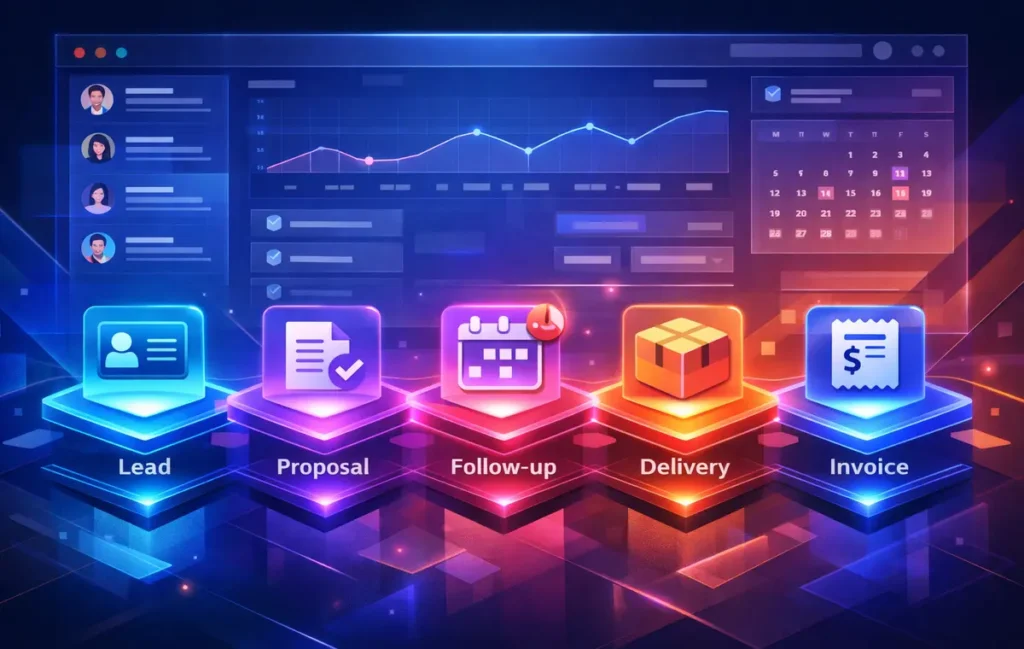
This guide is comparison-first and workflow-specific. We’ll evaluate CRMs through the freelancer journey—leads → proposals → follow-ups → delivery → invoice/reminders—and we’ll keep setup tutorials light. When you’re ready to build your field structure and pipelines properly, jump to this deeper setup breakdown: How to Set Up a CRM: Fields, Pipelines & Automations Explained.
If you’re a freelancer, pick a CRM that matches your sales cycle: Pipedrive for “pipeline-first” clarity, HubSpot for inbox + tracking, or a client-workspace tool if delivery and payments are your bottleneck. The best CRM isn’t the one with the most features—it’s the one you’ll still update on a busy Tuesday.
Most freelancers don’t need a ‘perfect’ CRM—just a system they’ll actually use. If you want pipeline clarity, start with Pipedrive; if you live in your inbox, HubSpot is usually the smoothest entry; and if you need more customization on a budget, Zoho is the power move.
🟩 Eric’s Note
I gravitate to tools that remove friction, not add menus. If a CRM makes you feel “organized” but still doesn’t help you follow up and get paid faster, it’s just decoration—and freelancers can’t afford decorative complexity.
🧭 The Freelancer CRM Scorecard: How We Compare (Without the Enterprise Noise)
Most CRM roundups accidentally compare “platforms,” not outcomes. A freelancer’s reality is different: you’re the sales team, account manager, project manager, and finance department—often in the same hour. So our scorecard is built around how a tool behaves when you’re busy.
First, we rate pipeline usability—not “customization,” but speed. How many clicks does it take to move a deal, add a note, schedule a follow-up, and see what’s next? Then we look at email and calendar sync quality, because freelancers live in the inbox. If the CRM doesn’t reliably connect your messages and meetings to the right contact, you’ll stop trusting it.
Next is lightweight follow-up automation. Freelancers rarely need complex multi-branch sequences, but they absolutely need small automations like: “If proposal sent and no reply after 3 days, remind me,” or “If meeting booked, create a follow-up task with context.” We also factor in handoff to proposals/invoicing, not because the CRM must do everything, but because it must reduce the “copy-paste tax” between tools.
Then comes mobile experience, because freelance work happens in real life—walking to a café, leaving a client call, waiting at the airport. Finally, we judge reporting that matters (pipeline value, stage aging, win rate) and price-to-value for solo use.
To keep this comparison scannable without turning the article into bullets, here’s a compact scoring table you can use as a mental filter:
| Scorecard Item | What “Good” Looks Like for Freelancers |
|---|---|
| Pipeline usability | You can update deals in seconds; the next step is always visible |
| Email + calendar sync | Threads attach cleanly to contacts; meetings turn into tasks automatically |
| Follow-up automation | Gentle reminders and templates that prevent leads from going cold |
| Proposal/invoice handoff | Minimal copy-paste; your CRM knows the deal value and dates |
| Mobile experience | Fast search, one-tap notes, and reliable notifications |
| Reporting that matters | Stage aging, win rate, and a clean “what should I do next” view |
| Price-to-value | Feels worth it even if you’re not closing deals every week |
💡 Nerd Tip: The best freelancer CRM is the one that reduces your “mental reopen tabs,” not the one with the best marketing page.
🧩 CRM Types for Freelancers: Pick Your Operating Style (Before You Pick a Tool)
Freelancers tend to buy CRMs in one of two emotional states: “I’m losing track of leads,” or “I’m drowning in admin.” Either way, the mistake is picking software before picking an operating style.
✅ Pipeline-first CRMs (Clarity > Conversations)
These are built around deals moving through stages. They’re perfect if your biggest risk is forgetting who’s in what stage and what the next step is. Pipeline-first CRMs feel like a clean whiteboard that updates itself. If you sell services with a clear progression—discovery call → proposal → negotiation → kickoff—this style keeps you sane.
If your biggest revenue leak is missed follow-ups, Pipedrive is the cleanest pipeline-first pick to start with.
✅ Inbox/communication-first CRMs (Conversations > Stages)
Some freelancers don’t need a fancy pipeline; they need their email and notes to stop being a mess. Communication-first CRMs emphasize tracking, logging, and keeping context attached to the right person. If your deals are relationship-driven (consulting, coaching, advisory), this style protects continuity and follow-up quality.
✅ All-in-one client workspace CRMs (Delivery + Payment > Sales)
If your business breaks after “Yes,” you don’t need a better sales pipeline—you need a better delivery and payment machine. Client-workspace tools are built for proposals, onboarding, forms, contracts, and invoices. They shine when your pain is chasing approvals, collecting assets, and sending reminders.
✅ DIY CRM (Notion/Sheets) for Control Freaks (and That’s Not an Insult)
DIY CRMs can work brilliantly—especially early—if you value flexibility and your workflow is stable. The risk is not “Notion can’t do CRM.” The risk is that you’ll build something beautiful that you won’t maintain when you’re busy. If you want a freelancer-friendly blueprint, this guide is the best starting point: How to Build a Personal CRM System Using Notion.
💡 Nerd Tip: Don’t choose a CRM by brand. Choose it by the moment you’re most likely to drop the ball.
🧪 The Best CRM Software for Freelancers (2026): Complete Comparison
Before we go tool-by-tool, here’s the promise of this section: you’ll learn how each CRM behaves in the real freelancer lifecycle—lead → close → deliver → renew—and you’ll see what you’ll love daily and what will annoy you weekly.
📊 Quick Comparison Table (Freelancer Lens)
| CRM | Best for | Automation | Email sync | Mobile | Pricing vibe | Weak spot |
|---|---|---|---|---|---|---|
| Pipedrive | Pipeline clarity + follow-ups | Medium | Strong | Strong | Fair for solo | Less “all-in-one” delivery |
| HubSpot CRM | Inbox + tracking + long-term growth | Medium→High | Strong | Good | Starts easy, scales up | Can get complex over time |
| Freshsales | Solo ops who want “just enough” | Medium | Good | Good | Often good value | Ecosystem varies by need |
| Zoho CRM | Max flexibility + budget control | High | Good | Okay→Good | Value-driven | Setup overhead |
| Copper | Google Workspace-first freelancers | Medium | Strong (Gmail-centric) | Good | Premium feel | Less ideal outside Google |
| Client Workspace (Dubsado/HoneyBook-style) | Delivery + invoicing + forms | Medium | Okay | Good | Worth it if it saves chasing | Not “pure CRM” reporting |
| DIY (Notion/Sheets) | Custom workflows + low cost | Low→Medium | Manual/Partial | Varies | Budget-friendly | Maintenance discipline |
💡 Nerd Tip: Don’t treat pricing as the decision—treat it as the constraint. Choose the workflow fit first.
⚡ Pick the Right Freelancer CRM (and Stop Losing Deals to Silence)
If your pipeline feels messy, choose a pipeline-first CRM like Pipedrive. If you live in your inbox and need clean history + tracking, HubSpot CRM is usually the smoothest fit. And if you want maximum flexibility on a tighter budget, Zoho CRM is the power move. Pick one, keep it lean, and make “next step” non-negotiable.
👉 See the Freelancer CRM Picks (and Setup Notes)
💡 Nerd Tip: Don’t optimize for features. Optimize for follow-up reliability and faster cash flow.
🧷 Pipedrive: The “I Need a Clean Pipeline Yesterday” Freelancer CRM
Who it’s best for: solo operators who sell services through a clear process and want every deal to have a visible next step. If you’re a designer, developer, consultant, or agency-of-one who runs multiple conversations at once, Pipedrive’s biggest gift is clarity without chaos.
Real-world workflow fit (lead → close → deliver → renew): Pipedrive shines in the lead-to-close segment because it makes pipeline movement feel natural. A lead comes in, you qualify it, schedule a call, send a proposal, and the deal moves along in a way your brain can track. The “next activity” concept matters a lot for freelancers: it quietly trains you to never leave a deal without a next step. That’s the difference between “I’ll follow up soon” and actual revenue.
Strengths you’ll feel daily: the interface is built for quick updates. You’ll log notes faster, schedule follow-ups faster, and scan your pipeline in seconds. For freelancers, this reduces the invisible cost of admin. You stop losing “mental RAM” to remembering who needs what. Also, it’s generally easy to keep the pipeline clean, which is half the battle.
Trade-offs you’ll hit weekly/monthly: Pipedrive is not trying to be your full client delivery platform. You can absolutely manage post-sale handoff with tasks and notes, but if your biggest pain is onboarding, forms, contracts, and invoice collection, you may still need a client-workspace tool or a tight integration stack. That’s not a flaw—it’s a reminder to pick tools based on where you bleed time.
If your biggest revenue leak is missed follow-ups and unclear deal stages, Pipedrive is one of the cleanest pipeline-first CRMs you can start with as a freelancer—fast to update, easy to trust, and built around next actions.
Nerd Verdict for this tool: Pipedrive is one of the most freelancer-friendly “serious CRMs” because it respects your attention. If your main revenue leakage is follow-ups and deal visibility, it’s hard to beat. If your main revenue leakage is delivery and payment friction, you may need a different center of gravity—possibly a client workspace tool, with Pipedrive used only for sales.
If you want a deeper, tool-specific breakdown, this review goes into the details that freelancers actually feel after week two: Pipedrive Review: Pipelines, Email Sync & Reporting Tested.
🧲 HubSpot CRM: The “Inbox + Context + Growth” Option (But Watch Complexity)
Who it’s best for: freelancers who rely heavily on email-driven relationships and want a CRM that can grow into marketing, client nurture, and structured follow-up—especially if you plan to scale from solo to small team later.
Real-world workflow fit (lead → close → deliver → renew): HubSpot often starts as “a better contact database,” then turns into a system of record for conversations, deals, and follow-ups. For freelancers, the core win is context: you open a client record and see a timeline of what happened, what was said, and what’s next. That reduces awkward moments like asking a client for something they already sent or forgetting the detail they mentioned on a call.
Strengths you’ll feel daily: strong email tracking, clean contact histories, and a generally polished experience. It tends to be easier to maintain trust in the system because conversations attach in a sensible way. And if you do content-driven lead gen, HubSpot’s “growth path” is a real advantage—your CRM can eventually support forms, lead capture, and nurturing without you rebuilding your stack.
Trade-offs you’ll hit weekly/monthly: HubSpot’s biggest freelancer risk is not “price” or “features.” It’s gradual complexity creep. Many freelancers start simple, then add pipelines, sequences, properties, lists, and automations—and suddenly it feels like you’re managing the CRM instead of using it. You can avoid this by being ruthless with what you track. Minimum fields. Clear stages. No vanity dashboards.
If most of your deals live inside email threads and long conversations, HubSpot CRM shines by keeping every interaction, note, and follow-up in one reliable timeline—without forcing you into a rigid sales process too early.
Nerd Verdict for this tool: HubSpot is a strong pick if your business is relationship-heavy and you want a CRM that can mature with you. But if you’re allergic to complexity, you need boundaries from day one. When HubSpot is kept lean, it’s powerful. When it becomes a hobby, it becomes overhead.
If you want the tool-specific deep dive, this is the cleanest next step: HubSpot CRM Review: Pricing, Limits & Best Fit for Your Business.
🧠 Freshsales: “Just Enough CRM” for Freelancers Who Want Less Admin
Who it’s best for: freelancers who want a traditional CRM experience without feeling like they bought a corporate system. If you like structure but want the learning curve to stay reasonable, Freshsales-style CRMs often hit that sweet spot.
Real-world workflow fit: It tends to cover the essentials well: leads, contacts, deals, tasks, basic automation, and reporting. For freelancers, the win is balance—enough structure to prevent leads from going cold, without needing weeks of configuration to feel useful. If your workflow is “talk → propose → follow up → close,” you can get productive quickly.
Strengths you’ll feel daily: fast onboarding, decent automation, and generally a smoother “solo operator” experience than heavier platforms. You can build a clean routine: daily follow-up, weekly pipeline review, and monthly performance glance—without drowning in settings.
Trade-offs you’ll hit weekly/monthly: if you’re building a complex ecosystem (multiple inboxes, advanced segmentation, marketing automation, or deep reporting), you may eventually feel limits. That doesn’t mean it’s the wrong tool—it might be the right tool for the next 12–24 months, which is a perfectly valid decision for a freelancer.
If you’re looking for a no-nonsense CRM that keeps things organized without turning setup into a project, Freshsales hits a solid balance between structure and simplicity for solo operators.
Nerd Verdict for this tool: Freshsales is a strong “get organized without becoming an admin” choice. If you’re rebuilding your systems in 2026 and want a CRM that feels like a tool—not a platform—this category deserves serious attention.
🧰 Zoho CRM: The “Power + Value” Choice (If You Can Handle Setup)
Who it’s best for: freelancers who want maximum flexibility, are cost-conscious, and don’t mind investing time in setup. Zoho is often chosen by people who want control and breadth without premium pricing.
Real-world workflow fit: Zoho can support nearly any freelancer sales process, but it expects you to define your system. That’s the trade. If you know your stages, your key fields, and your follow-up rules, Zoho can become a very capable engine. But if you’re still figuring out your own process, Zoho may feel like a workshop with too many tools.
Strengths you’ll feel daily: once configured, it can be incredibly efficient. You can shape data, automation, and views around your actual workflow. For freelancers who run multiple service lines (say consulting + productized service + retainers), the flexibility helps you avoid messy workarounds.
Trade-offs you’ll hit weekly/monthly: setup overhead is real. If you don’t set boundaries, you can overbuild. And the more you customize, the more discipline you need to keep things consistent.
If you want deep customization and automation without paying premium prices, Zoho CRM gives freelancers a surprisingly powerful system—as long as you’re willing to spend a bit of time shaping it around your workflow.
Nerd Verdict for this tool: Zoho is best when you’re ready to commit to a system, not just an app. If you’re the type of freelancer who enjoys process engineering, it can be a long-term winner. If you want something that “just works” with minimal configuration, you may be happier with a more guided CRM.
🟦 Copper: The “Google Workspace Is My Office” CRM
Who it’s best for: freelancers living in Gmail, Google Calendar, and Google Drive—especially those who want their CRM to feel like an extension of Google rather than a separate universe.
Real-world workflow fit: Copper-style CRMs excel at reducing context switching. Your emails and meetings are the timeline, and your CRM becomes the place where “relationship memory” lives. For relationship-heavy freelancers (advisors, coaches, consultants), that’s a real advantage. You’re not trying to force a perfect pipeline; you’re trying to make sure the relationship never goes stale.
Strengths you’ll feel daily: smoother linking between conversations and contacts, less duplication, and generally a more natural experience if your business is already Google-native.
Trade-offs you’ll hit weekly/monthly: if you move outside Google or rely heavily on pipeline mechanics, you may feel constrained. Also, “premium feel” often comes with “premium pricing,” which only makes sense if it truly reduces your admin time.
If your entire business runs on Gmail and Google Calendar, Copper feels less like “another tool” and more like a natural extension of Google Workspace—keeping relationships visible without heavy pipeline management.
Nerd Verdict for this tool: If Google is your headquarters and your deals are built on trust and continuity, Copper can feel effortless in the best way. If you need a strict pipeline with aggressive follow-up structure, consider pipeline-first CRMs instead.
🧾 Client Workspace Tools (Dubsado/HoneyBook-style): When Delivery and Payments Are Your Bottleneck
Who it’s best for: freelancers whose biggest pain is post-sale: onboarding, collecting files, approvals, contracts, invoices, and chasing payments. If your sales process is fine but delivery is chaos, this category can change everything.
Real-world workflow fit: These tools often handle the messy middle between “Yes” and “Paid.” They shine when you want the client to experience a smooth journey: inquiry form → proposal → contract → invoice → onboarding steps → delivery milestones. For creative services and agencies-of-one, that flow matters because clients judge professionalism by process.
Strengths you’ll feel daily: fewer “Where should I send this?” questions, fewer missed invoices, fewer forgotten onboarding steps. You’re not just tracking a relationship—you’re guiding a project. That’s the difference between a CRM and an operational workspace.
Trade-offs you’ll hit weekly/monthly: they may not provide the classic CRM pipeline reporting you’d get from Pipedrive or HubSpot. Also, if your work is mostly retainer-based consulting with minimal onboarding, you may not need a full workspace.
Nerd Verdict for this tool: If getting paid feels too slow, don’t automatically buy a more advanced CRM. Buy a smoother client journey. Sometimes the best “CRM decision” is actually a delivery decision.
🧱 DIY CRM (Notion/Sheets): Powerful, But Only If You Build for Maintenance
Who it’s best for: freelancers who want full control, prefer a minimal tool stack, and can maintain a simple weekly ritual. DIY CRMs are also great for early-stage freelancers who want structure without recurring costs.
Real-world workflow fit: DIY works when your workflow is stable. For example: you have a defined lead source, a consistent proposal process, and a clear follow-up cadence. You create a board or table, track a few key fields, and run a weekly review. It breaks when you try to turn Notion into Salesforce, or when you depend on memory instead of automation.
Strengths you’ll feel daily: flexibility and clarity. You can design your CRM around how you think. And because it’s yours, you can keep it lean. That can be incredibly freeing.
Trade-offs you’ll hit weekly/monthly: maintenance. When you’re busy, you’ll stop updating. Then the system becomes untrusted, and once a CRM is untrusted, it dies. If you go DIY, design it so updates take seconds, not minutes.
If you want the clean blueprint that doesn’t turn into a monster dashboard, start here: How to Build a Personal CRM System Using Notion.
💡 Nerd Tip: DIY CRMs don’t fail because of features. They fail because “future you” doesn’t cooperate.
🧠 The Freelancer Use-Case Matchmaking: Best Picks by Role and Workflow Reality
A “best CRM” list is mostly useless unless it matches how you actually work. So let’s map tools to real freelancer styles—based on the friction point that costs you money.
🎓 Best for Consultants (Long-Cycle, High-Touch Deals)
If your sales cycle includes multiple conversations, trust-building, and careful follow-up, your CRM must protect context. Communication-first CRMs (HubSpot/Copper-style) keep relationship memory intact. You’re not just moving stages—you’re managing continuity, which is what prevents deals from quietly dying after a “great call.”
💡 Nerd Tip: In consulting, “no reply” is rarely rejection—it’s usually priority drift. Your CRM’s job is to prevent drift.
🎨 Best for Creative Services (Fast Leads, Many Small Deals)
Designers, video editors, copywriters, and creatives often juggle multiple leads with short decision windows. Pipeline-first CRMs like Pipedrive shine here because they give you a simple truth at a glance: who’s active, who’s waiting, and who needs a nudge. Speed matters more than sophistication.
If you want a freelancer-focused perspective that complements this comparison, you can also read Best CRM Software for Freelancers: Guide to Staying Organized and Getting Paid for a more “how to choose” angle.
🔁 Best for Retainers (Renewals, Reminders, and “Don’t Forget to Raise Rates”)
Retainers are where CRMs become quietly powerful. Your job is not just to close a deal—it’s to manage renewals, quarterly check-ins, and scope boundaries. A CRM that makes tasks and recurring reminders painless will save you from reactive client management. Even lightweight automation (“remind me 7 days before renewal”) protects income stability.
💡 Nerd Tip: Retainers don’t break because of work quality. They break because communication gets inconsistent.
🧩 Best for Agencies-of-One (Tasks + Pipeline + Handoff)
If you run multiple projects and handle subcontractors or multiple deliverables, you need a system that bridges sales and delivery. This is where either (1) a pipeline-first CRM plus a tight delivery tool, or (2) a client-workspace tool that covers onboarding/invoicing, becomes the winning move. The correct choice depends on your pain: losing leads vs. losing time after the sale.
📱 Best for Creators (Audience Leads + Brand Partnerships)
Creators don’t always run a classic sales pipeline. You get inbound opportunities, sponsorship threads, partnership negotiations, and repeat collaborations. Communication-first CRMs (or a lean HubSpot setup) often work best because they let you preserve context and turn “one-off brand deal” into “repeat partnership.”
🧪 Unique Insight: The ROI of a Freelancer CRM Isn’t “More Sales”—It’s Fewer Leaks
A commonly cited CRM benchmark (often referenced in ROI discussions) claims CRM can return multiple dollars for every dollar spent—numbers like “$8+ back per $1 invested” get quoted frequently in industry conversations. Whether your real number is lower or higher, the mechanism matters more than the headline: freelancers win ROI by reducing leakage.
Leakage looks like this: you forget to follow up for 10 days; the client hires someone else. Or you send a proposal but never schedule a “decision call,” so it stalls. Or you finish the work but delay invoicing for a week because you’re tired—and that delay is essentially an interest-free loan to the client.
A freelancer CRM earns its keep when it shortens time between steps. It makes “next action” visible, it reduces mental load, and it creates a reliable rhythm. That rhythm is what turns sporadic revenue into predictable revenue.
💡 Nerd Tip: Your CRM’s purpose is not “data.” It’s momentum.
⚠️ A Real Failure Pattern to Avoid: AI “Helpful” Features That Create Wrong Follow-Ups
In 2026, many CRMs and sales tools ship AI assistants: auto-summaries, suggested emails, call notes, and follow-up recommendations. These can be helpful—but freelancers need to understand the failure mode: confident wrongness.
Here’s a common scenario. You have multiple clients with similar projects. The AI summarizes a call and suggests a follow-up email with specifics—deliverables, deadlines, pricing. But it mixes details from two projects, because the underlying context retrieval is messy. That’s essentially a lightweight version of a RAG-style failure: the system “retrieves” the wrong context and writes a confident message around it.
For a freelancer, that’s not a minor error. Sending a follow-up with the wrong scope or incorrect price damages trust instantly. The fix isn’t “never use AI.” The fix is: AI drafts, you verify. AI summarizes, you confirm key fields. AI suggests, you keep authority.
💡 Nerd Tip: Use AI to reduce typing—not to replace judgment. Clients don’t forgive “the tool did it.”
⚙️ Setup Blueprint (Keep It Lightweight): Minimum Viable CRM for Freelancers
A freelancer CRM should feel useful within one afternoon. If it takes a week, you’ll procrastinate, and “CRM” becomes a guilt project.
For the full deep setup (fields, pipelines, automation logic), use this guide: How to Set Up a CRM: Fields, Pipelines & Automations Explained. Here, we’ll keep it minimal and practical.
Start with a minimum field set: name, company (optional), email, deal value (even if estimated), deal stage, last contact date, next step date, and a single “context note” field. The context note should capture the one thing you’d forget when you’re busy: “Budget is tight but urgent,” “Needs proposal by Friday,” “Referral from X,” “Prefers async communication,” or “Decision maker is not on the call.”
Then build one pipeline that mirrors reality. Freelancers often build fantasy pipelines (“Discovery → Strategy → Proposal → Negotiation → Closing → Onboarding → Delivery → Upsell”), then never update them. Instead, keep it brutally simple: New Lead → Qualified → Proposal Sent → Waiting → Won → Lost. If you need delivery tracking, don’t overload the CRM—use a client workspace or a project tool.
Now add a follow-up rule set like an SLA for yourself. For example: every active deal must have a next activity. Proposals get a follow-up at day 3 and day 7. Warm leads get a check-in every 10–14 days. The magic is not automation—it’s the rule that nothing sits without a next step.
Finally, run a weekly review ritual. Choose a time you can maintain. Your review is not “analytics.” It’s three questions: Who needs a follow-up? Which deals are aging too long? What is my next best outreach? This is where CRMs become income systems.
💡 Nerd Tip: If you only do one CRM habit, do the weekly review. It’s the difference between a tool and a system.
📬 Want More Practical Systems Like This?
Join the NerdChips newsletter for weekly playbooks on tools, automation, and client systems that help freelancers stay organized and get paid faster—without turning your life into admin work.
🔐 100% privacy. No noise. Just useful, field-tested workflows you can actually keep.
🧠 Nerd Verdict: The Best CRM Is the One You’ll Still Use When You’re Busy
Freelancers don’t need more software—they need fewer leaks. The “best CRM” decision is really a decision about where your business loses momentum: in follow-ups, in context, or in delivery and payment flow.
If your leads go cold because you don’t have a clean next-step habit, choose a pipeline-first CRM and make “next activity” non-negotiable. If your deals are relationship-heavy and your inbox is the battlefield, choose a CRM that preserves conversation context. And if you’re closing work but cash flow feels slow, fix onboarding and invoicing before you obsess over pipeline features.
The best system is boring—and that’s the point. A freelancer CRM should feel like a quiet advantage you stop noticing, because it simply keeps things moving.
💡 Nerd Tip: Your CRM should match your sales cycle length, not your ego.
❓ FAQ: Nerds Ask, We Answer
💬 Would You Bite?
If you had to pick one pain to eliminate forever—missed follow-ups, messy client context, or slow payments—which one would you choose?
And what’s the smallest CRM habit you’d actually keep next week? 👇
Crafted by NerdChips for creators and teams who want their best ideas to travel the world.