🔎 Why “Local” Matters—And Why It’s Confusing
“Local” is the buzziest word in smart home marketing right now. Brands promise local control, local inference, and private-by-default automations. For apartment dwellers and anyone with shaky internet, that promise hits home: fewer cloud trips means lower latency, better privacy, and reliability during outages. But “local” is used to describe at least four very different execution paths. If you’ve ever pulled the plug during a Wi-Fi hiccup and watched your “local” routines stall, you’ve seen the gap between the promise and the plumbing.
In this explainer, we unpack exactly where the intelligence can live in a smart plug, how edge AI actually runs at the socket, what’s still cloud-assisted, and how to test vendor claims in 10 minutes. We keep it grounded in the home plug case—because a plug has limited power budget, constrained compute, and very practical jobs: switching safely, reading energy, and triggering small-but-important routines. When you know what “local” really means, you can design a setup that survives bad internet, respects your data, and still feels instant. Along the way, we’ll connect dots to broader context from Edge AI on IoT devices and what it means for AI-powered smart homes—so you can see where plugs fit in the bigger picture.
Eric’s Note
No miracle here—just fewer hops between your tap and the light turning on. That’s the test I care about.
🧭 Defining “Local” in a Smart Plug (Without the Hand-waving)
Most confusion comes from the fact that “local” is a spectrum of where the brain runs. In apartments, you’ll meet these four in the wild:
-
On-device local
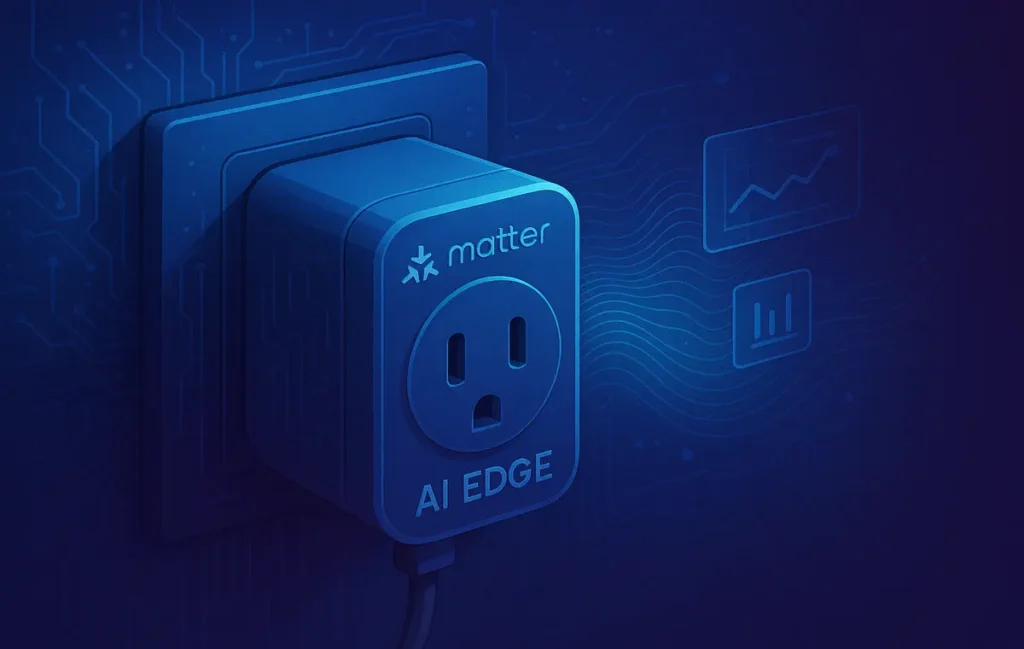
The plug itself contains a microcontroller or microprocessor (MCU/MPU) with just enough acceleration to run compact models. Think keyword spotting, basic anomaly flags on power waveforms, or simple state prediction. All inference happens inside the plug, no hub required. It’s the purest form of local, but also the most compute-constrained. -
On-hub local
Here, the plug behaves like a sensor/actuator while your hub (HomePod, Google/Nest hub, Home Assistant box, or a Matter controller) runs the intelligence. Your routines and inference execute inside your home but not on the plug. This still counts as local control, but it’s hub-dependent. If the hub goes down, smarter routines go with it. -
On-LAN local
You host services on a local server/NAS (e.g., Home Assistant, a mini PC) that ingest the plug’s telemetry and run models locally. This is “local” too, because execution occurs on your LAN—yet the plug itself is “dumb.” It’s a great apartment pattern when you want richer models than a plug can handle while keeping privacy and resilience. -
Cloud-assisted local
Training or heavy detection lives in the cloud, but the last mile (actuation, simple checks, maybe a cached rule) happens locally. During ideal conditions you get speed; during outages you may lose learning, personalization updates, or advanced recognition. Many “local” claims fall into this bucket.
Bottom line: when a product says “local,” ask where the model lives and what breaks if your internet does.
💡 Nerd Tip: If a brand can’t articulate which parts are on-device vs on-hub vs on-LAN vs cloud, treat “local” as a latency promise—not a privacy guarantee.
🧩 The Hardware Reality: Tiny Brains, Tiny Budgets
Smart plugs have harsh constraints: safety relays, metering chips, and a standby power budget that should stay under ~1 W in 2025-class devices. That forces careful compute choices:
-
MCUs (e.g., Cortex-M, ESP32-S3) dominate. They’re efficient, cheap, and can sample energy signals while running quantized (int8) micro-models. Expect kilobytes to a few megabytes of RAM/Flash for the AI bits.
-
Light NPUs/DSP blocks sometimes appear in higher-tier plugs for audio keyword spotting or fast vector math, but thermal and cost ceilings keep things modest.
-
OTA (over-the-air) updates are limited by storage and safety constraints. You’ll usually get small model refreshes, sometimes in chunks, and very conservative rollback paths to avoid bricking a switch that literally controls power.
The trade-off is simple: closer to the outlet, simpler the model. That’s not a bad thing—many plug automations are threshold-based, habit-patterned, and periodic. On-device tiny models are often “smart enough” for the job.
💡 Nerd Tip: If a vendor ships “local AI” but won’t list standby draw with AI enabled, assume a power penalty you won’t like.
🤖 Real Edge-AI Use Cases for Smart Plugs (Apartment Edition)
Anomaly detection & load signatures
By monitoring current and voltage, a plug can spot unusual patterns—like your kettle drawing power longer than usual or a fan cycling erratically. On-device, expect coarse flags (“unexpected duration/shape”); on-hub or on-LAN, you can run richer non-intrusive load monitoring (NILM-lite) to differentiate devices by their signatures.
Micro-automations that actually feel instant
Local rules like “if the living-room energy spike looks like the espresso machine, then turn on the counter light” are easy wins. These if-this-then-that flows gain superpowers when fused with basic edge inference (pattern + schedule + presence).
Offline voice bits (select models)
Some setups pair a local wake word with hub-based speech. In the plug case, wake word on-device is rare but possible; more commonly the hub does it. Either way, the goal is no round-trip to cloud for the hot path.
Predicted scheduling
Habits (weekday 7:30 kettle, weekend 10:30 lamp) can be learned on-hub or on-LAN and pushed as local rules. This feels magical in small spaces: the light is already on when you reach the desk, and it still works when the ISP blips.
💡 Nerd Tip: Keep models humble. Apartment loads are noisy: chargers, LED drivers, and tiny appliances overlap. Use prediction to prioritize routines, not to run the whole home on auto-pilot.
🧪 A 10-Minute “Local” Test You Can Run Today
Quick Checklist
- Unplug internet (leave LAN on). Do your core automations still fire?
- Check app logs on LAN mode. Do you see local decisions, or just “pending sync”?
- Try changing an AI setting without logging into a cloud account. Possible?
- Measure tap-to-switch latency (ms) with and without the internet live.
- Note standby power with AI features on. Is it still under ~1 W?
- Repeat a routine five times. Do results cache locally or re-hit an API each time?
Run this once, and you’ll know if your “local” is really on-device, on-hub, or cloud-assisted. If it dies without internet, it’s not local enough for an apartment that sees frequent drops.
To go deeper on building resilient routines, skim our context pieces on smart home automation apps and how the best hubs steer the connected home—both will help you decide which layer should own the brain.
🔐 Privacy & Security: What Your Plug Really Knows
Energy data looks innocuous (“just watts”), but time-series power can reveal presence, routines, even specific devices. That’s why on-device or on-LAN inference is more private than raw telemetry uploads. A few guardrails matter:
-
Telemetry discipline: Prefer plugs/hubs that keep raw waveforms local and only export derived events (e.g., “kettle cycle completed”).
-
OTA transparency: Demand release notes for model updates and a rollback path. You don’t want an experimental model bricking local routines before a work call.
-
Matter permissions: Matter over Wi-Fi/Thread improves local control, but permissions still set the rules. Limit which controllers can write automations or read energy history.
💡 Nerd Tip: Privacy isn’t a switch, it’s a data path. If your app flips to cloud whenever you leave home, that’s a policy choice, not a technical necessity.
🧱 Standards & Ecosystem in 2025: Matter, Thread, Big-Three Platforms
Matter’s promise for plugs is straightforward: interoperate and execute locally via a controller on your LAN. In practice:
-
Matter over Wi-Fi/Thread allows near-instant actuation and rules on the hub, even if the plug itself is simple.
-
Apple Home / Google Home / Home Assistant differ in how they store and run local rules. Apple leans heavily into local execution; Home Assistant is the power user’s playground for on-LAN inference; Google has improved local paths but still leans cloud for broader features.
-
Local execution vs local learning is the key distinction. A setup can fire automations locally while still training or calibrating models in the cloud. Good products declare the split.
If you’re new to this, our guide to the future of AI-powered smart homes will help you frame when to invest in a hub, and when to keep brains in the plug or the LAN.
⚡ Ready to Build Smarter Local Automations?
Explore AI workflow builders that pair perfectly with on-LAN control—think routines that fire locally and still scale when you need them.
🏢 Apartment Scenarios: When Local Beats Cloud (and When It Doesn’t)
In small, shared-wall spaces, the network is your weakest link. Microwaves, neighbors’ APs, and ISP hiccups all add jitter. Keeping the decision close to the device avoids those bumps. Local wins when:
-
Your internet is flaky or metered.
-
The routine is time-critical (lights, safety, baby nap window).
-
The signal is simple (on/off cycles, small loads, habit-based schedules).
Cloud helps when you need heavier recognition (e.g., rich NILM, long-range forecasting) or remote oversight from anywhere. The sweet spot in 2025 is hybrid: local for the hot path, cloud for learning and remote visibility. Just make sure the cloud isn’t a hidden single point of failure.
💡 Nerd Tip: If your goal is a simple time-based schedule, AI adds little value. Don’t complicate a perfect 7:30 AM kettle with a model.
🧠 Myths & Misreads (Let’s Clear the Air)
-
“Local = zero outbound data.” Not necessarily. Some devices still phone home minimal telemetry for health checks or feature flags. The question is what and why—and whether you can opt out.
-
“Local AI is always smarter.” Smaller models aren’t magic. They’re faster and private, but they have narrower understanding. Keep tasks focused.
-
“A smart plug can run the entire home.” It can’t. Plugs excel at actuation + energy signals. For complex scenes, a hub or on-LAN service carries the brains.
🧾 What to Look For When Buying a “Local AI Smart Plug” (2025)
| Aspect | On-device | On-hub (Matter) | On-LAN (NAS/HA) | Cloud-assisted |
|---|---|---|---|---|
| Where inference runs | Inside plug MCU/MPU | Hub/controller | Server/NAS on LAN | Cloud (train/infer) + local actuation |
| Latency & outage tolerance | Best & survives outages | Great if hub is healthy | Great if LAN stays up | Varies; often degrades offline |
| Privacy posture | Strongest by default | Strong if hub is local-first | Strong (self-hosted) | Weakest without controls |
| Complexity & upkeep | Low, but limited features | Medium (hub updates) | High (server/admin) | Low, unless outages hit |
| Good apartment fit | Excellent for core routines | Excellent with stable hub | Great for power users | OK if internet is rock-solid |
When you shop, look for clear execution path disclosure, offline latency numbers, standby under ~1 W, Matter support, OTA with release notes, a true LAN mode in the app, and exportable logs. If a listing boasts “local AI” without these, it’s marketing, not engineering.
🛠️ A Practical Apartment-First Setup
-
Pick a Matter-capable plug that states standby draw and clarifies whether AI is on-device or hub-based.
-
Add a lightweight Matter controller (Thread border router or Home Assistant). Keep the brain where you want it: in the plug for simple routines, in the hub/LAN for richer inference.
-
Design hot paths to be internet-free: presence → lamp, kettle → counter light, desk power → task light.
-
Let the hub/NAS do the heavy math: energy analytics, trend alerts, longer-term habit models.
-
Use cloud only for visibility, not execution. Notifications can still come from the cloud after the local action fires.
If you’re mapping your app ecosystem, our breakdown of best home automation apps helps you choose a controller that won’t sabotage your local plan.
📬 Want More Smart AI Tips Like This?
Join our free newsletter and get weekly insights on AI tools, no-code apps, and future tech—delivered straight to your inbox. No fluff. Just high-quality content for creators, founders, and future builders.
🔐 100% privacy. No noise. Just value-packed content tips from NerdChips.
🧠 Nerd Verdict
“Local” isn’t a badge; it’s an architecture decision. In the plug world, that means understanding whether your intelligence sits in the device, in the hub, or on the LAN—and designing so the hot path never leaves your apartment. Do that, and everyday routines feel instant, private, and boring in the best possible way. That’s the whole point of good home tech: it disappears.
Before you buy, pressure-test marketing claims with the 10-minute checklist. Then map your next steps with a controller that really runs rules offline. If you’re building beyond the plug, our explainer on edge AI across IoT devices shows how the same principles scale.
❓ FAQ: Nerds Ask, We Answer
💬 Would You Bite?
What’s the most important “local” routine in your place—the one that must work during an outage?
Tell me how you’d wire it: on-device, on-hub, or on-LAN (and why). 👇
Crafted by NerdChips for creators and teams who want their best ideas to travel the world.