The fastest way to find niche stock footage isn’t switching platforms—it’s switching search strategy. Treat every shot as a visual archetype, layer smart metadata, filters and boolean queries, and use “near miss” visuals plus light editing to bridge gaps. When you search this way, even weirdly specific concepts become findable within minutes.
🎬 Why Niche Stock Footage Feels Impossible (Until You Change How You Search)
If you have ever tried to find footage for “sleep tracking in elderly care,” “AI-driven warehouse at night,” or “retro internet café in 2002,” you already know the pain: the platform UI looks friendly, but the search results feel like a totally different planet. You type your literal phrase, get a wall of generic lifestyle clips, scroll for ten minutes, give up, and either rewrite the script or shoot something yourself.
The real problem is that most stock footage platforms are designed for broad, high-volume keywords. Their tagging, ranking and recommendation systems heavily favor search terms like “happy family,” “business meeting,” or “city skyline.” That’s great when you are cutting a generic promo, but terrible when you need “B2B SaaS dashboards close-up on a developer’s monitor” or “manufacturing robots in dim light with cold industrial color.” For those scenarios, the default UX simply wasn’t designed.
This article is not another breakdown of which stock site is “best.” NerdChips already has a dedicated guide for that in Stock Footage Platforms: Best for Creators on a Budget. Here we assume you already have access to one or more platforms and focus entirely on strategy: how to find niche stock footage fast by changing the way you query, filter, and interpret results. Think of this as a search playbook you can carry across every library, from premium sites to free archives.
💡 Nerd Tip: Whenever you feel “this footage doesn’t exist,” pause and ask: “What would a generic tagger call the closest thing to this idea?” That question alone can flip a dead search into a workable one.
🧠 Why Niche Footage Is So Hard to Find (And What That Tells You)
Before tactics, it helps to understand the forces working against you. Stock platforms optimize for demand. The bulk of that demand lives in advertising-friendly themes: smiling faces, sleek offices, dramatic nature, upbeat travel, and aspirational lifestyle. Niche B2B reality—sleep labs, industrial robots in low light, rare medical devices, weird hardware prototypes—lives on the fringe. Fewer uploads, fewer searches, less training data.
Metadata makes this worse. Many contributors are generalists uploading large batches. They tag a lab shot as “science, lab, scientist, microscope, medical” and move on. They don’t think in terms like “HSEQ, QA lab, diagnostics, medical monitoring, polysomnography.” So when you search those specific terms, the algorithm doesn’t have much to match and falls back to distant guesses.
Algorithmic bias toward popular keywords adds another layer. If a clip tagged “business” has high download velocity, it tends to be shown for more queries, crowding out more accurate but less popular results. This is why you sometimes see generic corporate shots even when your query is deeply technical. The engine has learned that “business-ish” clips are statistically safe bets.
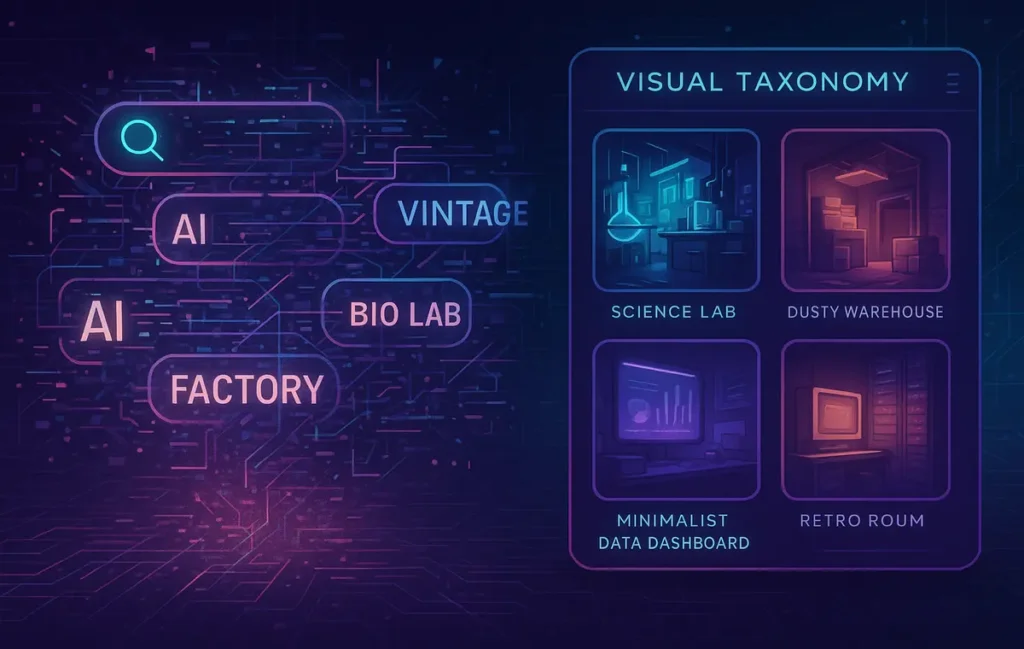
All of this means: if you search literally, you lose. When you type “retro internet cafe 2002” you’re competing with a tagging and ranking pipeline that never saw that phrase as a target. The way out is to search structurally. Instead of asking “where is my perfect literal clip?” you ask “what visual archetype would communicate this idea, and what tags would a non-specialist use for that archetype?” Once you think that way, the rest of this playbook becomes intuitive.
🧱 Search Foundations: Metadata, Hierarchies and Visual Archetypes
Effective stock search starts before you type a query. You need a mental model for the layers involved: categories, tags, keywords, and the visual archetypes they point to. Categories are broad shelves (“business,” “medical,” “technology”). Tags sit inside those shelves (“office,” “doctor,” “laptop,” “robot”). Keywords are what you type, and they may map cleanly to tags—or not at all.
The first move is to separate broad and narrow terms. “Elderly tech adoption” is narrow; “senior smartphone use” is broader; “older adult using device” is broader still. On many platforms, the broader phrase will have better coverage. A motion designer on X described it perfectly: “When I stopped writing what the client wrote and started writing what a stock contributor would tag, my search time dropped by half.” That’s the shift from narrative language to tagging language.
You also need to become comfortable with semantic siblings. If you can’t find “AI-driven warehouse,” try “automated fulfillment center,” “industrial robot arm,” or “conveyor belt logistics.” They may not match your script line-for-line, but visually they belong to the same family. Similarly, “retro internet cafe” might translate into “cyberpunk neon computer room,” “old CRT monitor desk,” or “late 90s office night.” Once you learn to think in families, you stop clinging to exact phrases.
Visual archetypes tie this together. Instead of thinking “we need footage of an advanced sleep lab,” think “we need: dim medical room, monitors with graphs or waveforms, a person with sensors, and a clinical but calm mood.” That archetype could be satisfied by anything from EEG labs to generic “medical monitoring” if framed right. Later, you can use your own editing tools to overlay UI, tweak color, or crop strategically, especially if you combine these tactics with gear knowledge from D2C Product Demos Shot on Phones: Lighting Layouts That Convert to match the look.
💡 Nerd Tip: Write down the visual archetype in one sentence before you search. It stops you from getting hypnotized by literal client wording.
🎯 Tactic #1 — Reverse-Concept Searching: Find the Opposite Scenario
Reverse-concept searching means deliberately stepping away from your literal idea and asking: “What is the nearest opposite or neighbor scenario that probably exists in this library?” It sounds abstract, but it’s one of the most reliable ways to uncover usable B-roll fast.
Take “calm night traffic in a smart city.” A literal search may yield chaotic urban timelapses with lots of light trails. Instead, think “empty city time-lapse, minimal traffic, subtle movement.” When you search those broader terms—“empty city at night timelapse,” “quiet street lamps time lapse,” “minimal city night slow traffic”—you usually get shots that can communicate the same mood with minor grading tweaks.
For “neon japan 1990s” you might search “Tokyo Shinjuku alley rain,” “Japanese neon street night,” or even more generic “Asian city neon street wet pavement.” Once you have those, a retro grade, some film grain, and a slightly slower speed in your edit can sell the 1990s feeling. The idea is to let the footage give you 70–80% of the story visually, and then push it the rest of the way in post.
The same trick works for robots and AI. If your script says “AI warehouse robot selecting parcels,” you may never find that exact scene. But you can search “industrial robot assembly line,” “automated factory arm,” or “conveyor belt automation close-up.” Those shots, especially if you crop tighter and add a subtle overlay or sound design, can convincingly play as “AI-driven” even if the original context was generic robotics.
Whenever you hit a wall, ask: “What would be the nearest believable substitute environment if I had to shoot this myself?” That answer is your new search query.
🔍 Tactic #2 — Hidden Filters Most Creators Ignore
Most creators live and die in the main search bar. Advanced filters—frame rate, lens type, camera move, subject distance, authenticity flags—sit untouched. That’s a waste, because niche topics depend heavily on feel, not just content. Two clips of a lab can convey totally different stories depending on whether they’re shot handheld vs locked-off, wide vs macro, or in 24fps vs 60fps.
Frame rate is a great example. If you’re planning slow, dreamy shots around a sleep lab or elderly care environment, you might prioritize footage available at higher frame rates that holds up to slowed playback. Searching with filters for “50/60fps” often surfaces more modern, technically strong clips that other editors overlook. Conversely, if you want urgent, documentary energy around industrial robots, seeking “24fps documentary, handheld” can give you a very different flavour than pristine, staged stock.
Lens and movement filters also matter. Wide shots establish environment (warehouses, labs, city streets) while macro or telephoto shots communicate detail (sensor nodes, microchips, wires, dashboard details). If your niche topic revolves around a device or interface, manually favor clips tagged “macro,” “close-up,” “over-the-shoulder,” or “top-down.” These tags are often sparse but powerful: one good overhead shot of a keyboard and CRT monitor can stand in for “retro hacker lab” more convincingly than ten generic wide shots.
Some platforms offer “authentic,” “raw,” or “unedited” flags. These are gold for B2B and technical concepts because they tend to be less staged and less “smiley stock.” When you combine authenticity filters with your niche archetypes and the composition styles you explore in B-Roll Systems: Capture, Organize & Reuse Without Wasting Time, your footage starts to feel more grounded and less like template advertising.
💡 Nerd Tip: When you find a clip that’s 80% right, study its technical filters. Use those as a starting point for the next search instead of going back to the homepage.
🧮 Tactic #3 — Boolean and Modifier Queries (The Real Power Move)
On many larger libraries, the search bar quietly supports boolean logic and modifiers, even if the interface never advertises it loudly. This lets you express much more precise intent: “this AND that, but not this cliché.” Used well, boolean search is often the difference between “thousands of random clips” and “twenty extremely promising options.”
Here’s what that looks like in practice:
| Scenario | Example Query | What It Does |
|---|---|---|
| Elderly using tech, no cliché family shots | “senior” AND “smartphone” -family -grandparent | Keeps older adults with devices, strips out cheesy family-portrait scenes. |
| Sleep labs, not drama series | “sleep study” OR “medical monitoring” OR “EEG” -hospital drama | Surfaces clinical monitoring environments while excluding staged TV drama look. |
| Warehouse robots, not generic shopping | “warehouse robot” OR “automated fulfillment” -amazon -shopping | Targets automation visuals while excluding branding-heavy or consumer context. |
| B2B dashboards, not marketing dashboards | “analytics dashboard” OR “data UI” -marketing -social media | Keeps technical-looking interfaces and pushes out social-media KPI boards. |
The pattern is consistent: combine two or three must-have concepts with AND/OR, then aggressively subtract clichés with minus terms. If you are working in English but targeting specific regions or industries, sometimes adding those as modifiers (“factory Germany,” “lab Japan,” “startup Berlin office night”) can push the algorithm toward more grounded visuals.
A few editors on X have shared that once they started using minus terms to strip out “smiling business team” and “family at home,” their niche search time dropped by 30–40% across projects. Once you build your own boolean cheat sheet, you’ll start to feel the same effect.
💡 Nerd Tip: Keep a simple text doc of your best boolean queries by scenario. Over time it becomes a private search toolkit you can paste into any platform.
📚 Tactic #4 — Industry-Specific Vocab Mining
When you are not getting traction with your own words, borrow the internet’s vocabulary. Industry-specific terms often live in places like Google Images related tags, YouTube descriptions, stock platform “similar keywords” panels, and even in niche glossaries or standards. These are exactly the words that non-expert contributors may have copy-pasted into their tags.
For a sleep lab, your script might say “sleep tracking for elderly care.” Real-world metadata might talk about “EEG monitoring,” “polysomnography,” “REM tracking,” or “sleep study lab.” By searching those exact terms, you unlock a layer of footage tagged by medical professionals or more technical creators, not just generic lifestyle videographers.
The same approach works for warehouses, fintech, and manufacturing. If you’re trying to portray “AI-driven warehouses,” you might mine terms like “automated fulfillment center,” “logistics robotics,” “conveyor belt sorting,” or “industrial robot arm.” Searching those phrases, then exploring the “related keywords” suggestions, surfaces families of tags you may never have guessed.
NerdChips sees this approach as an extension of research habits you would use anywhere else. The same way you might mine jargon when reading whitepapers, you can mine jargon for your footage search. Over a few projects, you start to build your own visual vocabulary list, which pairs nicely with the systems thinking from B-Roll Systems: Capture, Organize & Reuse Without Wasting Time. Instead of constantly reinventing your search queries, you reuse and adapt vocab that has already proven itself in the wild.
🎯 Tactic #5 — Search via “Near Miss” Visuals (Closest Archetype Wins)
Sometimes the exact thing truly doesn’t exist. Maybe nobody has ever shot a specific rare device, or the only footage would be locked behind expensive custom licensing. In those cases, you need to get comfortable with near miss visuals: shots that are visually close enough to sell the idea once you add overlays, cropping, or light compositing.
For a niche lab scenario, you might never find your exact setup, but you can almost always locate “electronics repair benches,” “oscilloscopes,” or “medical monitoring rooms” with cables and displays. In the edit, you crop to focus on details that suggest high-tech instrumentation, adjust the grade toward cooler, clinical tones, and let the VO and sound design carry the rest of the meaning.
If you’re missing footage of a rare wearable device, search for “generic fitness tracker,” “medical wristband,” or “arm sensor close-up.” These give you believable physical anchors. Later, you can overlay UI graphics or adjust logos to align with your brand or story, especially if you are already using tools from Tools for Creating B-Roll Content: AI, Stock, and Editing Solutions to create screens or composited elements.
For B2B SaaS dashboards, you may not find your exact interface, but you can search “data analytics UI,” “dashboard mockup on laptop,” or “developer working with code and charts.” Once you have those, you can replace the on-screen content with your own design or blur to focus on context. Editors who adopt this mindset often report that “impossible briefs” shrink into solvable puzzles once they accept that 60–80% is enough, and the rest can be solved in post.
💡 Nerd Tip: When a shot is a near-miss, ask “what two or three tweaks would make this perfect?” If the answer is doable with your current tools, you have found your clip.
🌍 Tactic #6 — Geographic and Cultural Filters
Geographic filters are massively underused, especially for niche topics. Different regions have distinct visual signatures in architecture, clothing, tech, and color palettes. By tapping into those, you can find footage that naturally carries the vibe you want, even if the tags are generic.
Japan is an obvious example. If you need “retro japan cyberpunk street 1997 vibes,” you might simply search “Tokyo alley rain,” “Shinjuku neon street,” or “Japanese arcade night.” Even if the clips were shot recently, the signage, neon density, and tight urban geometry give you a strong base. With a slight grade toward teal-magenta and some film grain, you can push it into the retro-cyberpunk territory your script wants.
Germany, by contrast, tends to yield clean labs, industrial plants, and orderly offices. Searching “German manufacturing plant,” “engineering lab Germany,” or “industrial robotics Europe” can surface grounded B-roll for technical and B2B narratives. South Korea and India offer different flavors: tech classrooms, bustling offices, dense call centers, and startup spaces. The UAE and other Gulf regions often provide modern corporate interiors with a distinct architectural language.
When you combine geographic filters with the lighting mindset you might apply in your own phone-based shoots—like the layouts discussed in D2C Product Demos Shot on Phones: Lighting Layouts That Convert—you start to see stock footage as a global location library. You are casting cities and cultures as characters in your visual story instead of treating everything as generic “office” or “street.”
🎭 Tactic #7 — Shot Substitution Framework (When the Exact Shot Doesn’t Exist)
Here’s a simple four-part framework NerdChips likes to use when the perfect shot truly isn’t there:
-
Main subject (what is literally in frame)
-
Environment (where it happens)
-
Interaction (what the subject does)
-
Mood (how it feels: lighting, pacing, color)
When you cannot match all four, you prioritize. Maybe your script calls for “robot arm picking items in a dim AI warehouse.” You might never find that exact scenario, but you can decide that environment and mood matter more than the exact action. So you search for “industrial robot arm” in a cold, clean factory with controlled lighting. If the arm is welding instead of picking parcels, that may be acceptable if the rest of the frame sells “precise automation.”
Similarly, if you need “sleep tracking in elderly care,” you may not get an older person in a high-tech bedroom, but you might find “sleep lab monitoring patient” and “older adult using wearable device” as separate archetypes. Cut them together, lean on VO to bridge context, and your audience usually accepts the composite story. The substitution framework helps you decide which pieces to prioritize and which can be implied.
Over time, you will notice recurring substitutions for your niche. Tech teams often substitute generic server rooms for “AI infrastructure,” or urban shots with subtle digital signage for “smart city.” If you maintain a “shot needs map” as part of your b-roll library (exactly the kind of asset covered in B-Roll Systems: Capture, Organize & Reuse Without Wasting Time), you can gradually build a library of known substitutions that your whole team can reuse.
🟩 Eric’s Note
In real-world edits, “good enough plus smart context” beats “perfect but nonexistent” every single time. The job is to serve the story, not to win a museum award for literal accuracy.
🤖 Tactic #8 — AI-Assisted “Reference Search” (Let AI Narrow the Field)
AI tools are not great stock libraries, but they are excellent descriptor engines. Instead of asking an AI model to generate fantasy B-roll, you ask it to describe the closest commercially plausible archetype that could represent your idea. Then you paste that description into your stock search bar.
For example, your brief might be: “Find me the closest commercially available stock footage archetype to: sleep lab, minimal, low light, medical sensors, quiet movement, no melodrama.” A good model will respond with something like: “dimly lit medical monitoring room, patient in bed with EEG sensors, nurse adjusting equipment, soft blue lighting, screens showing calm waveforms.” That phrase set is much more aligned with real-world metadata than your original line.
Once you have it, you strip away the AI fluff and keep the structural pieces: “EEG monitoring room,” “medical monitoring equipment low light,” “nurse adjusting sensors at night,” and so on. These are the kinds of phrases that show up in contributor tags and platform auto-tagging, which means they’re far more likely to hit useful results.
This approach becomes even more powerful when combined with AI-driven b-roll workflows like the ones in AI-Generated B-Roll That Actually Matches Your Script Beats. There, AI helps you design beats and generate visuals; here, it acts as a bridge between your script language and stock-library language. The net effect is the same: fewer random guesses, more targeted search.
💡 Nerd Tip: Treat AI like an intern who only writes briefings, not final shots. If you ask it for descriptions, not finished clips, you avoid hallucinations and gain practical query fuel.
⚡ Want a Ready-Made Niche Footage Toolkit?
Build a private playbook of boolean queries, archetype prompts, and near-miss substitutions so “impossible” topics become routine. Stop scrolling and start pulling exactly the shots your edit needs.
🧾 Tactic #9 — Build Your Personal Search Memory (Mini B-Roll System)
Search tactics really pay off when they feed into a system. Instead of treating every search session as a one-off, you can gradually build what is essentially a “search memory” for your niche: a living document of queries, tags, and archetypes that have worked before.
Every time you find a clip that nails a specific scenario—say, “manufacturing robots in dim light” or “close-up B2B dashboards that don’t look like generic marketing”—save not just the clip, but also the exact search terms, filters, and any geographic or technical tags that helped. Over a few projects, you’ll see patterns: certain phrases always lead to good robot shots, certain filters always expose better lab footage, certain minus terms always strip away cheesy stock.
Parallel to that, tag your downloaded or favorited footage consistently. Use language that mirrors your visual archetypes and your script themes, not just whatever the platform used. That way, your local library or favorite list becomes more powerful than any single platform. The re-use and organization mindset from B-Roll Systems: Capture, Organize & Reuse Without Wasting Time fits perfectly here: you are building a second brain specifically for visuals.
You can also maintain a “Shot Needs Map” for upcoming projects: a simple document where you list future visual needs and, beside each, note whether you have a ready-to-use archetype or need to search. Over time, as more cells fill with “covered from Project X,” your dependence on frantic last-minute searches drops dramatically. Instead of spending 60 minutes scrolling in the middle of a deadline, you spend ten pulling from a system you already trust.
💡 Nerd Tip: Your future self is your best client. Every time you solve a hard search once, take one minute to record how you did it. That minute will save you hours later.
❌ Common Mistakes When Searching for Niche Stock Footage
The most common mistake is typing the script line straight into the search bar and expecting magic. Scripts are written for humans; tags are written for algorithms and rushed contributors. If you see phrases like “AI-driven transformation in elderly care” in your script, you can assume almost nobody tagged footage that way. You need to translate into simpler, more literal visuals.
Another frequent issue is relying only on popular tags and front-page categories. It’s tempting to click “Technology” and scroll until you see something vaguely relevant. In practice, that leads to generic office shots, VR headset clichés, and shiny-but-empty concept art. The deeper, more realistic clips sit behind less obvious terms and filters that most users never touch.
Ignoring technical filters is just as costly. If you need slow, cinematic motion, but all your picks are 24fps locked-off shots, you’ll be fighting motion judder in the edit. If you need “raw, documentary” mood but all your picks are pristine staged scenes, no amount of LUTs will fully fix the vibe. Smart editors treat frame rate, lens, movement, and authenticity as first-class search parameters, not afterthoughts.
Language blindness is another trap. Sticking to English-only search terms can hide great footage shot and tagged by creators in other regions. Even simple experiments—trying a keyword in another language or adding region names—can open entirely new veins of content. The same applies to multi-language tags within platforms; browsing a non-English interface or category occasionally reveals collections you would never see otherwise.
Finally, many creators treat platforms as mutually exclusive instead of strategic layers. They stay loyal to one site even when it clearly cannot deliver a niche. In reality, a smart workflow might use one budget-friendly library for generic coverage (see Stock Footage Platforms: Best for Creators on a Budget), another for technical or documentary vibes, and AI-assisted tools—as covered in Tools for Creating B-Roll Content: AI, Stock, and Editing Solutions—to fill the last gaps. The more you think in systems and archetypes, the less you cling to any single source.
📬 Want More B-Roll and Stock Footage Playbooks?
Join the free NerdChips newsletter and get weekly breakdowns on b-roll systems, stock footage tactics, and AI tools that actually help you ship better edits—without wasting nights in the search bar.
🔐 100% privacy. No noise. Just focused, creator-first workflows from NerdChips.
🧠 Nerd Verdict: Your Search Bar Is a Creative Tool, Not Just a Text Field
The difference between “I can’t find anything” and “I found three great options” is rarely a new platform; it’s a new way of describing what you want. When you treat stock search as a deliberate skill—mixing metadata awareness, boolean logic, geographic filters, AI-assisted descriptors and near-miss substitutions—you turn every library into a much deeper resource than it looks at first glance.
For NerdChips, the real win is compounding. Each project gives you new queries, archetypes, and substitutions that you can store in your own b-roll system. Over time, you spend less energy fighting algorithms and more shaping stories. And when you combine these tactics with strong platform choices, smart AI support, and a solid reuse strategy from posts like Tools for Creating B-Roll Content: AI, Stock, and Editing Solutions and B-Roll Systems: Capture, Organize & Reuse Without Wasting Time, your footage workflow stops being a bottleneck and becomes an advantage.
❓ FAQ: Nerds Ask, We Answer
💬 Would You Bite?
If you opened your favorite stock site right now, could you reliably find footage for your weirdest current brief in under fifteen minutes?
Or is it time to build your own niche search playbook so the next “impossible” topic feels like just another puzzle you know how to solve? 👇
Crafted by NerdChips for creators and teams who want their best ideas to travel the world without getting stuck in the stock footage search bar.