🧠 Introducing Pomodoro-Plus (What Makes It Different)
The original Pomodoro Technique was genius for its time: 25 minutes of work, 5 minutes of rest, repeated until your brain begged for a longer break. But in 2025, a lot of knowledge work—coding, writing, design, deep analysis—needs more than 25 minutes just to warm up. You finally get into flow and the timer explodes, yanking you out of the very state you were trying to protect.
Pomodoro-Plus is a deep-work–first upgrade to that system. Instead of treating all tasks and brains the same, it stretches your focus window, adapts break length to your actual state, and uses light automation to suggest breaks only when you need them. The goal is not to gamify your day with constant countdowns; it’s to create a stable rhythm where you can actually forget about the timer and still recover before you crash.
There are three big differences:
-
Long-focus cycles (42–55 minutes) instead of rigid 25-minute slices. This matches how many people naturally ramp into deep work.
-
Adaptive auto-breaks of 2, 5, or 12 minutes based on your energy signals instead of “always 5.”
-
Trigger-based interruptions—like blink fatigue, idle typing, or scrolling slowdown—instead of arbitrary alarms.
This philosophy sits nicely on top of what you may already know about recovery. In articles like The Science of Microbreaks: Tech Tools That Help, we see that tiny, well-timed breaks often outperform long, irregular pauses. Lab tasks regularly show 10–15% better accuracy when participants take short microbreaks rather than grinding non-stop, and the same pattern shows up in real creative work when people respect their energy curve.
Pomodoro-Plus takes that science and turns it into a template you can actually use, without spending half your day fiddling with timers.
💡 Nerd Tip: If classic Pomodoro always felt too “choppy” for you, you’re not broken—the system just wasn’t tuned for deep work. Pomodoro-Plus assumes your brain needs a longer runway.
📐 The Pomodoro-Plus Template (Copy & Use Today)
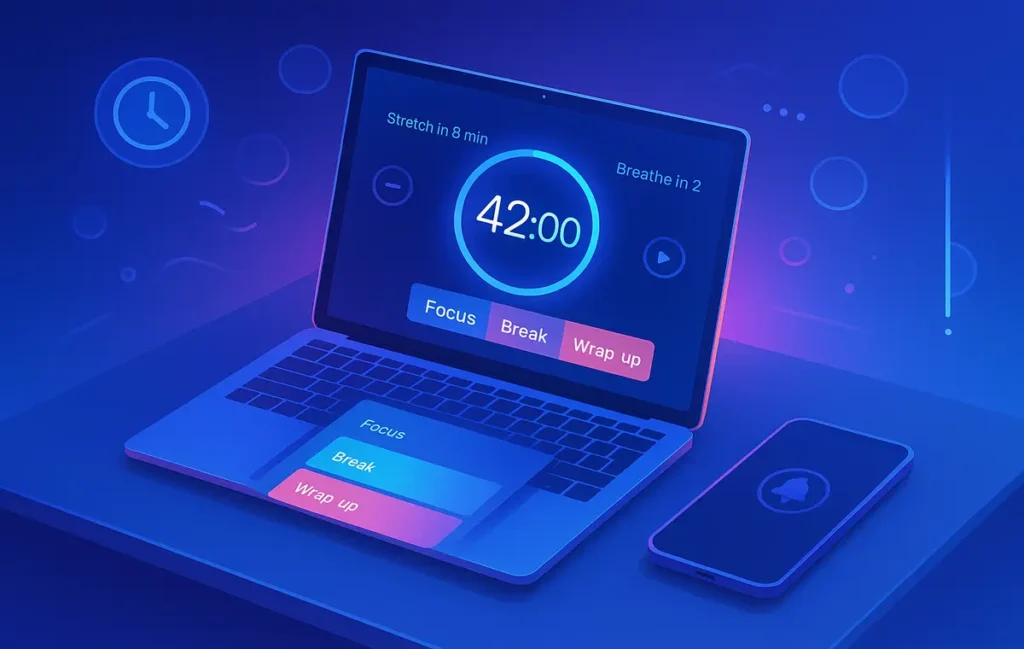
At the heart of Pomodoro-Plus is a simple rhythm: 42 minutes of deep focus, followed by an adaptive break, repeated twice to form a block. You can tweak the numbers, but this base template works surprisingly well for most knowledge workers.
Here’s the anatomy of a 42-minute Deep Cycle:
-
Minutes 1–5: Settle Phase
You close loops, clean your workspace, open the right docs, review your plan, and let your mind “lock in” to the task. You are not racing yet; you’re setting the rails. -
Minutes 5–30: Peak Work Window
This is the core of the cycle. You’re writing, coding, designing, synthesising—no notifications, no app hopping. You’re doing one thing at a time on purpose. -
Minutes 30–42: Focused Wind-Down
Here you resist the urge to wander. You might handle small sub-tasks, tidy code, outline the next steps, or leave yourself a short note so your next cycle starts fast. The point is to stay on task, not to mentally check out.
After each Deep Cycle, you apply auto-break rules:
-
If your eyes burn or blur, you take a 2-minute blink break: stand up, look at something far away, hydrate.
-
If you feel cognitively stalled—staring at the screen, rereading the same line—you give yourself a 5-minute reset: a short walk, light stretching, maybe a brief breathing exercise.
-
When you complete two cycles (roughly 84 minutes of focus plus microbreaks), you take a 12-minute strategic break: step away fully, maybe check messages, get a snack, or switch rooms.
Two cycles plus breaks become one Deep-Work Block of about two hours. Three such blocks, spaced across your day, form a full deep-work day without hitting the wall.
You can run this on paper, but tech can make it smoother. For example, you can pair the template with browser tools from guides like How to Use Browser Extensions for Better Focus by setting up gentle reminders, auto-pausing distracting sites, or dimming the screen when your break window arrives. The secret is to use tech as a quiet scaffolding—not as another noisy boss yelling at you every 25 minutes.
💡 Nerd Tip: Treat each 42-minute cycle like a “mini mission.” Before you press start, write one sentence: “In this cycle, I will…”. When you do that consistently, your brain learns that timers are about commitments, not pressure.
⚙️ How Auto-Break Scheduling Works (Tools & Logic)
Auto-break scheduling is where Pomodoro-Plus feels very 2025. Instead of manually deciding when to rest, you let your system watch for signals that your focus quality is slipping. Then it nudges you to take the smallest effective break, so you can return to deep work before your brain completely checks out.
At the simplest level, you can implement this with focus timers and gentle notifications. Many modern focus apps (including several we’ve looked at in Best Pomodoro Apps That Actually Improve Focus & Deep Work) offer variable session lengths and custom break rules. Configure them to run 42-minute sessions with “soft” break reminders—subtle sounds, fading overlays, or tiny animations—rather than jarring alarms.
If you like tinkering, you can go further and add logic-based triggers. For example:
-
Keystroke or mouse idle time: If there’s no keyboard or mouse activity for 30 seconds during a cycle, your system can suggest a 2-minute microbreak. It’s a sign you’re stuck or drifting.
-
Scroll slowdown: When you keep scrolling but stop clicking or typing, you may be passively consuming rather than producing. That’s a good moment for a short reset.
-
Time-of-day patterns: Some people naturally dip in early afternoon; your system can suggest slightly longer breaks in that window.
You don’t need complex AI to do this. Simple automations—like OS-level shortcuts, focus apps, or scripts that watch for idle time—are enough. NerdChips-style workflows often combine light automation with the microbreak ideas from The Science of Microbreaks: Tech Tools That Help: the system doesn’t force you; it offers a timely pause when your behaviour suggests fatigue.
A nice side effect: auto-breaks reduce the willpower tax. You’re no longer constantly asking, “Should I push for another 10 minutes?” The system watches your rhythm and offers the smallest break that will actually help. Over days and weeks, this keeps your average focus quality higher without feeling like constant self-management.
💡 Nerd Tip: Start with one automated trigger—like “no keystroke for 30 seconds → suggest 2-minute break”—and use it for a week. Only add more triggers once that first one feels natural.
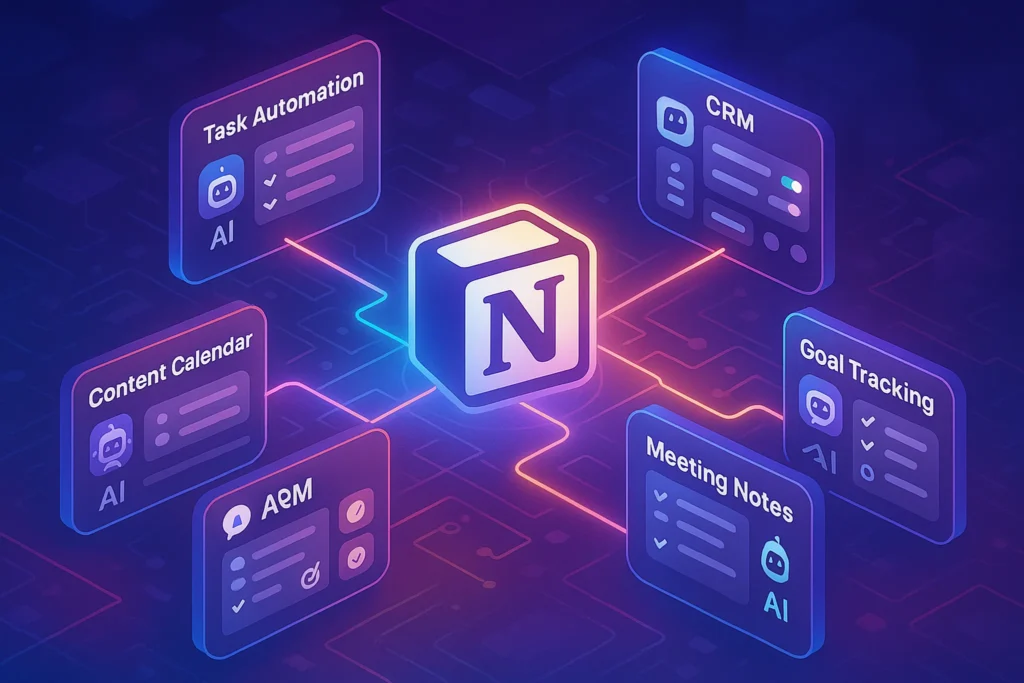
📟 Building Pomodoro-Plus in Notion (Template Section)
To really feel the power of Pomodoro-Plus, you want a place where your cycles, breaks, and energy notes live together. Notion is perfect for this because it lets you mix structured data with quick reflections on how each block felt.
Create a simple “Pomodoro-Plus Log” database with columns like:
-
Focus Block (1, 2, or 3)
-
Start Time – End Time
-
Deep Cycle Count (usually 2 per block)
-
Break Pattern (2/5/12 mix you actually used)
-
Cognitive State Score (1–5) before and after
-
Energy Shape (morning / afternoon / night)
-
Key Output (one line: “Drafted intro + outline,” “Refactored X module,” etc.)
You don’t need to fill in every field obsessively. The point is to notice patterns: do morning blocks consistently yield 4–5 energy scores, while late-night blocks slump at 2–3? Are you taking many 5-minute resets, which might signal chronic task difficulty or under-sleeping?
This is where humane tracking philosophy matters. You’re not building a surveillance system on yourself; you’re collecting just enough data to make better choices. That mindset mirrors the approach we discuss in Time-Tracking Apps That Don’t Feel Like Micromanagement—your tracking exists to support you, not to judge.
Over time, your Notion log becomes a kind of personal energy map. You might discover that Block 1 is best for writing, Block 2 for heavy analysis, and Block 3 for creative or exploratory work. You may also notice that when you skip the 12-minute strategic break between blocks, your third cycle falls apart. That’s a subtle but powerful insight you’d never get from raw hours alone.
💡 Nerd Tip: Add one small text field to each block: “What helped?” After a great block, jot a five-word note. These micro lessons compound fast.
📱 Using Your Phone Without Breaking Flow (One-Screen SOP)
A beautifully tuned Pomodoro-Plus system can be wrecked by one reflex: reaching for your phone “just for a second” during a microbreak. The problem is not the break; it’s the infinite scroll that follows. That’s why it helps to treat your phone as part of the system, not a separate problem.
The simplest rule: your phone is only fully “on” during strategic breaks. During 42-minute cycles, it should be either in airplane mode or in a Break Only Mode with strict filters. During 2- or 5-minute microbreaks, you’re better off never touching it at all. Use those microbreaks for eye rest, movement, or breathing instead of social feeds.
This idea pairs perfectly with a one-screen layout like the one we explore in Distraction-Free Phone: One-Screen App Layout SOP. Imagine your home screen has only deep essentials: calendar, notes, timer, messaging, and maybe a focus app. Everything else is pushed to other pages or hidden. During deep cycles, the phone lives face-down, out of reach. During strategic breaks, you can check messages or updates—but you’re doing it intentionally, not habitually.
You can even sync your phone behaviour to your Pomodoro-Plus blocks. For example, you might allow notification batches only after each 84-minute block, not after every 42-minute cycle. Many people report feeling less anxious once they see that nothing explodes when they check messages every 90 minutes instead of every 9.
💡 Nerd Tip: Use your 12-minute strategic break to handle any “life admin” on your phone. Treat it like a mini inbox block, not a random scroll session.
🧱 Daily Layout — The 3-Block Deep-Work Day
One Pomodoro-Plus block is powerful. Three blocks, placed intentionally, can completely change how your workday feels without increasing total hours.
A common layout looks like this:
-
Block 1 – Morning Clarity
This is your cleanest mental window. Use it for your highest-leverage task: writing, architecture decisions, complex design, deep research. Two 42-minute cycles, a couple of microbreaks, and a 12-minute strategic break afterwards. Many people find that one strong Block 1 defines the tone of the entire day. -
Block 2 – After-Lunch Execution
Early afternoon gets a bad reputation, but with a good meal and short walk, it can be a great time for structured work: implementation, polishing, testing. Pomodoro-Plus helps here because the timer keeps you from sliding into passive browsing. If you notice your energy dipping, you can slightly shorten cycles (e.g., 38 minutes) without abandoning the structure. -
Block 3 – Late-Day Creative / Cleanup
This block is for creative experiments, refactoring, or high-quality admin—not doom scrolling. Energy is often lower, so you can keep the same 42-minute cycles but lean on richer breaks, like stretching, short outdoor walks, or deep breathing sessions.
You don’t have to run all three blocks every day. Some days you might only have space for one or two. The key is that blocks are intentional slots, not vague hopes for focus. When you protect them on your calendar and honour the auto-break rules, you end the day with three meaningful chunks of progress rather than 20 scattered half-tasks.
This structure plays nicely with digital hygiene habits across your stack. You might use browser extensions from How to Use Browser Extensions for Better Focus to block distracting sites only during blocks, while leaving them open during lighter hours. You might use humane trackers to ensure you’re not creeping towards 10+ hours at the screen without real rest.
Eric’s Note: You don’t need a “perfect” schedule to feel different. One clean block a day can quietly move you further than a week of scattered effort.
💡 Nerd Tip: Start by protecting just Block 1 on your calendar for a week. Once it feels solid, add Block 2. Let Block 3 be optional until your system is stable.
🧪 Optimization — When to Change Cycle Length
Pomodoro-Plus is a template, not a religion. The 42-minute cycle works well for many, but your brain, tasks, and schedule might need adjustments. The trick is to change your settings based on signals, not moods.
You might be overshooting your capacity if:
-
You often feel overwhelmed halfway through a cycle and start avoiding the start button.
-
The quality of your output drops sharply towards the end of each session.
-
After a block, you find it hard to re-enter deep work for the rest of the day.
In that case, shorten your cycles temporarily. Try 35–38 minutes with the same adaptive breaks for a week and watch your cognitive state scores in your Notion log. If they improve, you’ve found a better fit.
Conversely, you might be undershooting if:
-
You’re frequently distracted, checking apps or tabs well before the cycle ends.
-
You feel bored around minute 20 and crave novelty instead of deeper thinking.
-
You end cycles with the sense that you were just getting started.
If that’s you, gently extend your focus window. Move from 42 to 48 or 50 minutes and slightly lengthen the strategic break afterwards. The goal is to find a rhythm where you finish cycles feeling “pleasantly tired but not cooked.”
Remember, the human brain adapts. Many people who couldn’t imagine 45 minutes of deep work discover that, with fewer digital interruptions and smarter break rules, they can sustain 60–70 minutes of focus on the right tasks. The Pomodoro-Plus template simply gives you a structured way to explore that range without burning out.
💡 Nerd Tip: Change only one variable at a time—cycle length or break length—so you can tell what actually made the difference.
🔥 Power User Tactics
Once the core system feels natural, you can layer on some advanced tricks that make Pomodoro-Plus feel like a personalised deep-work cockpit.
Some power users pair cycles with soundscapes or noise apps. For example, they might use one specific playlist for Block 1 “build mode” and another for Block 3 “creative mode.” Over time, your brain associates each sound with a state, making it easier to drop into focus. Others run simple HRV or wearable data in the background, not to obsess over numbers but to spot patterns: maybe your best Blocks happen on days when you slept an extra 40 minutes.
Another tactic is using three-way timers: one for focus, one for microbreaks, and one for strategic breaks. Some apps bake this in; others let you chain timers together. The advantage is that you no longer negotiate with yourself about “just three more minutes.” You press start and let the sequence handle timing while you attend to the work.
On the visual side, desktop widgets can show your current cycle, next break type, and Block count for the day. This can be as simple as a small floating timer or as fancy as a custom dashboard. NerdChips-style systems often keep this minimal to avoid turning productivity into a second job.
Power users also batch similar tasks into a single block: research tasks in one block, writing in another, review or refactoring in a third. This reduces context switching inside cycles, which is one of the fastest ways to leak cognitive energy. When your tasks match your Block type, your brain doesn’t have to keep recalibrating.
💡 Nerd Tip: If a “pro” tactic makes your setup fragile or annoying, drop it. The best systems disappear into the background while you do your best work.
📬 Want More NerdChips Deep-Work Systems?
Join our free newsletter and get weekly playbooks on deep work, humane tracking, and focus tools—built for creators, devs, and founders who actually ship.
🔐 100% privacy. No noise. Just battle-tested productivity systems from NerdChips.
🧠 Nerd Verdict
Pomodoro-Plus is not about glorifying timers; it’s about respecting how your brain actually works in 2025. Longer cycles give you space to do real, deep work. Adaptive auto-breaks keep you from sliding into exhaustion or distraction. Light automation and humane tracking help you maintain that rhythm without constantly negotiating with yourself.
What NerdChips loves most about this system is that it scales down as easily as it scales up. You can run Pomodoro-Plus with nothing but a kitchen timer and a notebook, or you can integrate it with focus apps, browser extensions, and time-tracking tools like the ones we explore across our productivity library. Either way, the core remains the same: a small set of rules that protect your best hours from chaos.
In a world of infinite tabs and endless notifications, protecting three deep-work blocks a day might be the highest-leverage move you can make. Pomodoro-Plus gives you a template to do exactly that—without turning your life into a spreadsheet.
❓ FAQ: Nerds Ask, We Answer
💬 Would You Bite?
If you tried Pomodoro-Plus for just one week, which task or project would you dedicate your first deep-work block to?
And when that week ends, what would need to feel different for you to say, “Yes, this rhythm is worth keeping”? 👇
Crafted by NerdChips for creators and teams who want their best ideas to travel the world.